Block Rewind – Version History For Blocks Wordpress Plugin - Rating, Reviews, Demo & Download

Plugin Description
WordPress revisions save the whole post, and only when you save it. Undo works step by step, and only for the whole post. Block Rewind keeps a short history for each block, so you can bring back a paragraph you rewrote ten minutes ago without losing everything you changed since.
Select a block and click the Block Rewind button in the editor’s top bar to see its versions.
Features
- History per block. Each block keeps its own versions, saved about once a minute while you edit it. The version from before your first edit is kept too.
- Compare before you restore. See the version next to the block as it is now, a word-by-word view of the text changes, and a list of every setting that would change: font size, colors, spacing, layout and more.
- Safe restores. The current content is saved to history before a restore, and every restore can be undone in one step.
- Blocks inside blocks. Restore a whole Group or Columns block at once, or open the history of a single block inside it.
- Survives a reload. If the editor reloads before you save the post, the blocks get their history back.
- Private by design. History is stored in your browser only, separately for each site and each user. Nothing is sent to your server or anywhere else.
What it does not do
- History is short-lived: versions are kept for 4 hours by default, and up to 100 versions per block. Use WordPress revisions for long-term history.
- History stays in the browser it was made in. It is not shared with other devices, browsers or users.
- The Site Editor, templates, template parts and synced patterns are not supported yet. History pauses while you edit them from a post.
Source code
The plugin’s JavaScript in the build folder is compiled from the source in the src folder, which is included in the plugin. Development happens on GitHub: rajdeepgaur/block-rewind. To build the plugin yourself, clone the repository and run npm install and then npm run build.
Privacy
Block Rewind does not send any data to your server or to third parties, and it does not use cookies or tracking.
- Versions of the blocks you edit are stored in your browser’s IndexedDB storage, separately for each site and each user. They are removed after 4 hours by default, or when you clear the site’s data in your browser.
- A random ID is added to each block you edit and saved with the post. It contains no personal data.
Screenshots
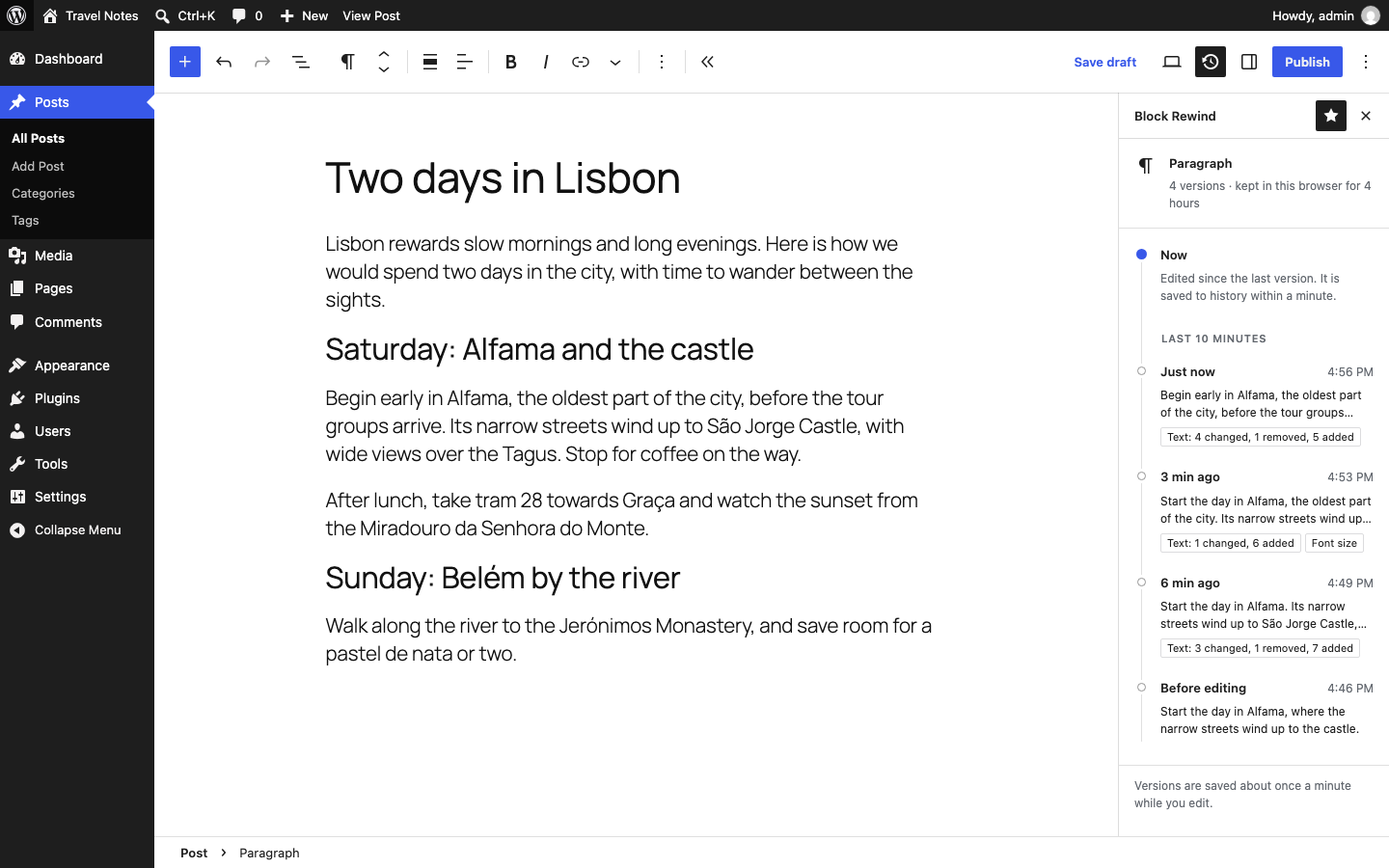
The history of a block in the Block Rewind sidebar.
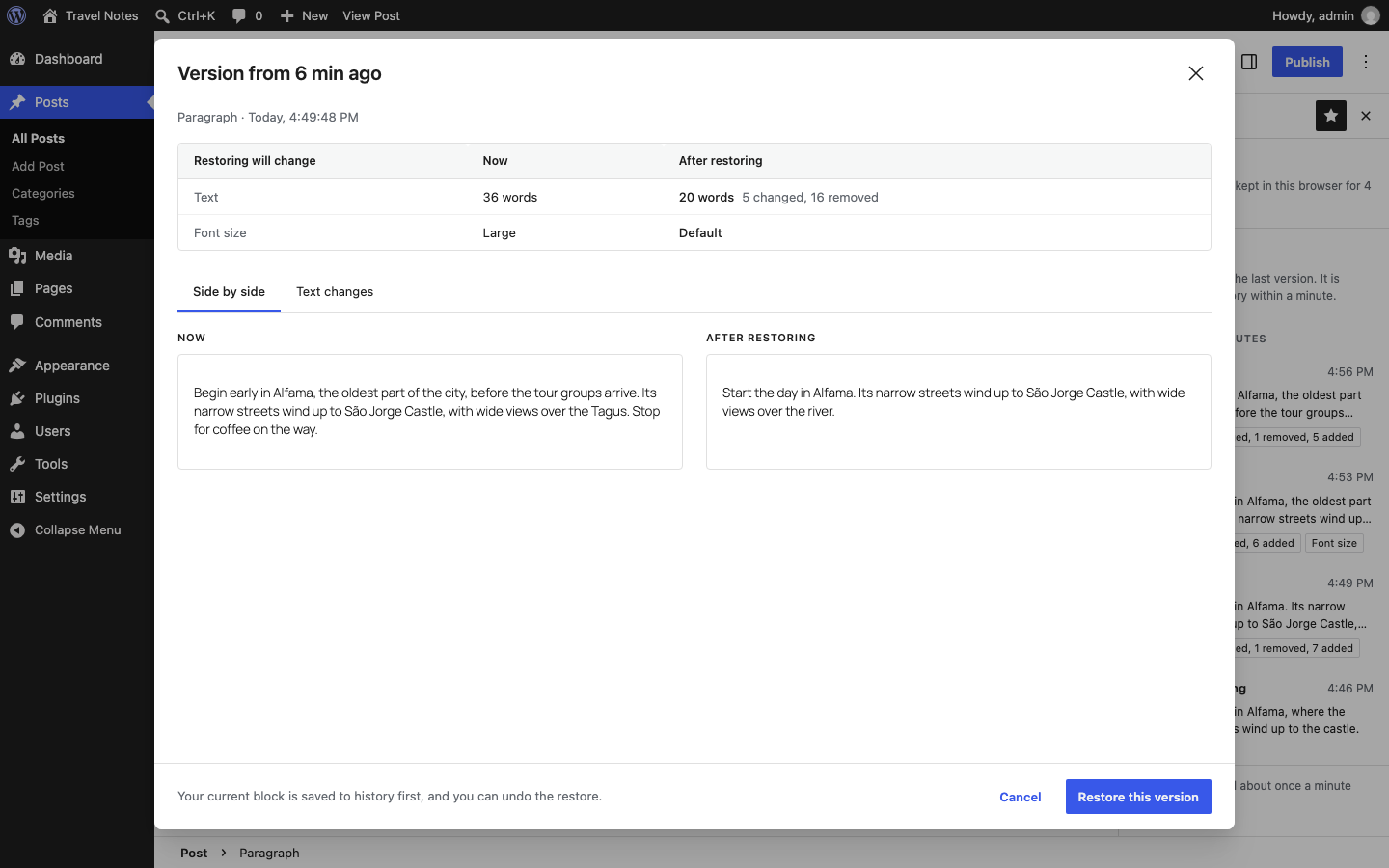
Comparing a version with the block as it is now, before restoring it.

The text changes a restore would make, word by word.