Blue Coral – Site Audit, Performance, Admin Toolkit Wordpress Plugin - Rating, Reviews, Demo & Download
Plugin Description
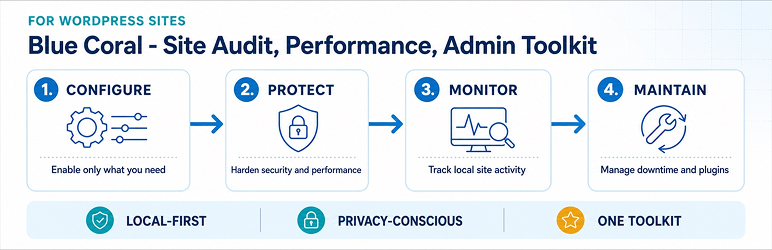
Blue Coral – Site Audit, Performance, Admin Toolkit provides practical local tools for maintaining a WordPress site or network.
Features include:
- Local Activity Logs with retention controls and privacy export/erasure support.
- Security Headers, CSP helpers, and security-related site enhancements.
- Maintenance Mode, configuration export/import, and Plugin Control tools.
- User and avatar utilities, and an API/MCP workspace for separately configured clients.
The core plugin does not transmit telemetry, credentials, database contents, personal data, or usage statistics to BlueCoral or another third party. When enabled, Activity Logs collect and store administrator and site activity locally in the WordPress database. Records can include a user ID and username when present, event metadata, and request metadata such as the request path and method, IP address, and user agent. Sensitive values are redacted, and raw actor email is not persisted. The Toolkit does not transmit Activity Log records to BlueCoral or another third party. Site owners configure Activity Log retention and can use WordPress privacy export and erasure tools. The Toolkit does not make a storage probe or request for Activity Log storage. CSP directives are configured manually by a site administrator. The optional MCP API is accessed only by a separately configured client that you choose.
External services
Core Toolkit functions do not require a third-party service or BlueCoral account. The Toolkit does not initiate requests to third-party services or load remote assets.
- Security Headers provides manual CSP directive configuration. It has no default external hosts and loads no remote assets.
- Activity Logs are stored in the WordPress database. The Toolkit does not make a storage probe or request for Activity Log storage.
- The optional MCP endpoint is hosted by the WordPress site. It receives requests only from a client independently configured by the site administrator; it does not connect to a BlueCoral service.
Screenshots

Activity Logs list with filtering and pagination.

Site Enhancements settings.

Maintenance Mode controls.

Plugin Control tools.

Toolkit settings.