Boldtypeco Shortcode And Block Inventory Wordpress Plugin - Rating, Reviews, Demo & Download
Plugin Description
Removed a page builder, a form plugin or a slider? Their shortcodes stay in your content and show up as raw text like [old_slider id="3"], and their blocks turn into “unsupported block” notices. Before you switch or delete a plugin, you also want to know which pages depend on it.
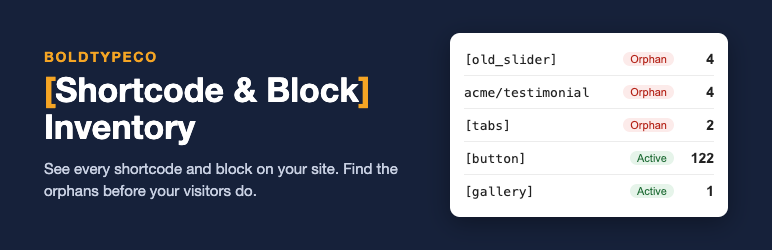
Boldtypeco Shortcode and Block Inventory scans your content and builds one clear report:
- Every shortcode and every block type used on the site, with the number of uses and the number of places.
- Orphan detection: shortcodes and blocks that no active plugin or theme provides any more are flagged in red.
- Where used: a list of every post, page, synced pattern and template that contains the item, with direct edit links.
- Filters by name, type (shortcodes or blocks) and status (orphan, active, ignored). Core blocks can be hidden with one click.
- CSV export of the report, ready for a spreadsheet or a client hand-off.
- Ignore list for bracketed words that are not really shortcodes.
- Batched scanning with a progress bar, so it works on large sites without timeouts.
- Scans posts, pages, custom post types, synced patterns (reusable blocks), templates and template parts, in every status except trash.
- Read only: the scan never changes your content.
The plugin also remembers shortcodes that some plugins register only on the front end, so they are not reported as false orphans.
Pro add-on
An optional paid add-on adds scanning of custom fields and widgets, bulk cleanup of orphan shortcodes and blocks with a preview, scheduled scans with an email report, and WP-CLI commands. The free plugin is complete on its own and is not limited in any way.
Privacy
The plugin does not send any data anywhere, does not track you and does not load anything from external servers. The report is stored in your own database.
Screenshots

The report: every shortcode and block, with orphans listed first.

“Where used” shows every post that contains an item, with edit links.

Filters for orphans, type and name, plus CSV export.