
Borges Bibliography Builder Wordpress Plugin - Rating, Reviews, Demo & Download
Plugin Description
Named for Jorge Luis Borges (1899–1986), the Argentine writer and librarian known for stories about infinite libraries, imaginary books, and labyrinths of knowledge, Borges Bibliography Builder brings order to scholarly references in WordPress.
The Borges Bibliography Builder transforms pasted DOI(s), BibTeX entries, and citations into a semantically rich, auto-sorted reference list.
One-click import. Paste a DOI, and CrossRef resolves the metadata instantly. Paste BibTeX or formatted citations for books, articles, chapters, webpages, reviews, and theses.
Nine citation styles. Choose from Chicago Notes-Bibliography, Chicago Author-Date, APA 7, MLA 9, Harvard, Vancouver, IEEE, OSCOLA, and ABNT — all with automatic alphabetical sorting per style rules.
Portable. Static HTML output survives plugin deactivation. No shortcodes. No database tables.
Reference-manager friendly. Export and reuse your bibliography in common research workflows. Borges supports CSL-JSON, BibTeX, RIS, DOI links, JSON-LD, and optional COinS metadata for compatibility with tools such as Zotero, Mendeley, EndNote, JabRef, BibDesk, and other citation managers.
Translation-ready. Interface locale files are currently included for French (fr_FR), German (de_DE), Dutch (nl_NL), Swedish (sv_SE), Spanish (es_ES), Italian (it_IT), Portuguese (pt_PT), Polish (pl_PL), Russian (ru_RU), Japanese (ja), Simplified Chinese (zh_CN), Korean (ko_KR), Serbian (sr_RS), Croatian (hr), Brazilian Portuguese (pt_BR), Hindi (hi_IN), Bengali (bn_BD), Tamil (ta_IN), and Telugu (te).
Development
Source code, issue tracker, and contribution guidelines are on GitHub:
https://github.com/dknauss/borges-bibliography-builder
Bug reports, feature requests, and pull requests are welcome. See CONTRIBUTING.md in the repository for development setup, coding standards, and the PR process.
External Services
This plugin connects to the CrossRef REST API (https://api.crossref.org/) when you paste a DOI to resolve citation metadata. No account or API key is required. Requests are made only when you explicitly add a DOI in the block editor — no data is sent automatically or in the background.
- CrossRef service: https://www.crossref.org/
- CrossRef REST API documentation: https://api.crossref.org/swagger-ui/index.html
- CrossRef privacy policy: https://www.crossref.org/privacy/
- CrossRef terms of service: https://www.crossref.org/terms/
Screenshots
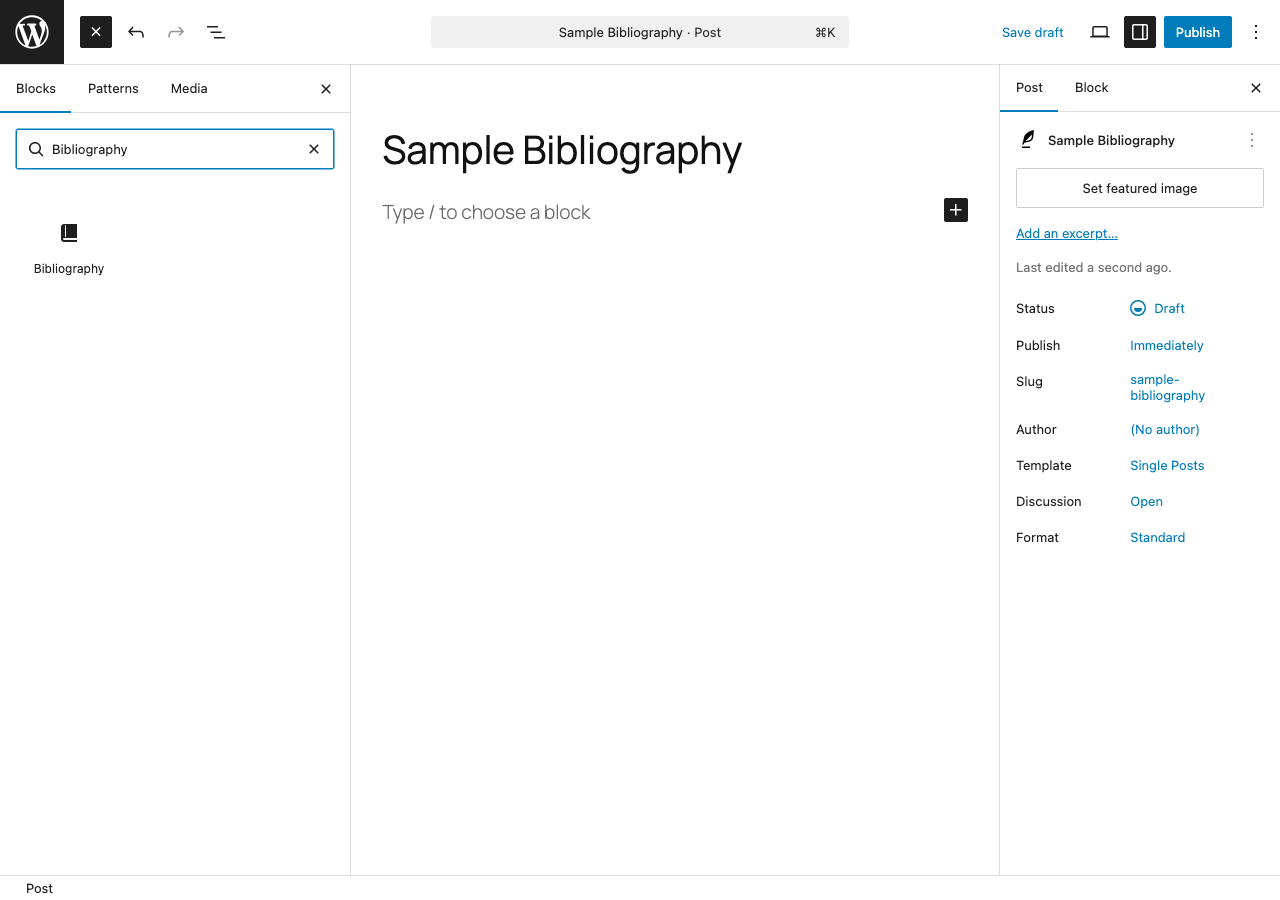
Discover the Bibliography block in the block inserter by searching for “Bibliography.”
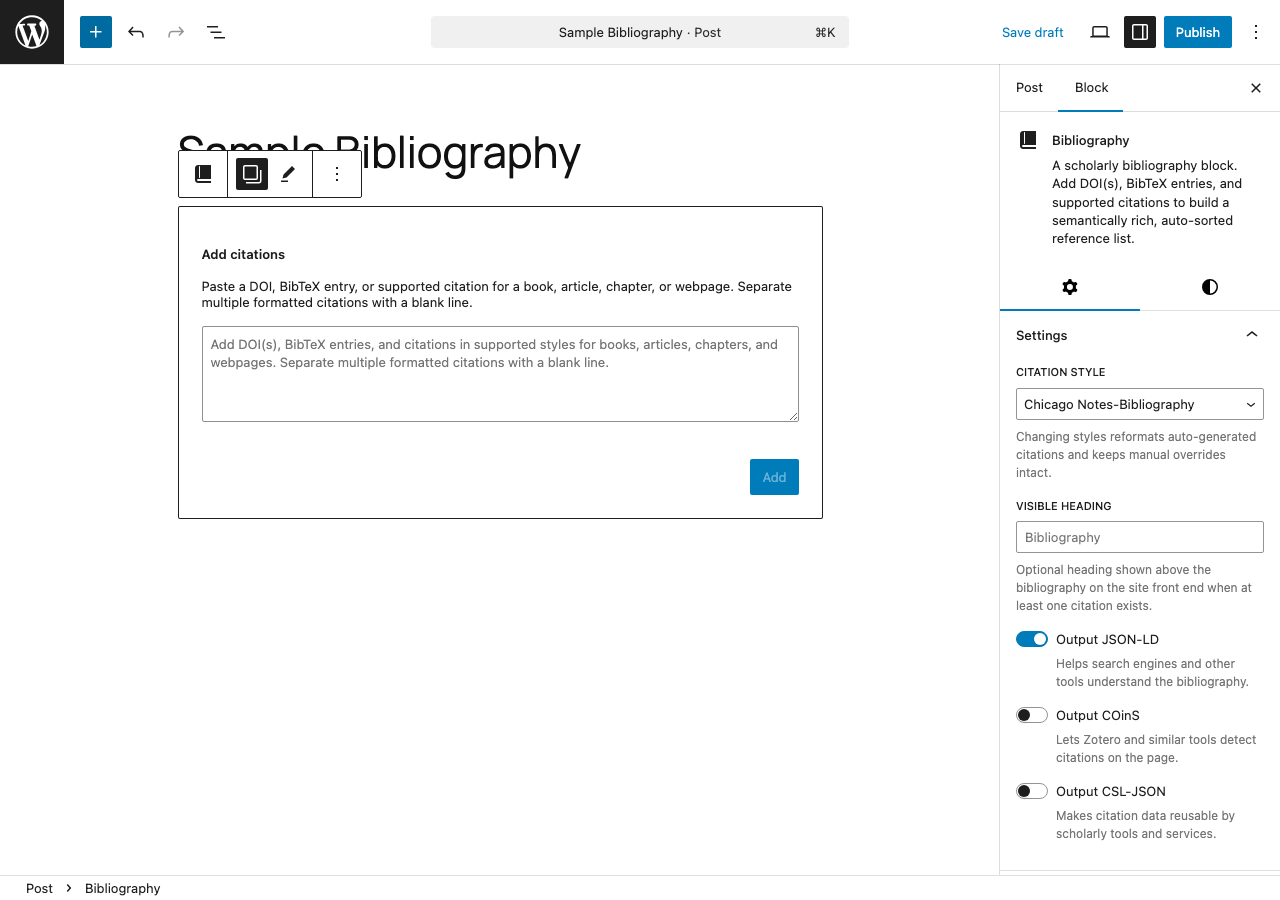
Paste DOIs, BibTeX entries, or supported citation text into the import form; the sidebar controls citation style, visible heading, and metadata output (JSON-LD, COinS, CSL-JSON).
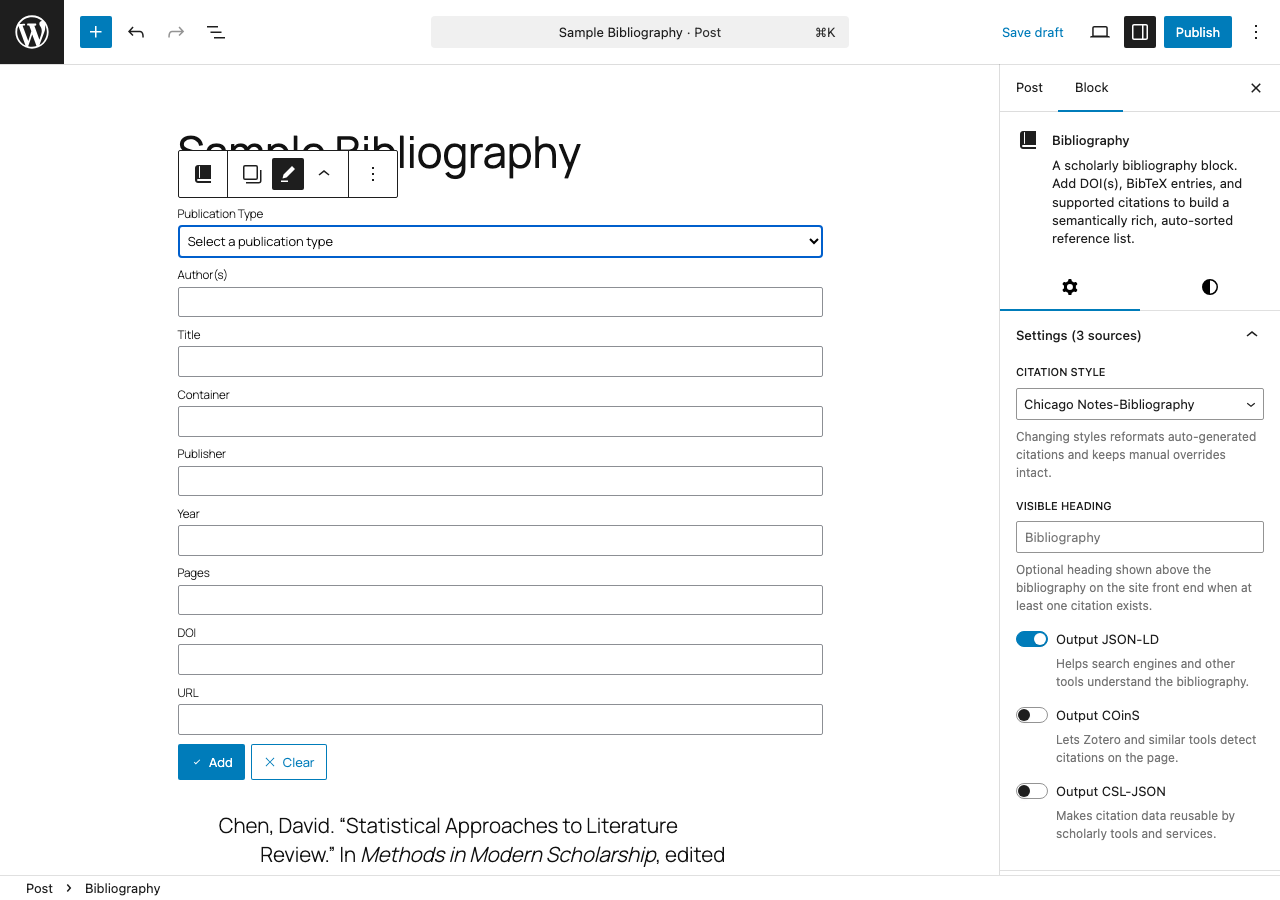
Switch to Manual Entry to build a citation field by field — Publication Type, Author, Title, Container, Publisher, Year, Pages, DOI, and URL.
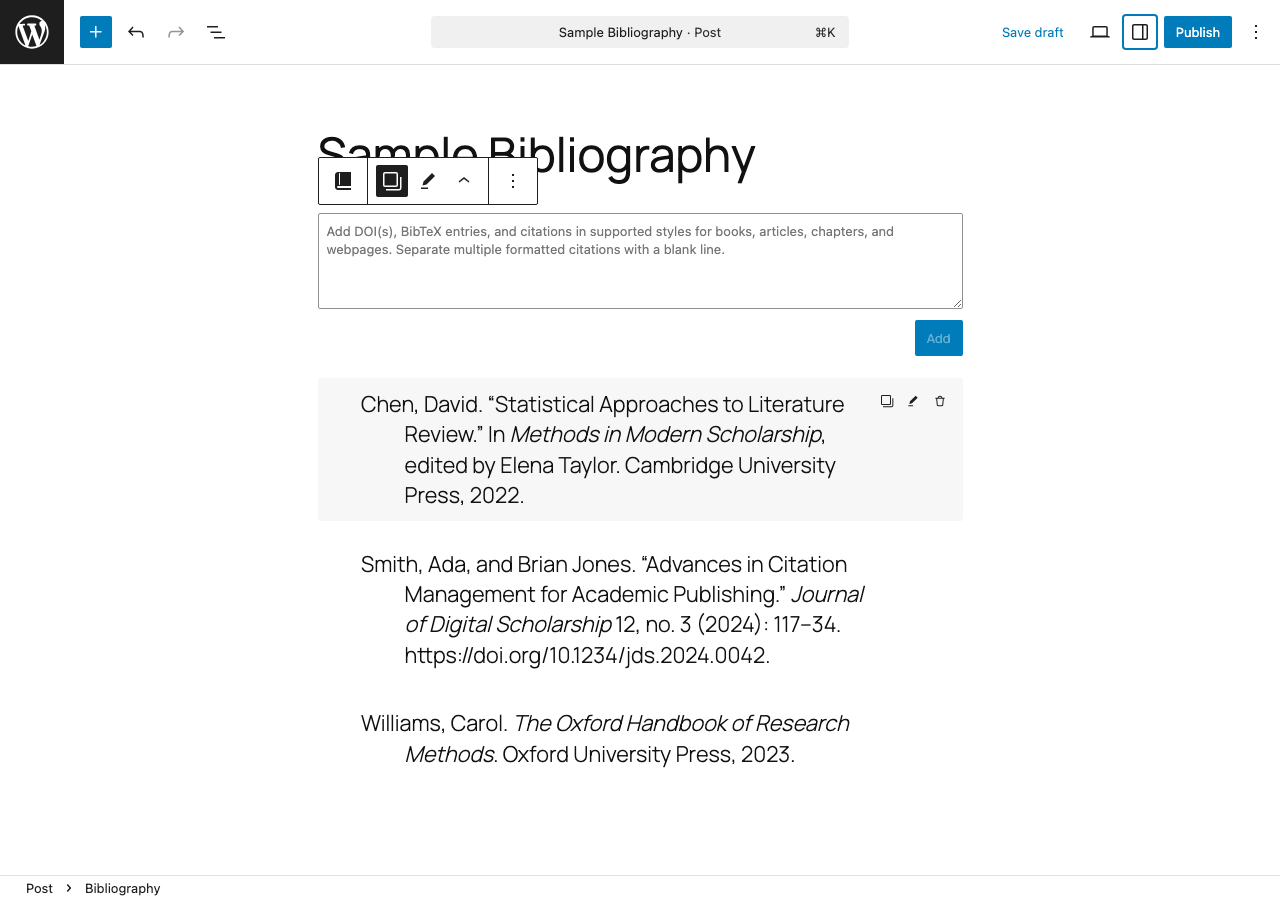
The block in editor view showing a formatted bibliography; hover any entry to reveal copy, edit, and delete actions.
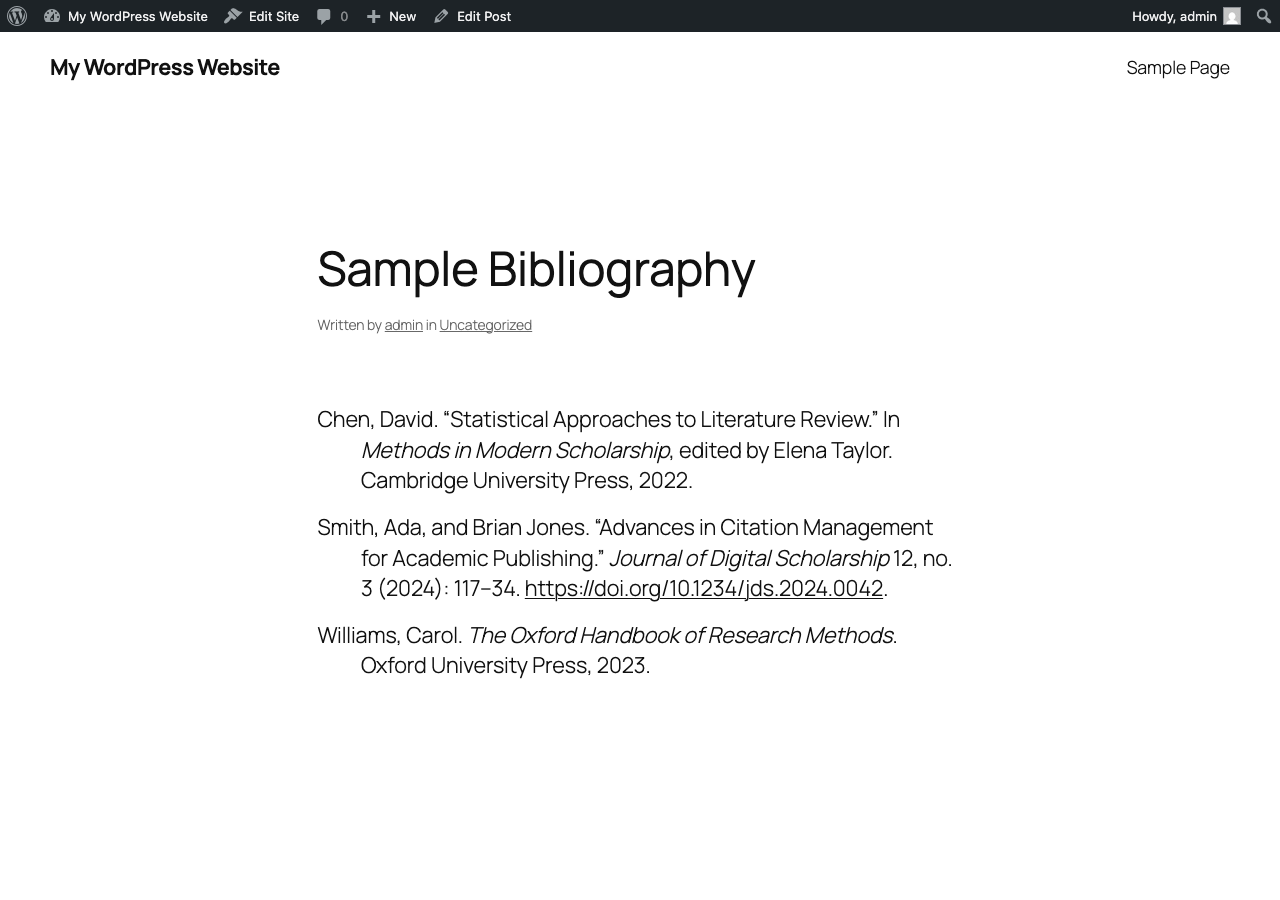
The rendered bibliography on the site front end — hanging indents, italic titles, and linked DOIs, styled by the active theme.


