
BoxCart Wordpress Plugin - Rating, Reviews, Demo & Download
Plugin Description
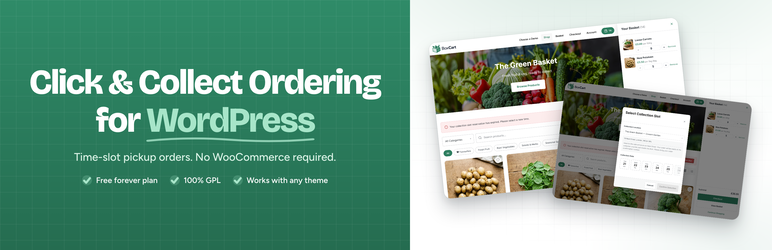
BoxCart is a standalone click & collect ordering plugin for WordPress. Give your customers a polished pickup-ordering experience with configurable time slots, a modern card-view storefront, customer accounts, and a built-in admin dashboard – all without WooCommerce.
Built for: farm shops, bakeries, butchers, delis, greengrocers, fishmongers, florists, coffee roasters, pizza shops, meal-prep kitchens, and any business where customers order ahead and collect.
What you get in the free build
- Click & collect ordering with configurable time slots on your pickup schedule.
- One pickup location with its own address, collection instructions, opening hours, and per-slot capacity.
- Card-view storefront with category filters, search, and mini-basket.
- Customer accounts with order history.
- Admin order management with a status lifecycle (pending, confirmed, ready, collected, cancelled).
- Seven transactional email templates (order confirmation, status updates, cancellations, modifications, customer messaging) with branding controls and a live preview editor. Plus three admin notifications.
- Cash on collection and bank transfer payment methods.
- 5 Gutenberg blocks and 5 shortcodes for embedding BoxCart anywhere – products, basket, checkout, account, mini basket.
- Developer-friendly – 20 action hooks, 11 filter hooks, CSS custom properties throughout, zero external PHP dependencies.
- Cache-resilient – pages render as empty shells that hydrate via AJAX, with a bypass cookie for customer sessions. Compatible with Cloudflare, WP Rocket, LiteSpeed, and similar.
- Translation-ready with a
.potfile included. - GDPR-aware – self-hosted fonts, optional full data cleanup on uninstall.
Why BoxCart?
- Standalone – no WooCommerce required. A single, focused plugin with its own data model.
- Time-slot ordering baked in. Configure your schedule, slot length, and capacity. Customers see live availability.
- Developer extensible – documented hooks, filters, and CSS custom properties.
- Not a stripped-down demo – the free build is a complete, working click & collect store.
Paid Pro upgrade (optional)
A paid Pro build is available from boxcart.dev with additional features:
- Multiple pickup locations
- Stripe card payments (with Apple Pay, Google Pay, Link, Klarna, PayPal, Afterpay)
- Table-view storefront
- Customer favourites and one-click reorder
- Multi-quantity products (e.g. per-100g / per-kilo on one product)
- Two-way order messaging
- Customer-side order modification
- Holiday closures and per-date capacity overrides
- Printable pick lists & packing slips
- Sales reports
- CSV product import/export
- 195+ customisation settings
Pro is optional – the free build will continue to receive updates and is genuinely useful on its own.
Live demo
Three demo stores at demo.boxcart.dev – a greengrocer, a bakery, and a butcher – each configured differently to show the range of what BoxCart can do.
Documentation
Full documentation at docs.boxcart.dev covering every admin workflow and the developer API.
External Services
This plugin uses the Freemius plugin framework (https://freemius.com/) for optional anonymous usage tracking, licence handling for the paid Pro upgrade, and update delivery for Pro customers. Freemius is a well-known WordPress plugin distribution platform and the integration is entirely standard.
What data is sent, and when:
- When you activate BoxCart, you are shown an opt-in prompt asking whether to share anonymous usage diagnostics. You can skip the prompt – the plugin works either way.
- If you opt in, Freemius receives: your site URL, admin email, WordPress version, PHP version, plugin version, activation/deactivation events, and non-personal environment data (e.g. active theme, locale). You can opt out at any time from BoxCart → Account.
- If you purchase the Pro upgrade, Freemius also handles your licence key, renewal state, and update delivery for the Pro build.
- BoxCart never sends your customers’ data, your orders, your products, or the contents of your store to Freemius or anywhere else.
Endpoints contacted: api.freemius.com, wp.freemius.com.
Freemius’s own privacy policy and terms:
- https://freemius.com/privacy/
- https://freemius.com/terms/
Screenshots

Card-view storefront with category filters, search, and a push mini basket.

Sidecart with basket items, collection-slot prompt, and clear total.

Time-slot picker showing live availability on the customer’s chosen day.

Customer account with order history.

Admin dashboard with today’s orders, pending queue, and ready-for-collection.

Orders list with status tabs, date filter, and quick search.

Product editor – name, price, image, category, SKU, stock, and quantity type.

Pickup-location editor with opening hours, slot length, and capacity.

Gutenberg block inserter showing the five BoxCart blocks.


