
BoxCraft For WooCommerce Wordpress Plugin - Rating, Reviews, Demo & Download
Plugin Description
📦 Build-your-own-box, done right
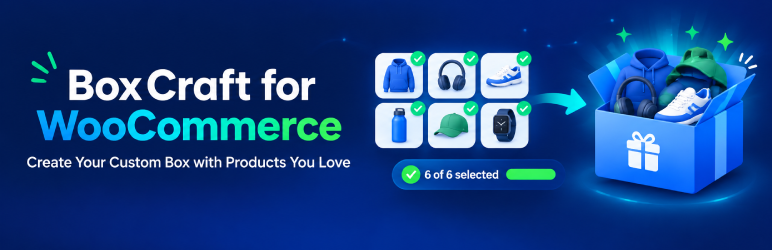
BoxCraft lets your customers create their own box from your WooCommerce catalogue: Pack of 6, Pack of 12, or any size you define. You decide which products are eligible and how the box is priced. Customers pick items with a fast, mobile-friendly picker, watch a live progress bar fill up, and add the finished box to the cart.
Perfect for chocolate and snack boxes, coffee and tea samplers, bakery boxes, skincare sets, wine and craft-beer packs, gift hampers, plant bundles and anything else sold in fixed quantities.
✨ Highlights
- 📏 Fixed item count: a Pack of 6 must contain exactly six items. The Add to cart button stays disabled until the box is complete.
- 💰 Two pricing modes per pack size:
- Fixed pack price: for example, any six items cost $30.
- Sum of selected items: the box costs the total of the chosen products’ WooCommerce prices, sale prices included.
- 🎯 Flexible eligibility: choose products by search, by category (sub-categories included), exclude specific products, and set optional per-product limits.
- 🔁 Repeat selections: allow several units of the same product, or restrict each product to one per box.
- 🎨 Variable products supported: the customer must choose a variation (size, flavour, colour) before it counts.
- 📊 Live progress and total: “4 of 6 items selected”, with the price updating instantly.
- 🛒 Works in your cart: the box appears as one clear line with its contents listed underneath. Customers can edit it from the cart.
- 🔒 Server-side validation: price, item count, variations and stock are re-checked on the server. Nothing the browser sends is trusted.
🧩 Everything you get
For shoppers 🛍️
- Responsive product picker with grid or list layout and touch-friendly controls
- Search, category filter and sorting by name or price
- Product images, descriptions, prices and stock status (“In stock”, “Only 3 left”, “Out of stock”)
- Quantity steppers and add/remove buttons
- Live progress bar and price summary: sticky bar, side panel or above the products
- Clear messages such as “Select 2 more items to complete your box”
- Edit a box from the cart with the previous selection restored and re-validated
- Box contents visible in the cart, checkout, order confirmation, My Account and emails
For store owners 🧑💼
- Create as many boxes as you like, each with several pack sizes
- Collapsible pack-size sections with a one-line summary, plus Expand all / Collapse all
- Pricing summary preview for every pack size
- Availability dates: start and end date for seasonal boxes
- Coupon control: allow or block coupons per box
- Tax class and shipping class per box, following your WooCommerce tax settings
- Show or hide product images, descriptions and prices in the picker
- Custom button label, accent colour, error messages and layout settings
- Basic reports: orders by pack size, by pricing mode, and your most-selected products
Inventory 📦
- Stock is validated whenever a box is added, edited, or its quantity changes
- Component stock is reduced when an order is placed, restored on cancellation, and restocked on refunds when “Restock refunded items” is ticked
- Hide out-of-stock products or show them as unavailable. Out-of-stock items can never be added to a box.
- Works for fixed-price boxes too: the selected products’ stock is still tracked
Placement 📍
- Automatic product page for every box
- Show a box on other product pages, on chosen category pages or on the shop page
[byob_box id="123"]shortcode- “BoxCraft box” Gutenberg block
Built to be trusted 🛡️
- HPOS (High-Performance Order Storage) compatible
- Works with the classic and block-based Cart and Checkout
- Accessible: keyboard navigation, screen-reader announcements, text labels (not colour alone)
- Translation-ready, and follows your site’s language, currency and decimal settings
- Capability checks and nonces on admin actions; sanitised, escaped and prepared throughout
- Uninstalling never deletes WooCommerce orders
🚀 Want more? BoxCraft Pro
Go beyond a single fixed-count box with BoxCraft Pro:
- 🪜 Multi-step boxes: “Choose 2 snacks, 2 drinks, 2 extras”
- 📐 Selection rules: minimums, maximums, required and incompatible items
- 💎 Advanced pricing: tiers, surcharges, discounts, paid add-ons and free gifts
- 🧬 Templates, duplicate boxes and JSON export / import
- 💌 Gift messages, personalisation, saved and shared boxes
- 📈 Richer reports with CSV export
How it works
Each box owns a hidden WooCommerce product (the “box product”). The cart and order line is that product with a name like “Snack Box — Pack of 6”. The selected items are stored on the line and re-validated on the server whenever the cart changes and again at checkout. The price is always calculated on the server, and nothing sent by the browser is trusted. Do not delete the box product: cart and order lines use it.
Deactivation and uninstall
- Deactivating the plugin keeps all boxes, settings and orders. Existing orders keep their box contents as order item meta, so they stay readable.
- Disabling a box (untick “Enabled”, change it to draft, or trash it) hides it on the storefront and makes its box product private. Existing orders are unaffected; carts that still contain it are asked to remove it.
- Deleting the plugin never deletes WooCommerce orders or their box data. Box configurations and settings are removed only if “Delete box configurations when the plugin is deleted” is ticked in Settings. Box products are always kept because past orders refer to them.
Known limitations
- Fixed-amount (whole cart) coupons cannot be blocked for a single line item by WooCommerce. “Allow coupons: off” stops WooCommerce applying coupons to the box line (percentage and fixed-product discounts, and the box’s share of fixed-cart discounts).
- The “Edit box” link in the Cart block is shown as a link only in themes and versions that allow HTML in item data. The classic cart and the cart notices always show a clickable link.
- Block themes do not run classic product hooks. The box is injected in place of the Add to Cart block on its own product page, and other placements need the block or shortcode.
- All pack sizes of one box share the tax class and shipping class set on the box.
Screenshots

🛍️ The customer-facing box builder: product grid, live progress bar and price summary.

🛒 A box in the cart with its contents listed and an “Edit box” link.

⚙️ Box configuration: General tab (availability, repeat selections, coupons, tax and shipping).

💰 Box configuration: collapsible Pack sizes & pricing with fixed or sum pricing.

🎯 Storefront settings: Enable search box, products per row, product layout.

📦 Inventory settings.

📦 Placement settings.

⚙️ Settings: configure box button text, set messages and colors.

📊 Reports: orders by pack size, pricing mode and top products.


