
Buyience NovaCore B2B Quote Engine Wordpress Plugin - Rating, Reviews, Demo & Download
Plugin Description
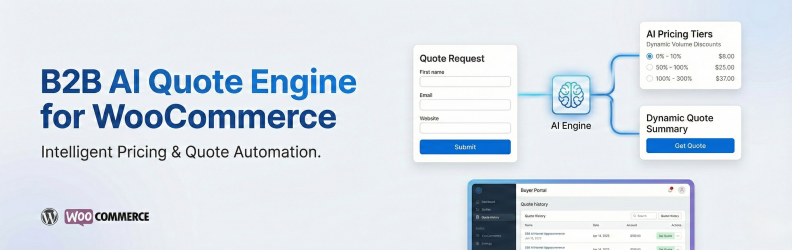
Buyience NovaCore B2B Quote Engine is a WordPress plugin that extends WooCommerce with B2B-focused quoting, pricing rules, and buyer workflows. The plugin allows customers to request quotes, supports customer-specific pricing and payment terms, and provides structured quote management within WordPress. For users who choose to connect an external Buyience account, the plugin can optionally load advanced hosted features such as AI-assisted quote recommendations and a digital quoting interface.
This plugin is suitable for wholesalers, distributors, manufacturers, and businesses that require quote-based selling workflows.
Key Features
- Request a Quote on Any Product: Replace the Add to Cart button or offer both.
- AI-Assisted Quote Recommendations (optional Buyience integration): Generate smart quotes using AI-driven pricing, historical data, and buyer behavior. AI-assisted features provide recommendations only and do not make automated pricing decisions.
- Buyer Portal:Buyers can view quotes, approve offers, manage orders, and download invoices.
- Admin Dashboard Integration: Access all Buyience features directly from WordPress admin
- Public Storefront: Display quote builder storefront on public-facing pages using shortcodes (no WordPress user session data is exposed).
- WooCommerce Integration: Add “Request a Quote” buttons to WooCommerce product pages
- Product Sync (Optional): Synchronize WooCommerce product data with an external Buyience service when enabled
- Navbar Integration: Add Dashboard button directly to your site’s navigation menus
- Secure API Authorization: Secure token-based API authorization between WordPress and Buyience services
- External Links: Request Quote and Store Front open in new tabs for WordPress.org compliance
No WooCommerce core data is modified or removed by the plugin.
How It Works
The plugin integrates Buyience-hosted interfaces into WordPress using secure external links.
Core quote request and WooCommerce integration features are handled within WordPress.
Optional hosted interfaces are loaded from Buyience servers when enabled by the site administrator.
This approach allows advanced functionality to be delivered while maintaining security and isolation between systems.
Service Integration
This plugin can optionally connect to an external service provided by Buyience to enable hosted quoting interfaces and advanced automation features.
Core WooCommerce quoting functionality remains available without enabling the external service.
When the administrator connects the plugin:
- The administrator’s email address may be transmitted directly to Buyience over HTTPS to retrieve account information.
- The administrator’s password is transmitted securely to this WordPress site first, then forwarded securely to Buyience for authentication.
- WordPress does NOT store the Buyience password.
- Only an access token returned by Buyience is stored in WordPress.
- No data is transmitted without explicit administrator action.
Service details:
Service Provider: Buyience
Service URL: https://app.buyience.com
Privacy Policy: https://buyience.com/privacy-policy
Terms of Service: https://buyience.com/terms-and-conditions
Credential Handling
This plugin requires explicit administrator action before connecting to the Buyience service.
When the administrator chooses to connect:
- The administrator’s Buyience email may be sent directly over HTTPS to Buyience for account lookup/connection setup.
- The administrator’s Buyience password is submitted to the WordPress site first, then securely forwarded over HTTPS from WordPress to Buyience for authentication.
- WordPress does NOT store the Buyience password.
- Only the access token returned by Buyience is stored in WordPress for authenticated API communication.
- The access token is used solely for API communication.
No credentials are transmitted automatically.
No data is sent without explicit administrator consent.
Privacy
This plugin stores quote and configuration data within WordPress by default. Limited user data is transmitted only after explicit admin action to enable the Buyience integration; when enabled, limited user information (such as name and email) may be transmitted securely for API authorization and quote processing purposes.
The plugin itself does not perform tracking or analytics.
Authorization & Security
This plugin follows WordPress security best practices and does NOT create, modify, or programmatically access WordPress user sessions:
- WordPress Access Only: All plugin features require an active WordPress admin session using standard WordPress access flows
- No User Creation: The plugin does not create WordPress user accounts or modify existing user credentials
- No Session Bypass: The plugin does not use wp_set_current_user() or similar functions to bypass WordPress session checks
- Capability Checks: All administrative endpoints require the manage_options capability via current_user_can()
- External API Authorization: The “Buyience API authorization” feature stores API credentials for the external Buyience service only – these are not WordPress user credentials
- Token-Based API Access: Internal API authorization tokens are used for secure communication between WordPress and Buyience services, not for WordPress user sessions
- Permission Callbacks: All REST API endpoints include proper permission_callback functions that validate WordPress user permissions
The plugin relies entirely on WordPress’s standard access control system. Users must access WordPress through the standard admin session flow before using any plugin features.
Privacy Policy
This plugin integrates with the Buyience service. When you use this plugin:
- WordPress Access: The plugin does not create or modify WordPress users. All users must access WordPress using standard WordPress access flows.
- Buyience API Credentials: When connecting to the external Buyience service, the administrator manually initiates authorization. The email may be sent directly to Buyience over HTTPS for account lookup/connection setup. The password is sent to WordPress first, then securely forwarded to Buyience for authentication, and is NOT stored in WordPress. Only the access token and API key returned by Buyience are stored securely in WordPress options for API communication.
- Internal Session Tokens: Secure session tokens may be used for API communication when the site administrator connects to the Buyience service. The plugin uses external links to Buyience; content is not embedded in WordPress.
- Data Transmission: No credentials or user data are transmitted automatically. Data is sent only after explicit administrator action (e.g., clicking “Connect to Buyience Account”). When enabled, limited user information (email, name, WordPress user ID) is securely transmitted to Buyience for quote processing purposes only.
- Data Security: Sensitive data is stored securely using WordPress best practices.
- No Tracking: The plugin does not collect or store any additional user data. No tracking or analytics are performed by the plugin itself.
For information about how Buyience handles your data, please refer to the Buyience Privacy Policy and Terms of Use.
Screenshots
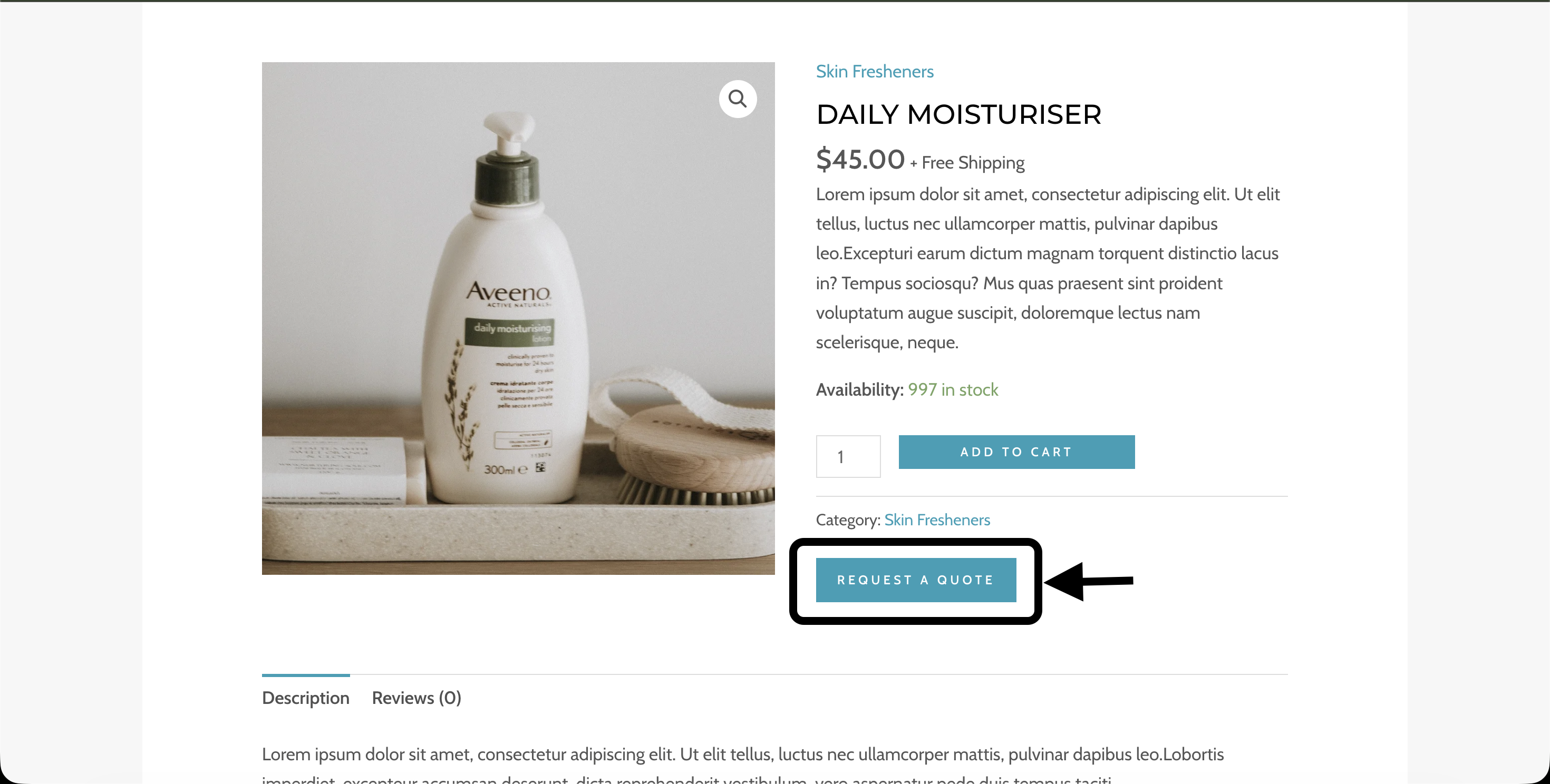
Demo Product Page
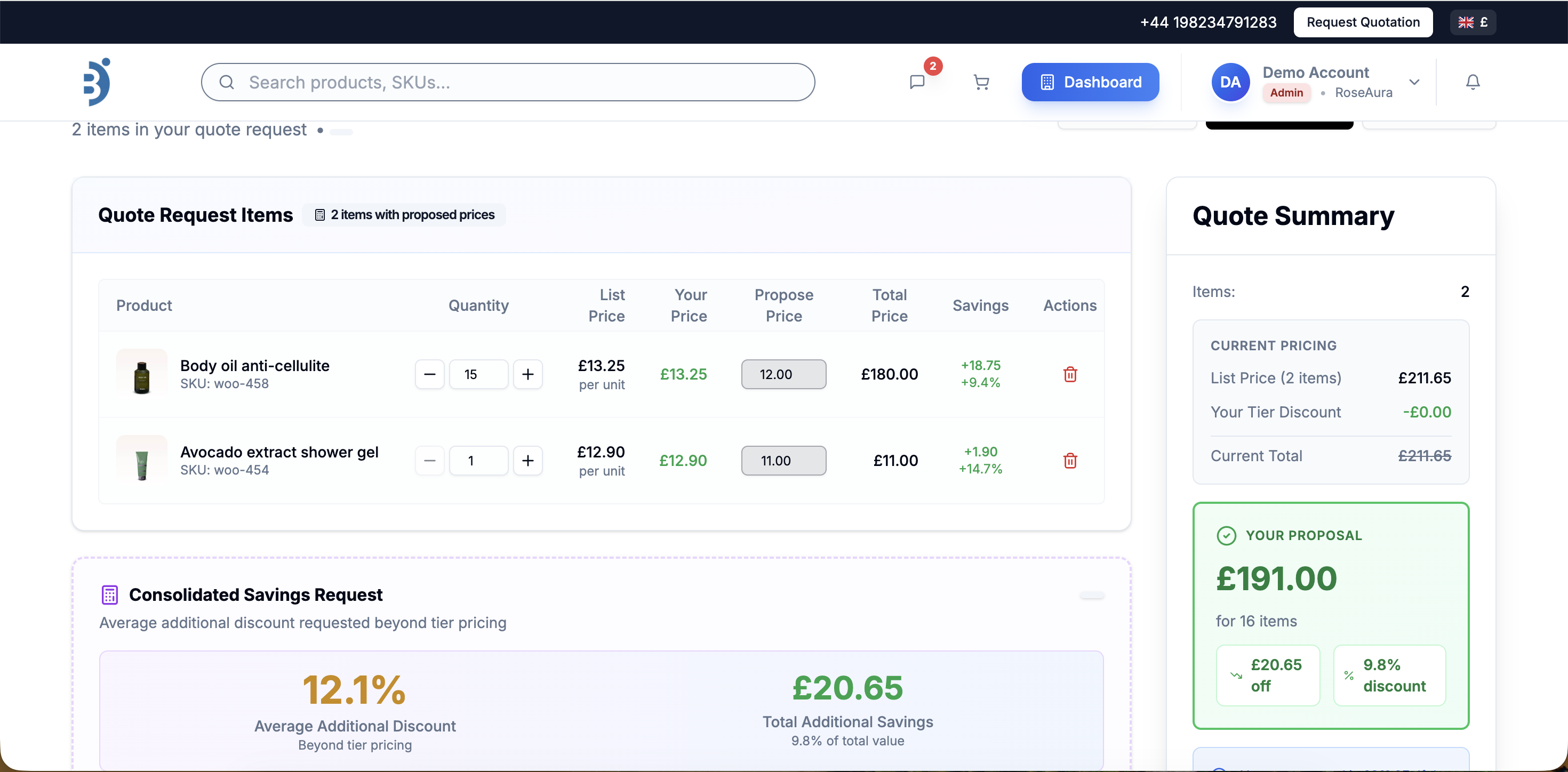
Request a quote feature page
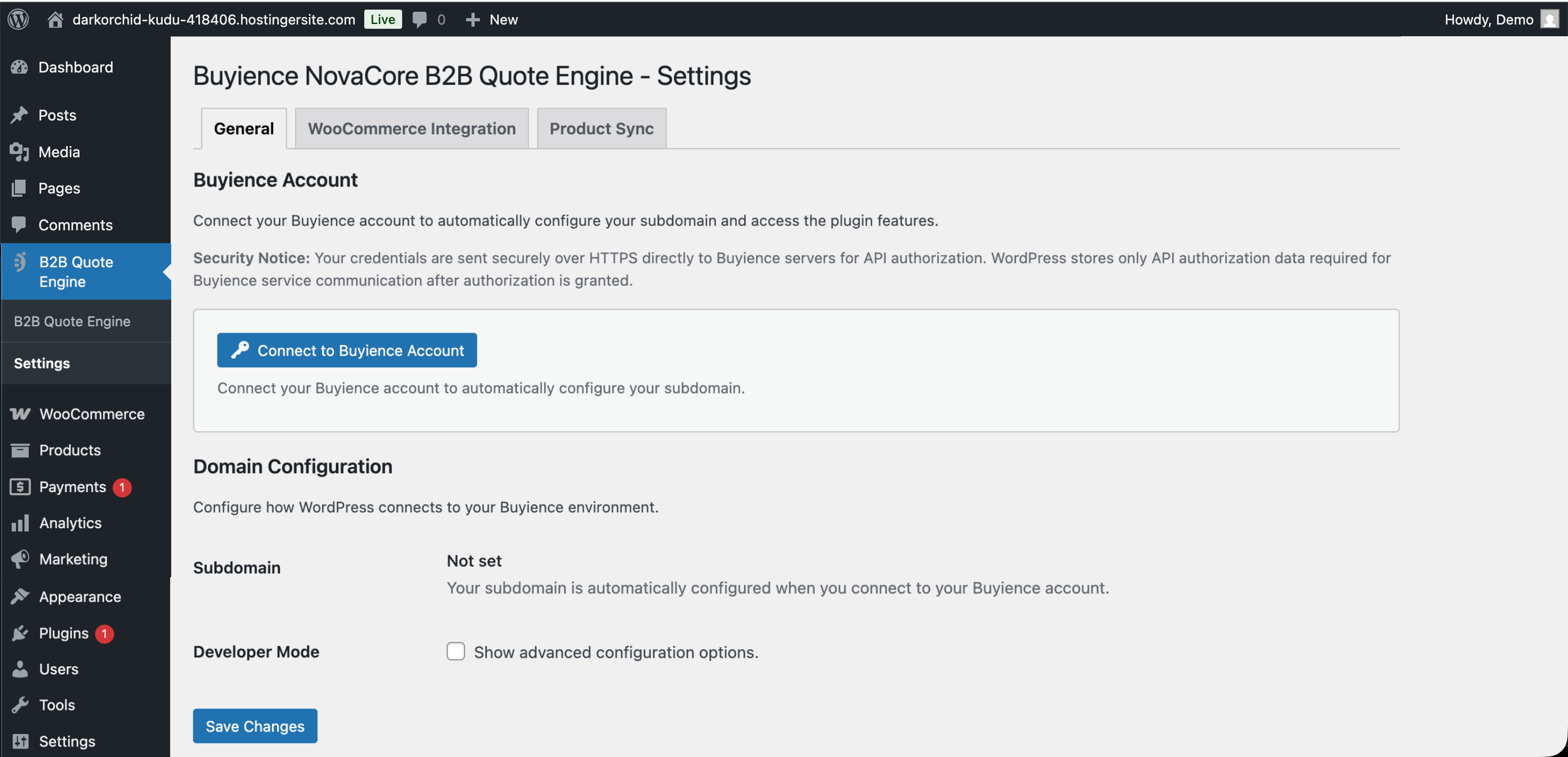
Admin Settings
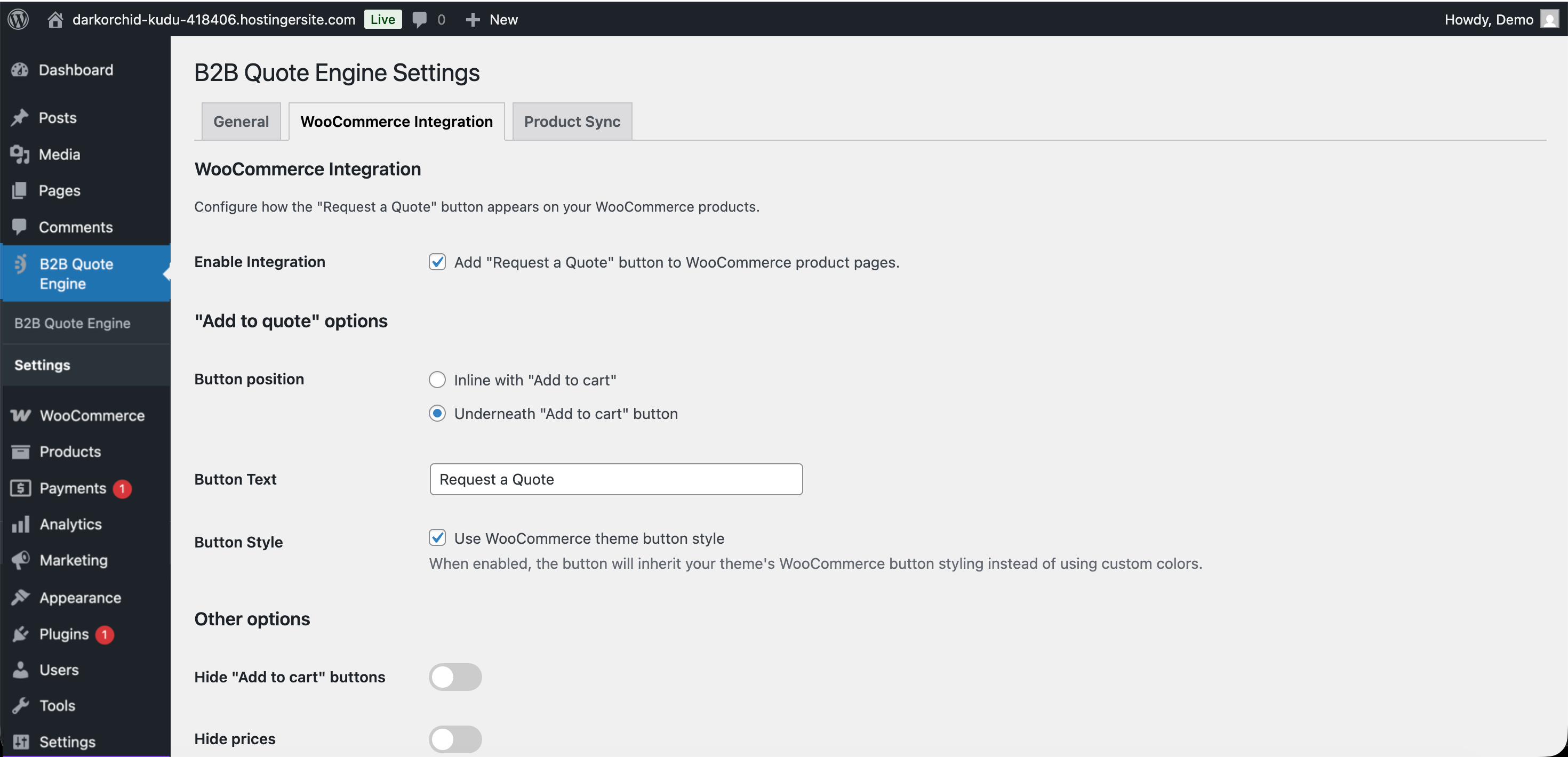
WooCommerce Integration
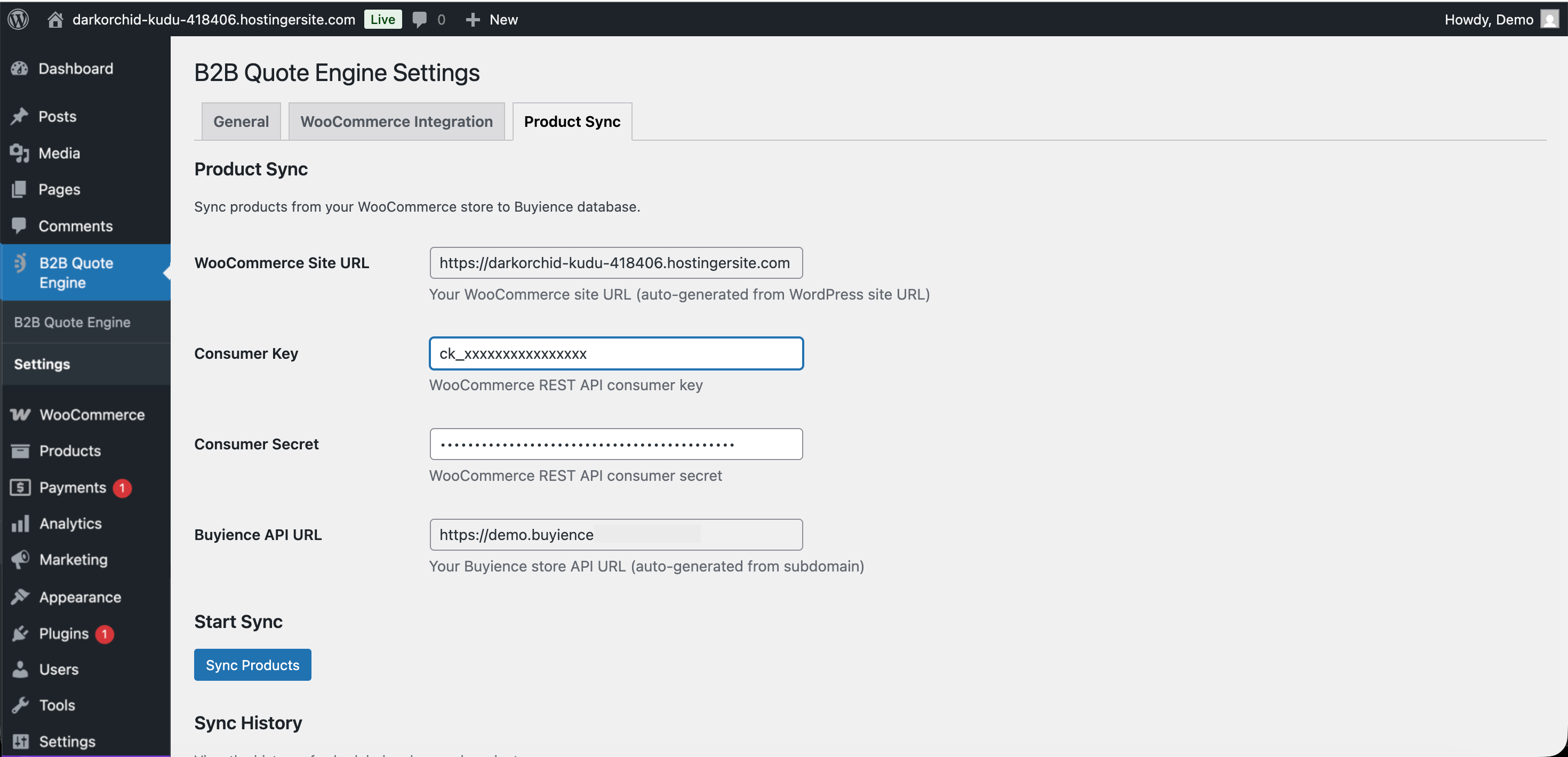
Product Sync
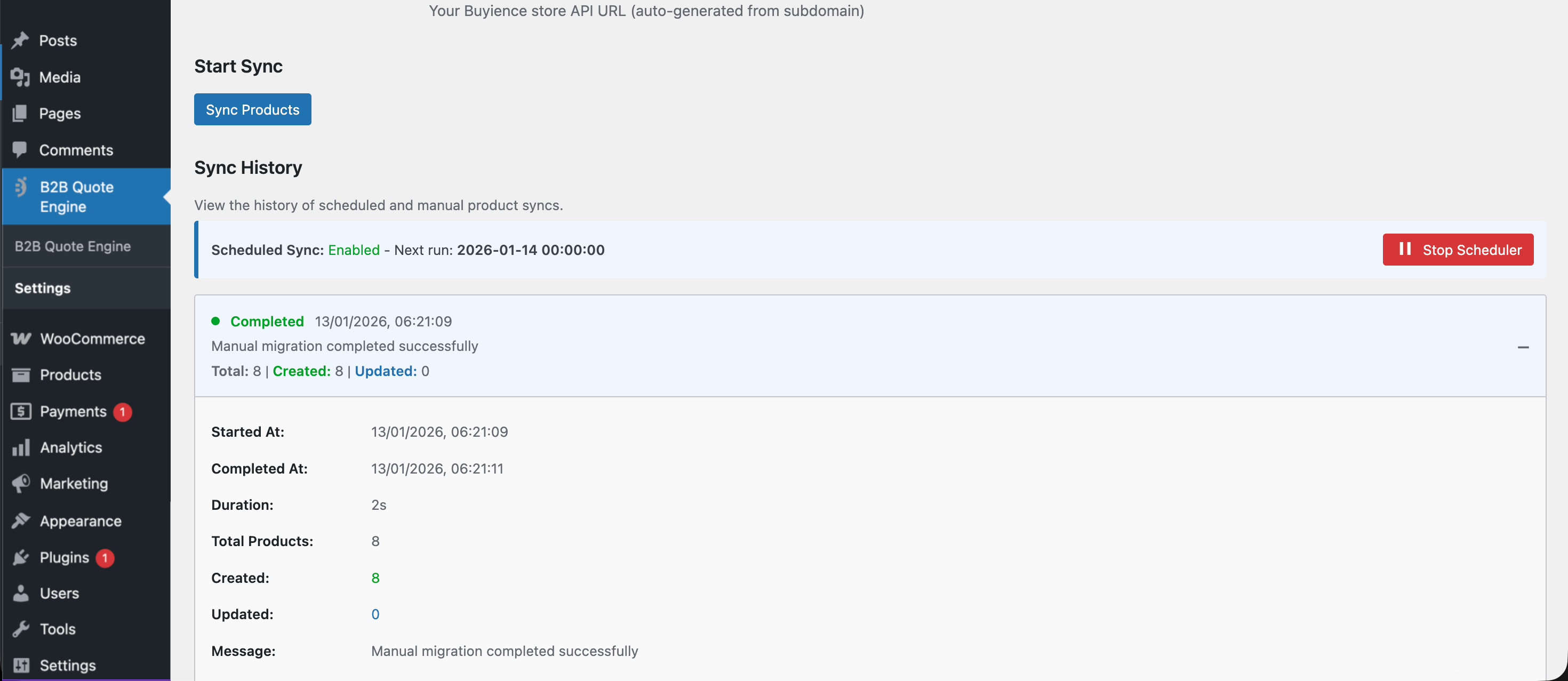
Sync Logs
Similar Plugins:
 Wholesale For Woocommerce – B2B & B2C- B2b King – B2B For Woocommerce
 Rating Widget: Post Rating, 5 Star Rating, Reviews, Thumbs Up & Down, Reaction
 WordPress To PDF, Download As PDF Document Of Any WordPress Post Types, Download Post As PDF, PDF Viewer, PDF Block, View PDF On WordPress – Document Engine