
CacheArmor Wordpress Plugin - Rating, Reviews, Demo & Download
Plugin Description
Most REST caching stops at “store the response, serve it until it expires”. The hard part is the moment it does expire: that is when every client that was being served instantly is suddenly queued behind one slow render.
This plugin is built around that moment.
What makes it different
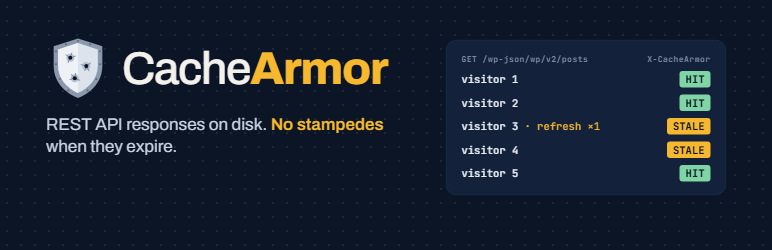
- Stale-while-revalidate. Once an entry exists, it keeps being served after it expires while a single request refreshes it in the background, so visitors are not held up by the refresh.
- Stampede protection. When an entry is missing or has expired entirely, exactly one request regenerates it. The others wait briefly for that result instead of running the same expensive render in parallel.
- Files on disk, no custom tables. Cached responses are files, not database rows, and there is no must-use plugin to drop into
mu-plugins. The only things stored in the database are your settings and a note of when the cache was last cleared. - Opt-in per route, from a settings screen. Choose exactly which routes to cache, set a query filter and a lifetime for each, and see which routes carry a permission check. Nothing is cached until you enable it.
- Safe by default. Only anonymous GET requests are ever cached. Routes whose responses differ per user or per shopping session, such as
/wp/v2/usersand the WooCommerce cart and checkout, cannot be enabled at all, and requests that carry a shopping session are never served from the cache. - Bounded. The cache stops growing at 1,000 entries or 256 MB, whichever comes first, so it can never fill the disk.
- Multisite aware. Every site in a network has its own cache.
- Fails open. An error, a corrupt file, or an unwritable directory falls back to normal uncached behaviour rather than breaking the endpoint.
- No external requests, no telemetry, no data collection. Ever.
Why caching is opt-in
Caching the wrong endpoint can serve one visitor’s data to another. So the plugin does nothing until you enable a route yourself.
The settings screen lists every REST route registered on your site, including routes added by other plugins and your own custom endpoints, with a filter to find the ones you want. Each is marked “Permission check” or “No permission check” so you can see which ones restrict access before you decide.
A worked example
A collection request that renders page-builder content for dozens of posts can take many seconds and hold a PHP worker for the whole time. When several clients poll that endpoint, the worker pool fills and the whole site slows down. Cache that one route and the cost collapses to a file read, even at the moment the entry expires.
Screenshots
No screenshots provided


