
Caltru Ledger – Profit & Cost Of Goods For WooCommerce Wordpress Plugin - Rating, Reviews, Demo & Download

Plugin Description
WooCommerce tells you what you sold. It does not tell you what you kept.
Caltru Ledger records what every sale cost you at the moment it happens.
Change a supplier price tomorrow and last month’s profit does not move —
which is the whole point, and the thing a spreadsheet cannot do for you.
What you get
- A profit dashboard: revenue, cost of goods, gross profit and margin, by day or by month, each figure compared with the period before.
- Net profit: gross profit less what shipping and the payment gateway actually cost you, with a breakdown of what each delivery method costs — and, separately, what the orders you shipped free cost you.
- Per-product and per-category breakdowns, searchable, sortable and exportable.
- Refunds handled properly: the sale stays on its date, the refund lands on the refund date, so a closed month never changes underneath you.
- Cost and margin, and the last 90 days of sales and profit, on your product list — three database queries for the whole page, however long it is.
- Quick Edit and Bulk Edit for costs, with six bulk modes: change to, increase by or decrease by, each as an amount or a percentage.
- Costs as a spreadsheet: download, edit, upload, and see exactly what the file would do before any of it happens.
- Variations, and multilingual shops where a product and its translations are one product.
What free delivery costs you
Shipping free is a decision, not an accident, and it should be one you can
price. WooCommerce does not record what the carrier charged you — parcel
plugins store tracking numbers, not prices — and most gateways never write
their fee onto the order at all.
So you tell it once: what each shipping method costs you, and what your gateway
takes. From then on every order carries both, and the dashboard shows net
profit beside gross.
A method you have not priced is reported as not priced — never as free.
That distinction is the whole point: a shop giving away delivery on a third of
its orders would otherwise read every one of them as costing nothing, and
believe a margin it does not have. Typing 0 says something different, and is
recorded as 0.
What an order cost is written once, on the day it was sold. Your carrier can
put its prices up tomorrow without moving last month.
It tells you when it does not know
A profit figure built on missing costs is worse than no figure, so this
plugin never quietly invents one. Revenue with no cost behind it is reported
as its own number and flagged on every product it affects. Costs filled in
after a sale are marked as estimates, and you can exclude them entirely.
The Cost data screen lists the gaps in the order of how much profit each one
is overstating, with a box to type the answer into.
Built on WooCommerce’s own cost field
Since 9.5 WooCommerce has a Cost of Goods Sold field of its own. This plugin
writes to that field rather than keeping a private copy, so your costs stay
with your products whatever you do next. It also hands WooCommerce back the
historical figure, so the core order screens show what the order actually
cost, not what the product costs today.
Coming from another plugin
Costs from WPFactory’s Cost of Goods, SkyVerge’s Cost of Goods and ATUM can be
imported, including — where those plugins recorded it — what each past order
cost at the time. That is better evidence than today’s price, and it is
preferred over it.
Nothing here is locked
Every feature described above is in this plugin, with no time limit, history
limit or licence key, and it stays that way: nothing published free here will
ever move to a paid version.
Caltru Ledger Pro
A separate add-on for shops that want the work done for them. It adds new
screens, columns and reports; it unlocks nothing in this plugin.
- Stock replenishment — what to reorder, how many, and what the order will cost.
- Profit on the orders list — cost, profit and margin beside every order, with loss-making orders flagged (coming soon).
- Fixed costs and true net profit — rent, salaries, advertising and software, spread over the period, with your break-even point (coming soon).
- A weekly email report and alerts — the week’s profit against the last, best and worst products, what to reorder, and an alert when margin drops (coming soon).
- Inventory value — what your stock is worth at cost, month by month (coming soon).
Third-party code
Charts are drawn with Chart.js 4.5.1 (MIT licence, https://www.chartjs.org),
bundled unmodified in assets/vendor.
Screenshots
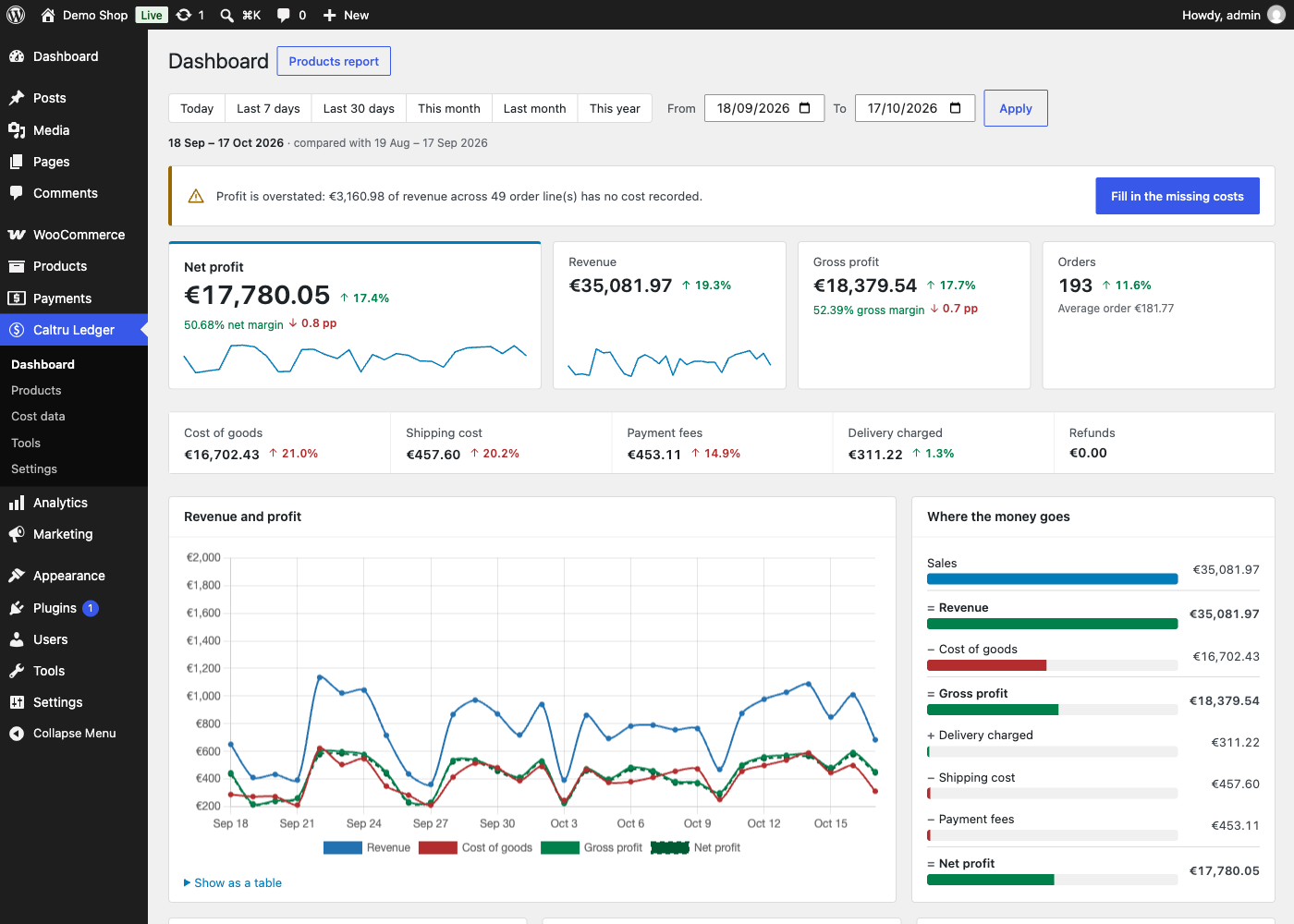
The dashboard: net profit, its margin and trend, against the period before.
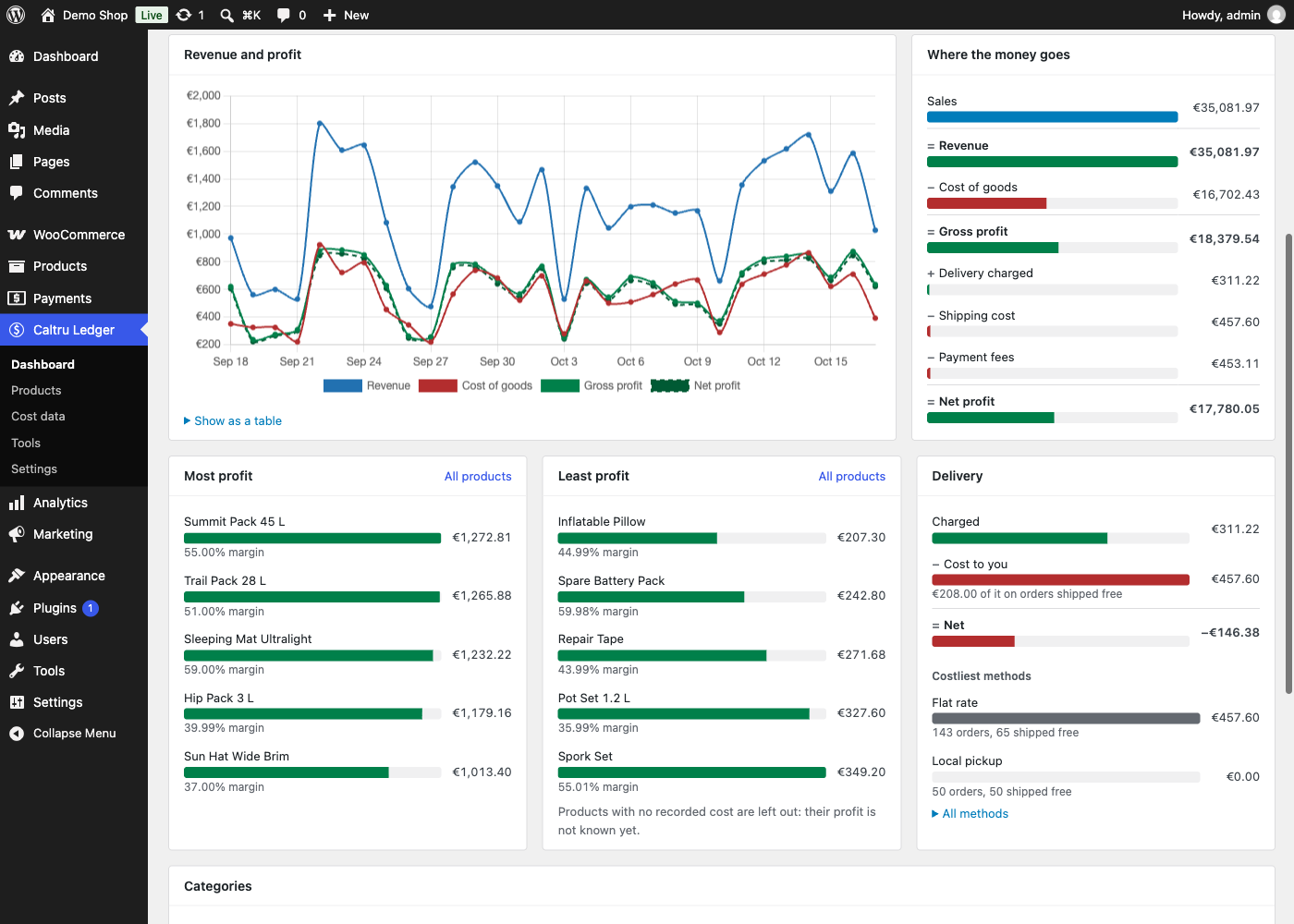
Where the money goes, step by step from sales to net profit, and what each delivery method costs you.
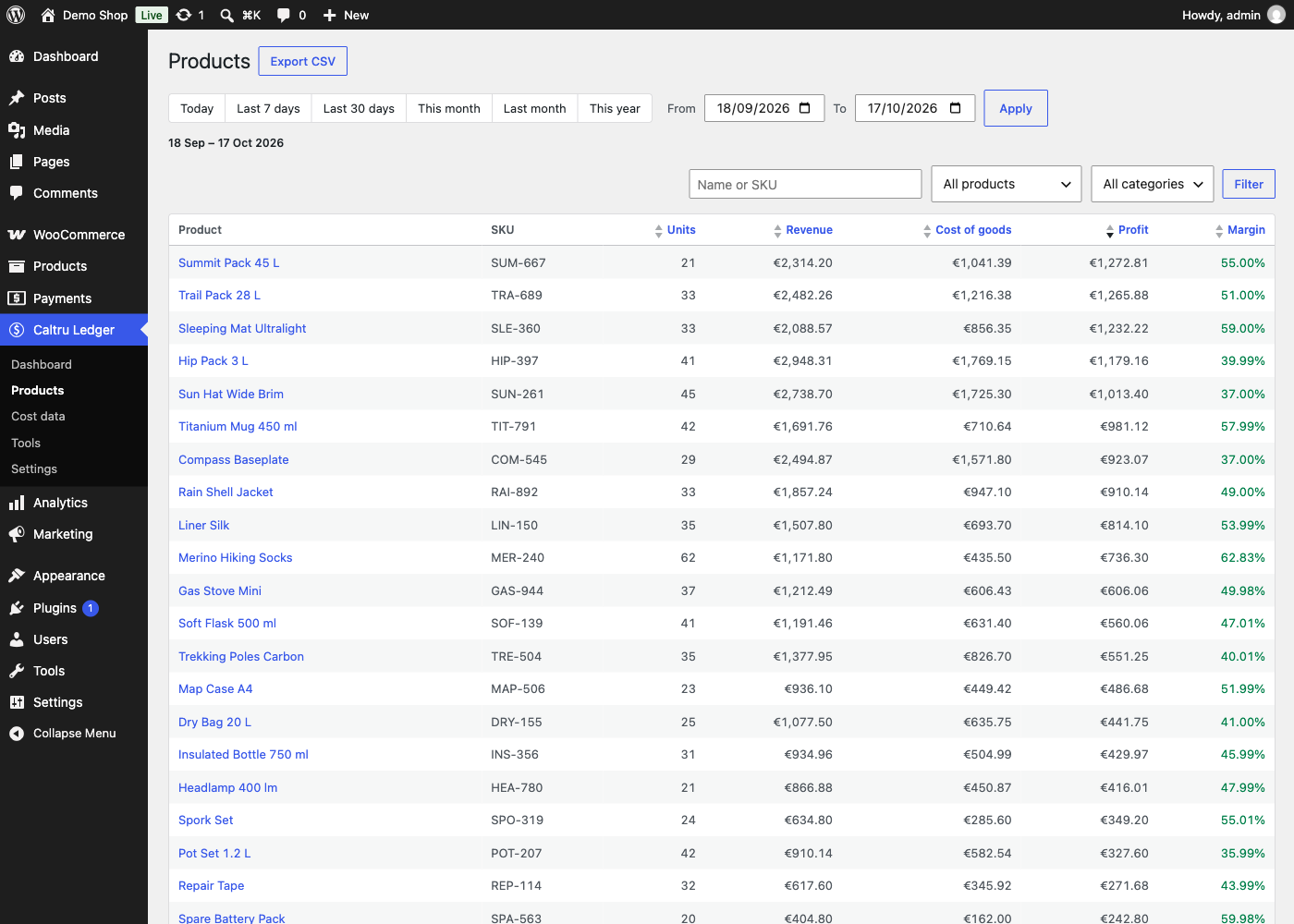
The Products report: profit and margin per product, searchable, sortable and exportable.

Cost data: every missing cost, the most expensive gap first, fillable in place.
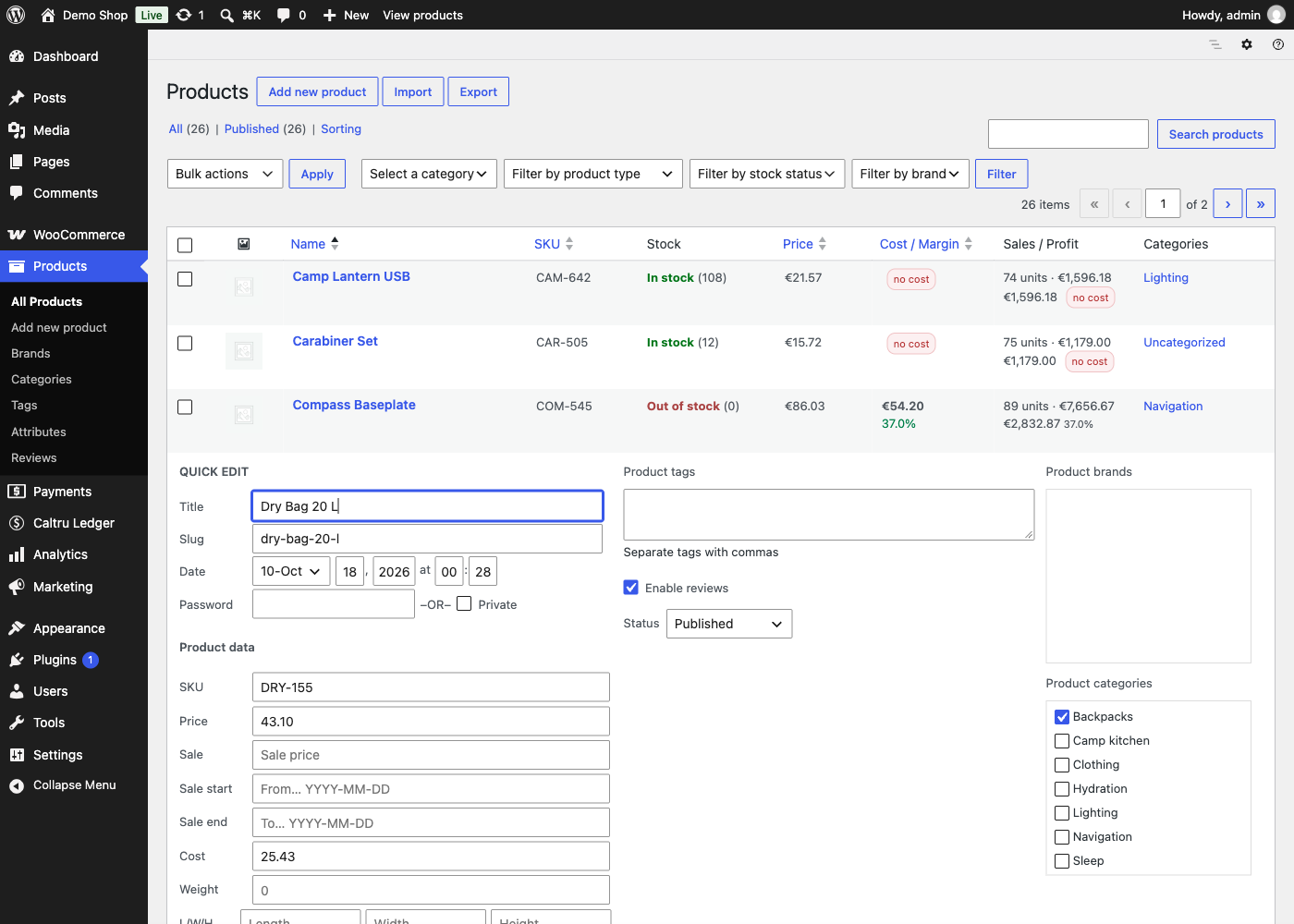
Cost and margin on WooCommerce’s product list, with Quick Edit.
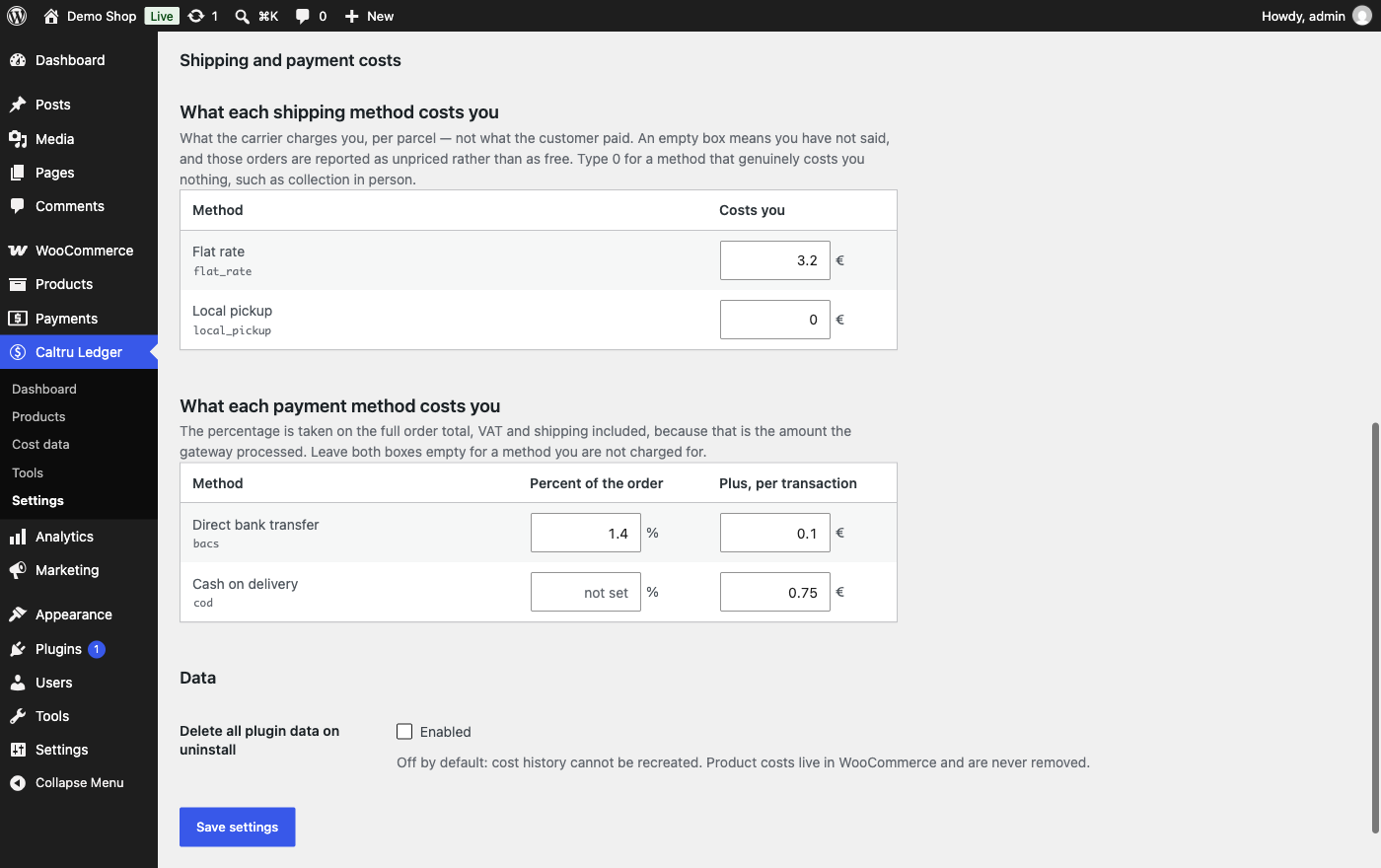
Settings: what each delivery method costs you per parcel, and each payment method per transaction.
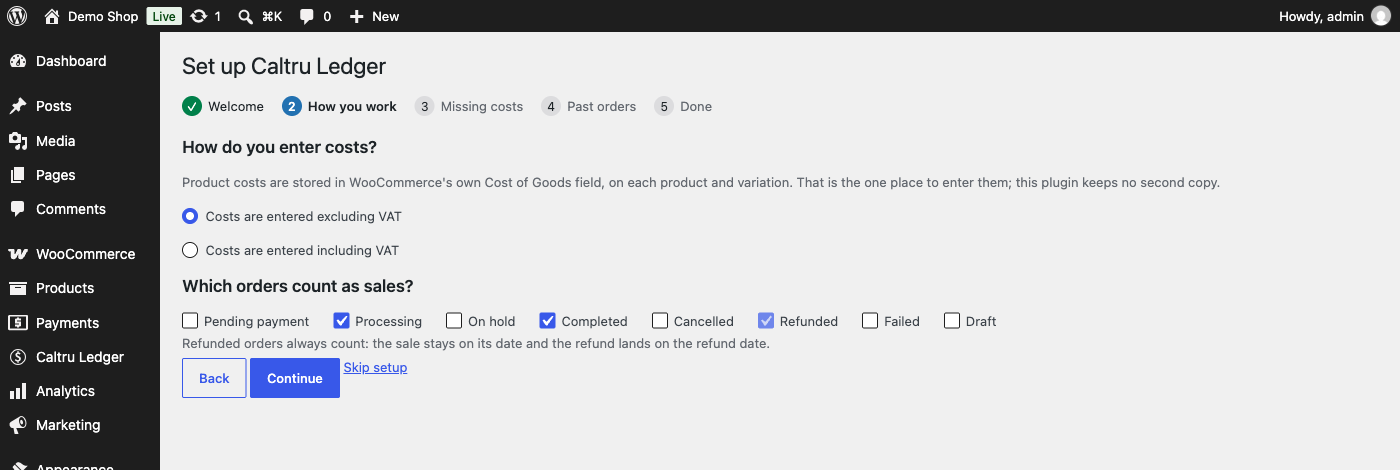
Setup, from installation to a dashboard that means something.
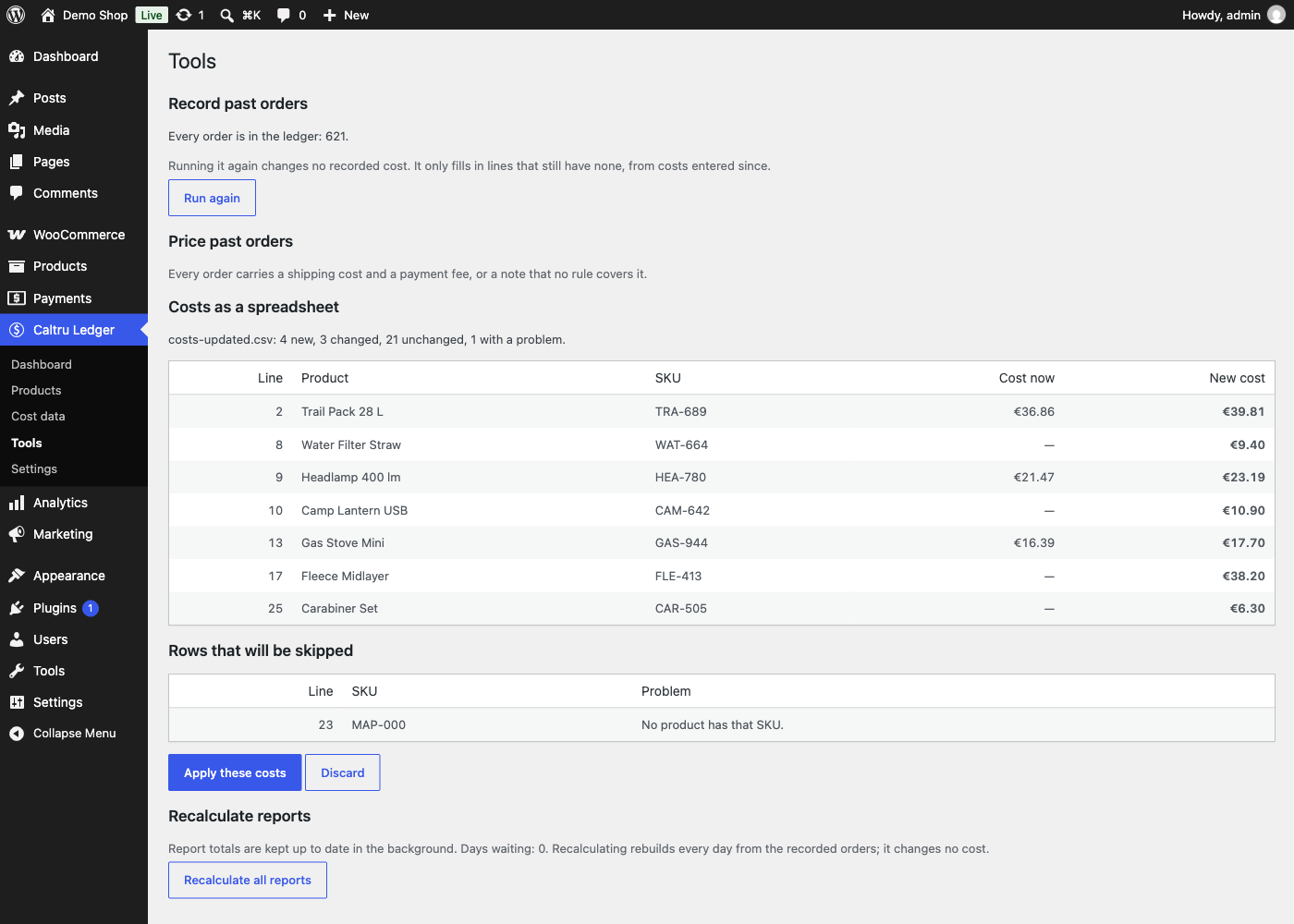
Costs as a spreadsheet: what an upload would change, before anything does.


