
Captain Media Shield Wordpress Plugin - Rating, Reviews, Demo & Download
Plugin Description
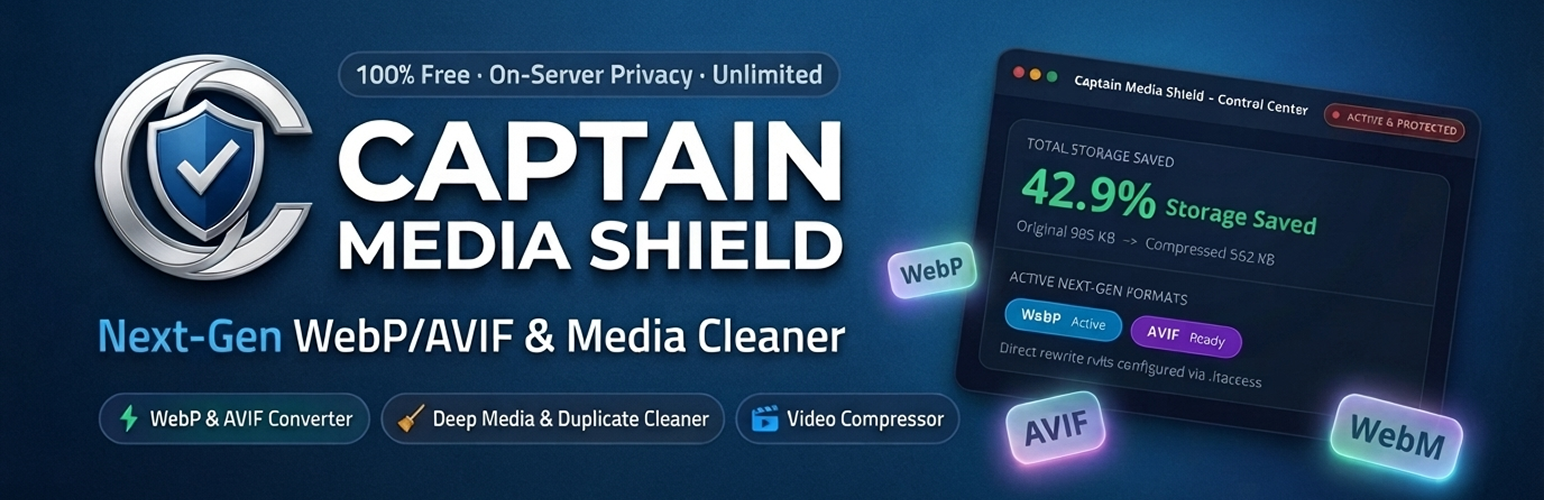
Captain Media Shield is a comprehensive, on-server media optimization and storage reclaim suite for WordPress. Automatically convert images to lightweight Next-Gen WebP and AVIF formats, compress video uploads with instant streaming (FastStart), and reclaim disk space by safely finding and removing unused media, byte-for-byte duplicate files, and leftover thumbnails.
Everything runs 100% on your own hosting server – no external APIs, no image credits, no third-party accounts, and zero monthly subscriptions.
YouTube Tutorials | Free Support
🛡️ Why Choose Captain Media Shield?
- 100% Free & Unlimited : No third-party API dependencies, no monthly quotas, and no subscription paywalls. Optimize thousands of images and videos without worrying about limits.
- Next-Gen WebP & AVIF Formats : Generate ultra-compact WebP and AVIF copies for original images and every registered thumbnail size.
- Per-Image Custom Quality Override : Set global compression quality (1-100) or override quality for any individual image directly from the Media Library list view via the Quick Quality modal.
- Media Cleanup & Storage Saver : Safely detect and clean orphaned media, byte-for-byte MD5 duplicate files, and leftover legacy thumbnails from retired themes.
- Storage Diagnostics & Report : Visual breakdown of your entire uploads directory by file category, file extension, upload year, and largest files.
- Video Compression & Streaming : H.264 FastStart streaming, WebM companions, automatic poster frames, and animated GIF to video conversion.
- Safe Backups & 1-Click Restore : Untouched original files are preserved with configurable retention periods and 1-click restore.
- Modern Tabbed Navigation : Fast, organized tabbed settings interface that eliminates long vertical scrolling.
- Top Header Quick Actions : Convenient Save Changes and Reset to Defaults buttons placed right in the header for quick access.
- WP-CLI Automation : Complete headless command-line interface for enterprise sites and automated background workflows.
📸 Next-Gen Image Optimization & Delivery
- Automated Next-Gen Conversion : Converts JPEG and PNG uploads to high-efficiency WebP and AVIF copies.
- Compression Quality Slider : Choose your default quality sweet spot (1-100) with recommended presets (Balanced, Aggressive, Near-lossless).
- Media Library Quick Quality Modal : Click “Quick Quality” on any list-view item to adjust quality (e.g. 40-50% for heavy graphics) and re-optimize instantly.
- Privacy & EXIF Metadata Removal : Losslessly strips camera EXIF data, GPS coordinates, IPTC, and editing history while preserving colour profiles.
- Auto-Resize Large Uploads : Automatically scales down oversized camera images (e.g. 4000px+) before thumbnails are generated.
- Flexible Delivery Methods : Serve Next-Gen formats via high-speed
.htaccessrewrite rules (Apache/LiteSpeed) or HTML<picture>tag replacement. - Nginx Configuration Generator : Ready-to-copy server configuration snippet for seamless Next-Gen delivery on Nginx servers.
- Smart Exclude Rules : Exclude folders (e.g.
logos/*), filename patterns, or specific attachment IDs from optimization.
🎬 Video Optimization & Streaming (FFmpeg)
- H.264 Video Compression : Re-encodes uploaded MP4/MOV videos to space-saving H.264 in place.
- Moov Atom “Fast Start” : Relocates video metadata to the beginning of the file so visitors can stream videos immediately without waiting for full download.
- WebM Companion Files : Automatically generates modern VP9/Opus WebM copies for HTML5 video players and the WordPress video block.
- Automatic Video Poster Frames : Saves a lightweight JPEG frame next to each video for an instant preview instead of a black box.
- Animated GIF to Video Conversion : Converts heavy animated GIFs into lightweight looping MP4/WebM videos (80-95% file size reduction).
- Resolution & Bitrate Controls : Cap video resolution (1080p, 720p, Keep Original) and adjust audio compression (128 kbps, 96 kbps).
- Background WP-Cron Processing : Video encoding runs asynchronously in the background so dashboard uploads stay quick and responsive.
🧹 Deep Media Cleanup & Duplicate Detector
- Unused Media Finder : Deep scans post content, Gutenberg blocks, featured images, WooCommerce galleries, widgets, custom post types, and custom fields. Anything potentially in use is protected.
- Byte-for-Byte Duplicate Detector : Compares files by exact size and MD5 hash fingerprint. Duplicates in use are safely locked from deletion.
- Orphan Thumbnail Cleaner : Scans and removes old thumbnail sizes registered by retired themes or uninstalled plugins.
- Zero-Risk Confirmation : Nothing is ever deleted automatically. Deletions require explicit confirmation, and safety backup copies can be retained.
- Interactive Storage Report : View storage distribution across original files, thumbnails, Next-Gen copies, and backups.
💾 Backups & Safe Rollback
- Zero-Risk Backups : Untouched original files are stored in
wp-content/uploads/captain-ms-backups/. - Configurable Retention : Set how long backups are kept: immediately delete, 1 hour, 1 day, 7 days, 30 days, or indefinitely.
- 1-Click Original Restore : Restore any original image or video directly from the Media Library list view or attachment details.
- Disk Purge : “Purge All Backups Now” button lets you free up backup storage once you are completely satisfied with results.
⚡ WordPress Media Library Integration
- Media Shield Status Column : Displays live optimization status (Optimized, Not Optimized, Processing), percentage saved, and active format badge (WebP/AVIF).
- Inline Quick Actions : Re-optimize, adjust quality via Quick Quality popup, or restore originals with one click without leaving the page.
Perfect for:
- Content Creators & Bloggers who want lightning-fast page loading and better Google Core Web Vitals (LCP).
- WooCommerce Store Owners who need thousands of product images compressed without losing visual sharpness.
- Photographers & Portfolio Sites wanting custom per-image compression quality for sensitive portfolio showcases.
- Agencies & Developers managing client websites with strict disk space limits and hosting storage quotas.
- High-Traffic Media Publishers looking to cut bandwidth costs with WebP/AVIF and FastStart video streaming.
Key Features
- 🖼️ WebP & AVIF Conversion : Automated Next-Gen image format generation for smaller, faster pages
- 🎚️ Per-Image Quality Override : Set custom compression levels per image via Quick Quality popup or global slider
- 🧹 Deep Media Cleanup : Find and safely remove orphaned media, duplicate files, and obsolete thumbnails
- 📊 Storage Report & Analytics : Detailed visual breakdown of uploads by type, year, and largest files
- 🎥 Video Compression & Streaming : H.264 FastStart streaming, WebM companion generation, and resolution capping
- 🖼️ Video Poster Frames : Instant video thumbnail generation for player previews
- 🎞️ Animated GIF to Video : 80-95% lighter looping MP4/WebM conversion for animated GIFs
- 🛡️ Safe Backups & 1-Click Restore : Zero-loss original file preservation with flexible retention
- 🌐 Multiple Delivery Methods : Support for Apache/LiteSpeed
.htaccess, HTML<picture>, and Nginx rules - 🚫 Smart Exclude Rules : Skip folders, filename wildcards, or specific attachment IDs
- 📑 Organized Tabbed Navigation : Clean tabbed settings interface that eliminates vertical scrolling
- 🔝 Header Save & Reset Actions : Top-right header actions giving maximum vertical room for content
- 🖥️ WP-CLI Integration : Full command-line support for automated workflows and large libraries
- 🩺 Server Health Screen : Real-time diagnostic check for GD, Imagick, WebP, AVIF, and FFmpeg
- 🌐 Multisite Compatible : Network activation and subsite management support
- 🔒 100% Privacy Focused : Local server processing with no telemetry, external calls, or tracking
Supported Formats
- Input Image Formats : JPEG, JPG, PNG, GIF
- Output Next-Gen Image Formats : WebP, AVIF
- Input Video Formats : MP4, MOV, M4V, AVI, MKV, WMV (requires FFmpeg)
- Output Video Formats : H.264 MP4 (FastStart streamable), WebM (VP9 / Opus)
YouTube Tutorials
- Captain InfoKit – Official YouTube Channel : Subscribe to our official YouTube channel for step-by-step video tutorials, media optimization walkthroughs, performance tips, and WordPress server setup guides.
🌟 OUR PRODUCTS
🥇 Captain Feed for YouTube : Display customizable YouTube feeds for channels, playlists, Shorts, search results, and individual videos.
🥇 Captain Advance Filter : Create powerful filters for WordPress with advanced filtering options, flexible layouts, and easy customization.
🥇 Captain Social Review : Display reviews and testimonials from multiple platforms with beautiful layouts, filtering options, and easy customization.
🥇 Captain Widgets Kit : Extend your WordPress website with a collection of powerful widgets and elements designed to enhance your website building experience.
🥇 Captain Funnel : Automate WhatsApp messages for WooCommerce orders and form submissions using the official WhatsApp Cloud API by Meta.
🥇 Captain Live Chat : Self-hosted live chat for WordPress with an AI agent, canned replies and full conversation history – no monthly subscription.
Usage Guide
- Configure Image Settings : Go to Images & Formats and select your preferred compression quality (75-80% is recommended). Enable WebP and AVIF.
- Choose Delivery Method : Select
.htaccess Rewrites(fastest for Apache/LiteSpeed) or<picture> tag replacement(works on all servers). - Run Bulk Optimizer : If you have existing uploads, navigate to Bulk Optimizer and click “Start Optimization”. The progress bar will update in real time.
- Manage Single Images : In Media -> Library (list view), use the “Quick Quality” button in the Media Shield column to override quality for any image.
- Reclaim Disk Space : Go to Media Cleanup to scan for unused files, duplicates, and old thumbnail sizes, then safely delete what you don’t need.
Screenshots

Analytics & Server Health Dashboard: Visual storage savings overview, compression ratio, active next-gen formats, and server environment status.
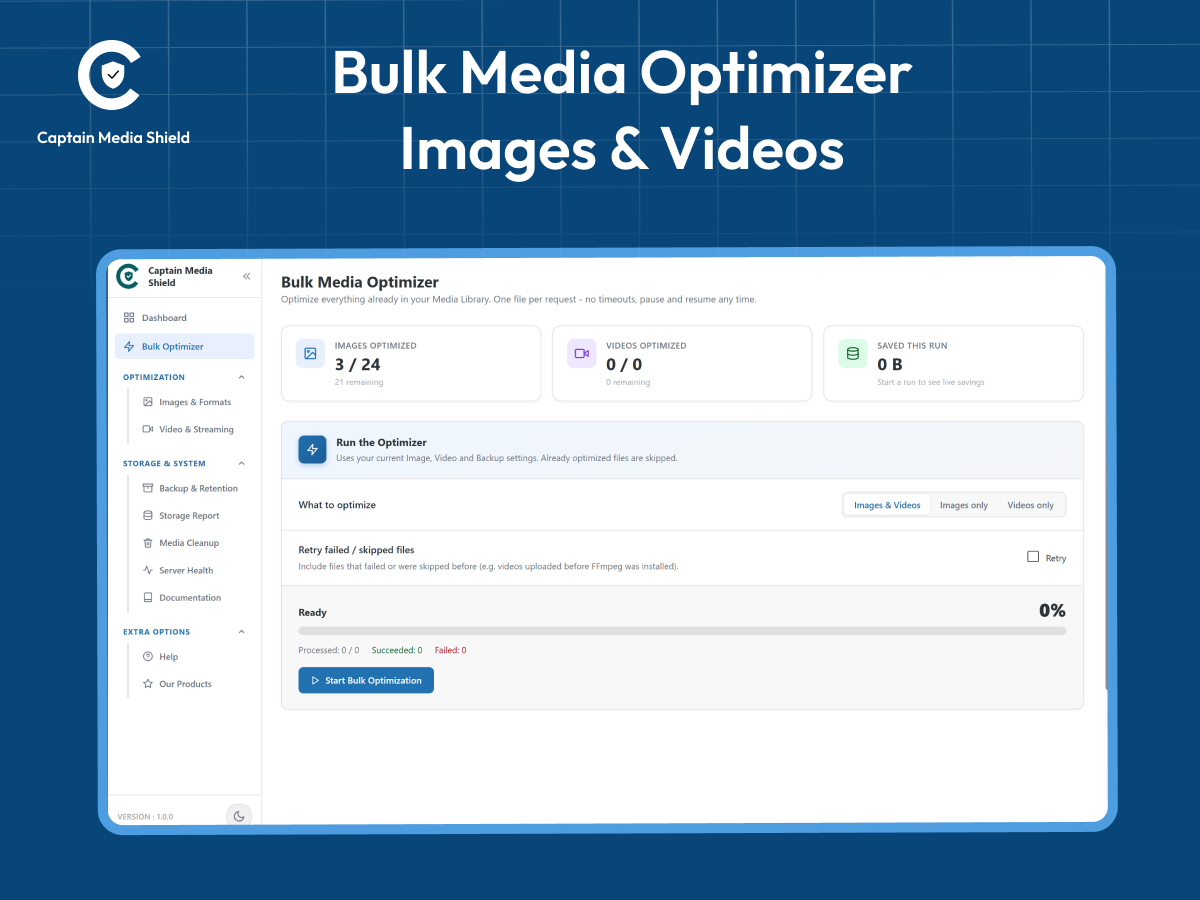
Bulk Optimizer in Action: One-click batch processing for your existing media library with real-time progress tracking, pause/resume, and live activity log.

Next-Gen Images & Formats: Tabbed settings for automated WebP/AVIF generation, compression quality controls, EXIF metadata stripping, auto-resizing, and delivery options.
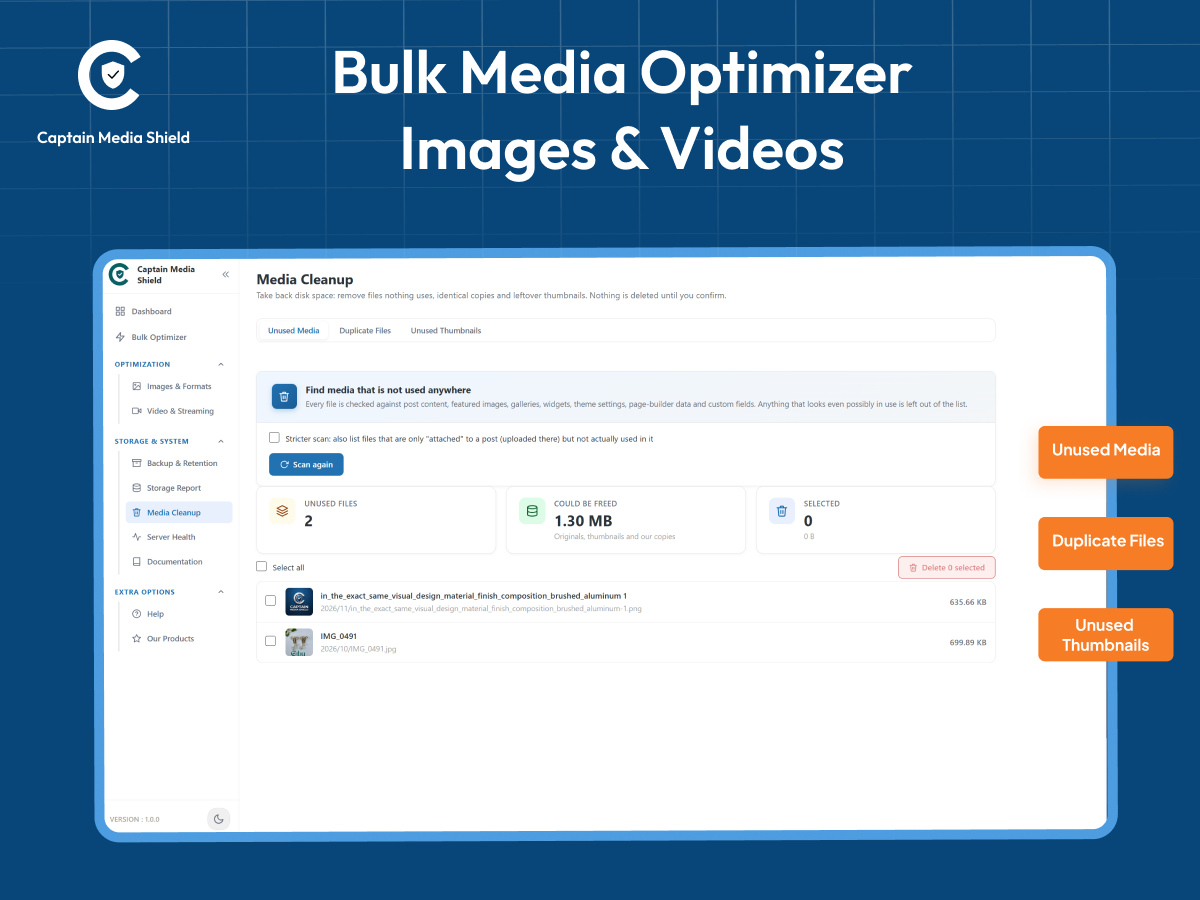
Deep Media Cleanup & Duplicate Detector: Scan and safely reclaim disk space from unused orphaned media, byte-for-byte MD5 duplicate files, and leftover thumbnails.


