Cart Shipping Estimator For WooCommerce Wordpress Plugin - Rating, Reviews, Demo & Download

Plugin Description
WooCommerce 10.0 removed the shipping calculator and the shipping rate selector from the Cart block. Two kinds of shoppers feel it. Those who pay from the cart with Apple Pay, Google Pay or PayPal skip the checkout, so they never see or choose a shipping rate. Logged-in customers with a saved address see an estimated total with only one shipping option, and cannot pick another one before the checkout. The WooCommerce team wrote in October 2025 that “reimplementing the cart shipping calculator is not something we have any plans to do”.
Cart Shipping Estimator for WooCommerce puts that estimator back in the Cart block. It uses your own site’s WooCommerce Store API and your own shipping zones and methods: no external service, no tracking.
What it does
- Shows an “Estimate shipping” form in the order summary of the Cart block, only when shipping is enabled and the cart contains products that need shipping.
- Country list limited to the countries you ship to. State or region when the selected country has one. Postcode, unless WooCommerce hides it for that country.
- City only when the WooCommerce option “Hide shipping costs until an address is entered” is on, because WooCommerce then requires a full address before it returns any rate.
- Pre-filled with the address already stored in the shopper’s WooCommerce session.
- After “Estimate”, lists the real shipping rates returned by WooCommerce (name and price in the cart currency, tax included when your cart displays prices including tax) as radio buttons. Choosing one selects it in the cart and the totals update.
- Several shipping packages: one list per package.
- Local pickup rates are left out of the list: shoppers choose a pickup location at checkout.
- When no rate matches the address, says so: “No shipping options are available for this address.”
Settings
WooCommerce > Settings > Shipping > Cart estimator:
- Enable: show the estimator in the Cart block (on by default).
- Title: the heading of the estimator (default “Estimate shipping”).
Requirements
- WooCommerce 10.0 or later (tested with 11.2), with the Cart block on your cart page.
- The classic shortcode cart is not affected: it keeps its own shipping calculator.
Privacy
- No external calls: the plugin only talks to your own site, through the WooCommerce Store API.
- No tracking, no analytics, no cookies of its own.
- The address a shopper enters is stored by WooCommerce in its own session, exactly as with the checkout form. The plugin stores no personal data. Its only option (
csewc_settings) is deleted when you uninstall it.
Pro add-on
An optional, separate Pro plugin adds configurable fields, a free shipping progress message, a collapsed estimator, a title override and a remembered address. This free plugin stays complete on its own: nothing in it is time-limited or locked. Details: https://timaub.fr/cart-shipping-estimator
Français
WooCommerce 10.0 a retiré du bloc Panier le calculateur de frais de port et le choix du mode de livraison. Ce plugin les remet dans le récapitulatif du bloc Panier : le client choisit son pays, son État ou sa région si le pays en a, saisit son code postal, clique sur « Estimer » et voit les vrais tarifs de vos zones d’expédition, qu’il peut choisir avant la caisse. Le champ ville n’apparaît que si l’option WooCommerce qui masque les frais de port tant qu’aucune adresse n’est saisie (« Hide shipping costs until an address is entered ») est active. Le retrait en magasin se choisit à la caisse et n’est pas listé.
Aucun appel externe, aucun pistage : tout passe par la Store API de votre propre boutique. L’adresse saisie est gardée par WooCommerce dans sa session, comme au formulaire de commande. Réglages : WooCommerce > Réglages > Expédition > Cart estimator (activer, titre). Le panier classique en shortcode n’est pas concerné : il garde son propre calculateur.
Screenshots
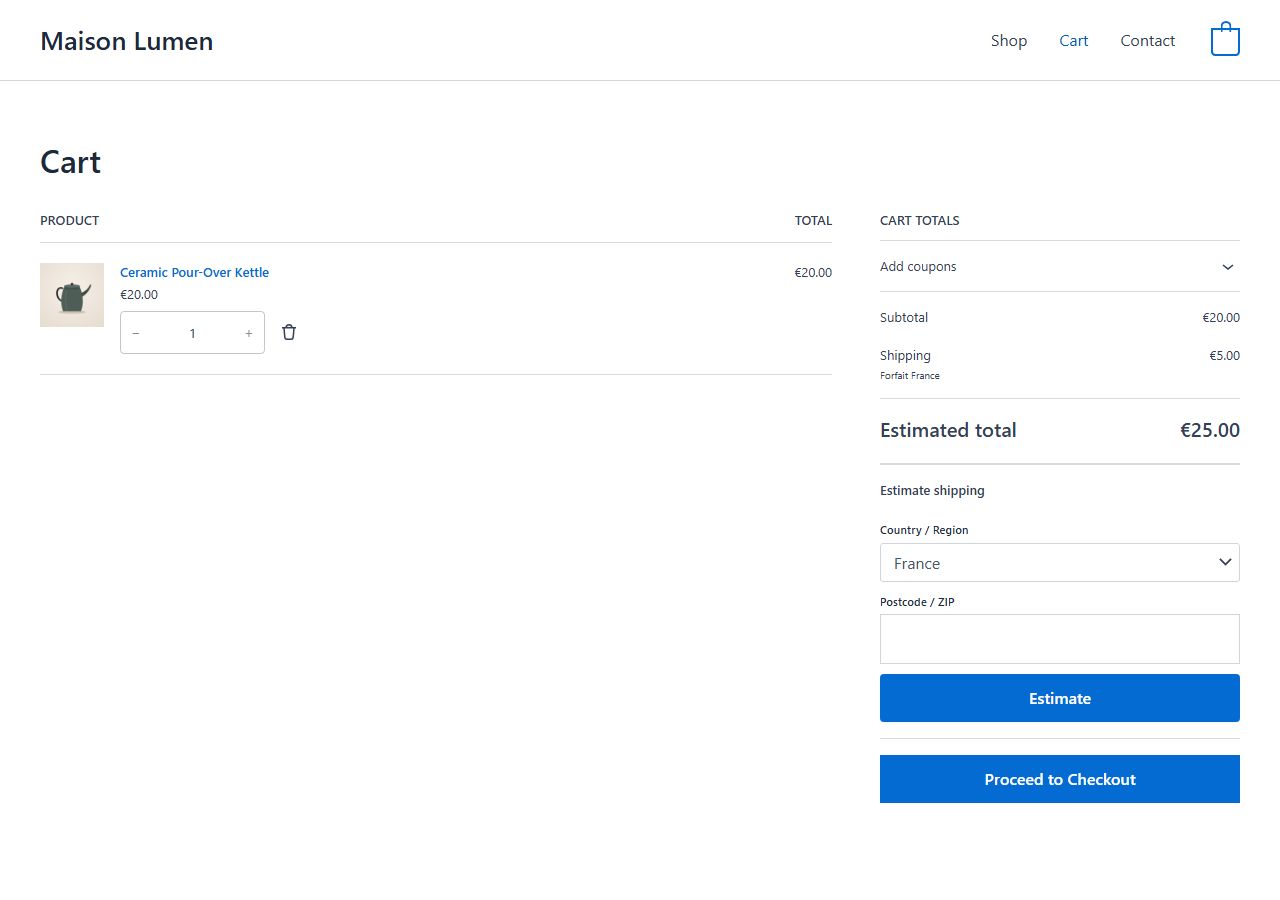
The shipping estimator in the order summary of the Cart block: country, state and postcode.
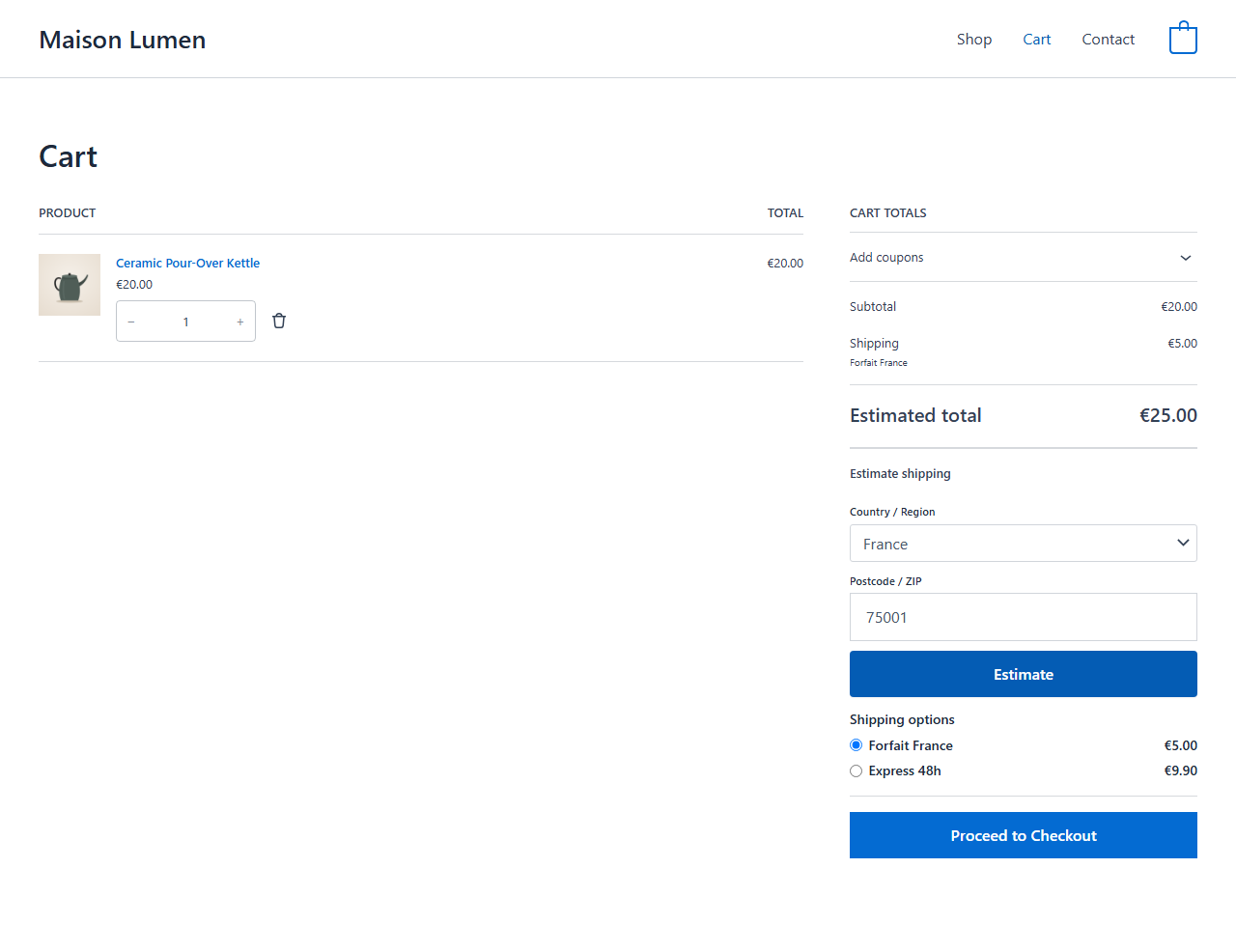
The shipping rates for the entered address, ready to choose; the cart total updates.
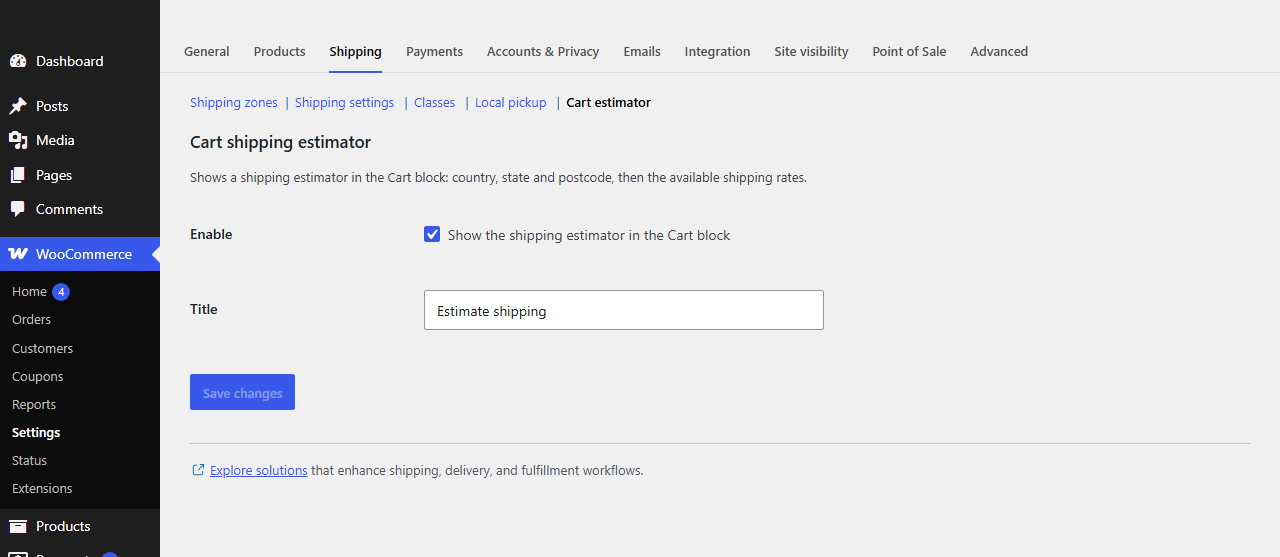
The settings in WooCommerce > Settings > Shipping > Cart estimator.
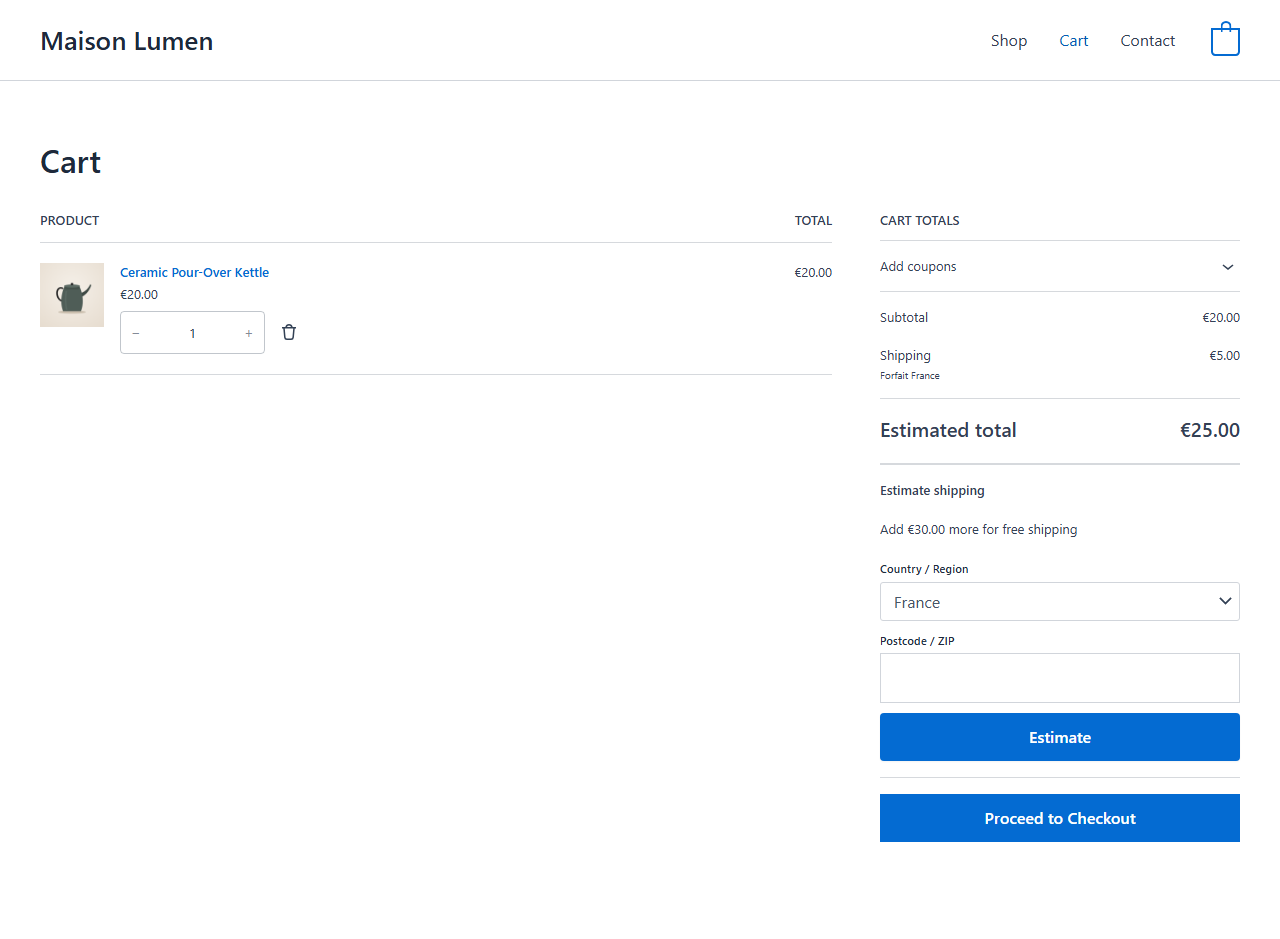
The optional Pro add-on: collapsed estimator and free shipping progress message.