CartHacker Trust Badges & Seals Wordpress Plugin - Rating, Reviews, Demo & Download
Plugin Description
Add trust badges to your WordPress site and boost customer confidence. Show your free shipping, easy returns, money-back guarantee and secure checkout promises anywhere on your site: with the Trust badges block or a shortcode in any post or page, above the footer, or after any element you choose. On a WooCommerce store, they can also go right under the Add to cart button and under the checkout button in the cart. You’ll see statistics on how many shoppers actually saw them.
Shoppers leave when they’re unsure. The latest research on why shoppers abandon a checkout found that 40% of them left over extra costs such as shipping. 19% didn’t trust the site with their card, and 13% didn’t like the returns policy. A free shipping, secure checkout or easy returns trust badge answers each of those doubts before the shopper leaves your site.
It works because shoppers don’t read a product page word by word. Their eyes move from the price to the button and to anything that is easy to notice. A badge is a promise they understand in about a second. Research on online stores found that showing a trust seal made shoppers more likely to buy (Ozpolat and colleagues, 2013 and 2015). The effect was largest at stores they didn’t know yet.
Your trust badges keep your site fast. The badge file loads without delaying the page and needs no images. Badges that load after the page would normally push the content under them down, and that movement lowers your Visual stability score (Cumulative Layout Shift), one of the three Core Web Vitals Google uses to rank pages. The plugin reserves the exact space for each badge group before the page loads, so nothing is pushed down and your score stays the same.
You design your badges in the CartHacker badge builder and see a live preview of every change. Every change reaches your site within 5 minutes.
What you get
- Trust badges anywhere on your site: with the Trust badges block or a shortcode in any post, page or template, above the footer on every page, or after any element you choose.
- Trust badges under Add to cart: on WooCommerce, a badge group goes right under the Add to cart button of every product page, simple or variable.
- Trust badges in the cart: on WooCommerce, right under the checkout button, the last thing a shopper reads before paying.
- Statistics in WordPress admin: page views with badges, how many shoppers had your badges on screen and which badge links they clicked.
- 8 free trust badges in 2 styles: free shipping, fast shipping, money-back guarantee, easy returns, satisfaction, secure checkout, 24/7 support and premium quality, as a Rosette seal or as an icon with a caption.
- Your brand color and your numbers: every layout, sizes for desktops and phones, and a number you can change on any badge, such as 30 days or 2 years.
- Safe for your Core Web Vitals: the plugin reserves the space for each badge group before the page loads, so the badges never push your content down. Your Visual stability score (Cumulative Layout Shift), one of the Core Web Vitals Google uses to rank pages, stays the same.
Free and CartHacker Premium
The free CartHacker account gives you 1 badge group with 8 badges in 2 styles, in English. You get 7 days of statistics, and up to 1,000 page views with badges are counted each day.
CartHacker Premium ($7.99 a month or $79 a year, USD) gives you all 50 badges in 14 styles and up to 50 badge groups. Every badge switches to the language of the page, across 30 languages, and you can write your own wording for each language. Premium also adds:
- the full color set and different styles in one group
- badge links and showing a group only on the pages you choose
- 180 days of statistics by page, language and device, with up to 50,000 page views counted each day
- an impact test that shows whether your badges raise add to cart on your own store
The same membership includes 180 days of Core Web Vitals history with automatic tests on your 50 busiest pages, unlimited PDF tools, 200 tracked QR codes, no ads on CartHacker, new guides 2 weeks earlier and new CartHacker tools as they launch.
How it works
Once you connect, the plugin loads your store’s badge file from carthacker.com on your public pages. The file draws each badge group where you placed it. CartHacker builds the file from your groups and your plan, so your plan decides which badges, styles and languages your groups can use.
Pick the Under Add to cart placement and your badges show right under the Add to cart button on every product page. It works with the classic WooCommerce product page and with block themes that use the Add to cart block. If your theme builds its product pages its own way, the badge file looks for the Add to cart button and puts your badges right under it. We tested it on 16 free WooCommerce themes, from Storefront, Astra and Kadence to Twenty Twenty-Five, on desktops and on phones. Your badges appeared under Add to cart on every simple and variable product, and the Under the checkout button placement worked in both the classic cart and the Cart block.
Fonts
The plugin screens use two open-source fonts, bundled in assets/fonts: Inter by Rasmus Andersson and JetBrains Mono by JetBrains. Both are free under the SIL Open Font License 1.1.
Source code
Every file in this plugin is readable source code with no build step. The example badges in includes/example-badges.php are plain SVG drawings.
External services
This plugin uses the CartHacker service (https://carthacker.com), run by CARTHACKER LLC, to build and show the badges and to count their views. It connects to carthacker.com only after an administrator clicks Build my trust badges on the plugin page and confirms the connection on carthacker.com.
- Connecting. The button opens https://carthacker.com/connect/ in your browser and sends this site’s address, the address of the plugin page, which CartHacker plugin is connecting, whether WooCommerce is active and one-time security values (an OAuth state and a PKCE challenge). After you confirm, your site sends the one-time code, the PKCE verifier, the site address and the plugin version to https://carthacker.com/wp-json/carthacker/v1/connect/token. It receives an access token and stores it in your site’s database.
- Showing the badges. While connected, every public page loads your store’s badge file from
https://carthacker.com/ch-badges/{store key}.js. CartHacker builds the file from your badge groups and your plan. The file draws the badges and places them on the page. It sets no cookies and stores nothing on the visitor’s device. - Counting views. Each time a visitor leaves a page with badges or switches tabs, the browser sends one request to https://carthacker.com/ch-badges/hit with what changed since its last report. The request contains the store key and the page path. On a site whose addresses name the page with a query parameter, such as ?product=linen-shirt or ?page_id=7, that parameter is included too. The rest of the query string is removed. The request also contains the language the badges were shown in and a device class worked out from the browser window width. For each group, it says whether the group was shown, whether at least half of it was on screen for one second, and how many badge links were clicked and which ones. While an impact test runs, it also says whether that page view showed or hid the group and whether an add to cart happened. CartHacker stores only daily totals.
- Reading your groups and statistics. When you open the plugin page or the block editor, your site’s server calls https://carthacker.com/wp-json/carthacker/v1/plugin/status and https://carthacker.com/wp-json/carthacker/v1/plugin/stats with the access token and the plugin version. It reuses each answer for 15 minutes unless you click Refresh numbers. Once a day, your site also calls /plugin/status on its own to read the plan, the store key, the groups, the space each group takes on the page and a picture of each group, drawn by the CartHacker dashboard and shown on the plugin page.
- Keeping the badge space current. While connected, your site’s server calls
https://carthacker.com/wp-json/carthacker/v1/badges/public/{store key}every 5 minutes through WP-Cron, never during a visitor’s page view. It sends only the plugin version, with no access token, and reads the space each group takes on the page and the badge file’s revision. That way a change in the builder reaches the reserved space within 5 minutes. When nothing has changed, carthacker.com answers with an empty “not modified” response. No visitor data and no personal data are sent. - Disconnecting. Clicking Disconnect and confirming, or deleting the plugin, sends one request with the access token to https://carthacker.com/wp-json/carthacker/v1/plugin/disconnect.
CartHacker Terms of Service: https://carthacker.com/terms/
CartHacker Privacy Policy: https://carthacker.com/privacy/
Screenshots
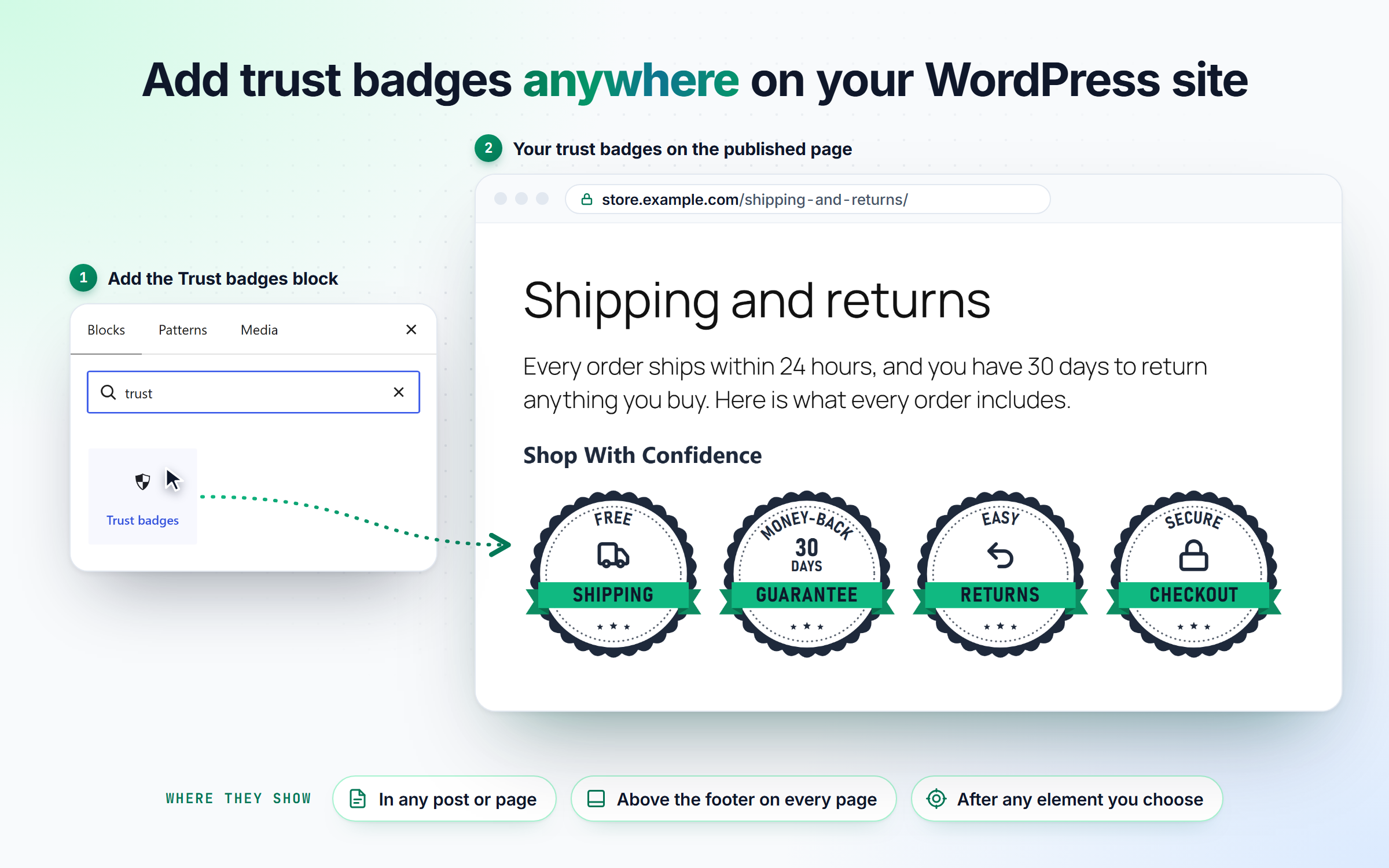
The Trust badges block places a badge group anywhere on your WordPress site.
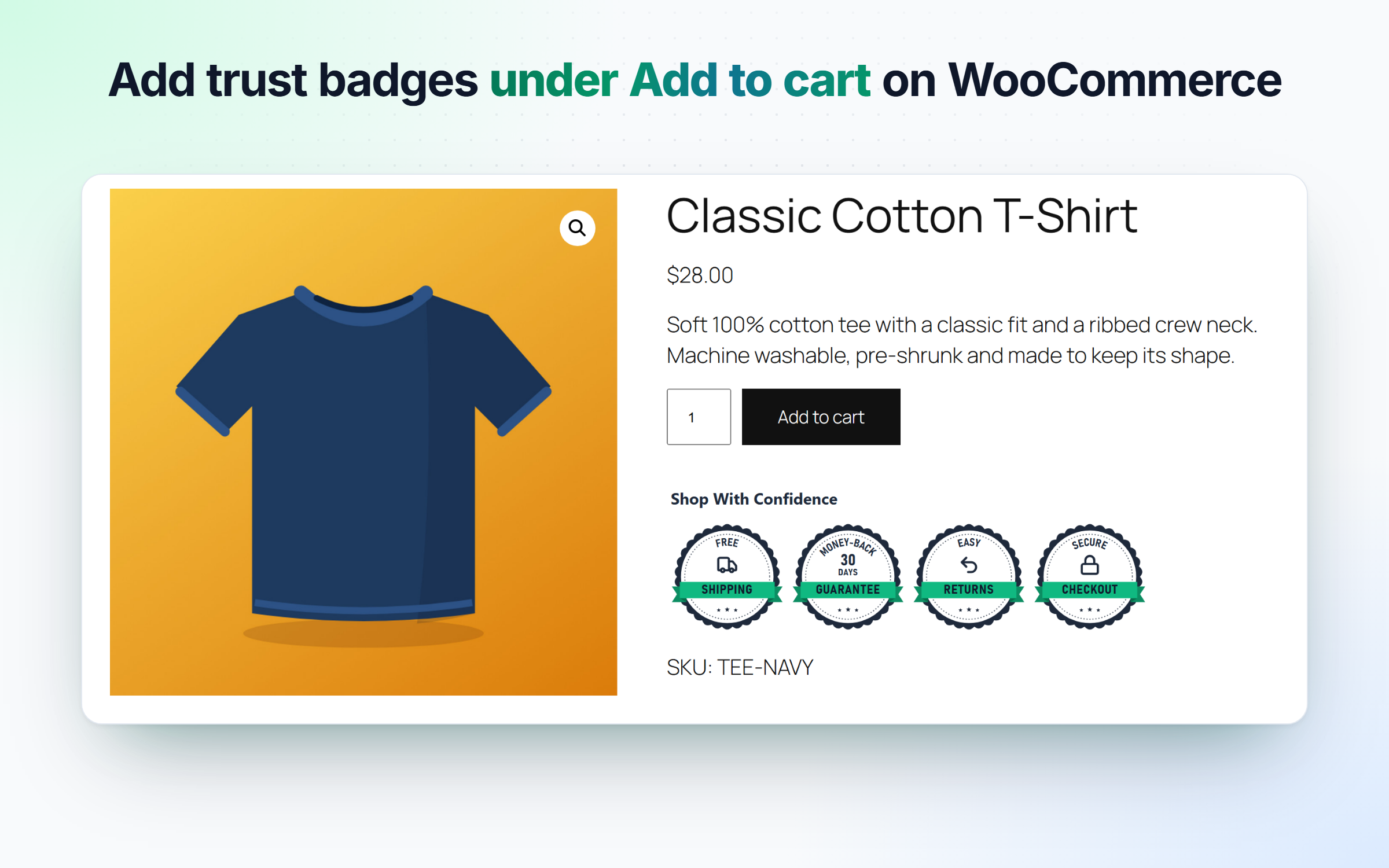
Trust badges right under the Add to cart button of a WooCommerce product page.
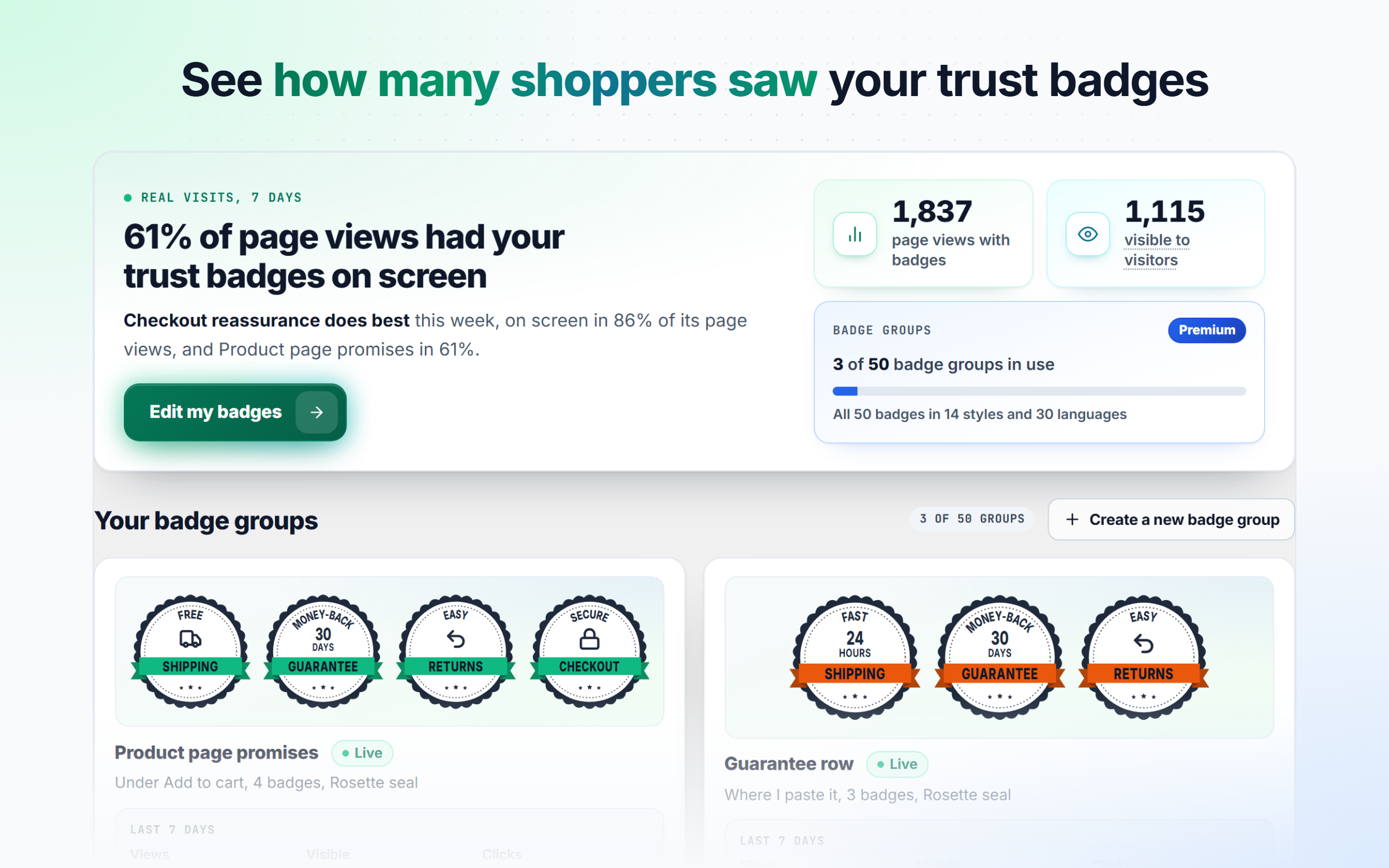
Statistics in WordPress admin: page views with badges, how many shoppers saw them and how each badge group performs.
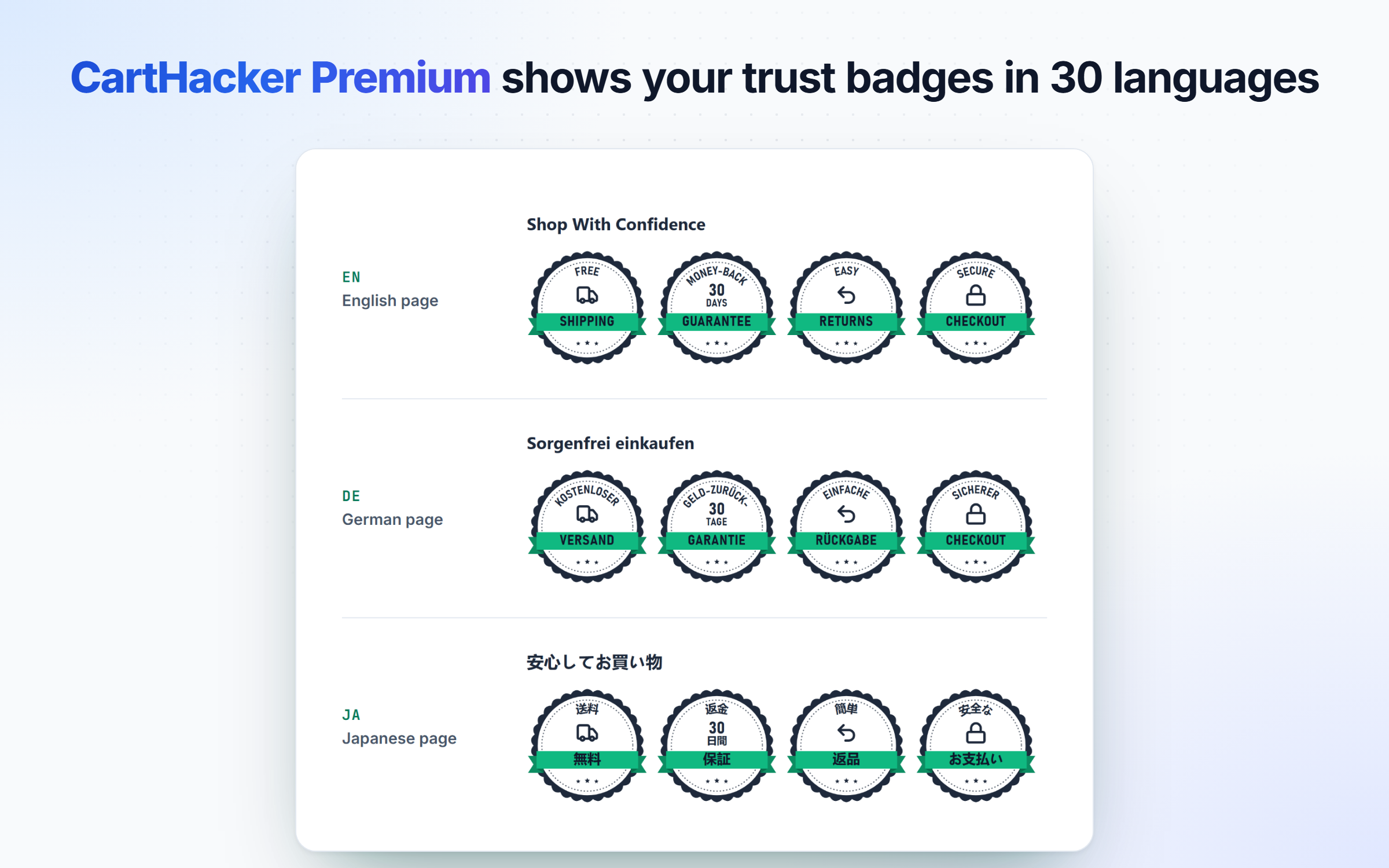
With CartHacker Premium, every badge switches to the language of the page, across 30 languages.
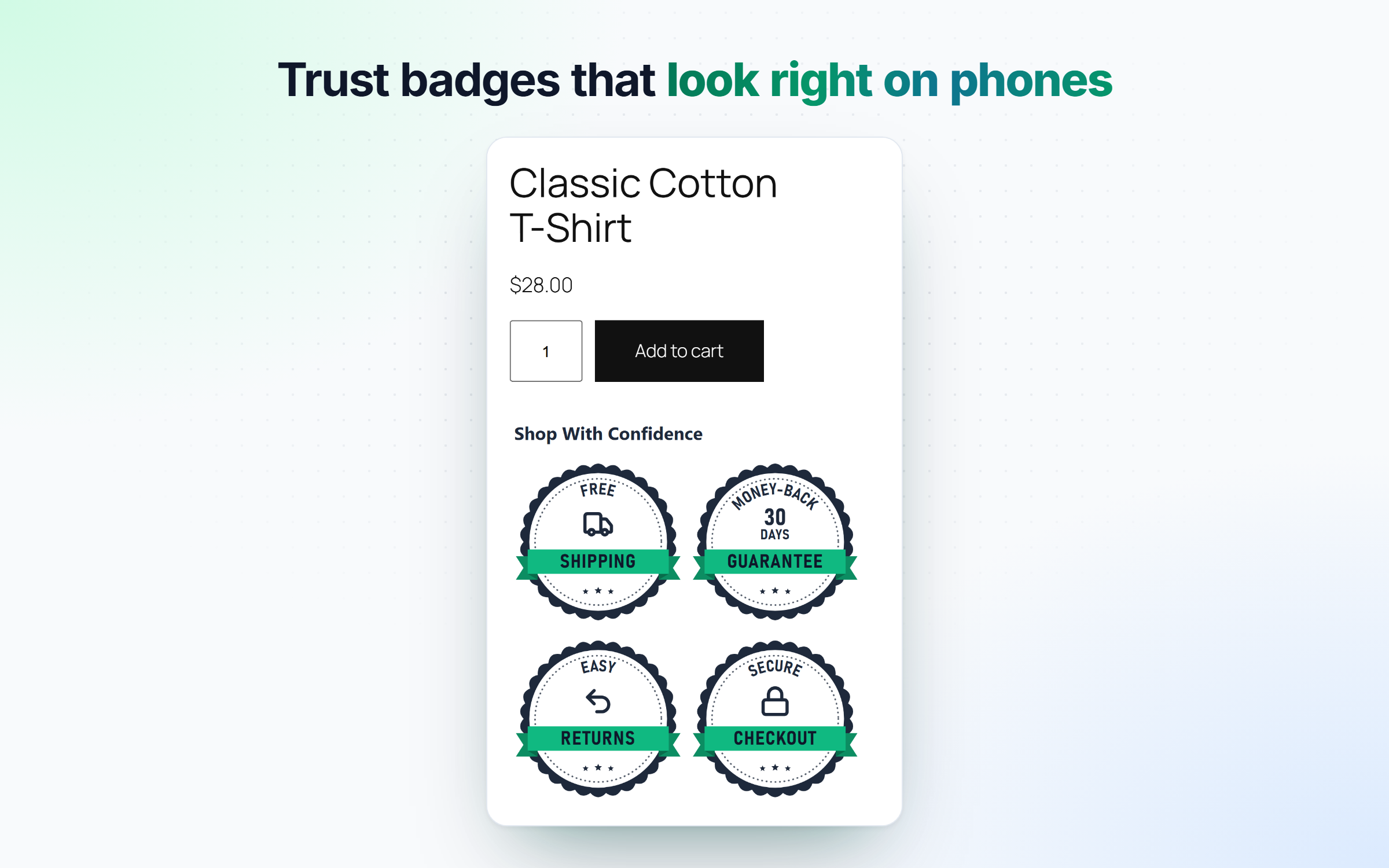
Trust badges sized for phones, on a small screen too.