CartNexa Instant Add To Cart For WooCommerce Wordpress Plugin - Rating, Reviews, Demo & Download
Plugin Description
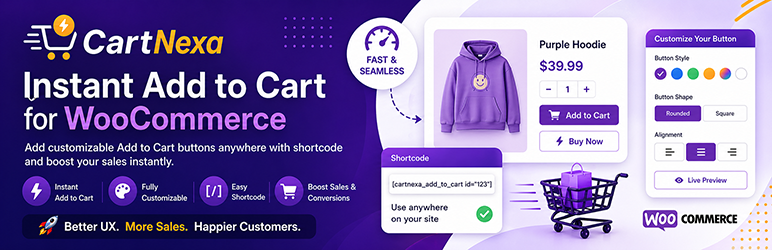
CartNexa Instant Add to Cart for WooCommerce helps you add powerful, customizable Add to Cart buttons anywhere on your website using a simple shortcode.
Boost your WooCommerce conversions with instant add to cart, Buy Now buttons, and direct checkout functionality.
Whether you are creating landing pages, sales funnels, or product promotions, CartNexa gives you full control over how customers interact with your products.
Key Features
✓ Add to Cart button anywhere using shortcode
✓ Buy Now button with direct checkout
✓ AJAX add to cart (no page reload)
✓ Fully customizable button design
✓ Live preview button editor
✓ Works with Elementor, Gutenberg, and all themes
✓ Lightweight and fast performance
✓ No impact on default WooCommerce functionality
Why Use CartNexa?
Most WooCommerce stores lose conversions due to unnecessary steps.
CartNexa reduces friction by allowing users to:
– Add products instantly
– Skip cart page
– Go directly to checkout
– Purchase faster
Use Cases
✓ Landing pages
✓ Sales funnels
✓ Blog product promotion
✓ One-page checkout
✓ Affiliate-style product pages
How It Works
- Install and activate plugin
- Copy shortcode from product page
- Paste anywhere on your website
- Customers can instantly add to cart or buy
Shortcode Example
[cartnexa_add_to_cart id=”123″]
Compatibility
✓ WooCommerce
✓ Elementor
✓ Gutenberg
✓ All WordPress themes
Performance Optimized
Scripts load only when shortcode is used, ensuring fast website speed.
Disclaimer
This plugin is not affiliated with or endorsed by WooCommerce.
Screenshots

Admin settings panel

Live preview editor

Add to cart button on frontend

Buy now / checkout button