
Cclin Smart Table Of Contents Wordpress Plugin - Rating, Reviews, Demo & Download
Plugin Description
cclin Smart Table of Contents is a lightweight and flexible TOC plugin built specifically for long-form content, tutorials, and documentation-style websites.
This plugin focuses on reading experience, content structure, and navigation clarity, making it ideal for blogs, technical articles, and knowledge bases.
Key Features
- Automatically extract headings from H2 to H6 (configurable)
- Clean and structured hierarchical TOC output
- Automatic heading numbering (1, 1.1, 1.1.1)
- Smooth scroll navigation
- Scrollspy support (active heading highlight while scrolling)
- Multiple display positions:
- Inline TOC at the top of content
- Fixed sidebar TOC
- Independent expand/collapse behavior for different TOC modes
- Auto insert TOC into content
- Support for custom post types
- Gutenberg-compatible (works seamlessly with block editor content)
- Fully internationalized (i18n ready)
- Lightweight, clean OOP architecture
Designed for
cclin Smart Table of Contents is especially suitable for:
- Long-form blog posts
- Technical tutorials
- Documentation websites
- Knowledge bases
- Structured academic or research content
Customization
Instead of requiring users to write custom CSS, the plugin provides structured options such as:
- Heading levels selection
- Numbering toggle
- Display position control
- Sticky offset settings
- Expand / collapse behavior
This ensures both flexibility and safety while maintaining performance and compatibility.
Third-Party Libraries
This plugin bundles the following third-party library:
- Select2 (https://github.com/select2/select2)
License: MIT
License file included in: /assets/vendor/select2/LICENSE
Screenshots
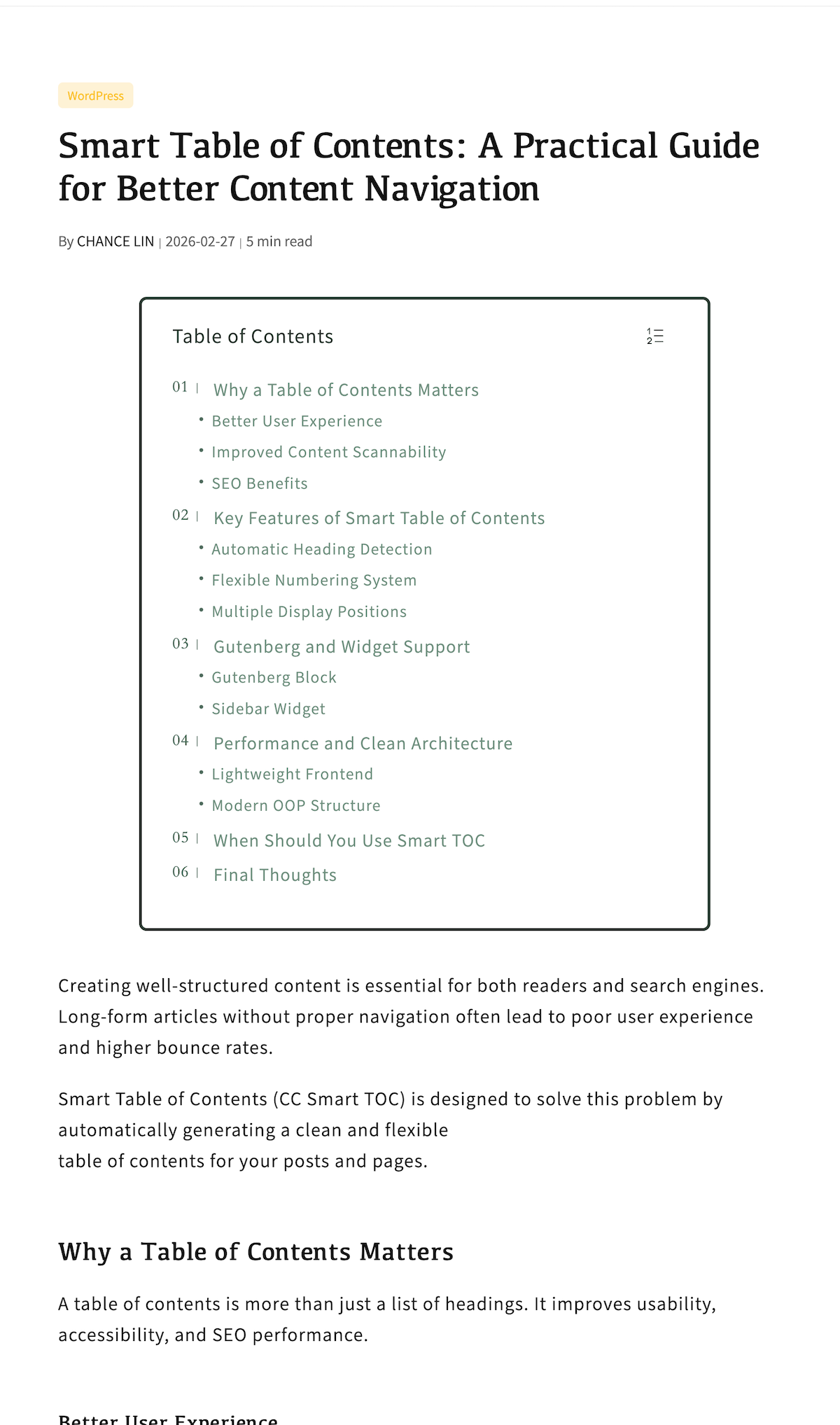
In-content table of contents automatically inserted at the top of the post

Floating side table of contents displayed on the left with fixed positioning

Admin panel: Basic Settings and Display Position configuration

Admin panel: Title and List Style, Appearance & Colors, with live preview

Admin panel: Custom Appearance & Colors with real-time live preview


