
CeyPay Payment Gateway Wordpress Plugin - Rating, Reviews, Demo & Download
Plugin Description
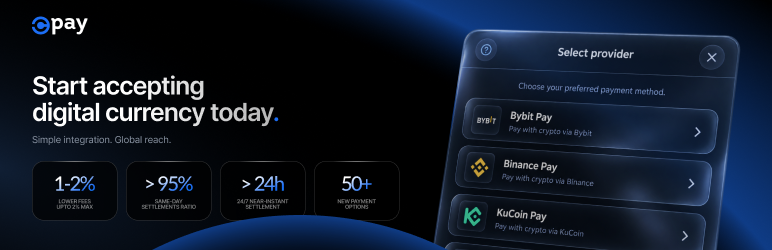
CeyPay Payment Gateway allows your WooCommerce store to accept cryptocurrency payments effortlessly. We support major providers including Binance Pay, Bybit Pay and KuCoin Pay, letting your customers pay from their existing exchange balance.
The plugin features a polished, responsive checkout modal that keeps customers on your site while they scan the QR code or use deep links on mobile devices.
Key Features
- Multi-Provider Support: Let customers choose between Binance Pay, Bybit Pay and KuCoin Pay at checkout, with more providers on the way.
- Seamless UX: Provider selection and QR payment happen in a modal on your checkout page, so customers never leave your store.
- Mobile Optimized: Automatically detects mobile devices and triggers deep links to open the relevant crypto app.
- Real-time Status: Built-in polling and webhook support ensure orders are marked as “Processing” instantly upon payment.
- Developer Friendly: Includes a robust Test Mode with a “Simulate Success” button for easy integration testing.
- Dark Mode Compatible: The UI adapts beautifully to dark-themed websites.
Security
- Secure server-to-server communication.
- Webhook signature verification to prevent spoofing.
- Nonce verification for all AJAX requests.
External Services
This plugin connects to one external service, required to process payments. It does not load third-party fonts or scripts, and it does not collect analytics.
CeyPay Payment API (Required)
When a customer initiates a payment, this plugin sends order information to the CeyPay payment processing API to generate QR codes and process transactions. This is required for the plugin to function.
- Service provider: CeyPay
- Service URL: https://api.ceypay.io/ (production) and https://sandbox-api.ceypay.io/ (test mode)
- Privacy policy: https://ceypay.io/privacy
- Terms of service: https://ceypay.io/legal/terms
- Data sent: Merchant ID, order number, order total and currency, the name of each item in the order, and the customer’s billing details (first and last name, email address, phone number, street address, city, postal code and country)
- When: Every time a customer selects a payment provider at checkout, and when the resulting payment status is polled
- Also sent: The store’s webhook callback URL, so CeyPay can notify the site when payment completes
The payment modal displays the notice “By continuing, you agree to our Terms of Service & Privacy Policy”, linking to the two documents listed above. These are the terms governing the payment the customer is about to make through CeyPay, and the notice appears only inside the modal, after the customer has chosen CeyPay at checkout. It is a disclosure required for the transaction, not promotion of the service. The optional “Powered by CeyPay” credit is separate: it is off by default and shown only if the store owner enables it in the gateway settings.
Privacy Policy
For a summary of how this plugin handles user data, please refer to the “External Services” section above.
Screenshots

Provider selection: Customers choose Bybit Pay, Binance Pay or KuCoin Pay without leaving the checkout page.

QR checkout: The payment modal shows the amount in USDT and updates as the payment is confirmed.

On mobile: The modal opens as a bottom drawer, within reach of your thumb.

Settings: Enable the gateway, switch on test mode and enter your Merchant ID in WooCommerce settings.


