ChargeWP – Front End Avatar Upload Wordpress Plugin - Rating, Reviews, Demo & Download

Plugin Description
It just works.
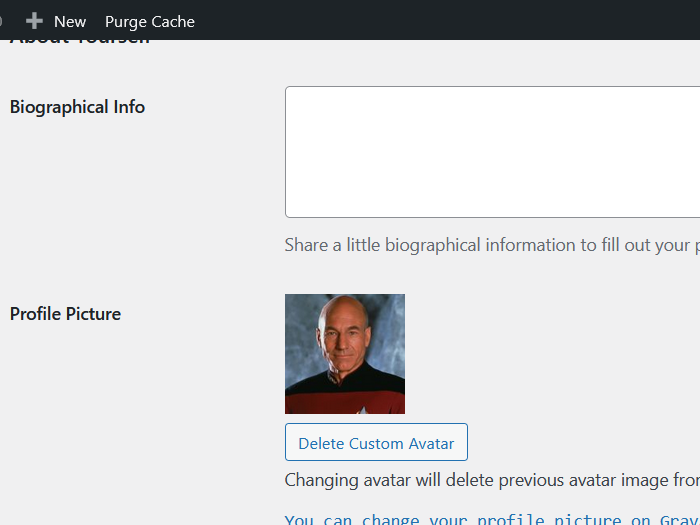
ChargeWP Avatar Upload gives users a clean, intuitive way to update their profile photo without opening the dashboard.
It’s built for modern WordPress sites: secure, lightweight, and theme-friendly.
Key Features
- Instant front-end upload — update your avatar right on the page or in WooCommerce “My Account.”
- SmartCrop.js built in — automatically centers faces for perfect, professional results.
- Gutenberg Block and Shortcode — add the avatar uploader anywhere you want.
- Gravatar friendly — keeps existing Gravatars in place and simply takes priority when a custom image is uploaded.
- Automatic cleanup — replaces old avatars so your media library stays tidy.
- Lightweight and native — no complex settings, no setup screens, and no bloat.
Why You’ll Love It
- Works straight out of the box.
- Looks and feels like part of WordPress and WooCommerce.
- Secure uploads with smart cropping and optimized JPEG output.
- Supports all image types WordPress allows (JPG, PNG, WebP, and more).
- Translation ready and developer friendly.
Usage
Shortcode example:
[chargewp_avatar type="0" check_page_author="false"]
Attributes:
– type — 0 = avatar only, 1 = avatar + name + ID, 2 = avatar + name + ID + profile link. Default: 0
– check_page_author — true or false. When true, shows the page or post author’s avatar instead of the current user. Default: false
– classes — Optional extra CSS classes for custom styling.
Block:
– Insert the ChargeWP Avatar block in the editor.
– Adjust display type and author options from the block sidebar.
Developer Notes
- Template overrides are supported. Copy files from
plugins/chargewp-avatar/templates/ toyourtheme/templates/cwpa/. - Filters to disable automatic placement:
add_filter('cwpa_auto_inject_wc_account', '__return_false');add_filter('cwpa_auto_inject_cwpd_sidebar', '__return_false');
- Filters to change display type:
cwpa_avatar_type_wc_accountcwpa_avatar_type_cwpd_sidebar