
Chartsy Wordpress Plugin - Rating, Reviews, Demo & Download
Plugin Description
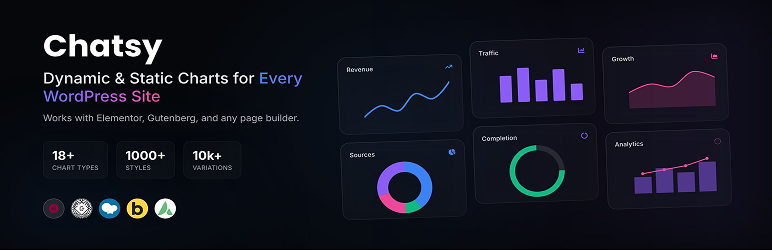
Chartsy is a powerful WordPress chart plugin built with ApexCharts.js, designed to create responsive, interactive, and visually appealing charts. It uses high-performance SVG rendering to ensure smooth animations, precise interactivity, and sharp display across all devices. Whether you’re showcasing business data or complex analytics, Chartsy makes your data easy to understand and engaging.
With an intuitive admin interface and real-time preview, you can quickly customize charts by adjusting colors, fonts, legends, and axes. This flexibility helps you build professional data visualizations faster and more efficiently without any complexity.
Features
⭐ 18+ Advanced Chart Types – Create everything from standard Line, Area, and Bar charts to complex Candlestick, Heatmap, Treemap, Timeline, Radar, and Polar Area visualizations.
⭐ Dynamic Multi-Series Support – Easily manage multiple data series in a single chart with synchronized legends, shared tooltips, and independent styling for every series.
⭐ Flexible Data Connection – Connect to manual data entry, local or remote CSV files, Google Sheets, SQL databases, REST APIs, or use custom WordPress filters for deep programmatic integration.
⭐ Interactive Toolbar & Controls – Empower users with built-in tools for Zooming (pinching supported), Panning, Selection-zooming, and a one-click Reset to the original view.
⭐ Professional Export Suite – Provide users with the ability to download charts directly as PNG images, SVG files, or CSV/PDF documents for offline viewing and reporting.
⭐ Real-time Admin Preview – Experience zero-latency editing with a live preview system that reflects every change to data sources or styling immediately within the admin panel.
⭐ Precision Plot Options – Deep control over chart geometry including rounded corners (border-radius), stack types (Normal vs 100% Stacked), grouped bars, and custom offset values.
⭐ Advanced Axis Customization – Configure multiple Y-axes, custom label formatting, shared scales, grid-line visibility, and precise range controls for both X and Y dimensions.
⭐ Premium Card Design System – Wrap your charts in beautiful “cards” with custom background gradients, adjustable padding/margins, solid or dashed borders, and rich box-shadow effects.
⭐ Dynamic Annotations & Labels – Add custom data labels, markers, and forecast points to highlight specific values or trends, with full control over font styles and background colors.
⭐ Developer Friendly Architecture – Built for developers with extensive hooks (filters and actions) allowing you to inject data or modify chart configurations programmatically.
⭐ Responsive & Touch Optimized – Charts are fully adaptive by default, responding to screen size changes and supporting native touch gestures for mobile interactions like swipe and pinch.
⭐ 24/7 Dedicated Support – Our expert support team is available around the clock to help you with installation, configuration, or any technical questions you may have.
⭐ Shortcode Support – Seamlessly embed your charts anywhere on your site using simple shortcodes: [Chartsy id="123"].
External Services
This plugin includes the following open-source libraries:
- ApexCharts.js
A modern interactive SVG chart library used to power the chart functionality.
License: MIT
Screenshots

Frontend Line Chart – Clean and modern line chart with smooth curves, animations, and interactive tooltips for clear data insights.

Frontend Radar Chart – Visually engaging radar chart to compare multiple data points across categories in a compact layout.

Frontend Pie Chart – Attractive Pie chart with dynamic sizing and positioning, ideal for visualizing multi-dimensional data.

Backend Live Preview – Real-time chart preview inside the admin panel while editing settings.

Chart Default Settings – Configure basic chart options like type, height, animations, and toolbar.

Data Settings Panel – Easily manage chart data, series, and dynamic data sources.

X-Axis Settings – Customize labels, categories, positioning, and formatting for the horizontal axis.

Y-Axis Settings – Control value ranges, labels, scaling, and multiple axis configurations.

Grid Settings (Style) – Adjust grid appearance including lines, colors, and stroke styles.

Tooltip Settings – Enable and style tooltips with position, alignment, and typography options.

Legend Settings – Enable and style chart legends with position, alignment, and typography options.

Data Labels Settings – Display and customize values directly on chart elements with full styling control.


