
Chatdozo Wordpress Plugin - Rating, Reviews, Demo & Download
Plugin Description
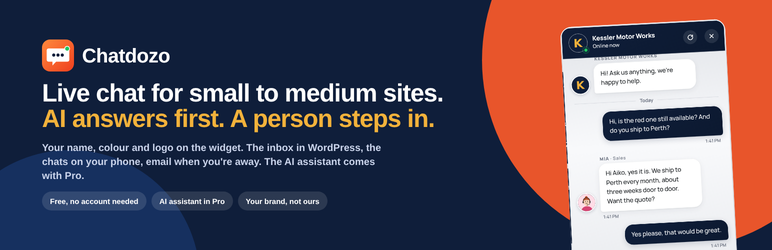
Chatdozo puts a chat window on your site and an inbox in your WordPress admin. A visitor writes, you answer from the inbox; if you are away, they write anyway and the chat reaches you by email, and your reply goes back to them by email.
Nothing leaves your server. Conversations are stored in your own database, the people who answer are your own WordPress users, and the widget loads with no outside calls: no chat service in the middle, no account to make, no data sent to Chatdozo or anyone else.
Everything in this plugin is free and complete:
- The chat window, in your brand colour, with your logo, an optional header picture, your business name and a choice of nineteen quiet wallpapers or your own.
- Your whole team: everyone who should answer gets a login, a name visitors see, a role line and a face (sixteen illustrated faces or a photo). Chats can be assigned, tagged and annotated with private notes.
- The inbox in wp-admin: Needs you, Mine, Open, Closed; search; mark done, reopen, delete, select many at once; the visitor’s page, source, device, country and local time; an On duty / Off duty switch in the admin bar on every page.
- Saved replies: type / in the inbox and pick one; {name} and {me} fill in by themselves.
- Business hours: tell visitors when you are closed and when you are back, in your words.
- Photos and PDFs both ways, up to 8 MB, stored in your own uploads folder.
- Ratings and transcripts: visitors can rate a chat when it closes and email themselves a copy; you can email one too, or download any chat as text.
- An email the moment a visitor writes while nobody is online, and replies that reach the visitor by email after they leave.
- Name and email before the first message: required, optional or off. Logged-in members skip the form.
- Every line a visitor reads, editable in your words or your language.
- Hide the chat on chosen pages or on phones; a privacy line; block a visitor; delete closed chats after N days.
- Works with page optimisers (WP Rocket, Autoptimize, LiteSpeed Cache, SiteGround Optimizer, Perfmatters, WP-Optimize) without being minified into silence.
Chatdozo Pro is a separate plugin from chatdozo.com that installs beside this one and adds: an AI receptionist that answers from your own website day and night and hands over to a person when it matters; a live globe of who is on your site with a Say hello button and automatic messages; Reports and a Monday email; and the inbox as an app on your phone with a ping when a visitor writes. It uses everything you have set up here.
External services
This plugin works entirely on your own server. One optional connection exists:
Freemius (https://freemius.com), the licensing and update library bundled with the plugin. At activation it asks whether it may send a note when the plugin is activated, updated or removed, so you get security updates and we hear when something breaks. If you allow it, it sends your site address, the WordPress and plugin versions and, if you choose, your email address; never any chat content. If you skip it, nothing is sent and everything works the same. Terms: https://freemius.com/terms/ · Privacy: https://freemius.com/privacy/
Chatdozo Pro, the separate plugin, adds its own connections (an AI provider for the Assistant: OpenAI, or Chatdozo AI at ai.chatdozo.com; and the browser vendors’ push services for the phone app), and documents them in its own readme.
Privacy
Chatdozo stores chat messages, the visitor’s name and email when they give them, the page they were on, their browser and a hash of their IP, in your site’s database, so you can answer them. It keeps one random token in the visitor’s browser (localStorage, with a cookie as fallback, a year) so a returning visitor sees their own conversation; the token identifies the browser, not the person. Delete any conversation from the inbox, or set an automatic retention period under Settings Privacy. Nothing is sent to any outside server; see External services for the one optional exception.
Screenshots

The chat window on a site: your colour, your logo, the operator’s face beside each reply.

The inbox in wp-admin: Needs you, the conversation, the visitor card.

Settings: the widget, the colour and text colour, the lines visitors see.

Who answers: the team, each with a name, a role and a face.

Choose a face: sixteen illustrated faces or your own photo.

The chat on a phone.


