
Checkout Blocks Field Studio For WooCommerce Wordpress Plugin - Rating, Reviews, Demo & Download

Plugin Description
Checkout Blocks Field Studio
Build custom WooCommerce checkout fields, conditional logic, and fee rules for Classic checkout and Checkout Blocks from one admin UI.
Checkout Blocks Field Studio gives merchants a reliable checkout field builder for the modern WooCommerce ecosystem. Create field groups, add custom inputs, control when fields appear, validate submitted values, apply fees or discounts, and keep everything synced to orders, emails, and admin workflows without maintaining custom snippets.
Why Store Owners Choose It
- One builder for two checkout surfaces: target Classic, Blocks, or both from the same configuration.
- Built for real stores: collect VAT numbers, PO references, gift messages, delivery notes, business-only details, and service add-ons.
- Revenue-friendly: attach fixed or percentage fee rules for upsells, handling charges, and checkout discounts.
- Operations-ready: save values to order meta, show them in WooCommerce admin orders, and include them in order emails.
- Safer rollouts: use JSON import/export, backups, preflight diagnostics, debug logs, and safe mode when troubleshooting.
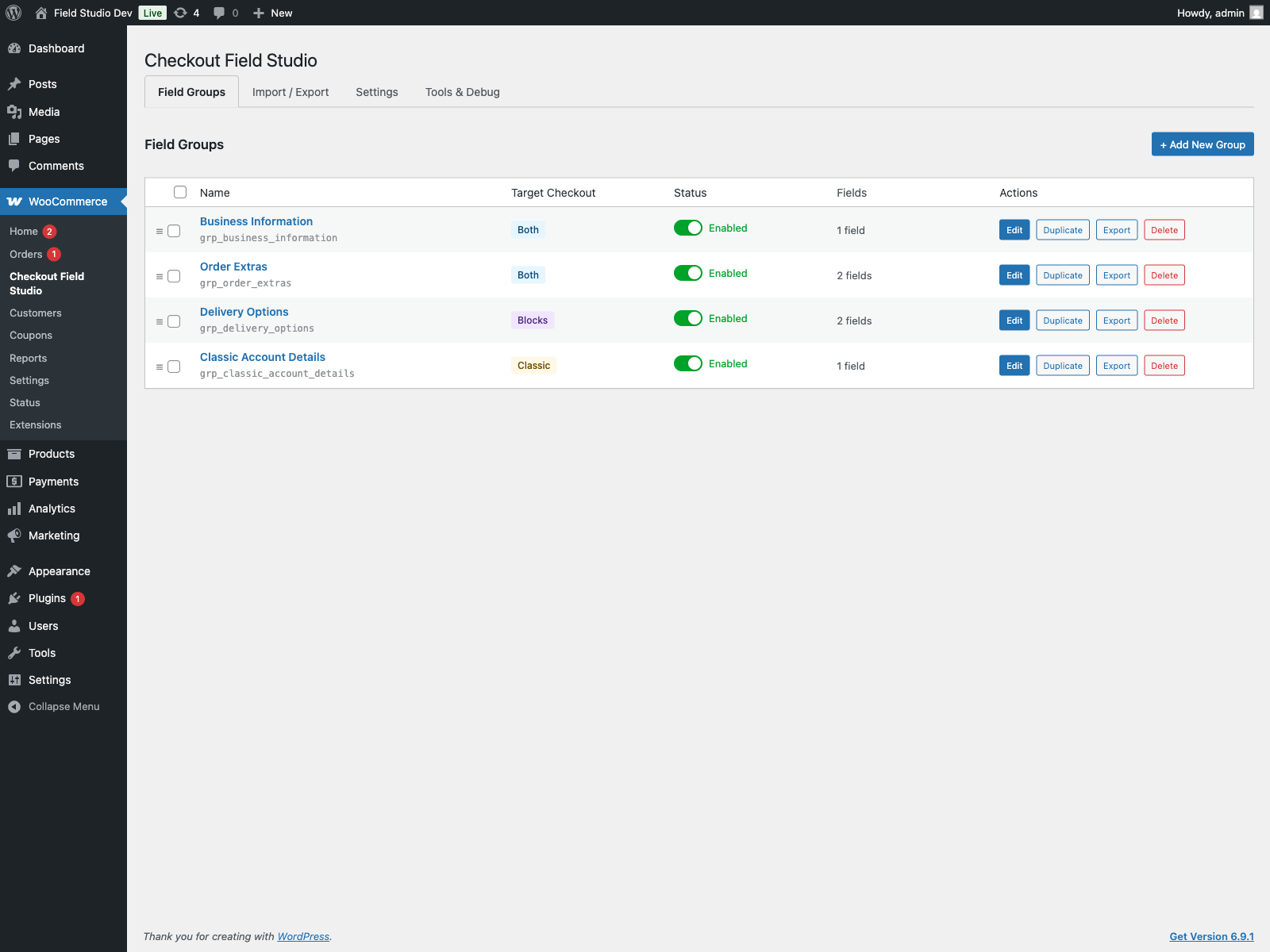
What You Can Build
- Custom billing, shipping, contact, order, and additional checkout fields.
- Conditional visibility and conditional required rules based on cart, customer, shipping, payment, and other field values.
- Validation rules for text length, number ranges, regex patterns, email, phone, date, and allowed option values.
- Field-level and group-level fee rules with fixed amounts, percentage pricing, discounts, tax handling, stackability, and priorities.
- Migration workflows for staging and production using export/import, plus ThemeHigh Checkout Field Editor TXT import support.
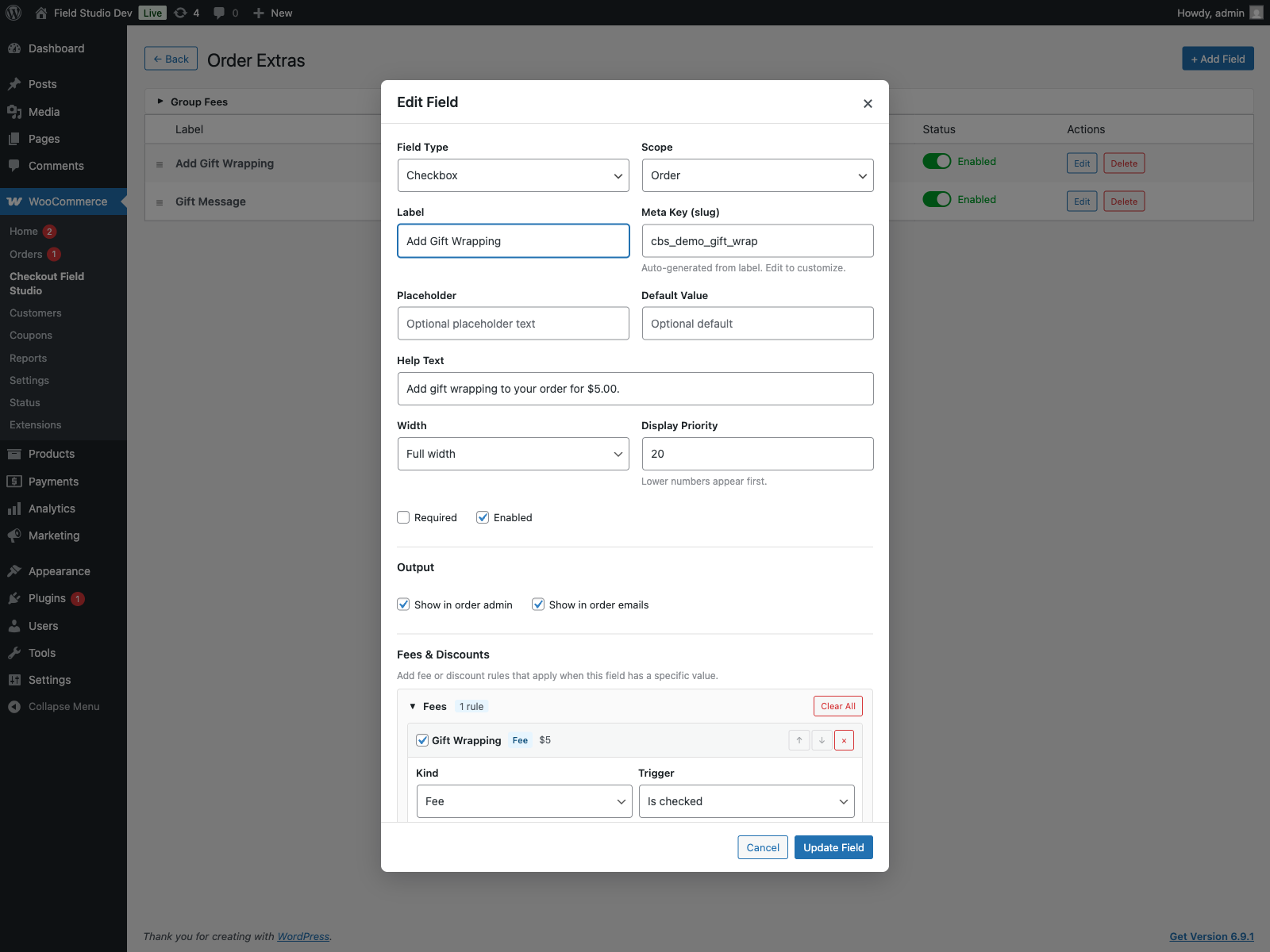
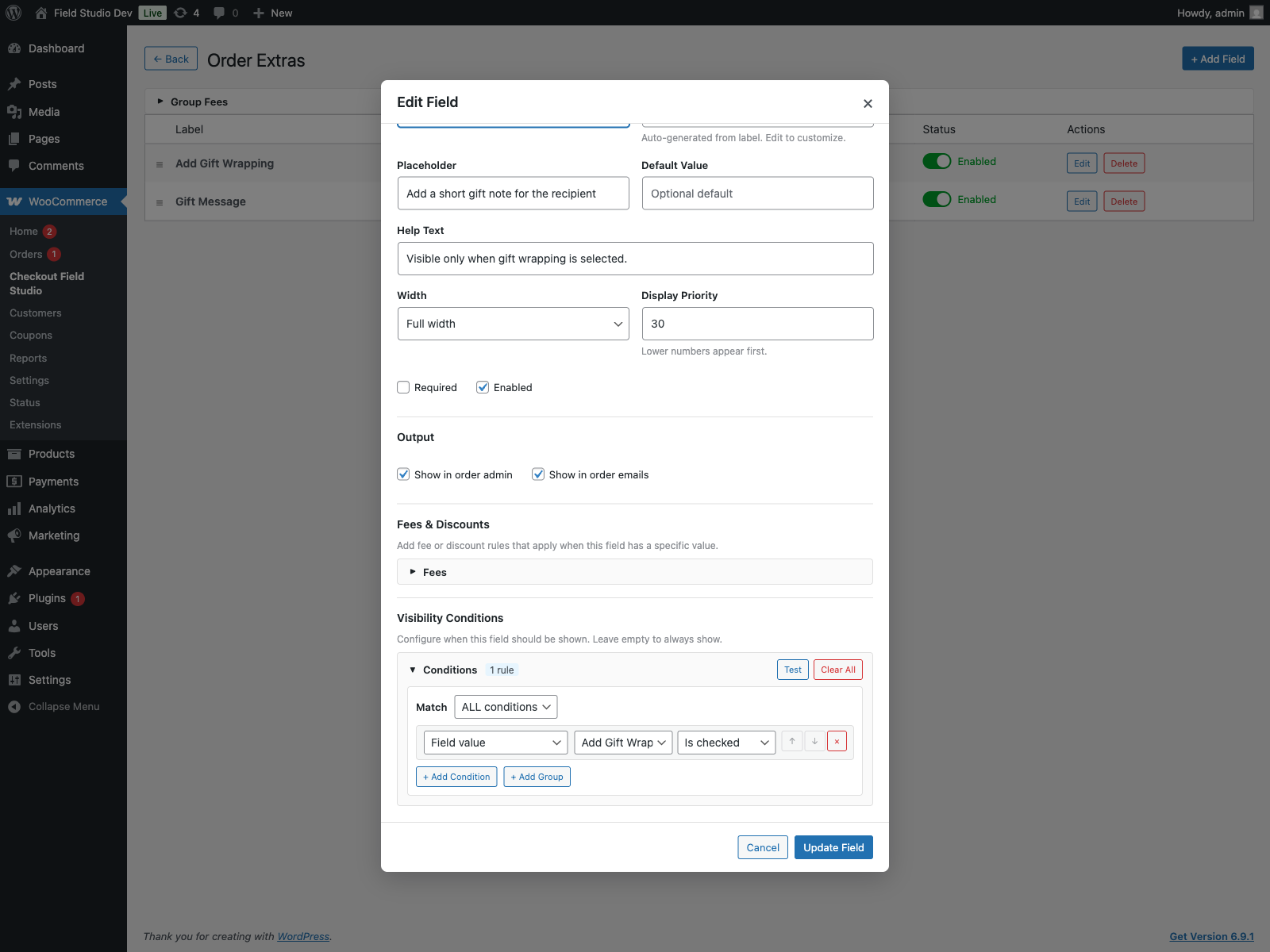
Supported Field Types
| Field Type | Classic Checkout | Checkout Blocks |
|---|---|---|
| Text | Native text input | Native text input |
| Textarea | Native textarea | Rendered as text input |
| Checkbox | Native checkbox | Native checkbox |
| Select | Native select | Native select |
| Radio | Native radio group | Rendered as select |
| Number | Native number input | Rendered as text input |
| Native email input | Rendered as text input | |
| Phone | Native phone input | Rendered as text input |
| Date | Native date input | Rendered as text input |
Important Blocks note: WooCommerce Checkout Blocks currently exposes native support for text, select, and checkbox fields only. Unsupported types are mapped to the closest available Blocks input while server-side validation and order saving remain intact. Billing and shipping scoped fields also map to the shared Blocks address area. These are current WooCommerce Blocks API limitations, not plugin-specific bugs.
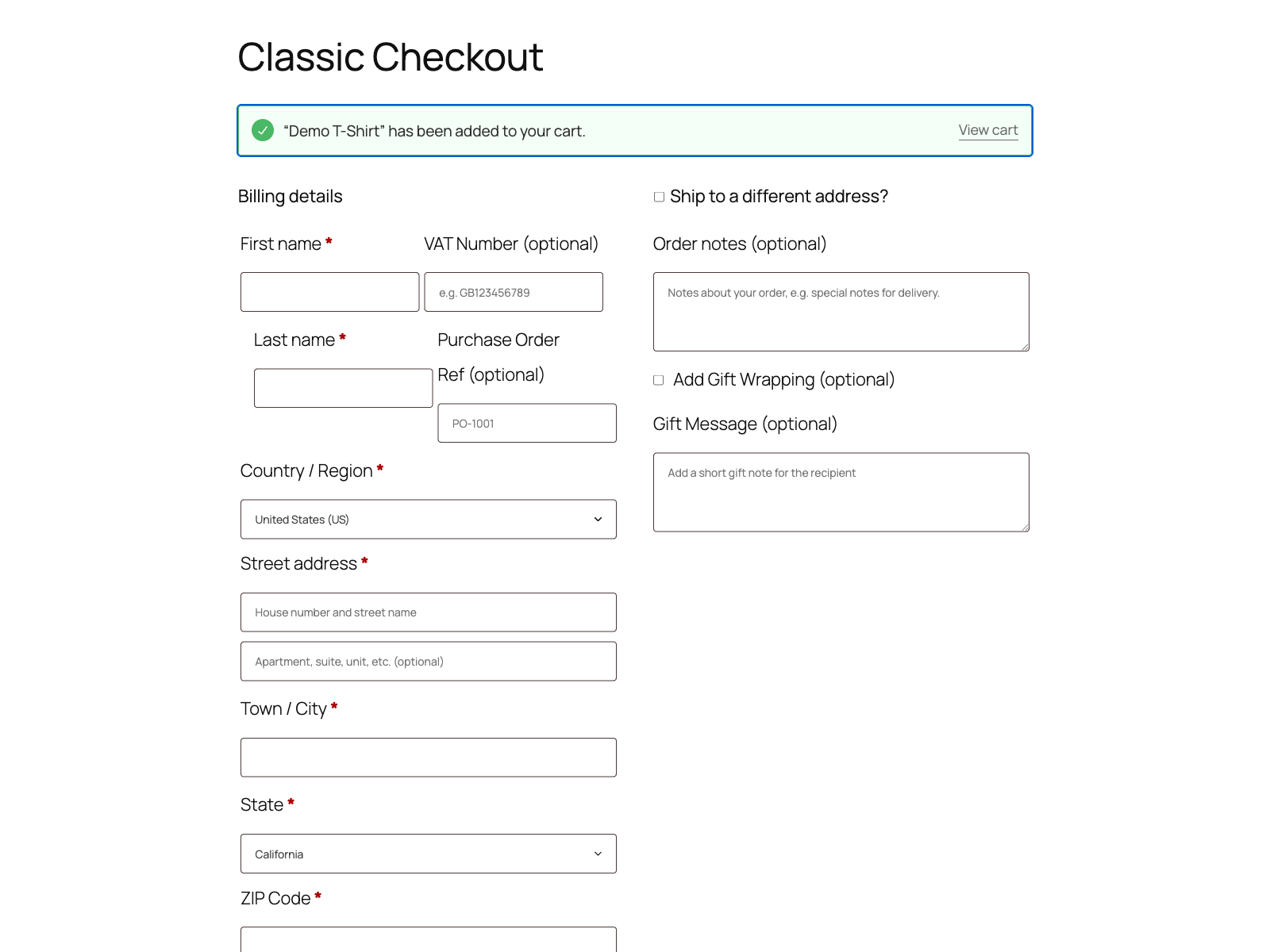
How It Fits Into Your Workflow
- Create a field group and target Classic, Blocks, or Both.
- Add fields with labels, meta keys, placeholders, help text, widths, priorities, and validation rules.
- Define visibility conditions, required logic, and optional fee or discount rules.
- Capture values on checkout and review them later in order admin, order emails, exports, and debug tools.
Operational Features
- Order admin visibility: submitted values appear in a dedicated WooCommerce order panel.
- Email output: include custom checkout data in customer and admin order emails.
- JSON import/export: move full configurations between sites with overwrite, merge, or duplicate workflows.
- Legacy migration: import ThemeHigh Checkout Field Editor TXT exports.
- Safe mode: disable frontend rendering instantly without deleting configuration.
- Diagnostics: preflight checks, debug status, log viewer, and configuration backups.
- Platform compatibility: WooCommerce HPOS compatible and integrated with WordPress privacy export/erase tools.
Ideal Use Cases
- VAT numbers, tax IDs, PO numbers, and B2B checkout data.
- Gift wrap, rush processing, insurance, and service upsells with automatic fees.
- Delivery instructions, account references, and post-purchase handling notes.
- Conditional fields that only appear for specific products, payment methods, shipping methods, or logged-in customers.
- Agency workflows that need consistent checkout configuration across staging and production.
Requirements & Compatibility
| Requirement | Details |
|---|---|
| WordPress | 6.0 or higher |
| WooCommerce | 8.0 or higher |
| PHP | 7.4 or higher |
| WooCommerce tested up to | 10.5 |
| WordPress tested up to | 6.8 |
| HPOS | Compatible |
Package Includes
- The WordPress plugin ZIP for installation through the admin uploader.
- Customer documentation for setup, checkout targeting, fees, import/export, and troubleshooting.
- A professional admin workflow designed for store owners, agencies, and WooCommerce operators.
Checkout Blocks Field Studio is built for stores that need more than simple text fields. If you want one reliable WooCommerce checkout field builder that covers Classic checkout, Checkout Blocks, conditional logic, fees, migration, and operational visibility, this plugin is designed for that job.
Live Demo Site (Add a product and go to checkout to see the additional fields): View Demo
Live Demo Admin: View Demo (demo/demo)


