Checkout Lift For WooCommerce Wordpress Plugin - Rating, Reviews, Demo & Download
Plugin Description
Checkout Lift for WooCommerce gives you control over your checkout without requiring a page builder.
Two things live here. The field editor decides what your checkout asks for. Checkout tracking shows unfinished checkouts and their potential cart value. The separately installed Pro add-on can follow up automatically and restore the saved cart through a protected link.
The field editor
Everything WooCommerce puts on the checkout, plus anything you want to add:
- Reorder fields by dragging them, within a section or across sections
- Show, hide, and require any field
- Rename labels and set placeholders
- Set the width of each field, from a quarter to full width, on either checkout
- Add your own fields in six Lite types: Text, Number, Email, URL, Select, and Textarea
- Remove the shipping section entirely, for stores that do not ship
- Validate phone numbers per country, with flags
- Export, import, and reset your whole configuration
- Translate everything through WPML or Polylang
Conditional fields
A field can appear only when it is relevant. In Lite, conditions can be built on:
- the billing or shipping country
- the value of another field, evaluated as the customer types
The separately installed Pro add-on adds conditions based on cart products, product categories, cart total, payment method, and shipping method.
Checkout Recovery
Lite records checkout activity so a merchant can see where customers stop:
- See what the customer actually typed — name, email, phone, country, how far they got, and what was in their cart
- Potential abandoned checkout value based on the captured cart total, clearly separated from guaranteed lost or recoverable revenue
- Captures supported checkout activity on Classic Checkout and supported Checkout block flows
The separately installed Pro add-on sends a four-email sequence, restores saved carts through protected links, and attributes recovered product value from final WooCommerce order lines.
Revenue Analytics
When checkout recording is enabled, the plugin also measures a privacy-minimized checkout lifecycle without copying names, contact details, addresses, cart contents, IP addresses, or user-agent strings into analytics:
- Lite overview filters for 7 or 30 days and currency
- Checkout attempts, placed orders, placement rate, abandoned attempts, and potential abandoned checkout value
- Pro analytics adds 90-day and custom ranges, checkout and outcome filters, comparisons, recognized revenue, recovery attribution, and CSV breakdowns
- No external analytics service and no invented historical backfill; reporting starts with measured activity
The separately installed Pro add-on adds Multi-Step Checkout, Google Places Address Autocomplete, Date, Time, DateTime, File Upload, Fee, and Repeater fields; cart/payment/shipping conditions; a four-email recovery sequence; secure cart resume; and advanced revenue analytics. Lite does not ship or load those implementations, and its settings show one contextual upgrade prompt instead of locked controls.
Built for privacy
Recovery is off until you turn it on, and how it behaves is yours to decide:
- an opt-in consent box on the checkout, unticked, with your wording
- every stored record carries why it exists and when consent was given
- a retention period, after which records are deleted automatically
- full support for WordPress’s personal data export and erasure tools for recovery/contact records
- recovery records and analytics stay on your server; Pro’s optional Google Places feature sends address-search requests from the shopper’s browser to Google when enabled
- analytics attempts contain a random-token hash and operational/revenue facts only, and use the same retention period as recovery records
External service: Google Maps Platform
Address Autocomplete requires the separately installed Pro add-on and remains disabled until a merchant enables it and supplies a Google API key. When enabled on checkout, the shopper’s browser loads the Google Maps JavaScript API from maps.googleapis.com. Address searches are sent to Google Places; using Locate Me also sends the shopper’s browser-provided coordinates to Google’s geocoder. Google necessarily receives network information such as the shopper’s IP address with those requests. Recovery does not send its stored customer records to Google.
This service is provided by Google, not by this plugin. Its use is subject to the Google Maps Platform Terms of Service and Google Privacy Policy. The merchant is responsible for deciding whether and how to disclose or obtain consent for that service in the jurisdictions where the store operates.
What it does to your site’s speed
- the checkout scripts are plain JavaScript, not a frontend framework
- the Checkout block recovery path does not load jQuery; classic-checkout modules use WordPress’s bundled jQuery where their WooCommerce integrations require it
- nothing is loaded on pages that do not need it
- recovery writes are throttled and never block the customer. A failure there can never stop an order being placed
- cart contents and totals are always read on the server. What the browser reports is never trusted with anything that touches money
Where to find it
After activating, look for Checkout Lift in the admin menu:
- Checkout Lift Checkout Fields — the field editor and import/export/reset tools
- Checkout Lift Recovery — captured checkouts and recovery results
- Checkout Lift Revenue Analytics — Lite checkout funnel and potential abandoned value; Pro adds recognized revenue, recovery attribution, comparisons, and detailed filters
- Checkout Lift Settings — module switches, checkout experience, recovery, and privacy settings
Additional Info
Support and documentation: Design Tich
Requirements: WordPress 7.0 or newer, WooCommerce 10.0 or newer, PHP 8.0 or newer.
Development source: Editable JavaScript sources and build tooling for this release are available in the public GitHub repository. From that branch, run npm install and then npm run build to reproduce the dashboard bundle.
Screenshots
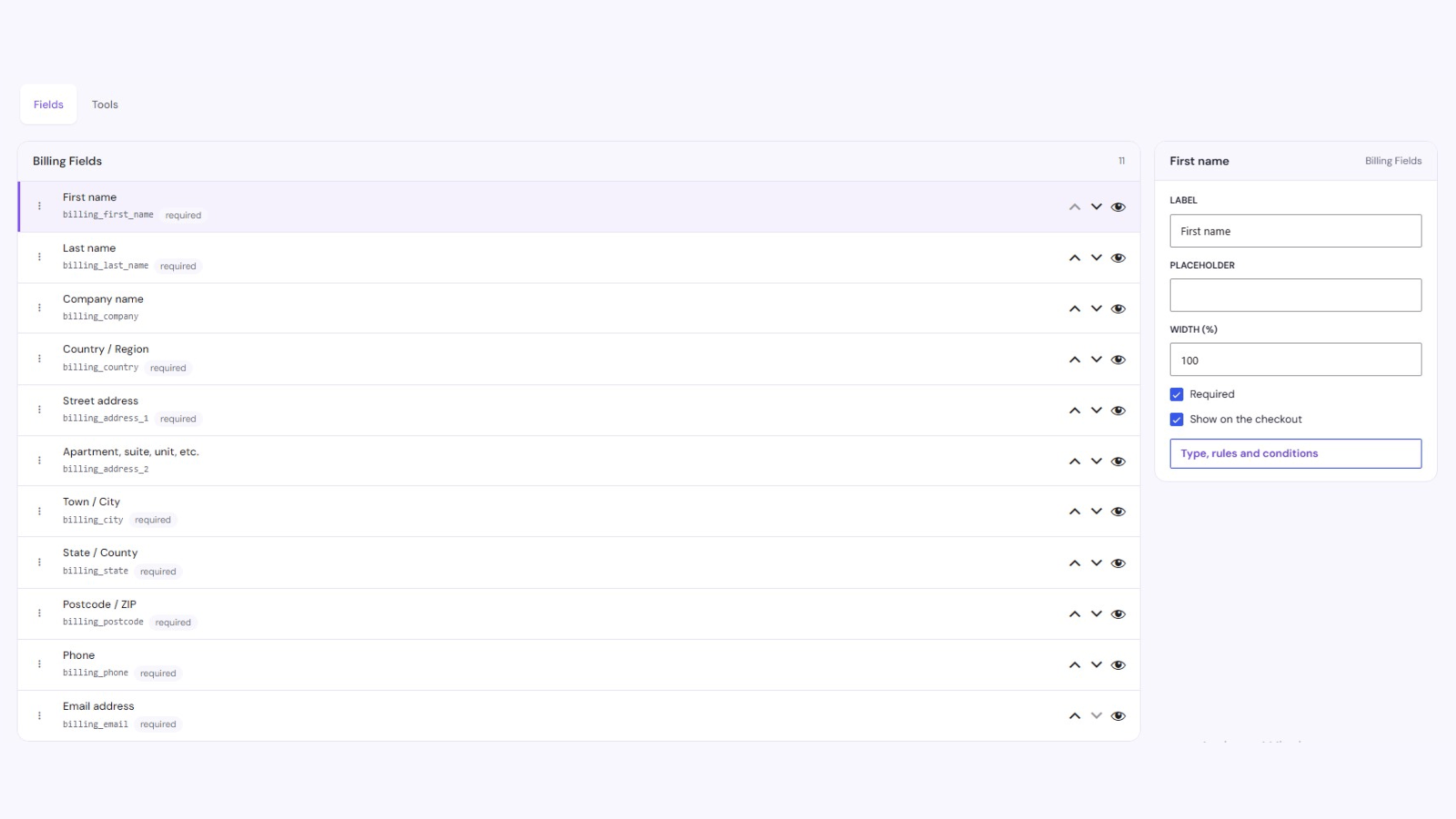
The field editor, with fields grouped by section and reordered by dragging
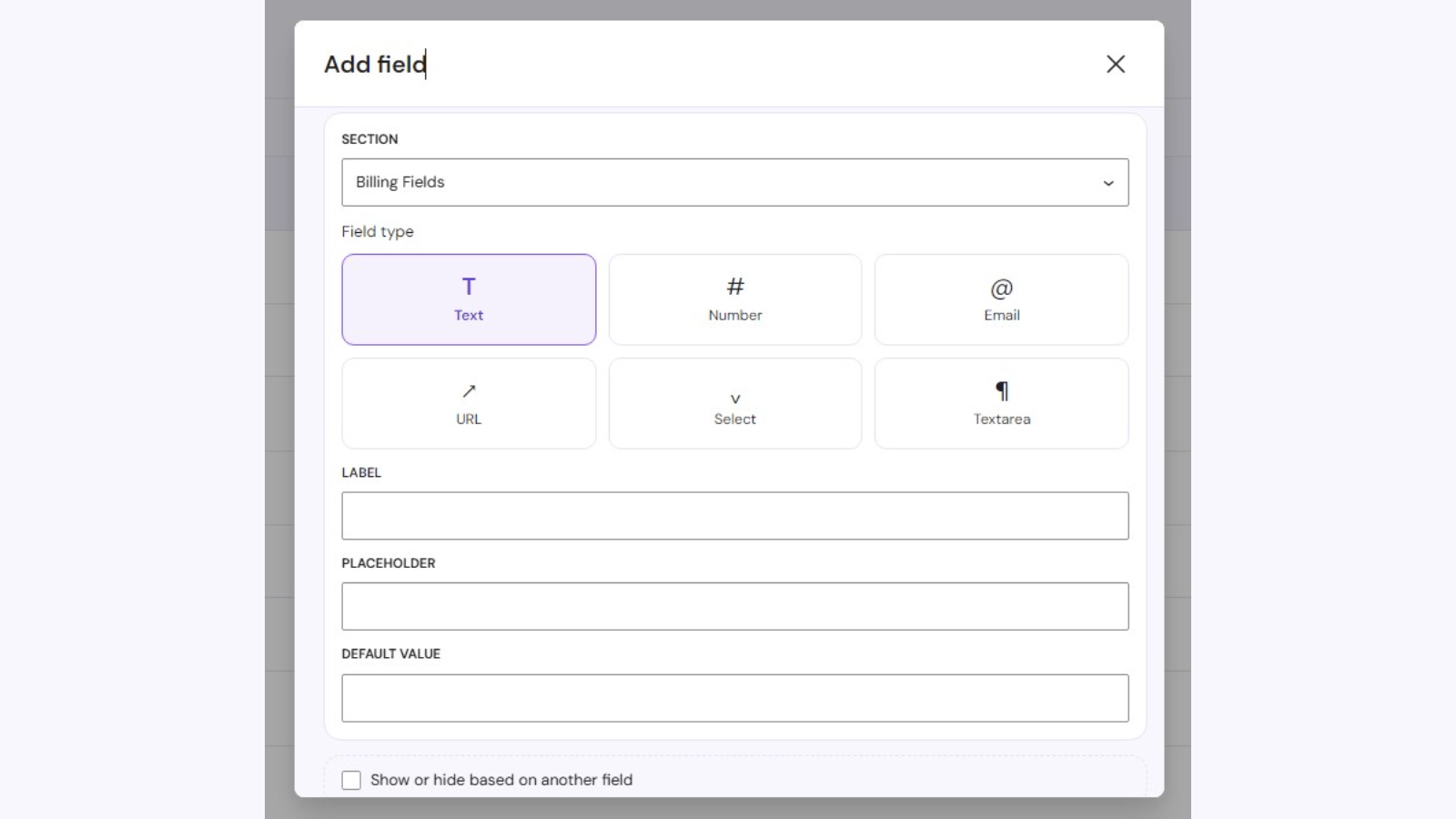
Adding a custom field and choosing its type
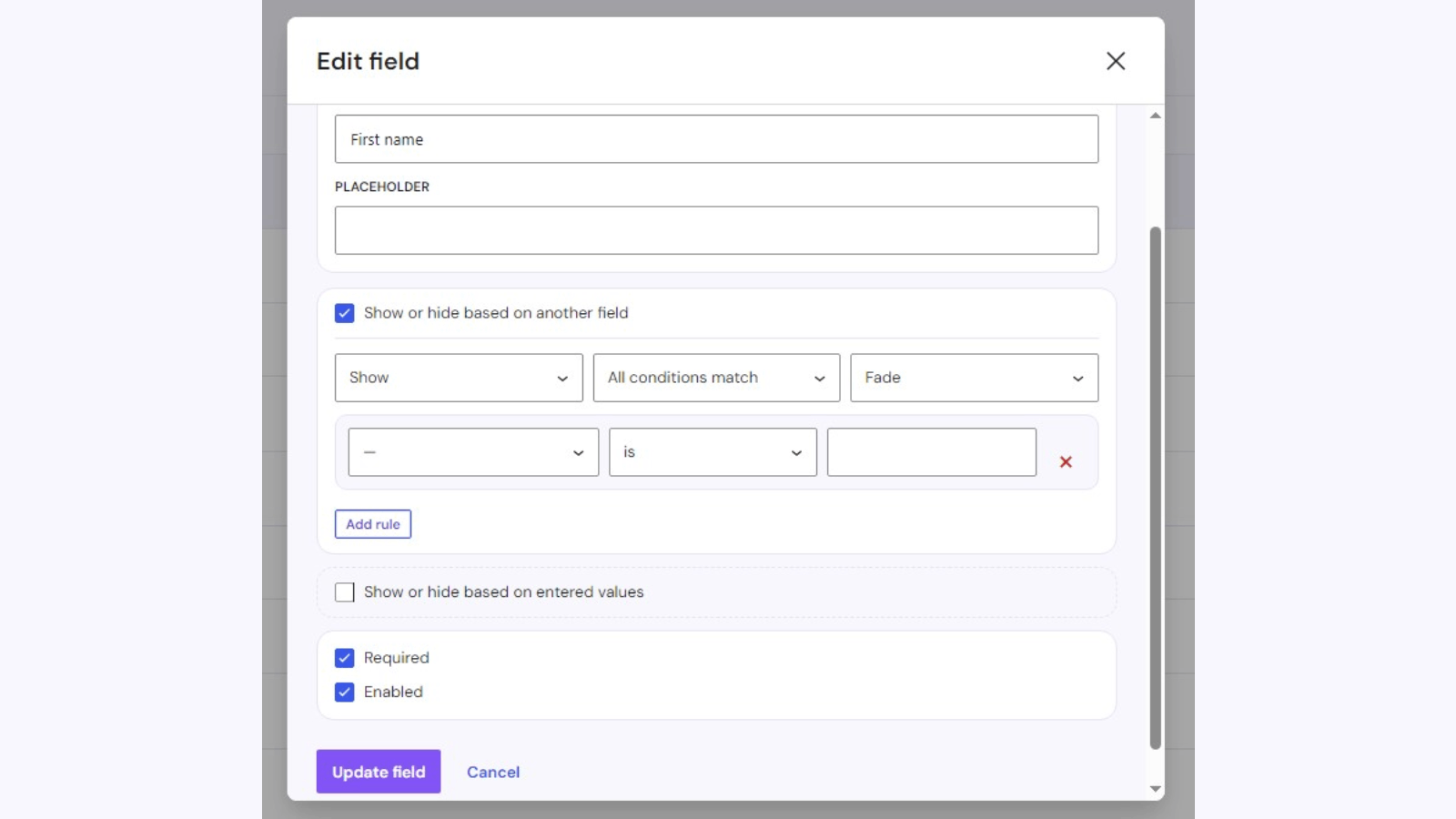
Building a condition, so a field appears only when it is relevant
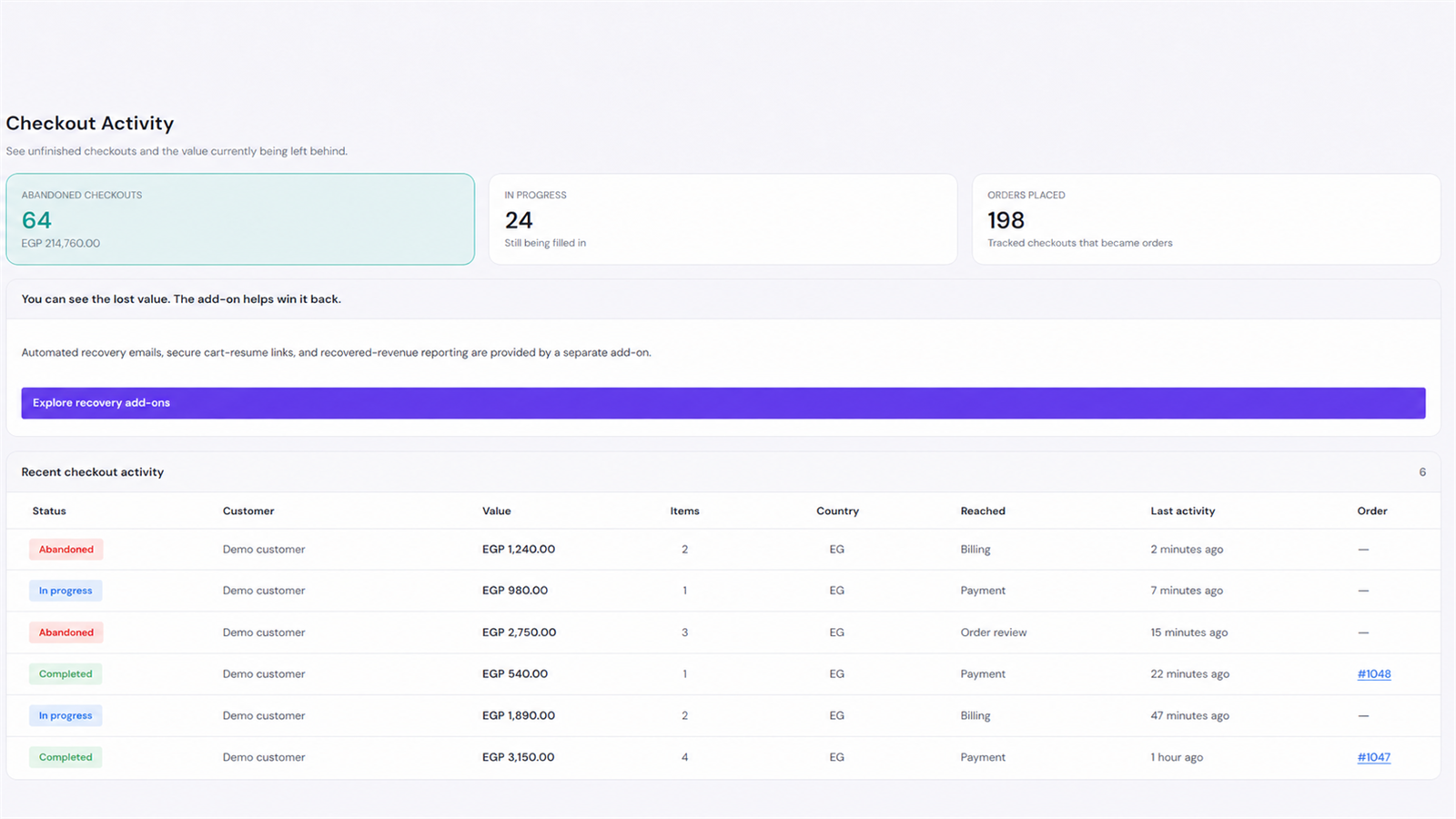
The Recovery screen, showing captured checkout activity and potential abandoned value
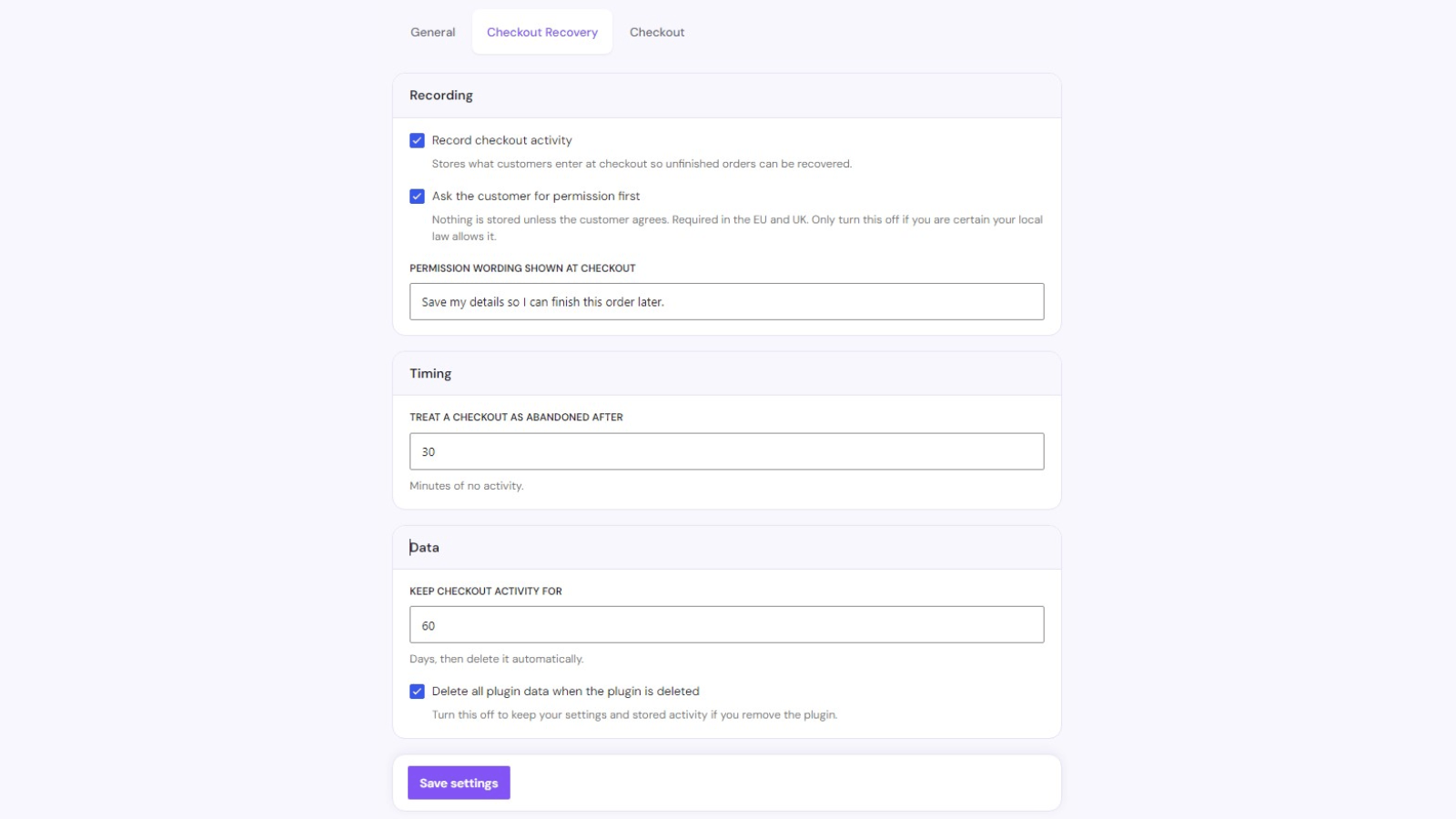
Recovery settings, including recording, consent, abandonment timing, and retention
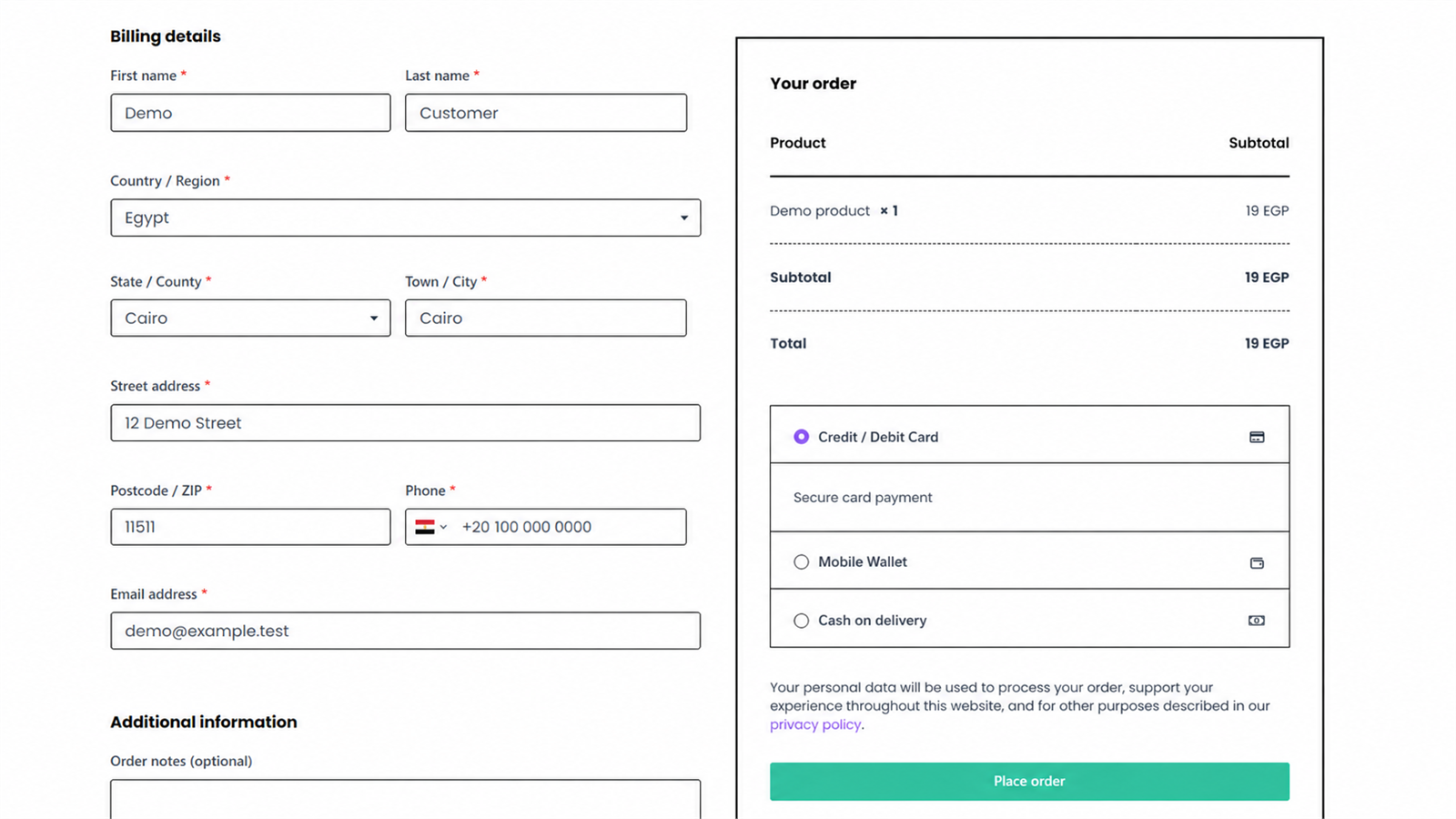
The checkout, with field widths laid out on a responsive grid
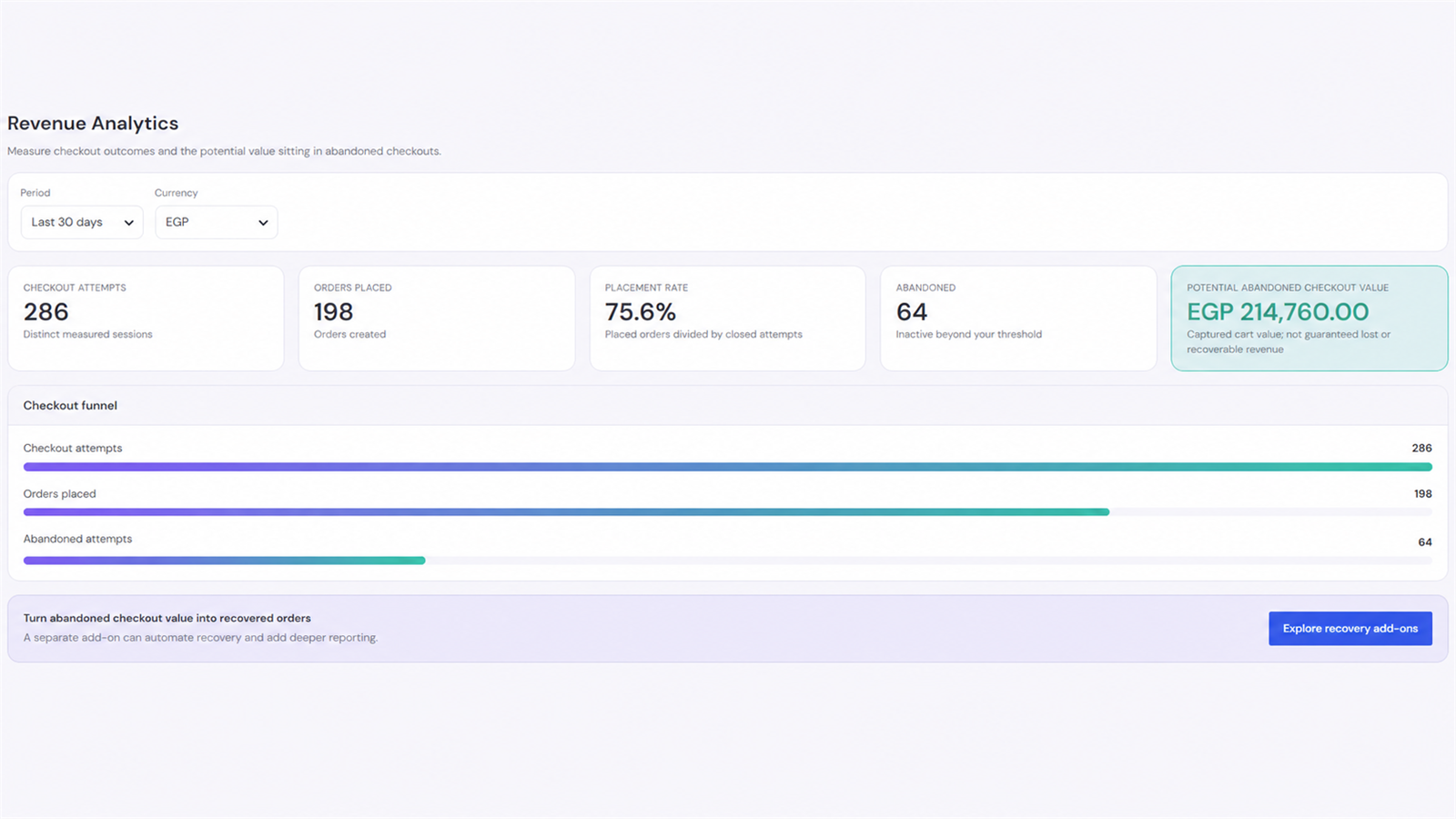
Lite Revenue Analytics, with date and currency filters, checkout funnel, and potential abandoned checkout value