
Chirps AI Chatbot – Live Chat & Lead Generation Wordpress Plugin - Rating, Reviews, Demo & Download

Plugin Description
Your visitors have questions before they buy, book, or get in touch. Chirps adds an AI chatbot to your WordPress website that can answer from your business information, collect an inquiry, and help a visitor book an appointment inside the conversation.
Connect your Chirps account once, then create your assistant directly in WordPress. Enter your business name and public website, choose its language and conversation style, and add instructions. Chirps reads your website and installs the assistant automatically when it is ready. Already have an assistant? Choose it during connection. Your team can read conversations in real time and take over when a customer needs a person.
The plugin connects your site to the Chirps service. A Chirps account is required; you can create your first assistant inside the plugin. The plugin is free to install; Chirps offers free and paid plans. Assistant features and usage limits depend on your plan and configuration. See current plans.
Answer questions using your business knowledge
Give your assistant the information your customers ask for: services, policies, opening hours, product information, and FAQs. Add website sources, upload business documents, and set instructions in Chirps. When search is enabled, the assistant can look through business knowledge and the web and show source links with its answers.
Capture leads while visitors are interested
Let visitors share their contact details and what they need through a form inside the chat. Review the resulting leads in your Chirps workspace and give your team the context to follow up. Configure the fields and when your assistant should offer a form in Chirps.
Let customers book an appointment in the conversation
Offer your configured booking options without sending visitors to find another page. Customers can choose an available time inside the widget, and your team can review bookings in Chirps. Set up your booking availability before enabling this feature.
Use AI support and human live chat together
Read incoming visitor messages in the Chirps inbox. Take over a conversation to reply yourself, pausing the assistant’s automated replies while your team handles it. Conversations, leads, and bookings stay in your Chirps workspace rather than separate WordPress admin screens.
Make the widget work for your business
Configure your assistant’s instructions, welcome message, suggested questions, logo, colors, and chat and launcher styles in Chirps. Enable voice conversations if your plan supports them. Your WordPress site uses the official Chirps widget and your assistant’s saved configuration.
Choose where your chatbot appears
WordPress display controls let you:
- Show the widget across eligible public pages, or limit it to pages, posts, or WooCommerce product pages.
- Exclude specific site paths and their subpages.
- Preview the widget as a site administrator before showing it to visitors.
- Pause visitor display without deleting your assistant or its conversations.
- Check the assistant connection and identify a website domain mismatch.
Account connection automatically creates an installation-specific developer API key. The plugin stores it encrypted on your WordPress server; it never appears in visitor scripts or admin JavaScript. It can create and train only the assistant assigned to this installation. Disconnecting revokes the key and pauses the widget without deleting your assistant. You can also revoke it in Chirps > Developers API. Keys expire after one year; reconnect to renew. You do not need to paste an API key.
WordPress websites and WooCommerce storefronts
Use Chirps on a business website, service website, blog, or WooCommerce storefront. WooCommerce is optional. On a store, the widget can appear on shop and product pages; cart, checkout, and customer account pages are excluded by default.
This version does not automatically sync your WooCommerce catalog, live prices, stock, or orders. Add relevant public product information to your assistant’s knowledge in Chirps. The plugin does not provide private order lookup or cart actions.
The widget loads through WordPress’s standard script enqueue system and does not require a particular page builder. Your theme must include the standard WordPress footer hook. The loader is asynchronous, and the plugin does not make server-to-server Chirps requests during normal visitor page rendering.
For businesses and agencies
Use one assistant for your own business, or connect a client’s website to the assistant you manage for that business in Chirps. Each WordPress installation has its own assistant connection and display settings. Assistant management and team access remain in Chirps.
External service and privacy
Chirps provides the hosted assistant and chat service. Basic setup happens in WordPress through the Chirps developer API. Advanced knowledge, appearance, booking, and team settings open the relevant screen on chirps.cc.
- Starting account connection sends this site’s URL, the WordPress return URL, a temporary state, and a PKCE challenge to chirps.cc. WordPress privately exchanges a short-lived, single-use authorization code for its installation key.
- Creating an assistant sends the business name, public business website, main language, conversation style, contact email, and optional instructions you enter to Chirps. Training reads public website pages within your plan’s limits. The admin screen polls Chirps for setup progress.
- A connection check sends the public assistant ID and this site’s URL to chirps.cc.
- While an administrator opens the plugin screen, WordPress requests setup status, account usage, and summary counts for the connected assistant. Customer messages and contact details are not copied into WordPress. Usage and activity polling pauses when that screen is hidden.
- When an enabled page or an administrator preview loads, the visitor’s browser contacts chirps.cc to load the official widget and its configuration.
- Chat messages, and any lead details, booking details, or voice input a visitor submits, are sent to Chirps to provide the configured assistant features.
The plugin does not store visitor conversations in WordPress or automatically export WordPress users, private posts, or WooCommerce orders. Site owners should explain their use of the chat service in their site’s privacy information and configure any required consent tools.
Chirps privacy policy | Chirps terms | Chirps documentation
Screenshots
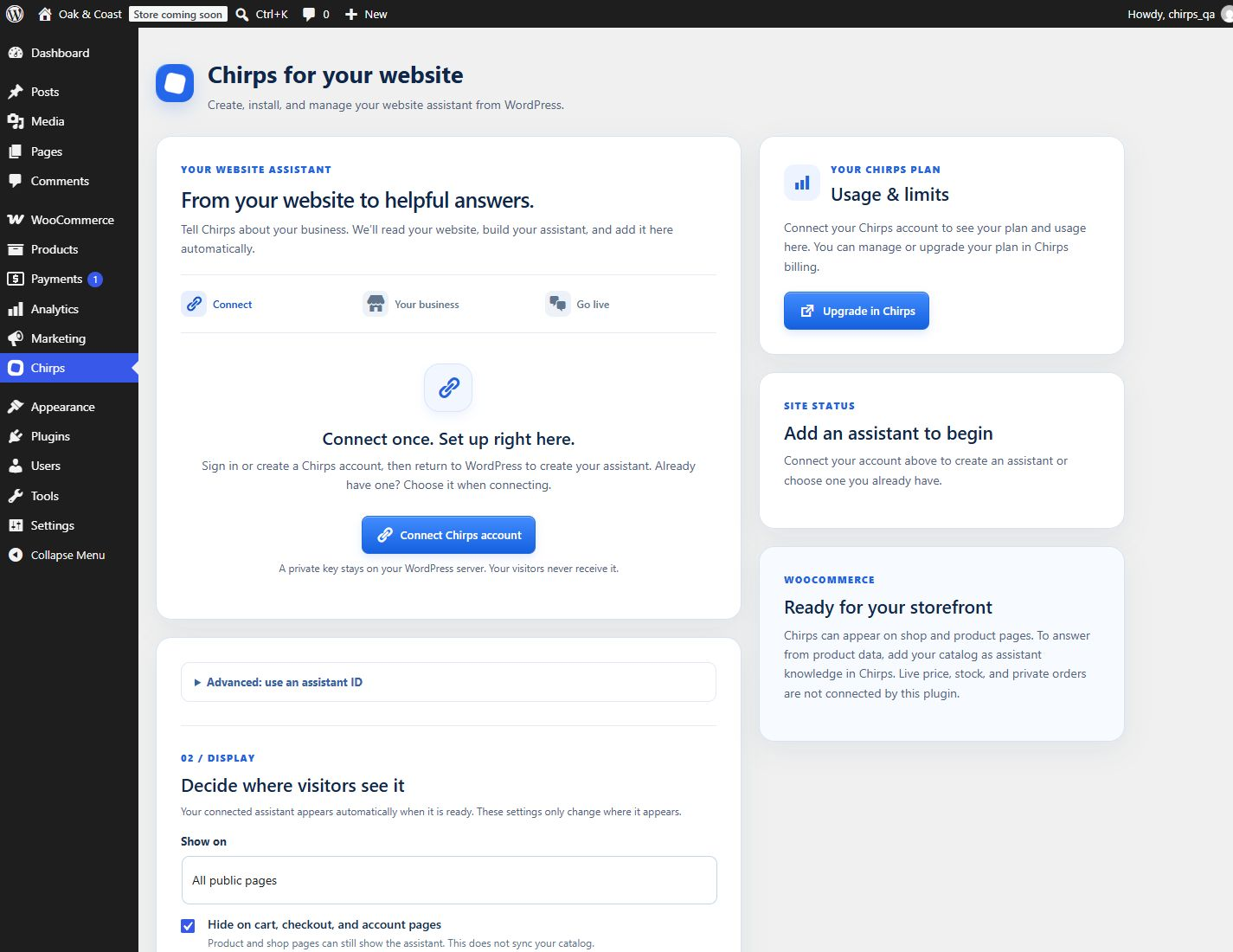
Connect your Chirps account from the WordPress sidebar.
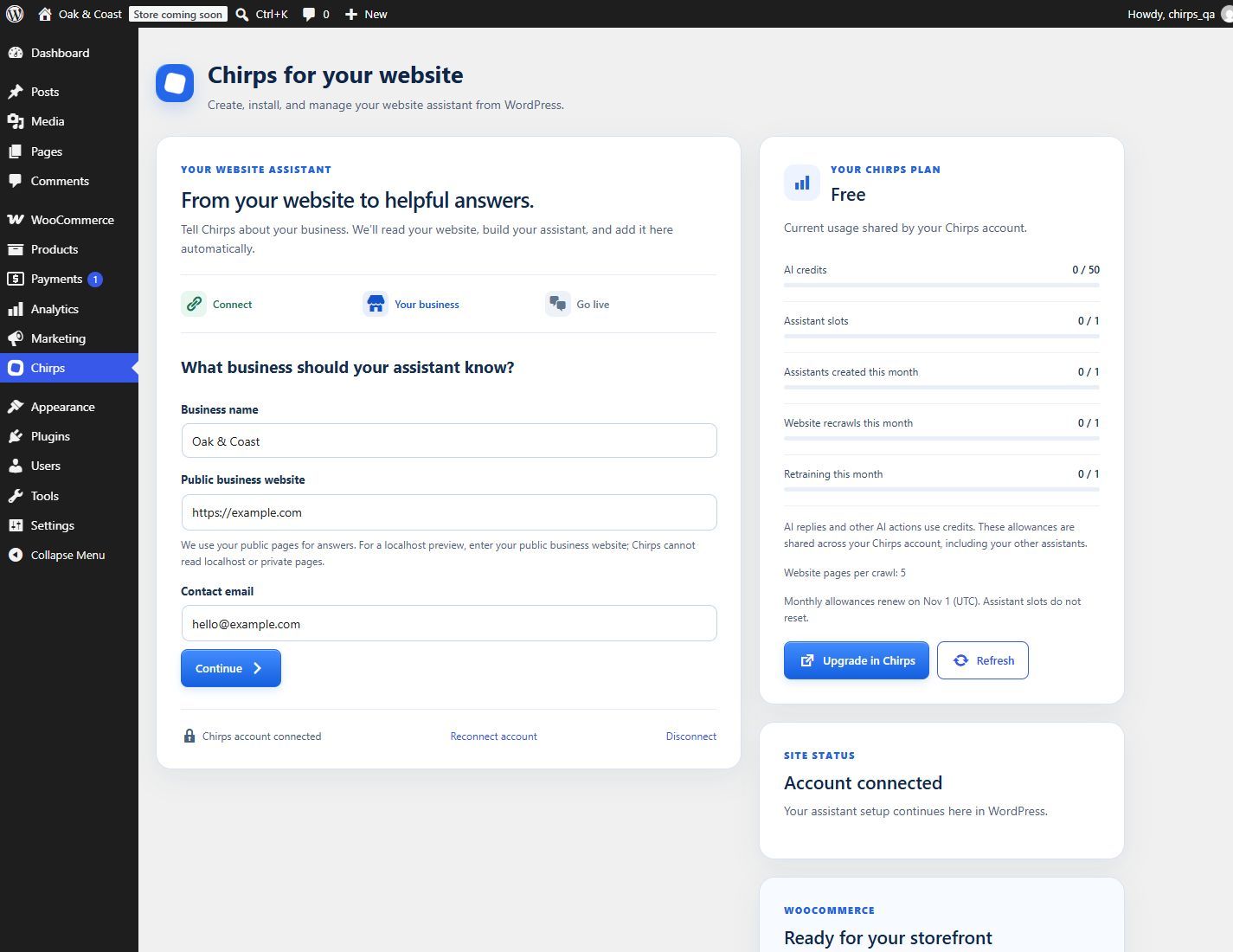
Enter your business name and public website to create an assistant.
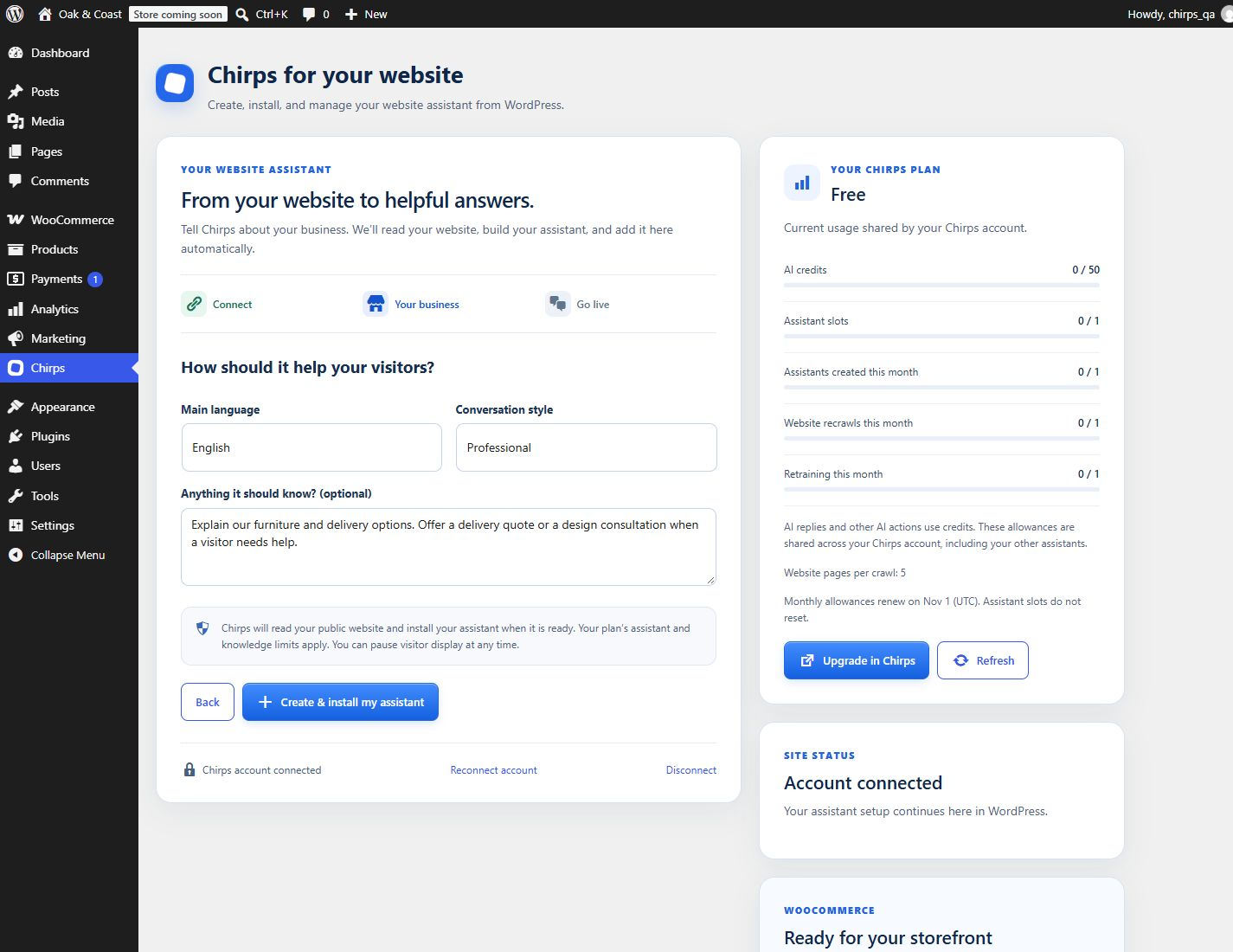
Choose a language, conversation style, and instructions for your business.
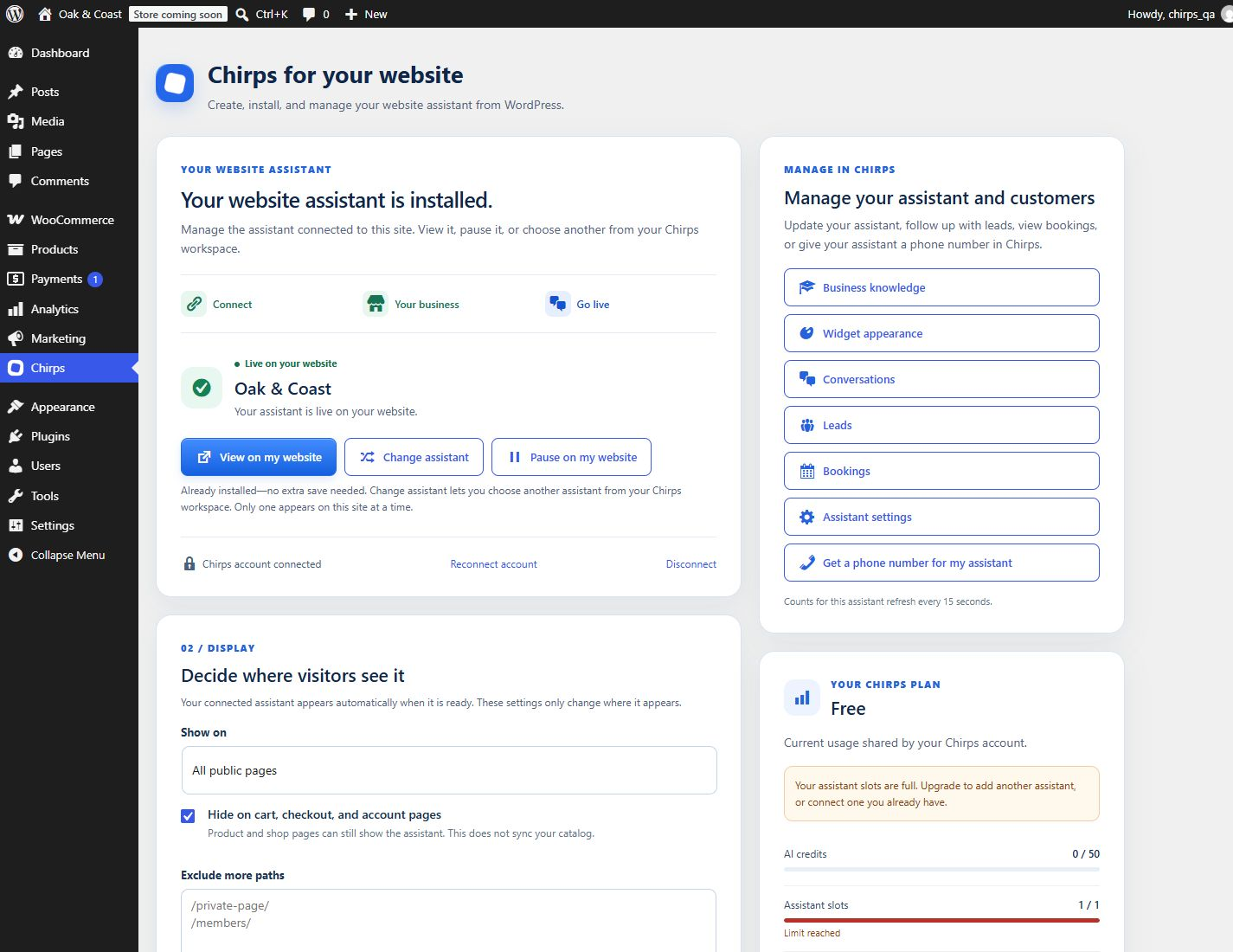
Your assistant installs automatically, with direct links to manage it in Chirps.
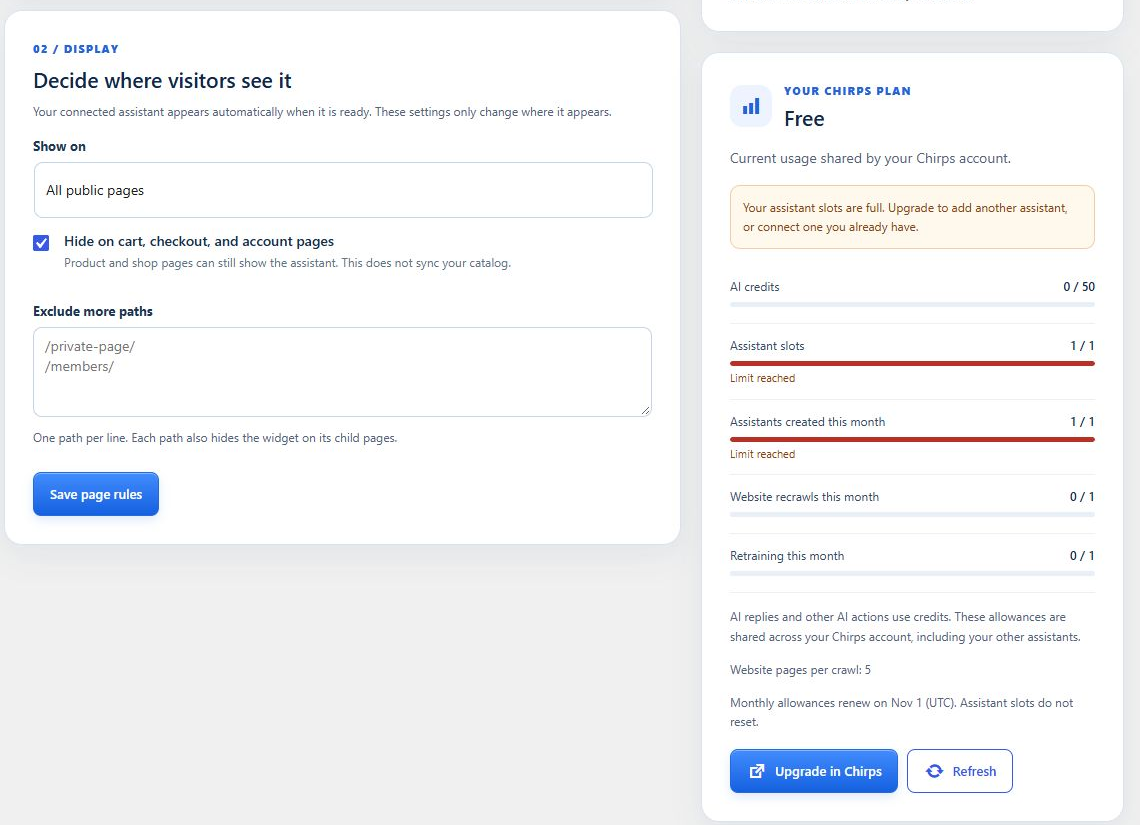
Choose page and WooCommerce display rules and review your plan allowances.
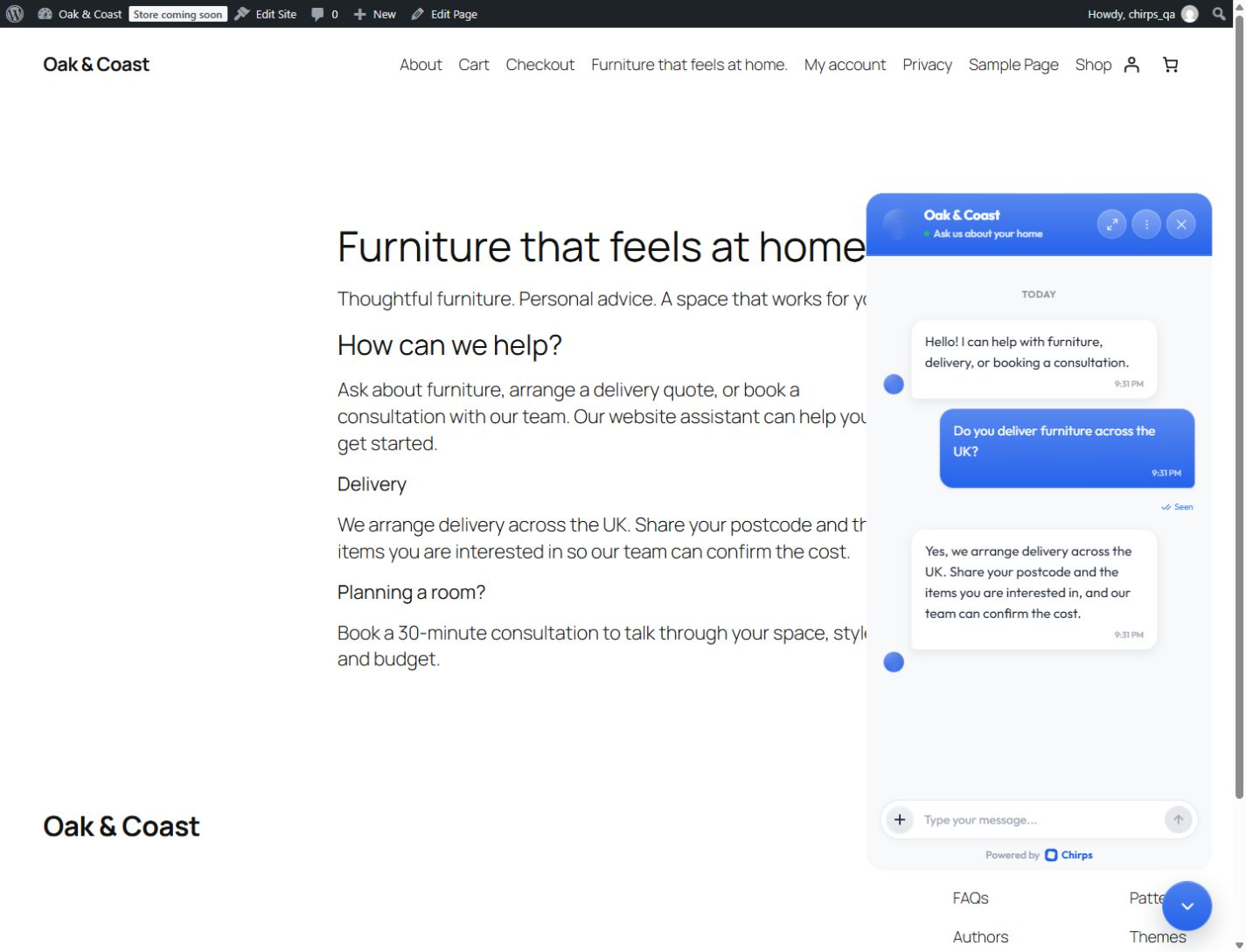
The official Chirps widget installed on a WordPress website.
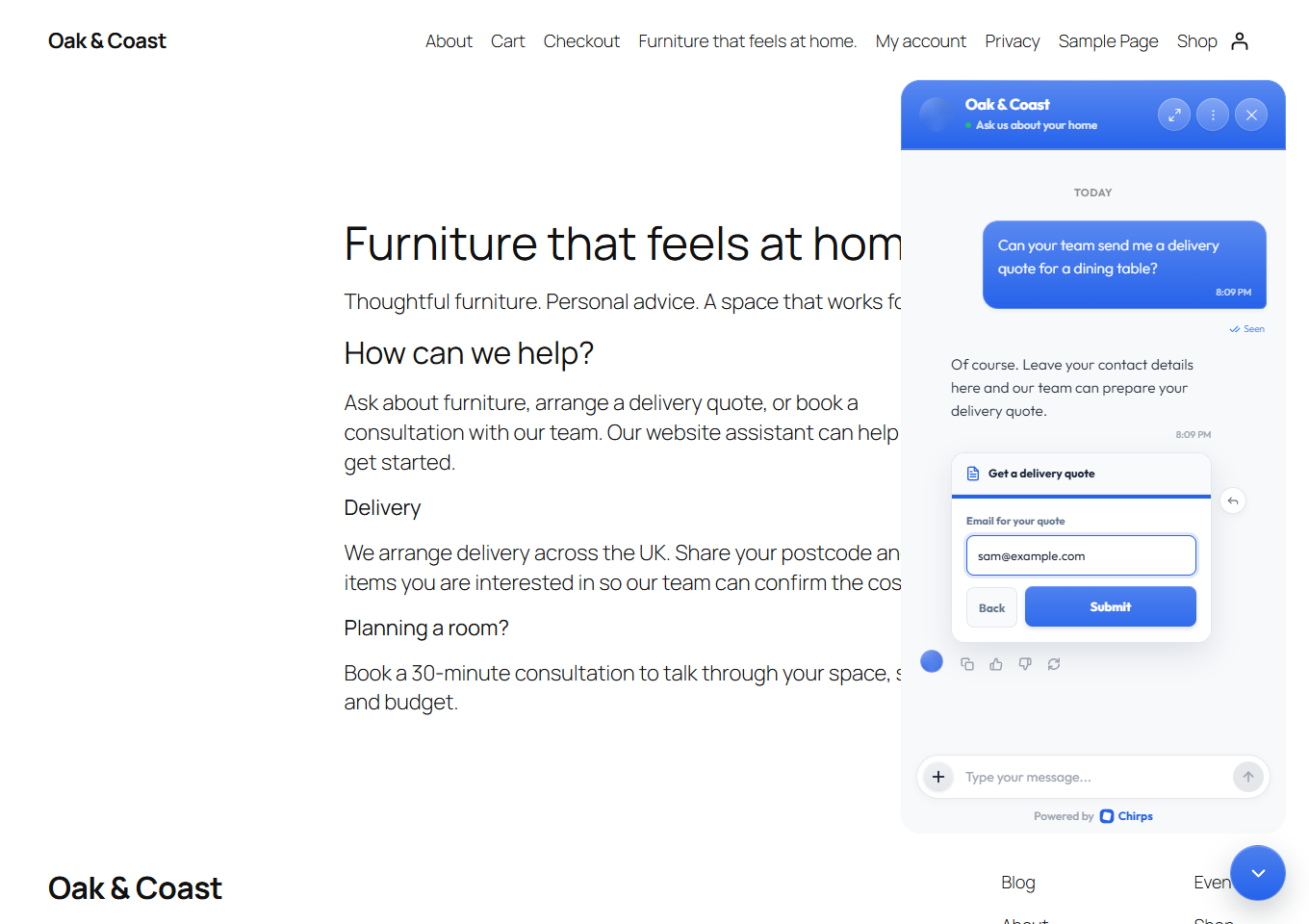
Visitors can share their details through a multistep lead form in the chat.
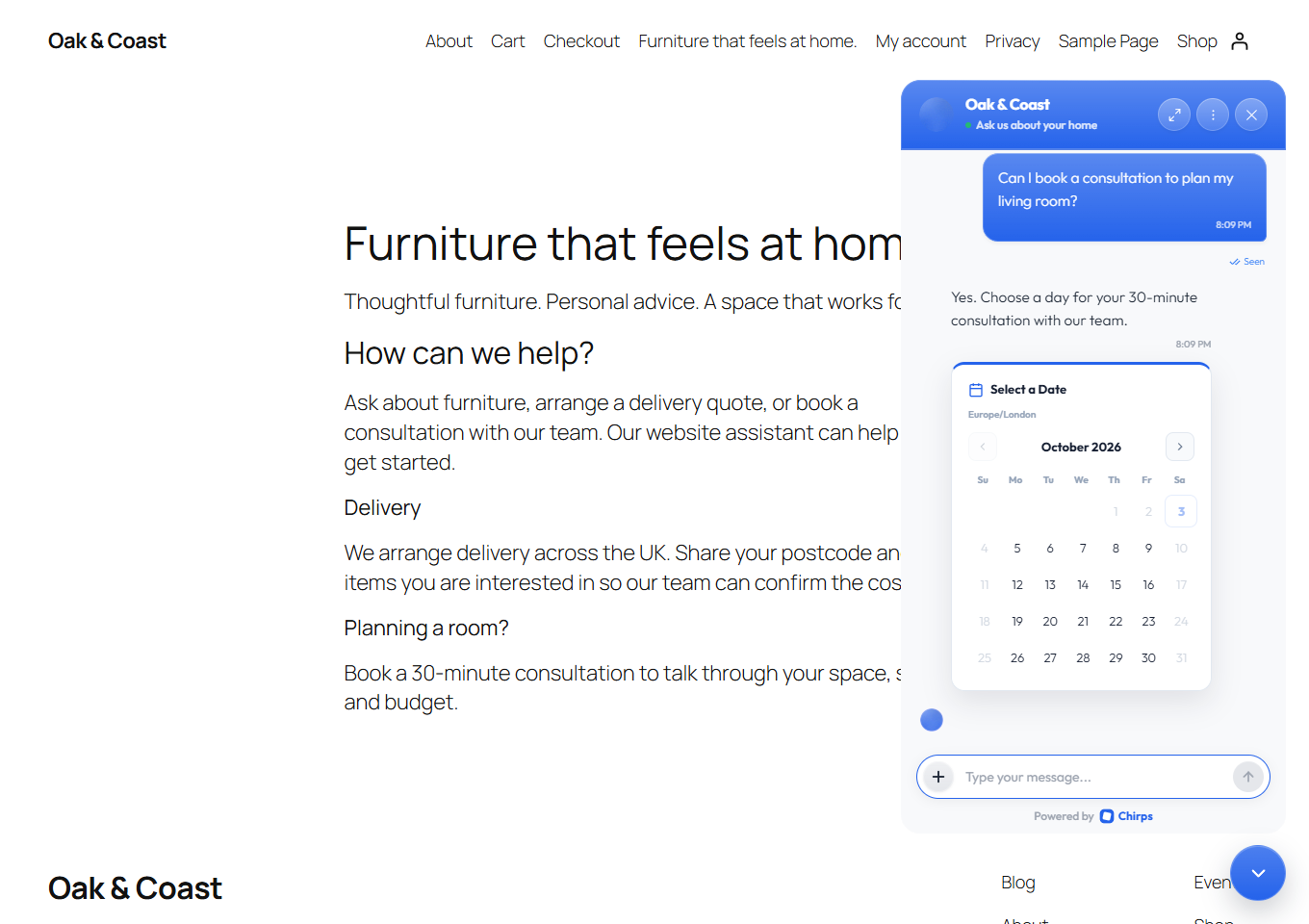
Customers can choose a date using the configured appointment calendar.
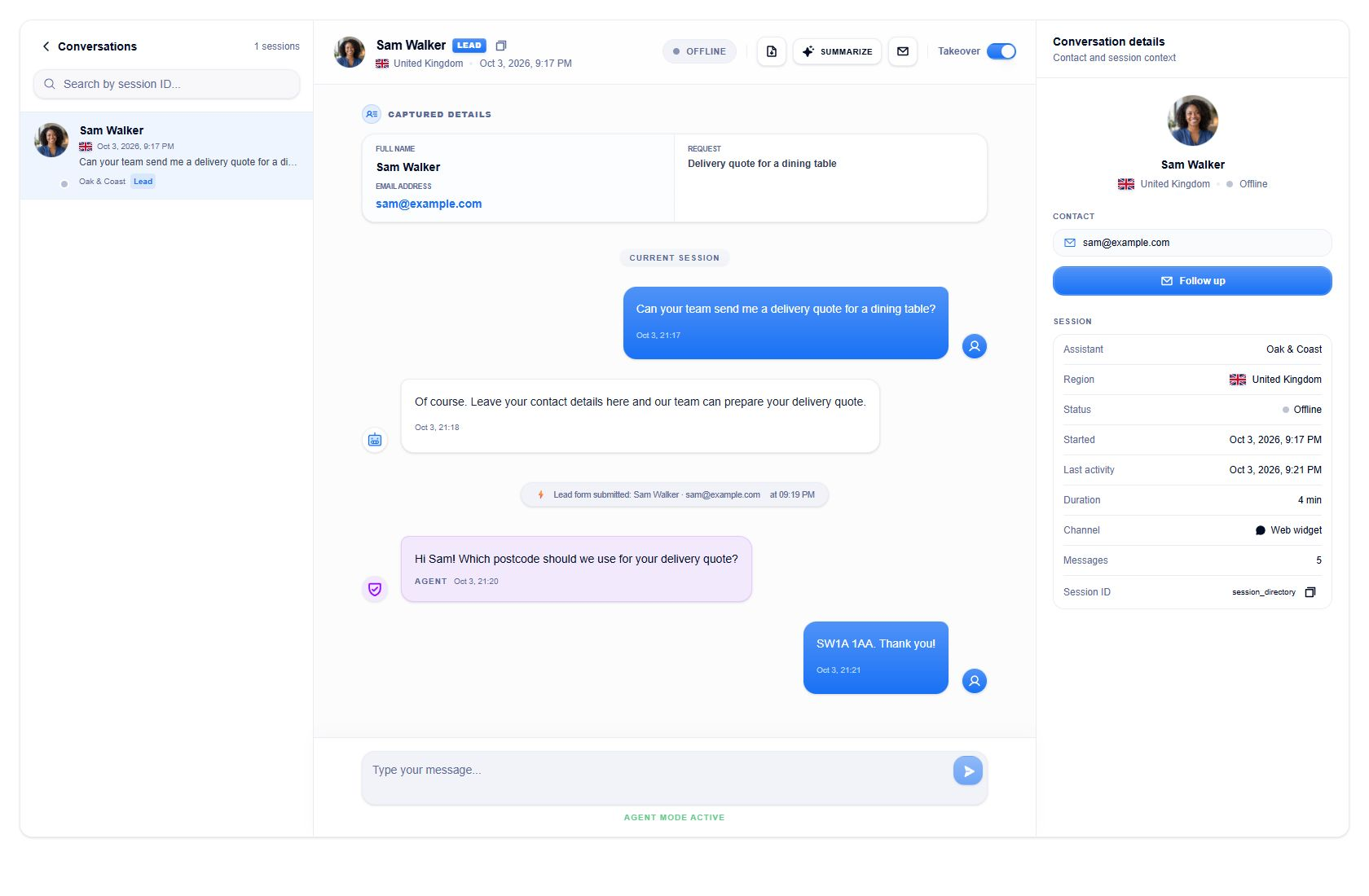
Read conversations, review captured details, and reply through the Chirps inbox.
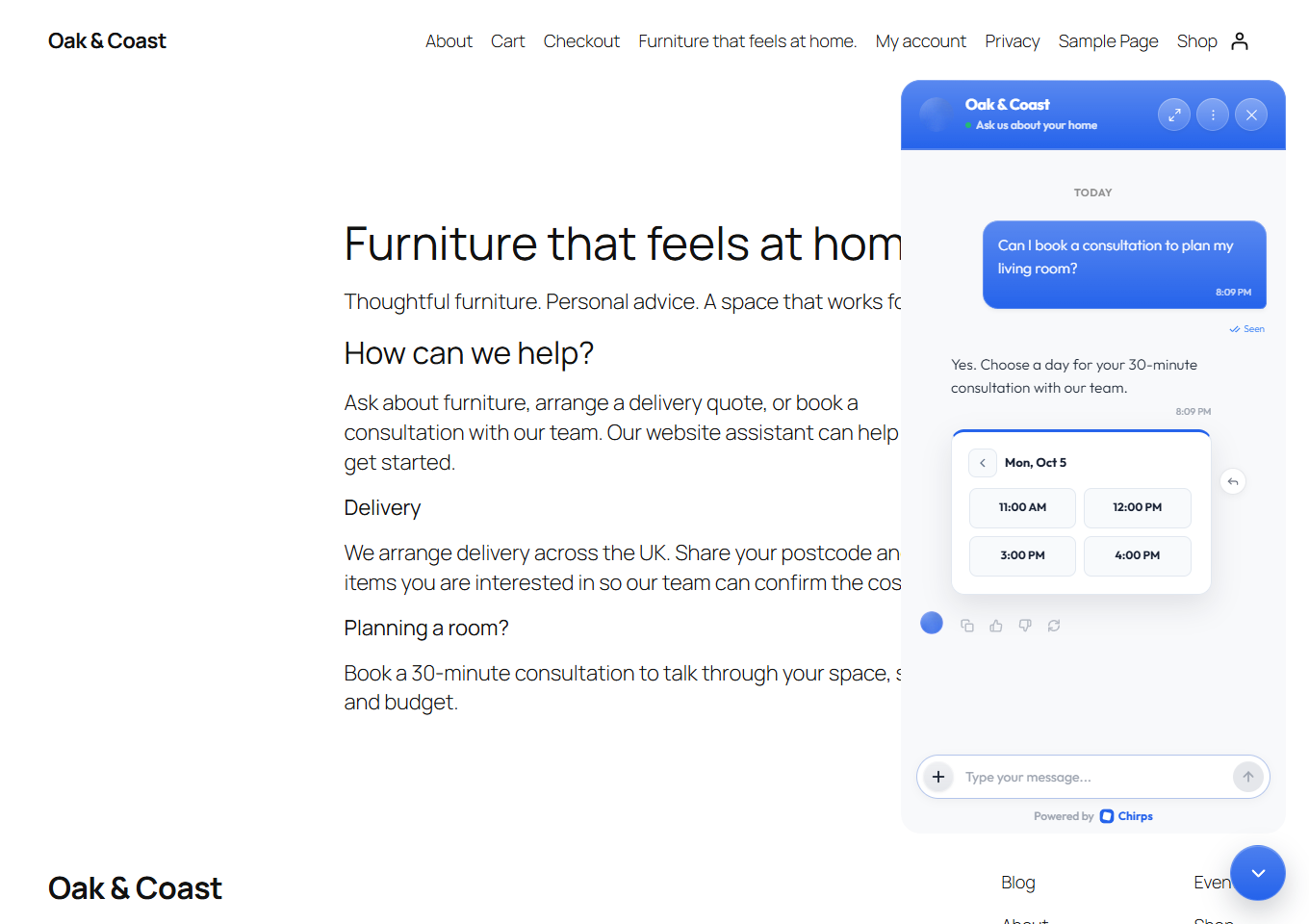
Visitors can choose an available appointment time inside the chat.
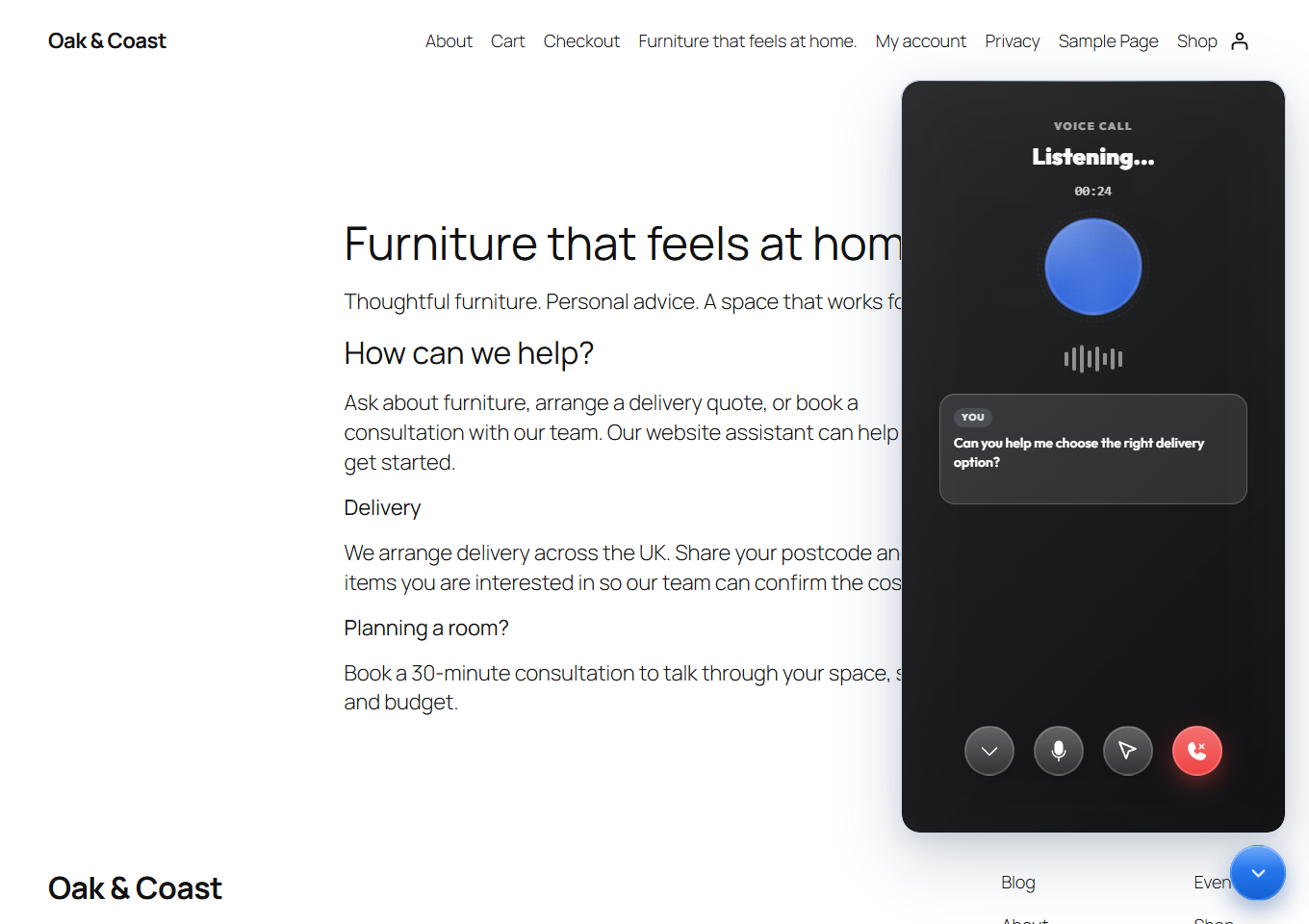
Visitors can speak with the assistant and see live captions during voice chats.
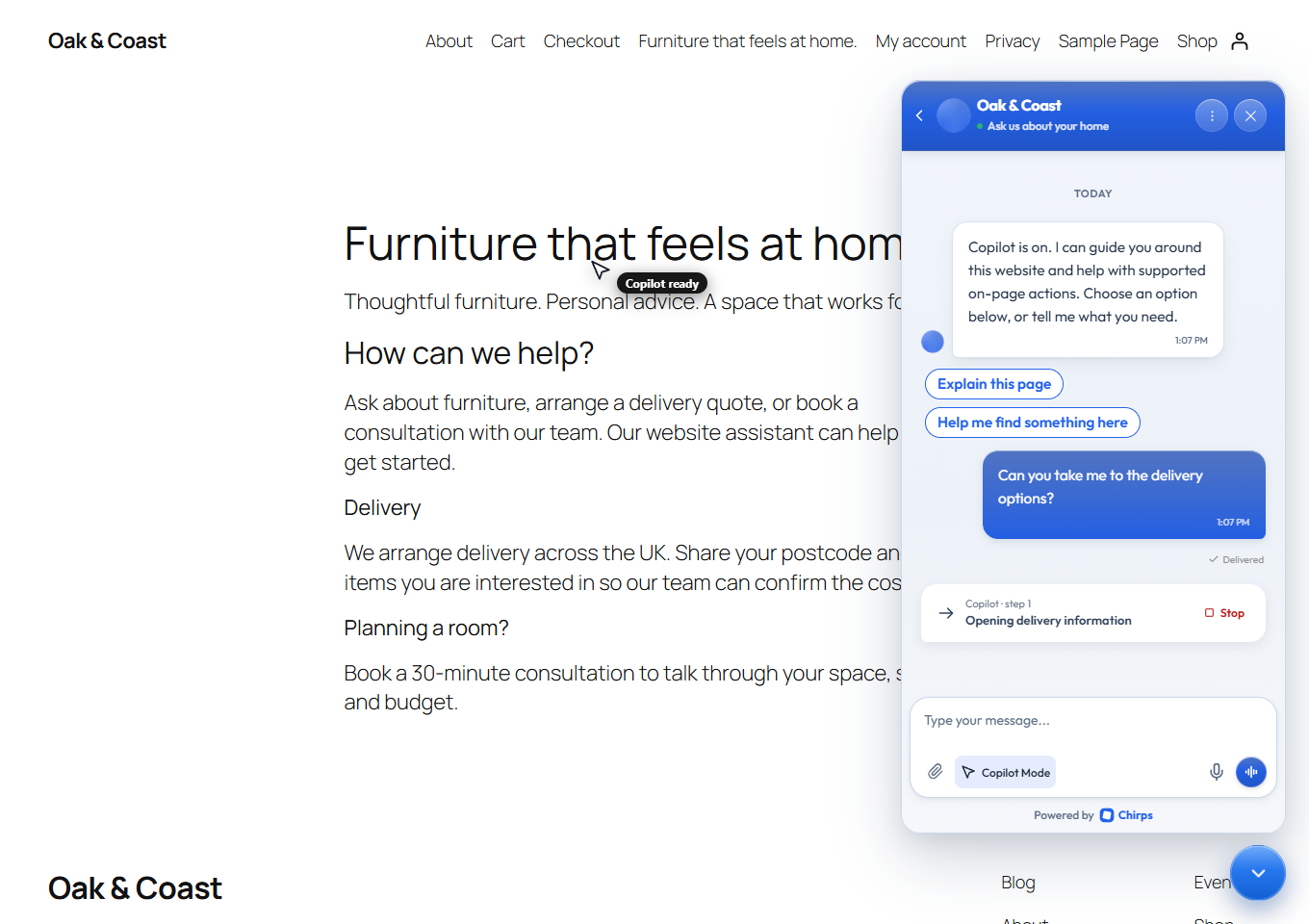
When enabled, Copilot guides visitors through the website and shows its current step in the chat.


