
Circumflex Booking Airspace Wordpress Plugin - Rating, Reviews, Demo & Download
Plugin Description
This add-on reuses Circumflex Booking’s scheduling and reservation engine for
exercise areas or similar shared resources. It does not integrate with MyPPR.
In this profile:
- services are session types;
- practitioners are exercise areas;
- exactly one session type is selected per reservation;
- an aircraft registration or operational call sign is always required;
- an administrator can require an explicit area or allow first available;
- participant name, email, phone and practical notes are configurable;
- contact verification can be disabled or performed by Core’s email provider;
- the form runs date, optional session type, area and start time in that order;
- the session-type step is hidden when exactly one active option exists;
- area cards retain the configured public order and show a neutral strip of available and unavailable starts;
- area cards never recommend or visually rank an exercise area;
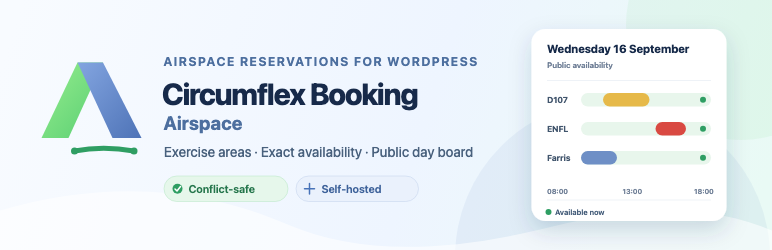
- an optional public day board shows upcoming area use;
- the calendar shows only area, date, time and “Reserved” by default;
- the board shows every active exercise area, including areas with no published reservation;
- visitors can switch between a desktop timeline and compact list and show or hide individual areas;
- session type, aircraft registration / call sign, actual status and
quiet-buffer interval can each be enabled separately by an administrator.
Session duration, start-time interval, buffer before and after, opening hours,
booking horizon, cancellation rules and notification templates remain in
Circumflex Booking. Reservations occupy only their selected exercise area’s
full session and buffer interval. The normal availability response never
reveals the aircraft identifier or contact details attached to a reservation.
The required aircraft registration / call-sign field accepts no more than
seven letters and digits plus one optional internal hyphen or space. The public
form converts lowercase input to uppercase, and Core repeats normalization and
validation before storage. This rule is enabled only by Airspace and does not
change the default appointments profile.
For the selected local date, the Airspace booking overview counts the actual
session minutes of pending and confirmed reservations. Quiet buffers are not
included in that figure. Areas remain in their configured order and are not
recommended or ranked. A compact solid-and-striped line previews Core’s exact
available and unavailable start opportunities without acting as a time picker.
If the aggregate cannot be loaded, area and time selection remain usable
without planned-minute figures. The aggregate response contains only opaque
area IDs and planned minutes.
Core can require the full buffered interval to fit opening hours, or allow the
actual session to use the whole opening period while its quiet buffer still
blocks conflicts outside those hours on the same local date. Inactive session
types and schedule rules can be permanently deleted; an area with booking
history remains safely inactive instead of being deleted.
Airspace supplies complete English and Norwegian email-template presets for
all notification events. Loading a preset is an explicit, reversible form edit
that must be reviewed and saved; changing profile never overwrites saved
templates. Optional pilot details are omitted when no value was supplied, and
an approved time change is shown once as the new confirmed time. The area
schedule uses Airspace-specific terminology and supports drag ordering with
accessible move buttons. Under date exceptions, administrators can mark either
an unavailable or extra-availability rule as applying to every exercise area
and choose an optional end date for either one area or all areas. The resulting
rule repeats the same behavior and time range on each date in the inclusive
period; unavailable time takes precedence when rules overlap.
The separate public reservation calendar is disabled by default and exists
only in the Airspace add-on. It never publishes pilot name, email, phone,
notes, booking references or internal identifiers. Publishing aircraft
registration / call-sign values is an explicit opt-in choice for clubs that
have a lawful purpose and have informed pilots. Empty area rows say only that
no reservation is published; they are not an availability promise. Quiet
buffers use a labelled striped interval in addition to color, and reservation
details open on demand.
Automatic confirmation and SMS functionality are not included in this add-on
or in Circumflex Booking Free. Those capabilities remain owned by a compatible
Circumflex Booking Pro installation.
Updates and support
Airspace is free software distributed through the WordPress.org Plugin
Directory. WordPress can install and update it through the normal plugin flow.
It contains no license key, activation limit, telemetry or external updater.
Development source and reproducible build instructions are linked below.
Screenshots
No screenshots provided

