
Clientager Wordpress Plugin - Rating, Reviews, Demo & Download
Plugin Description
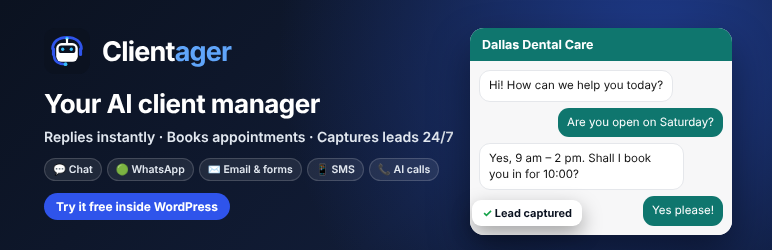
Try your AI assistant free – trained on your own website – before you pay.
Clientager is an AI customer manager for small and midsize businesses: clinics, dentists, salons, hotels, plumbers, law firms, real estate agents, online stores and more. Install the plugin, connect with your email, and the AI reads your website – your services, prices, opening hours, pages and WooCommerce products. Then you chat with it privately inside WordPress to see exactly how it would answer your customers. No setup calls, no technical skills, no credit card to try it.
When you are happy, start a 7-day free trial with one click: the chat goes live on your website, no card needed. Choose a plan when you want to keep it.
What it does
- Answers website visitors 24/7 in a friendly chat window, using only the information on your website.
- Captures leads – name, phone, email and what they need – and alerts you straight away.
- Replies to your contact forms – submissions from Contact Form 7, WPForms, Elementor Pro, Gravity Forms, Ninja Forms, Fluent Forms, Jetpack Forms, Forminator and Formidable Forms become leads and get a reply.
- Your own contact form – add the “Clientager contact form” block (or the [clientager_form] shortcode) to any page. Pick the fields, rename them, set the texts, button colour, corners and layout with a live preview. Every message becomes a lead and gets an instant AI reply by email.
- Your look, your words – set the chat button’s colour and side, the hello message, a short contact form before the chat and up to 4 quick questions visitors can tap, with a live preview.
- WooCommerce ready – answers product questions with real prices, stock and links.
- Hands over to you when a person is needed, with a summary of the conversation.
- Inbox and leads inside WordPress – read every conversation and lead without leaving your dashboard.
- Speaks your customers’ language – replies in the language the visitor writes in.
- Grows with you – the same AI can answer your phone calls (in 45 languages), WhatsApp and SMS on paid plans.
How it works
- Install and activate the plugin.
- Connect with your email – we send you a 6-digit code (no password).
- Your AI learns your website automatically: published pages, posts and WooCommerce products.
- Free private preview: click the chat button on a preview of your own website and test it with 25 messages. Only you can see it.
- Choose a plan to go live. The chat appears on your website and form capture switches on.
Pricing
The plugin is free. Putting the AI on your website needs a Clientager plan. Plans from $25/month in most countries (Lite: website chat and email AI, with 500 AI conversations and 500 AI emails a month); local prices apply in India and the Gulf. No setup fee. Cancel anytime. Every plan includes website chat and email replies; Starter and up add WhatsApp and AI phone calls, and SMS in the US and Canada. See clientager.com/pricing.
External services
This plugin connects to the Clientager service (app.clientager.com), operated by TechShah Co. (Clientager). It is needed for the AI to work: the AI runs on Clientager’s servers, not on your website. Nothing is sent before you press “Send code” on the Get started screen.
What is sent, and when:
- When you connect: the email address you enter, your site address and site name, and a random id for this site, so we can email you a sign-in code and create or link your Clientager account.
- When the AI learns your website (once after connecting, and when you press “Re-learn”): the title, address and text of your published pages and posts (up to 40), and your published WooCommerce products (name, short description, price, currency, SKU, address, stock), plus your site name, tagline, time zone, currency, language and admin email. Drafts, private or password-protected posts, customers and users are never sent.
- When you use the private preview: the messages you type in the preview chat.
- When you open Inbox, Leads, Settings or Get started: a request for your account status, conversations and leads. Every request also carries your site’s time zone and language setting, used only to show prices for your country.
- When you save Chat widget settings: the colour, position, hello message, contact form fields and quick questions you chose.
- When you open or save the Contact form tab: the fields, labels, texts and look you chose for the form.
- On pages with the Clientager contact form (block or [clientager_form]): the page loads the form from app.clientager.com (form.js), and what a visitor types into the form (and the page address) is sent to Clientager when they press the button, to be saved as a lead and answered by email.
- After you go live (paid plans only): your website loads the chat window from app.clientager.com, and what visitors type in the chat is sent to Clientager to be answered. Submissions from supported form plugins (field labels and values, except files, passwords and hidden fields) are sent to Clientager to be saved as leads and answered.
- When you answer a chat from Inbox: your reply, which the visitor sees in the chat window.
- When a WooCommerce order is paid after the shopper chatted with the AI: the order id, order number, total and currency, with the chat’s id, for the “Sales made by AI” card. No customer or product details are sent. The chat window sets a first-party cookie (clientager_chat, 30 days) holding only a random chat id once the AI has replied, so the order can be matched to that chat.
- When you send a message from the Help tab: what you wrote, the type you picked (question, problem or feature request), the reply-to email you entered, your site address and the plugin version, so our team can answer you by email.
- When you disconnect or delete the plugin: a request to disconnect this site.
Clientager Terms of Service and Privacy Policy.
Screenshots
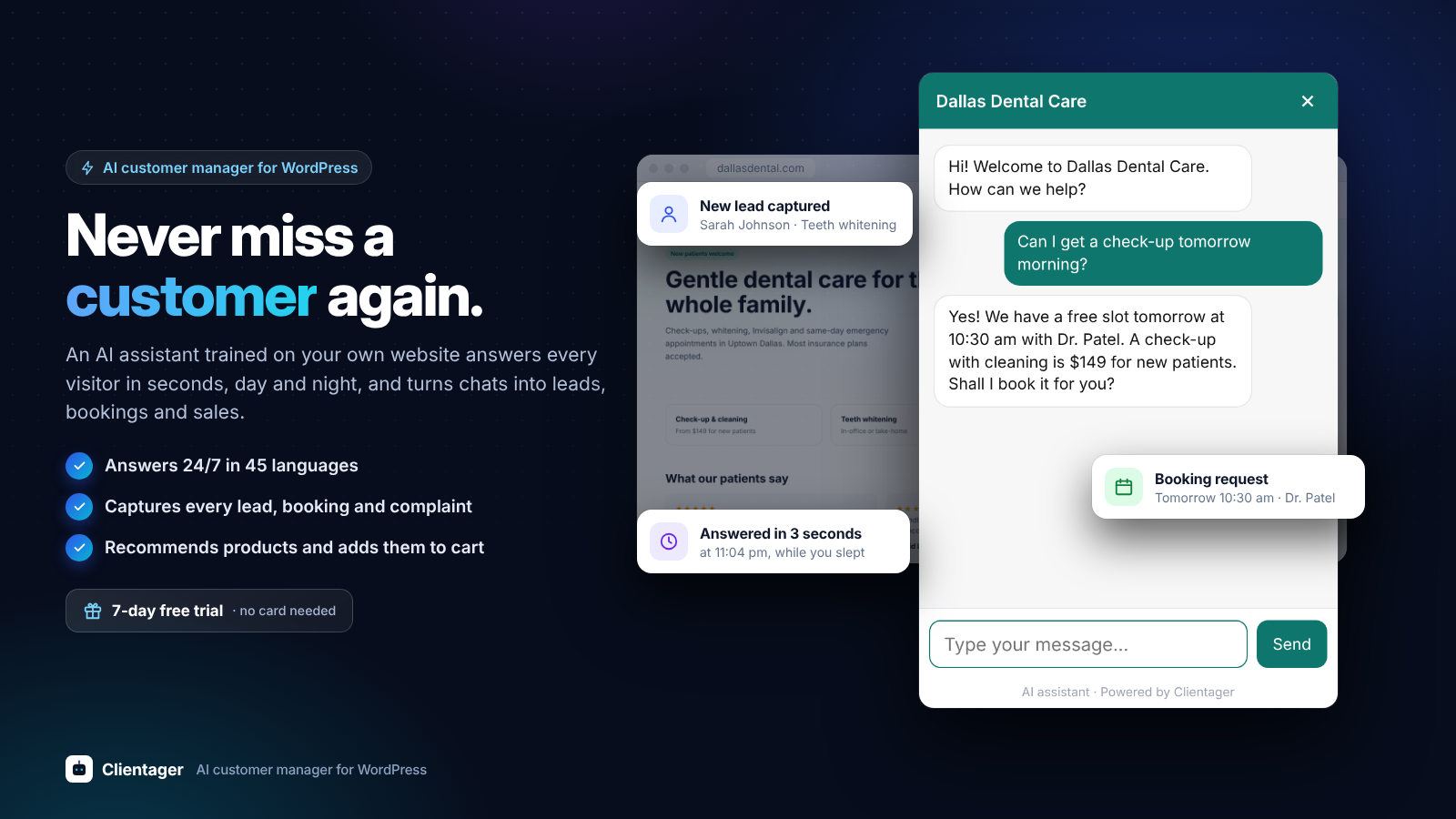
Never miss a customer again: an AI assistant trained on your website answers every visitor in seconds, 24/7, and captures leads and bookings.
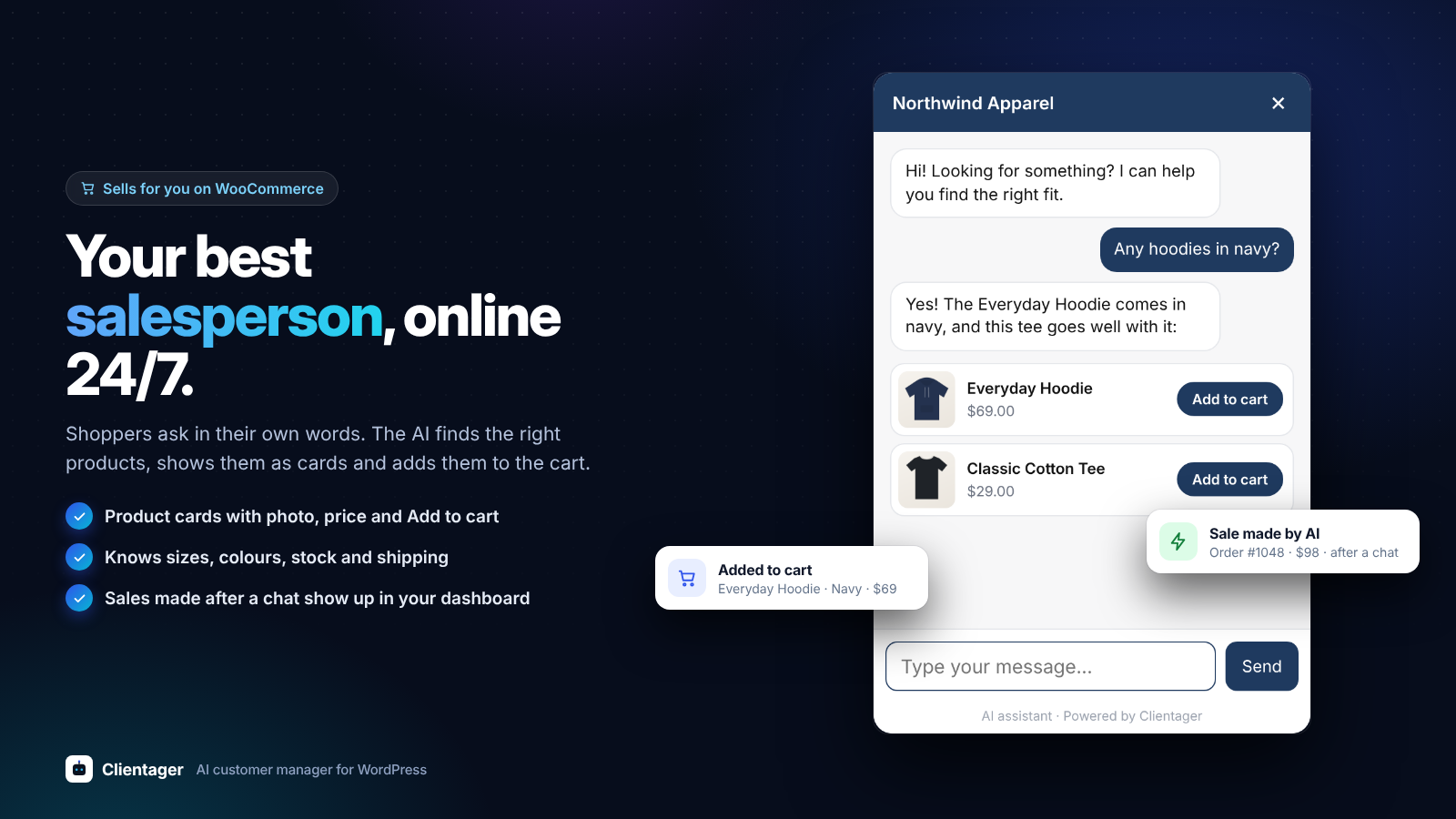
Sells for you on WooCommerce: the AI recommends products as cards with photo, price and Add to cart.
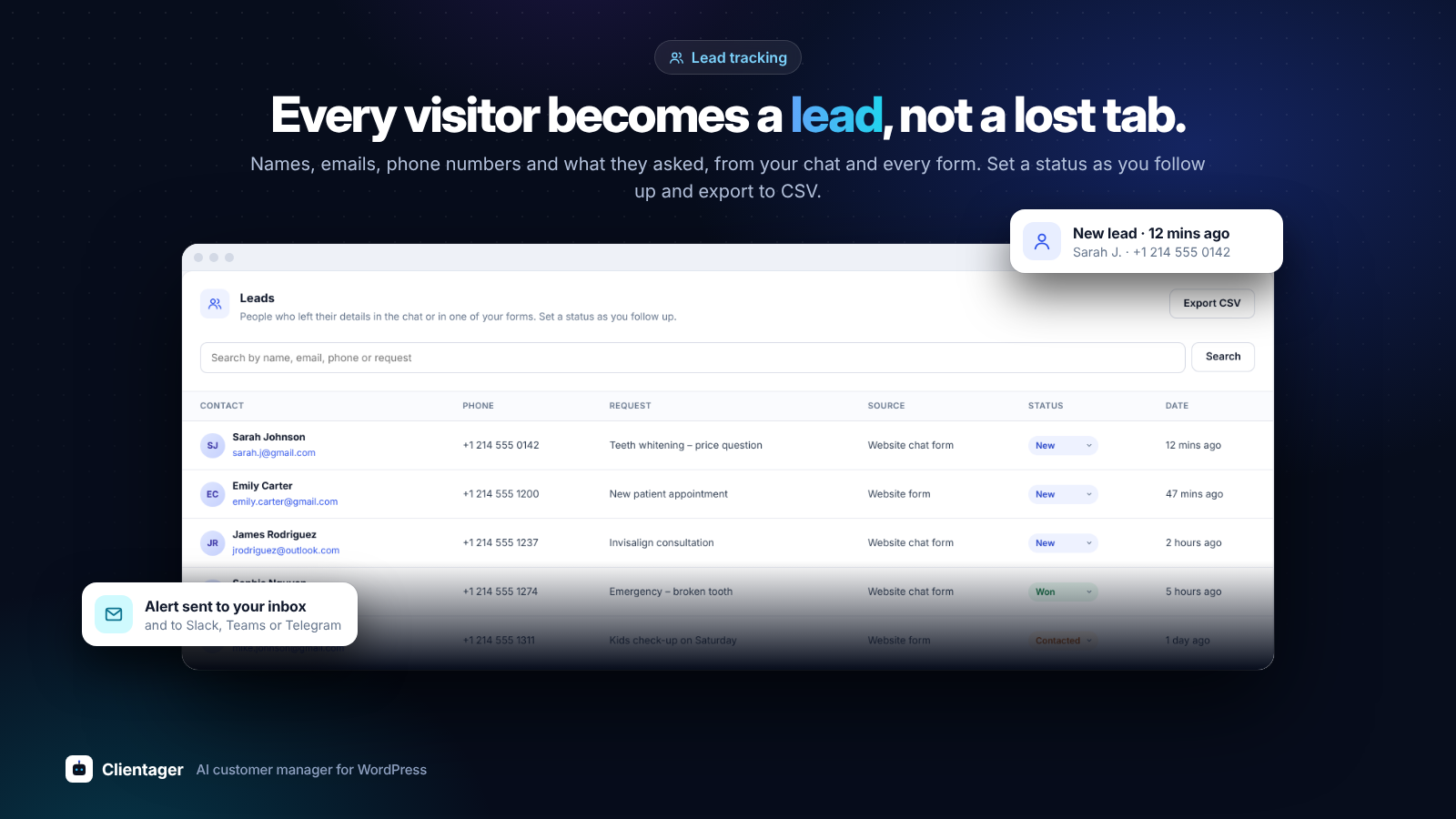
Every visitor becomes a lead: names, emails, phones and what they asked, with a status for each and CSV export.
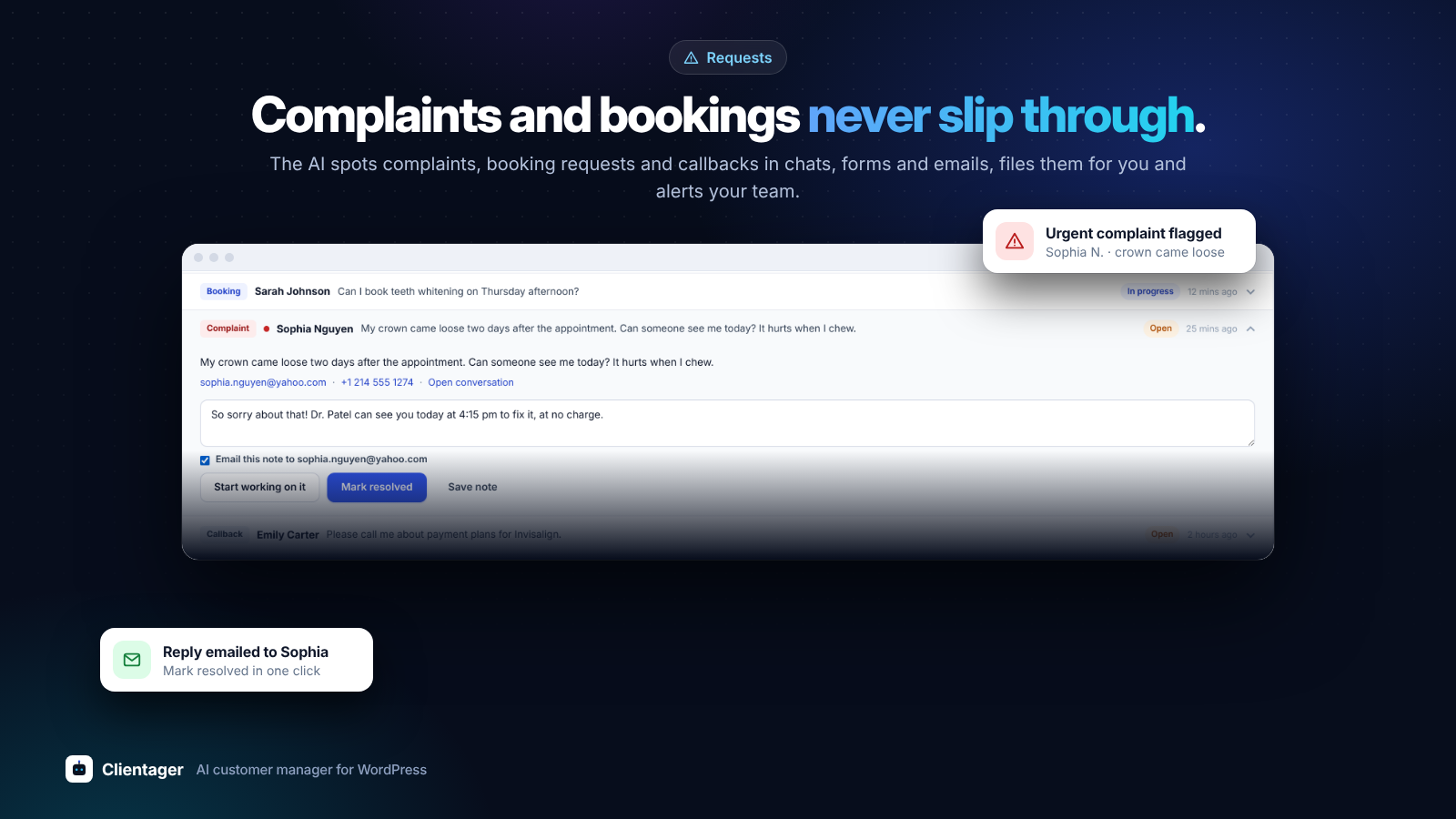
Complaints and bookings never slip through: the AI files them as requests and alerts your team; reply and resolve from WordPress.
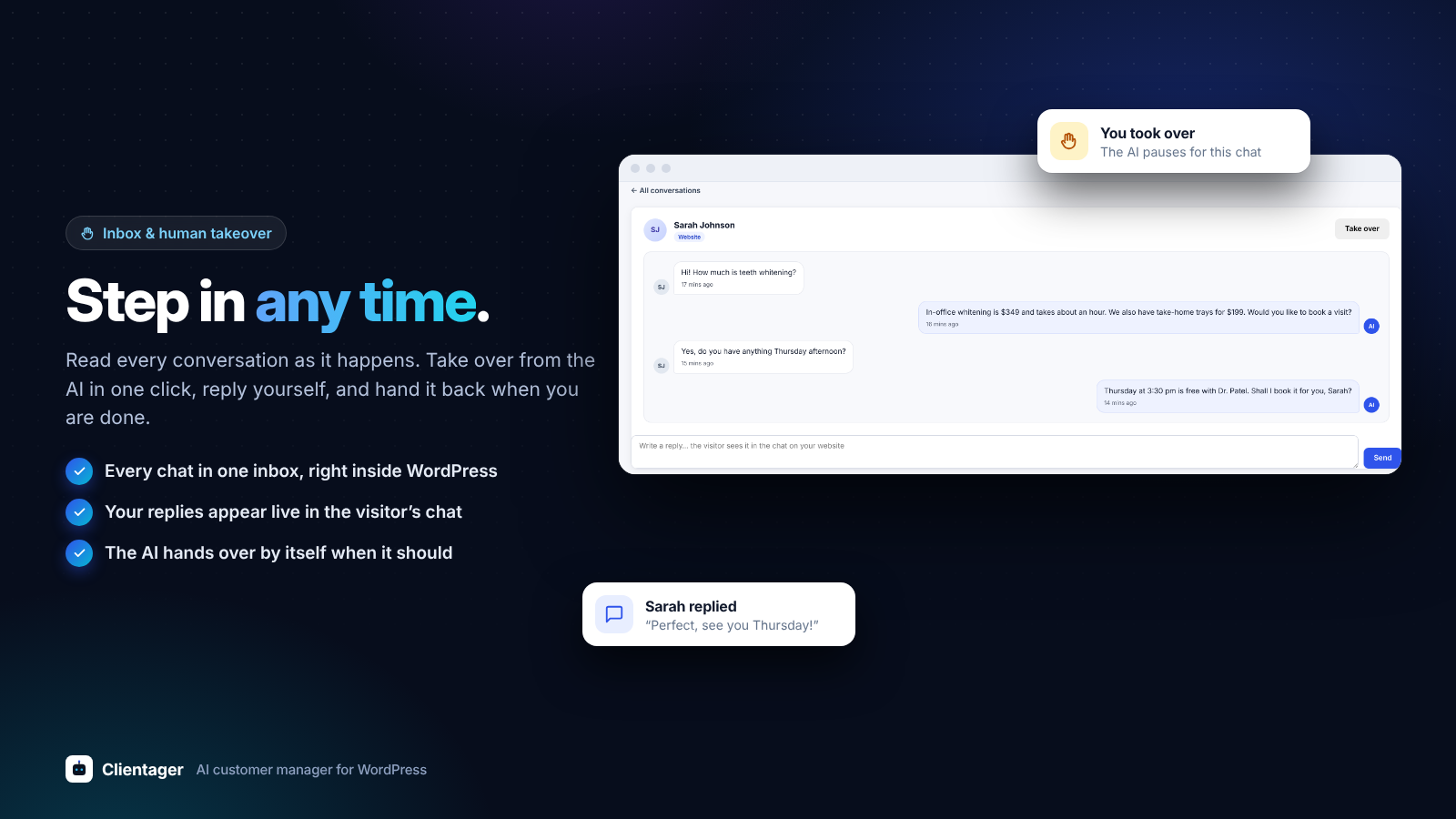
Step in any time: read every chat in the inbox, take over from the AI in one click and hand it back.
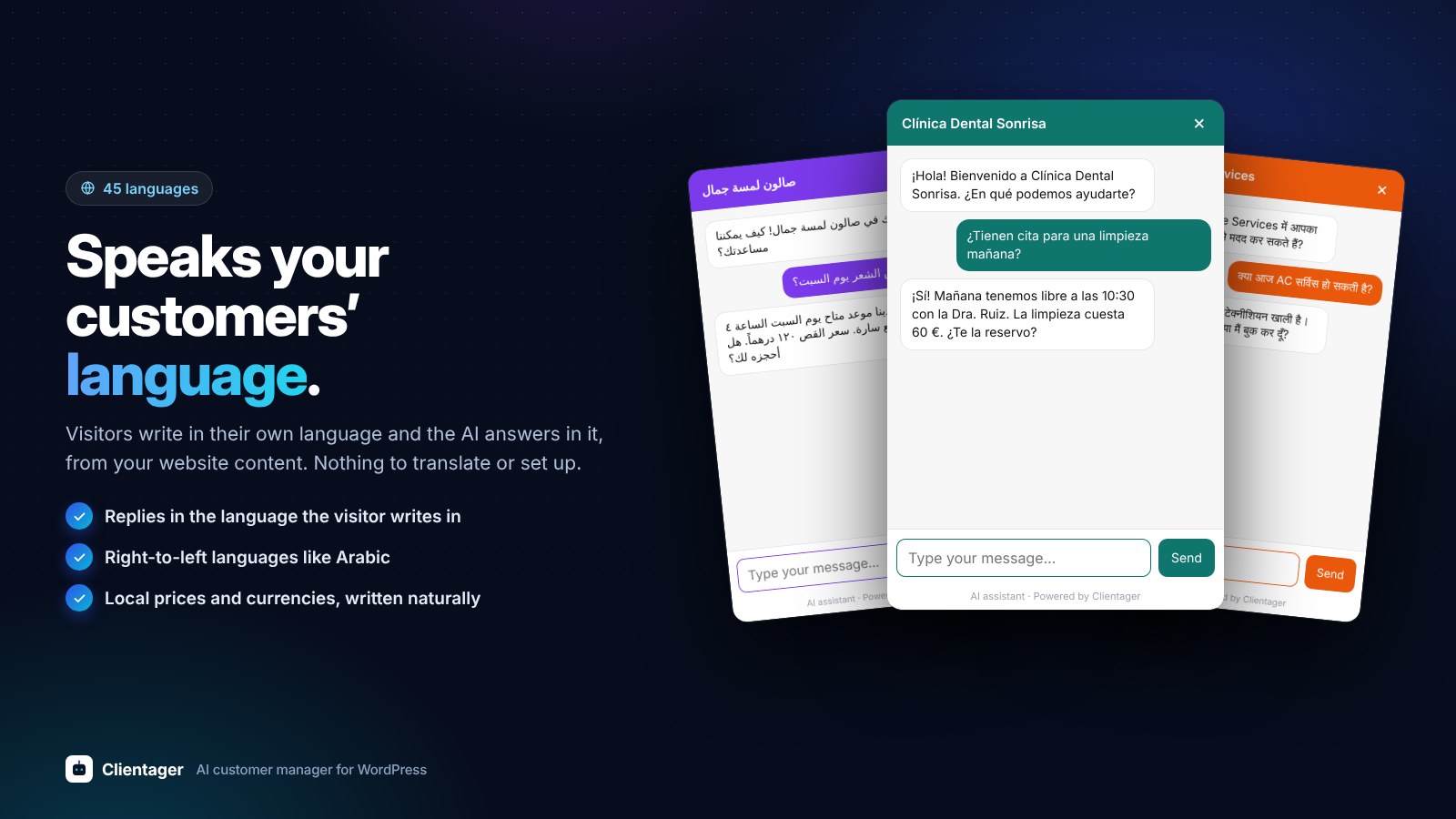
Speaks your customers’ language: replies in 45 languages, including right-to-left languages like Arabic.

Looks like your brand: your colour, icon, greeting, quick questions and an optional form before the chat.
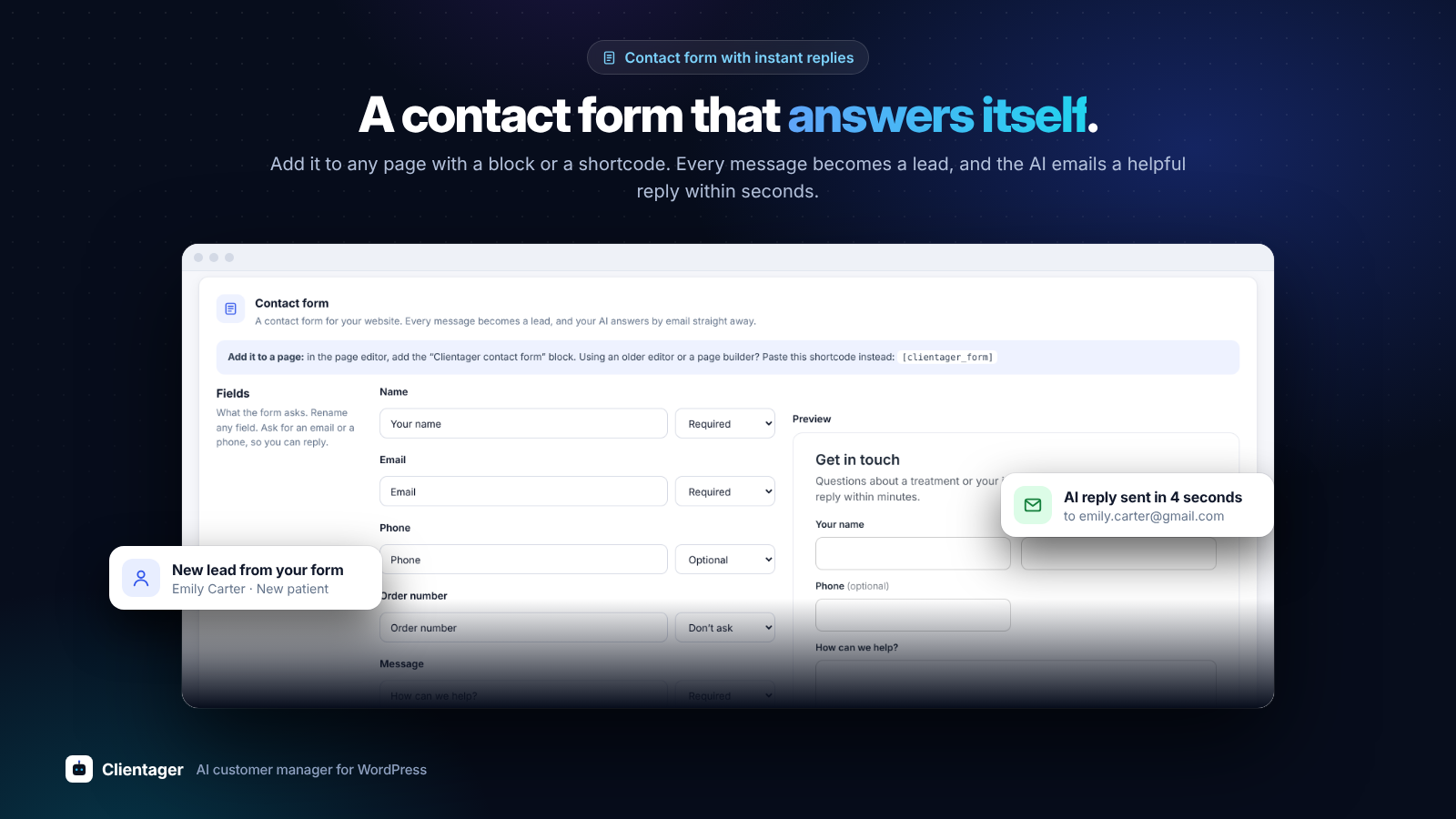
A contact form that answers itself: every message becomes a lead and gets an instant AI reply by email.

Test it privately before anyone sees it: ask the questions your customers ask, right inside WordPress.
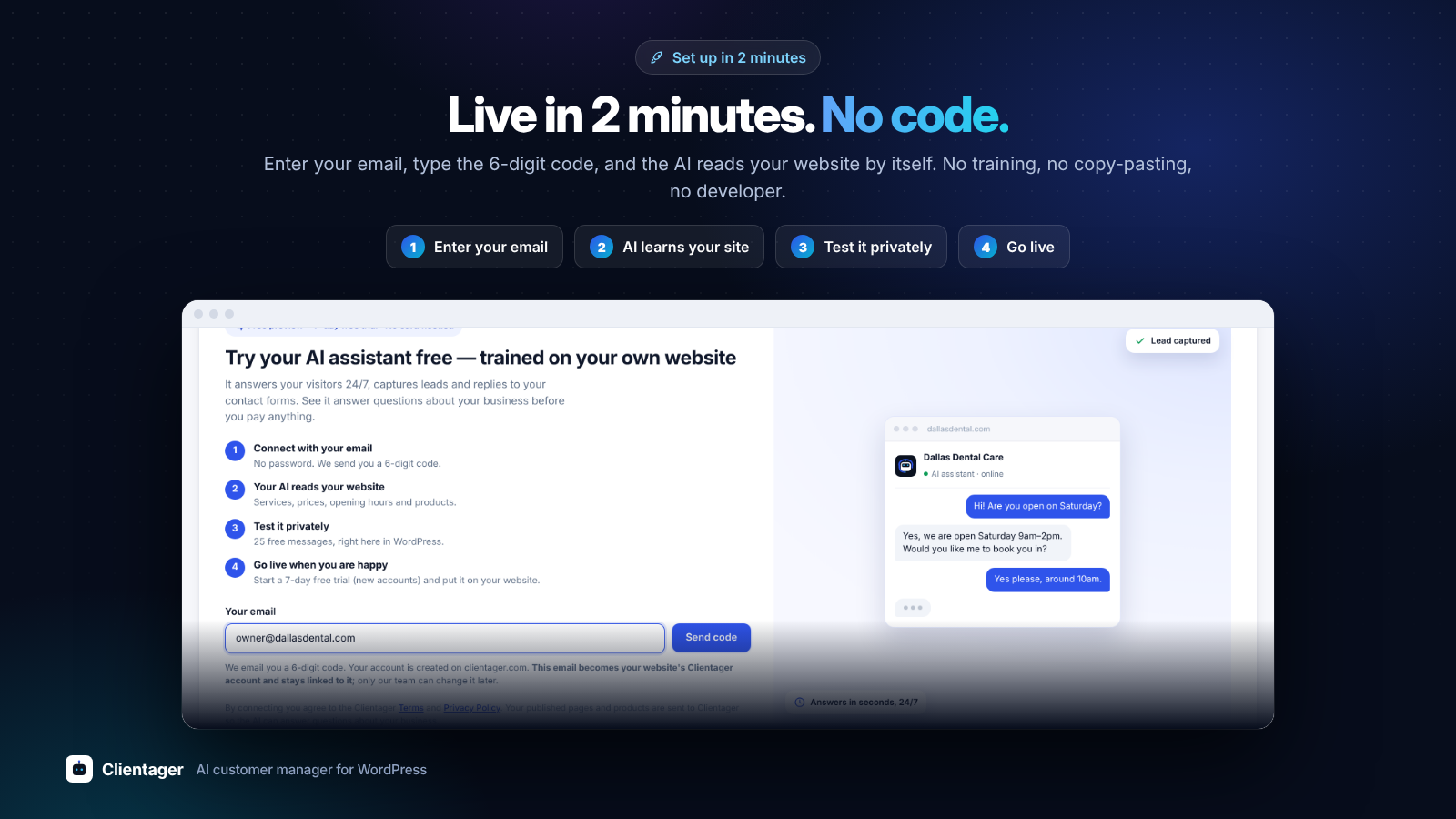
Live in 2 minutes, no code: enter your email, the AI learns your website, test it and go live.
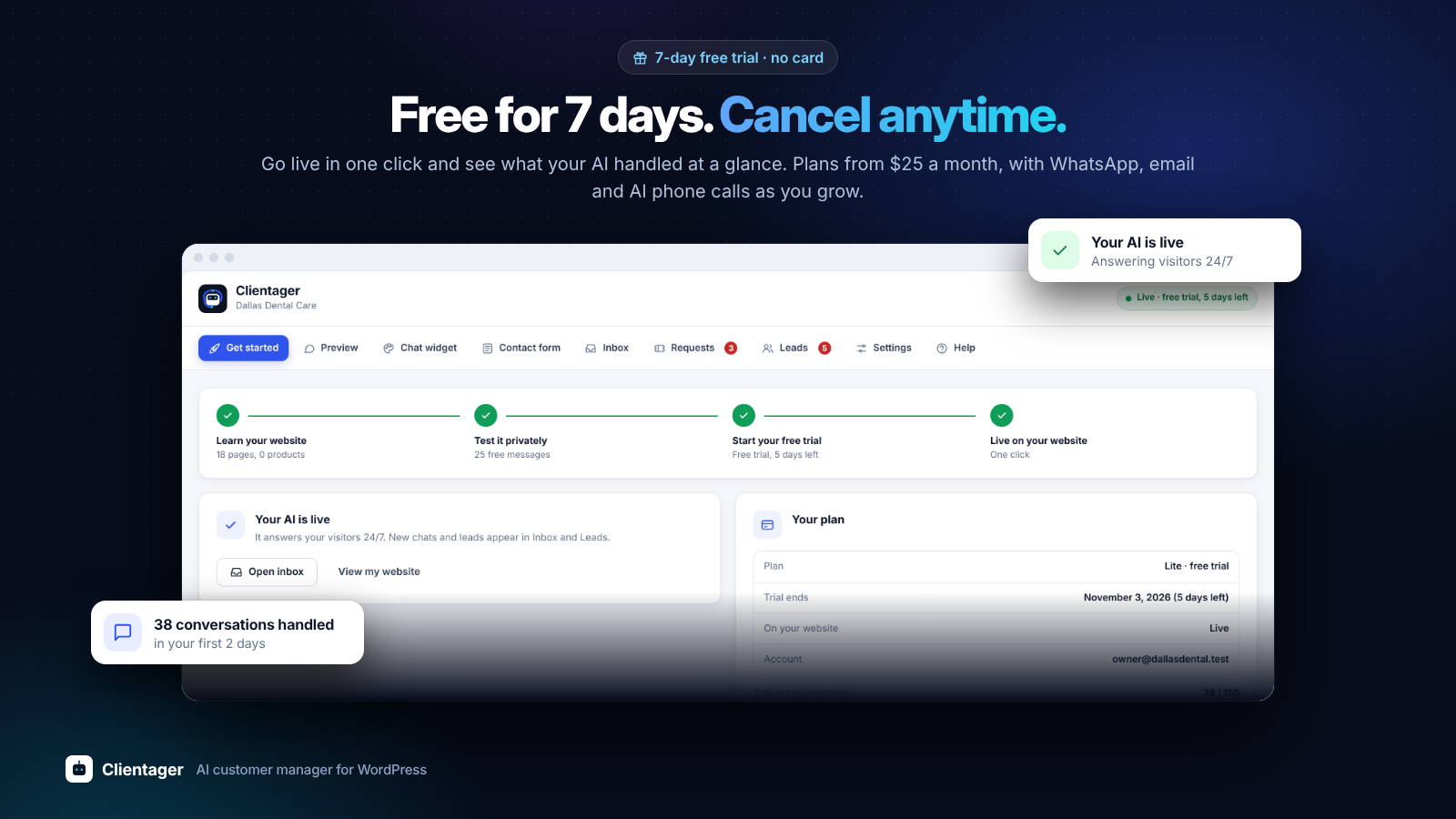
Free for 7 days, no card needed: see your trial, your plan and what your AI handled at a glance.


