Cluable AI Chat Assistant Wordpress Plugin - Rating, Reviews, Demo & Download
Plugin Description
Every website gets the same handful of questions over and over. Cluable answers them the moment they are asked, so you only hear about the ones that need you.
Point Cluable at your website and it learns your business in a few minutes. This plugin then puts your assistant on every page of your WordPress site. No code to copy into your theme.
What your assistant does
- Answers only from your content. If your site does not say it, the assistant says so instead of guessing.
- Sends people to the right page: your pricing, booking, returns or contact page, with the link.
- Hands over to you. When it cannot help, it collects the visitor’s email and passes the conversation to you.
- Collects leads: name and email before or during the chat.
- Answers in your voice, with your assistant’s name, picture and brand colour.
- Stays current. It re-reads your site every week, so a new price or policy is picked up without you doing anything.
- Shows you what visitors ask: every conversation, the questions it could not answer, and where visitors are from.
How it works
- Create your assistant at cluable.com. Start free, no card.
- Install this plugin and open Settings, then Cluable.
- Paste your install code. Your assistant appears on every page.
Everything about how the assistant looks and what it knows is set in your Cluable dashboard, and changes there show on your site without touching WordPress again.
External services
This plugin connects your site to Cluable (https://cluable.com), the service that runs your assistant. Without it the plugin does nothing.
When you have saved an install code, every public page of your site loads the chat script from https://cluable.com/widget/widget.js. Nothing loads before then, and nothing loads in the WordPress admin.
What is sent to Cluable, and when:
- On each page view: your assistant’s ID, so Cluable knows which assistant to show, and the visitor’s browser details that come with any web request (IP address, browser, the page address).
- When a visitor chats: their messages and the address of the page they are on, so the assistant can answer.
- When a visitor chooses to share them: their name and email, so you can reply.
The chat script keeps a small conversation ID in the visitor’s browser storage so a conversation carries on from page to page.
Cluable terms of service: https://cluable.com/terms
Cluable privacy policy: https://cluable.com/privacy
Screenshots

Settings, then Cluable: paste your install code and click Connect.

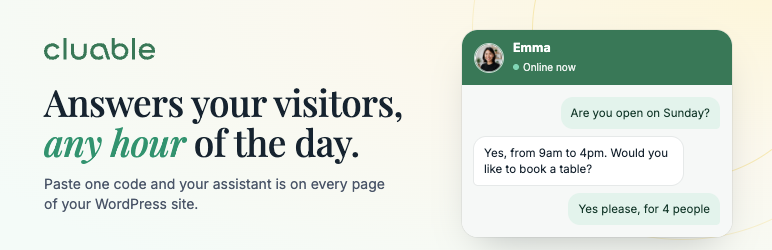
Your assistant on your site, answering a visitor’s question.