
CodeSelector. Wordpress Plugin - Rating, Reviews, Demo & Download
Plugin Description
Generating UI components with AI takes 30 seconds. Editing them inside Elementor used to take 30 minutes.
When you generate a hero section, pricing table, or bento grid in ChatGPT, Claude, v0, Bolt, Lovable, or Cursor, pasting 1,500 lines of raw HTML and CSS into a standard custom HTML widget creates a maintenance nightmare. Finding a single heading to fix a typo or swapping an image URL requires endless Ctrl+F scrolling—and generic AI CSS classes (h1, button, .card, .container) often break your WordPress theme layout.
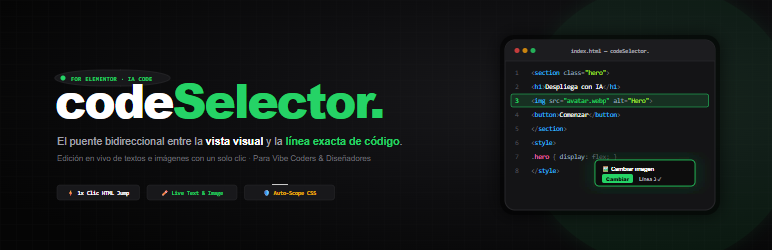
codeSelector. by Marketincode solves this forever. It is the missing bidirectional Visual-to-Code Bridge built specifically for Elementor designers, developers, and AI builders.
How It Works in 3 Simple Steps
- Paste Your AI Code: Drag the codeSelector. widget onto any Elementor page and paste your HTML/CSS snippet.
- 1-Click Visual-to-Code Jump: Click any element on the visual canvas—a badge, button, paragraph, or card—and the Ace code editor jumps in
< 5 msto its exact HTML line, highlighting the block. You can also double-click any line in the code editor to scroll the visual preview straight to that element. - Double-Click Live Inline Editing: Double-click any text or image directly on the Elementor preview canvas to rewrite copy in place or select a new photo from the WordPress Media Library. Your changes are automatically encoded and synced back into the exact line of HTML code.
Free Features (Included in WordPress.org Edition)
- Bidirectional Visual ⟷ Code Sync: Click any visual element to highlight its exact HTML line in Ace Editor, or double-click a code line to locate it visually on the canvas.
- Live Inline Text Editing (2x Click): Double-click headings, paragraphs, buttons, list items, or badges to edit text directly on screen with exact character caret placement (
caretRangeFromPoint) and multiline preservation. - 1-Click & 2x-Click Image Replacement: Click any
<img>on canvas to open the floating Image Inspector. Pick a replacement photo directly from the WordPress Media Library, paste a custom URL, and edit SEOalttext with instant code synchronization. - Enhanced Ace Code Editor: Syntax-highlighted editor with active line pills, automatic scrolling, and real-time preview rendering.
- 0 KB Frontend Overhead: All bridge scripts and editor styles load exclusively inside the Elementor editor. Your public website visitors receive pure, clean HTML/CSS with zero extra JavaScript or performance penalty on Core Web Vitals.
- Hardened Native Security (
wp_kses): Custom extended whitelist supporting modern HTML5 semantics, SVG icons, Flexbox, CSS Grid, CSS custom properties (--var),clamp(), andcalc()while stripping unauthorized scripts, iframes, and XSS event handlers. - Multilingual Ready (i18n): Fully localized interface available in English, Spanish (
es_ES,es_MX), French (fr_FR), German (de_DE), Brazilian Portuguese (pt_BR), and Italian (it_IT).
Pro Features (For Agencies, Freelancers & Power Users)
Unlock the full professional workflow with codeSelector. Pro:
- Recursive CSS Auto-Scoping: Automatically prefixes all
<style>rules under the unique widget container ([data-codeselector-id]), intelligently handling:root,body,html, nested@mediaqueries,@supports, and preserving@keyframesnames. Generic AI styles never bleed into your header, footer, or other Elementor sections. - Alt + Click Direct CSS Rule Jump: Hold
Altand click any element on the canvas to jump directly to the CSS selector that styles it inside your<style>block. - Ctrl / Cmd + Click JavaScript Jump: Hold
Ctrl(orCmdon Mac) and click an interactive element to jump straight to its event listener or animation logic inside<script>. - Safe Inline
<script>Execution: Enable interactive JavaScript for custom sliders, tabs, accordions, countdowns, and micro-animations (strictly validated against the content author’sunfiltered_htmlcapability while blocking externalsrcscripts). - Carousel & Gallery Slide Inspector: Automatically detects multi-slide carousels and image grids, allowing you to switch between hidden slides and replace individual slide images from a unified thumbnail strip.
- Live Link (
href) Editing: When editing a link or button inline, a floatinghrefinput appears so you can update destination URLs or anchor tags on the fly. - Quick Section Navigator: A smart dropdown in the Elementor panel that indexes your
<style>blocks, HTML comments (<!-- 01. Hero -->),<h1>/<h2>headings, and<script>sections for 1-click navigation in large files.
Learn more and see the interactive live demo at marketincode.com/codeselector.
Screenshots
No screenshots provided


