Codihi Quick Edit Wordpress Plugin - Rating, Reviews, Demo & Download
Plugin Description
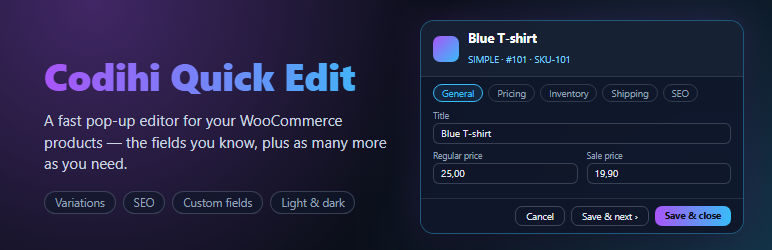
On the WooCommerce Products list, “Quick Edit” opens a pop-up instead of squeezing the form into the table row.
Out of the box
Exactly the fields of the native Quick Edit: title, slug, status, reviews, catalog visibility, featured, categories, tags, SKU, prices, tax, stock, backorders, weight, dimensions and shipping class.
Turn on as many more as you need (Codihi Plugins Quick Edit Fields)
- Short description and description (WordPress visual editor with Add Media)
- Product image and gallery
- Sale price schedule, publish date, password, menu order
- GTIN / UPC / EAN, low stock threshold, sold individually
- Upsells and cross-sells (WooCommerce product search)
- Variations table: enabled, SKU, regular/sale price, stock per variation, “apply to all”
- Virtual, downloadable, purchase note
- Brands and every other product taxonomy (WooCommerce Brands, Perfect Brands …)
- SEO title, meta description and focus keyword (Yoast SEO or Rank Math)
- Your own custom fields: any product meta key as text, long text, number, yes/no, drop-down, date or link
Fields that do not apply to a product are hidden automatically (e.g. no regular price on a variable product, no stock quantity while stock tracking is off).
Arrange the pop-up your way
- Every section can be dragged to a new place, moved up or down with the arrow buttons, collapsed, or hidden — like the boxes of the WordPress editor.
- The Sections button in the pop-up header lists all sections: reorder them, hide them and bring them back.
- Your arrangement is remembered per user.
- Categories, brands and other term lists show what is already selected first.
Safe by design
- Only the fields you changed are sent and saved.
- All-or-nothing: if one field is invalid (duplicate SKU, sale price above the regular price …) nothing is written and the field is highlighted.
- If someone else changed the product after you opened it, you are asked before anything is overwritten.
- Every save goes through the WooCommerce product API, so stock sync, price caches, lookup tables and other plugins’ hooks keep working.
- Per-product permission checks; descriptions are filtered for users without the unfiltered_html capability.
Fast to work with
- The product’s row in the list refreshes in place after saving — no page reload.
- Save & next walks down the list; previous/next arrows; double-click a row to open it.
- Light, dark or automatic theme; one-page or tabbed layout; up to full screen.
- Ctrl+S saves, Esc closes (with a warning if you have unsaved changes).
- “Next to Quick Edit” mode keeps the native inline Quick Edit and adds a “Pop-up edit” link instead.
For developers
- Filter
codihi_qe_fields— add, change or remove pop-up fields (seeincludes/class-codihi-qe-fields.php). - Filters
codihi_qe_builtin_fields(fields that can be switched on in Settings),codihi_qe_groups(sections),codihi_qe_enabled_fields(final list for the current user),codihi_qe_payloadandcodihi_qe_popup_config. - Actions
codihi_qe_before_save( $product, $changes, $args )andcodihi_qe_product_saved( $product, $changed_keys, $args ). - Actions
codihi_qe_enqueue_popup,codihi_qe_enqueue_settings,codihi_qe_settings_tabsandcodihi_qe_settings_panelsfor add-ons. - JavaScript: the
window.codihiQEApiobject (custom field types, field filters, header buttons) and the jQuery eventcodihi_qe_savedondocumentafter every save.
Documentation
A step-by-step setup guide covers the fields, custom fields, keyboard shortcuts and troubleshooting. It is also available in Greek.
Codihi Plugins menu
Adds (or joins) the shared Codihi Plugins admin menu. Its Overview page lists the Codihi plugins installed on your site with links to their settings, and the plugins available on codihi.com. Nothing is shown outside wp-admin.
Codihi Quick Edit Pro
Codihi Quick Edit Pro is distributed from codihi.com with a license key for automatic updates and support. On top of everything above it adds: change history with one-click undo, field restrictions per user role, field profiles, bulk editing in the pop-up with percentage and rounding rules, price tools, editing of attributes, downloadable files and external / grouped products, ACF fields, and switching between WPML / Polylang translations. If both plugins are active, the free one pauses itself.
External services
Codihi product catalog (codihi.com)
When an administrator opens the “Codihi Plugins” overview page in wp-admin, the plugin requests the public product list from https://codihi.com/wp-json/wc/store/v1/products to show the other Codihi plugins with their prices. It is a plain GET request: no store, customer, user or product data is sent, and the result is cached for 12 hours (the “Refresh” link requests it again). If codihi.com cannot be reached, a built-in list without prices is shown instead. Nothing is requested from codihi.com on any other page or on the front end, and the pop-up editor itself never contacts any external service.
This service is provided by Codihi: Terms of Use, Privacy Policy.
Screenshots

The pop-up editor with every section on one page (dark theme).

The tabbed layout in the light theme.

Arrange the sections: drag them, move them up or down, collapse or hide them, and manage them from the Sections menu.

Categories and brands list what is already selected first.

The settings page: choose which fields the pop-up shows.