
Comma5 Inquiries Wordpress Plugin - Rating, Reviews, Demo & Download
Plugin Description
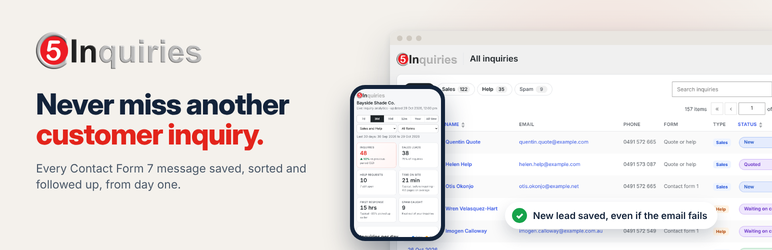
Never miss another customer inquiry. Every message someone sends through your website is a chance to win work, and too many go missing: a notification email that never arrives, a real customer caught by the spam filter, or an inquiry that sits in someone’s inbox with no reply.
What it does for your business from day one
- No lost leads. Each inquiry is saved in WordPress the moment it is sent, before the email goes out. If the email fails, you are told and can resend it.
- Faster replies. New sales leads and help requests sit in one list with a clear status, so nothing waits for an answer and everyone can see who is handling what.
- Know what brings in customers. See which campaigns, searches, social posts and pages lead to real inquiries, and what people read before they got in touch.
- Share the results. Send the boss a private link to live numbers that opens on any phone, without a login.
It works with the Contact Form 7 forms you already have. Install it, and the next inquiry is saved and tracked. Nothing to set up first.
How it works
Comma5 Inquiries keeps a copy of every inquiry sent through Contact Form 7 in your own WordPress database, so a lead is never lost to a failed email, a full inbox or a spam filter.
Each inquiry is sorted into Sales or Help. Sales leads move through New, Contacted, Quoted, Won and Lost. Help requests are tracked as cases until they are resolved, so every one gets an answer. One click changes a status, right from the list.
Everything stays on your own site. No account or outside service is needed.
Inquiries
- Every inquiry saved: name, company, email, phone, message and any extra form fields. Contact Form 7’s own email still goes out as normal.
- Sales or Help: set each form to Sales or Help, or let a field on the form decide (for example “I need a quote / I need help”).
- Your own statuses: rename, recolour, add or remove statuses for Sales and Help separately.
- The visitor’s story: where they came from (campaign, search engine, social media or another site), the pages they read, how long they spent on the site, and how many visits it took before they asked.
- Previous and next: step through inquiries one by one without going back to the list.
- Attachments kept safely: uploaded files are checked, renamed and stored in a protected folder. Preview images and PDFs in place.
- Spam rescue: inquiries marked as spam are kept in a separate Spam view, so a real one caught by mistake can be restored.
- Failed email alerts: if a notification email fails to send, the inquiry is flagged and the email can be resent with one click.
- Activity history: every status change, with who made it and when.
- Export: download inquiries to Excel (.xlsx) or CSV.
Analytics
- Inquiries per day, week or month, split into Sales and Help, for the last 7, 30 or 90 days, 12 months, this year or all time.
- Where inquiries came from, top sources, landing pages, the pages people read before asking, busiest days and times.
- Time on site before inquiring, and how quickly your team responds.
- Win rate overall and by channel, once you keep statuses up to date.
- Click any chart to see the inquiries behind it.
- Share link: send a private link to live analytics that opens on any phone without logging in. It shows totals and charts only, no names or contact details, and can be switched off or replaced at any time.
External services
This plugin can look up the approximate location (country and city) of the person who sent an inquiry. This is off by default and only runs if you switch on location lookup in Inquiries > Settings.
When it is on, the visitor’s IP address is sent to the ipwho.is service (run by ipwhois.io) shortly after each inquiry is saved. Nothing else about the inquiry is sent. The IP address is not stored with the inquiry.
- Service: https://ipwho.is/
- Terms of service: https://ipwhois.io/terms
- Privacy policy: https://ipwhois.io/privacy
If your site is behind Cloudflare and you tell the plugin to trust proxy headers, the country is read from Cloudflare’s header instead, without contacting any outside service.
Screenshots

Every inquiry in one place, saved the moment it is sent, with Sales and Help tabs and one-click statuses.
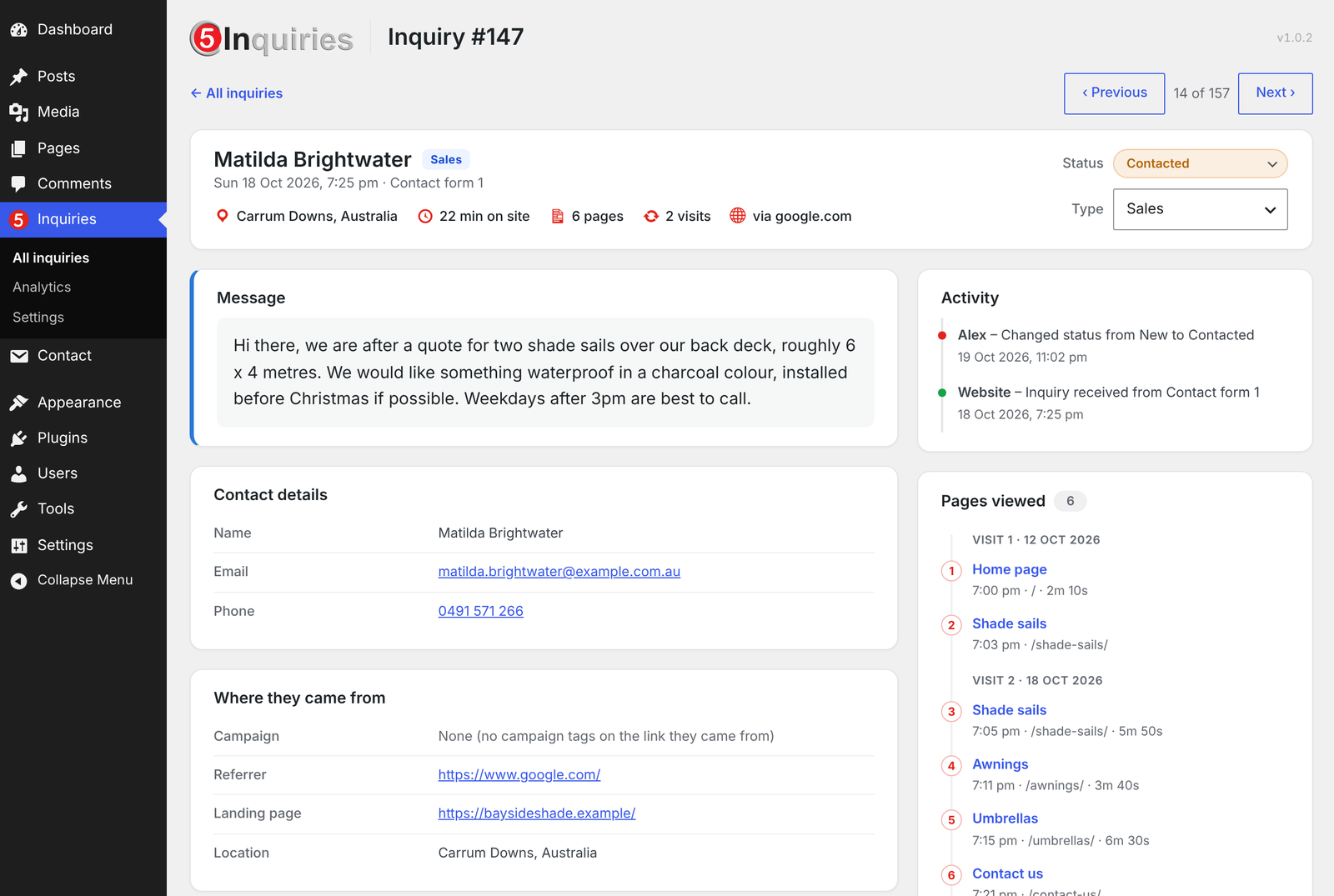
The message front and centre, plus where the visitor came from, how long they spent and which pages they read.
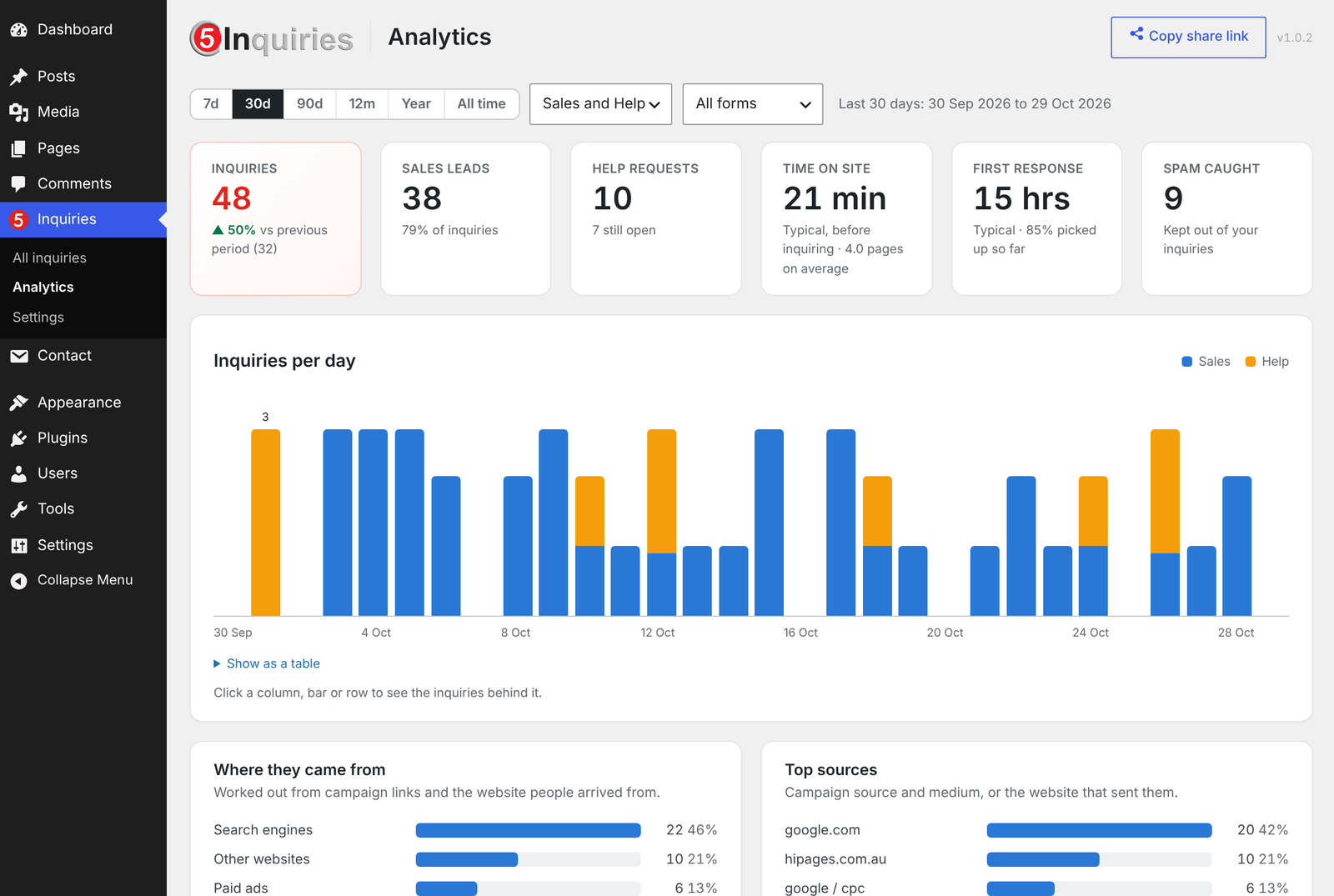
Analytics that show which marketing brings in real inquiries. Click any number to see the people behind it.

Live results on any phone through a private share link, with no names or contact details.
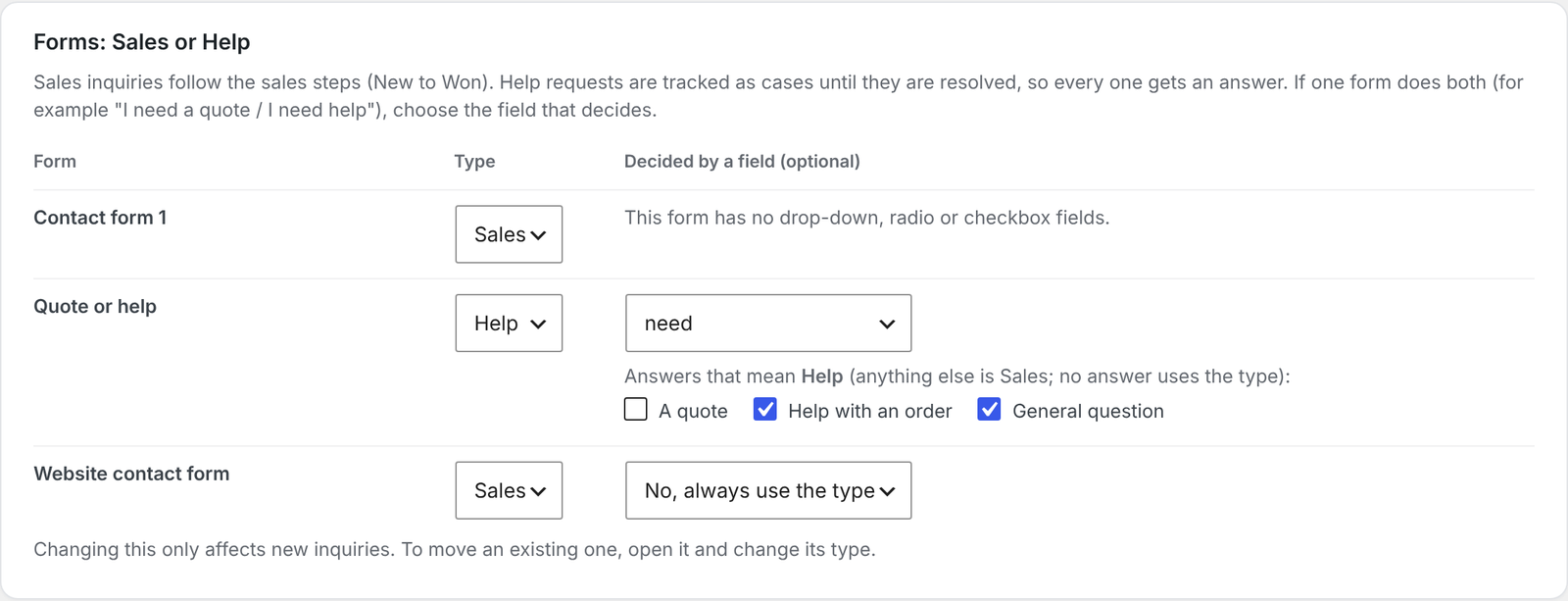
Choose which forms bring in sales leads and which bring in help requests.


