
Commervia AI Search For WooCommerce Wordpress Plugin - Rating, Reviews, Demo & Download

Plugin Description
Commervia AI Search for WooCommerce improves product discovery with fast AJAX results and relevance-weighted matching across your WooCommerce catalog.
The plugin works locally without requiring a Commervia account or an AI service. Store owners can optionally connect their own OpenAI API key to interpret natural-language searches before matching products locally.
Search features
- Instant AJAX product results while shoppers type.
- Relevance weighting for product titles, SKU and EAN/barcode values.
- Matching across categories, tags, attributes and product descriptions.
- Exact, highly relevant and relevant result labels.
- Quick product details directly from the search results.
- A link to view the complete matching result set.
- Automatic enhancement of WooCommerce product-search forms.
- Support for the WooCommerce Product Search block.
- Mobile-aware positioning for search forms near the top or bottom of the viewport.
- Configurable minimum characters, delay, result limits, cache duration and accent color.
- Optional custom selectors for themes or search forms with non-standard markup.
Optional AI interpretation
The local search remains fully functional without OpenAI.
When an administrator supplies their own OpenAI API key, explicitly enables AI query interpretation and consents to the external service, OpenAI can interpret natural-language searches such as needs, price ranges and product attributes. Product matching and selection still take place locally in WordPress.
Separate Search Pro add-on
Visual image search and configurable custom-meta search are available through a separate Commervia AI Search Pro for WooCommerce add-on distributed outside WordPress.org. Their implementation is not included in this WordPress.org plugin.
The free plugin is complete, remains usable permanently and never expires.
External services
This plugin can connect directly to the OpenAI API only after an administrator:
- enters their own OpenAI API key;
- enables AI query interpretation; and
- explicitly consents to sending the search text to OpenAI.
Data sent to OpenAI:
- the text entered in the product search;
- the site language;
- the selected OpenAI model; and
- technical parameters required to request a structured JSON response.
The complete product catalog, WooCommerce orders and customer data are not sent. OpenAI’s response is used only to extract search terms and filters; product selection runs locally in WordPress.
Service: OpenAI API
Terms of Use: https://openai.com/policies/terms-of-use/
Privacy Policy: https://openai.com/policies/privacy-policy/
Links to Search Pro or Commervia AI contact commervia.ai only when an administrator deliberately clicks them. The free plugin does not create a Commervia account and does not transmit site data to Commervia automatically.
Privacy
The plugin stores its settings in the WordPress database. The OpenAI API key is encrypted locally using Sodium and the WordPress security keys. Search responses may be stored temporarily in WordPress transients to improve performance. A functional language preference is stored for up to one year in browser local storage and the commervia_ai_search_language cookie. The plugin adds no telemetry or remote tracking.
Screenshots
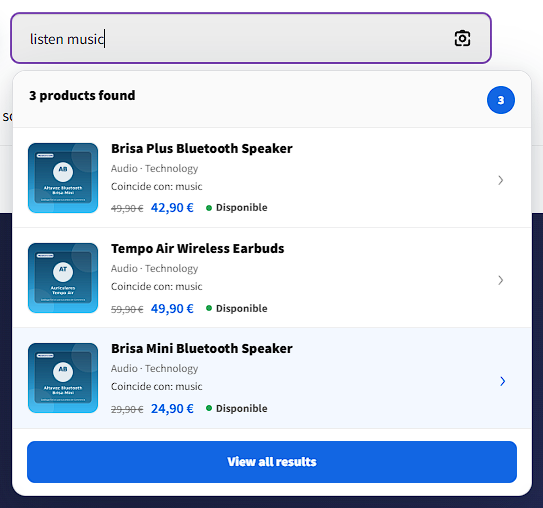
Real storefront instant results panel while the customer searches in natural language.
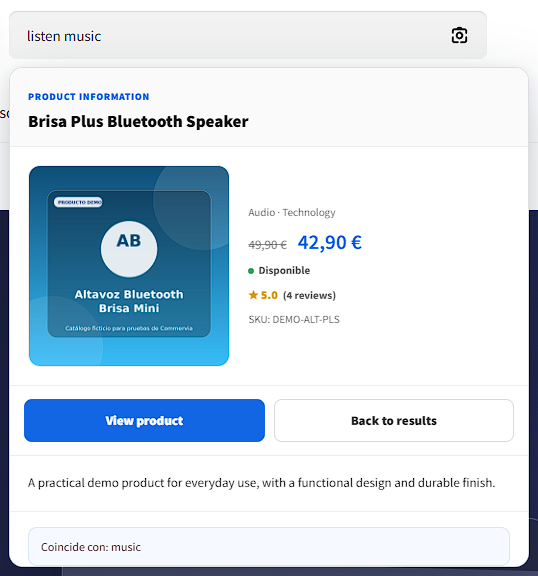
Real quick product view with price, availability and matching interpretation.
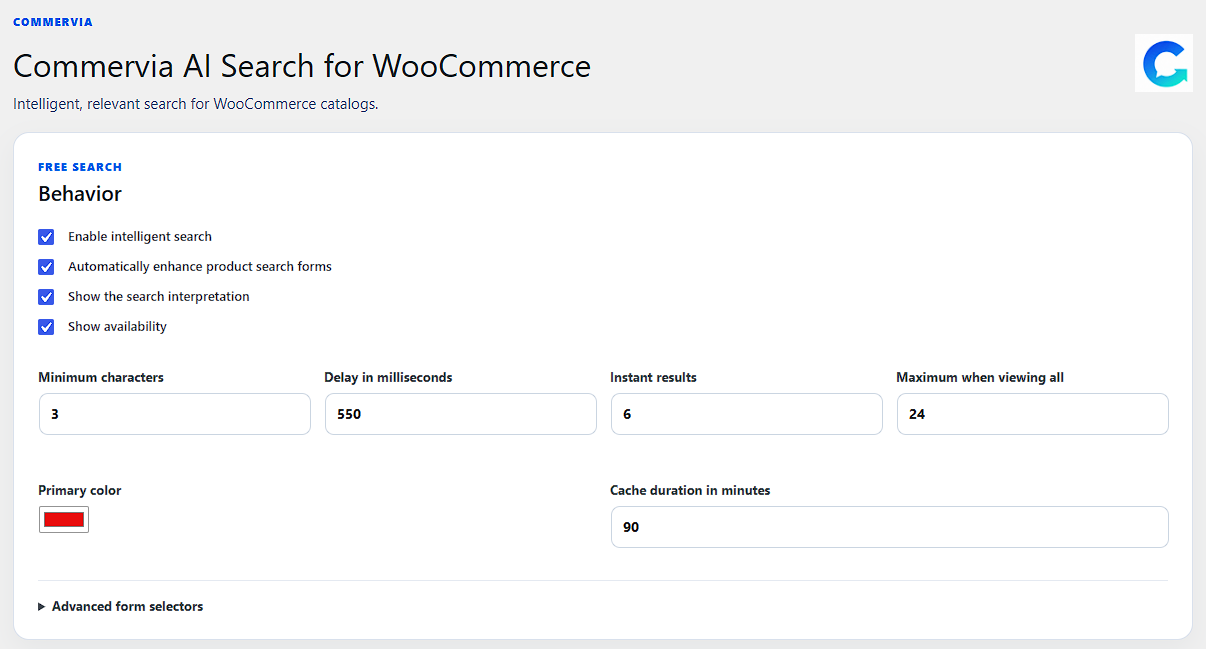
Real administration screen with the core Free Search behavior settings.
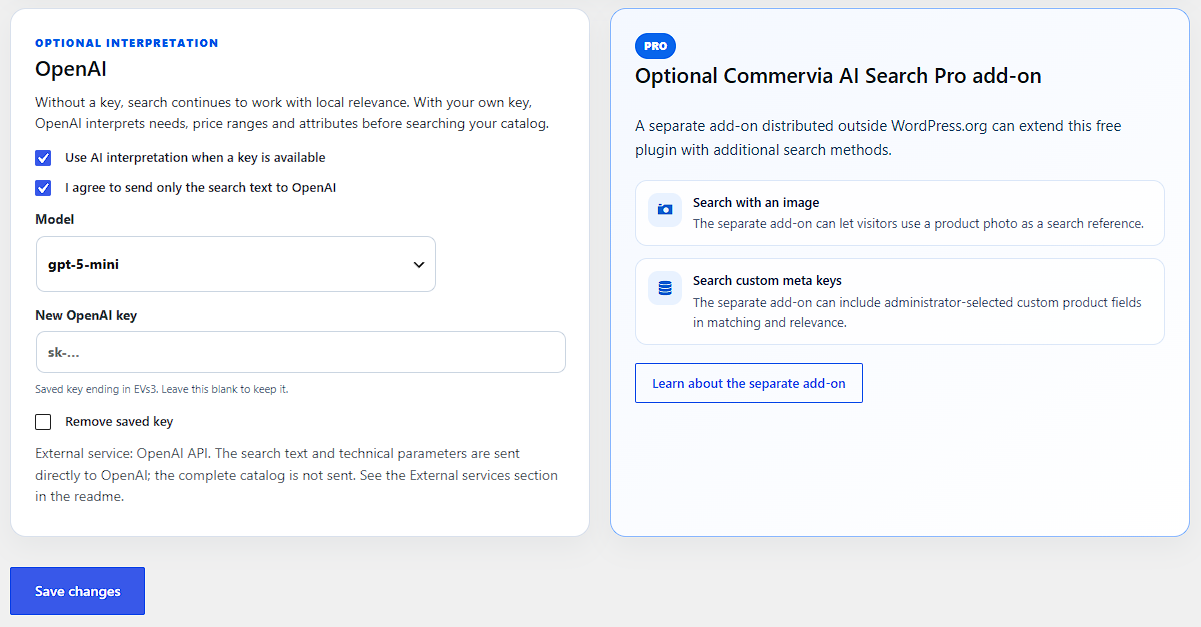
Real administration screen with optional OpenAI interpretation settings and the separate Pro add-on panel.


