Consent Collector JP Wordpress Plugin - Rating, Reviews, Demo & Download

Plugin Description
Consent Collector JP is a Cookie consent management (CMP) plugin for Japanese website operators, built to comply with the “External Transmission Rules” of Japan’s Telecommunications Business Act (effective June 2023) and the amended Act on the Protection of Personal Information.
Under the External Transmission Rules, when a website sends visitor information to external services via Cookies or similar technologies, the site must notify or publicly disclose what is sent, to whom, and for what purpose. This plugin centers on automatically generating that disclosure page, alongside a consent banner and server-side consent logging.
This plugin does not provide legal advice. The accuracy and legal compliance of the generated content is the responsibility of the site operator.
Key Features
- Automatically generates an external transmission disclosure page: Built-in templates for the 6 most common services — Google Analytics (GA4), Google Tag Manager, Google AdSense, Meta Pixel, YouTube embeds, and X (Twitter) embeds. Any other service can also be registered manually, so full legal compliance is possible with the free version alone.
- First-run setup wizard: After activation, the wizard walks you through selecting the services you use from the built-in templates, configuring the banner, and registering scripts.
- No dark patterns: Implied consent (e.g. “scrolling counts as consent”) and cookie walls are not implemented, not even as an option. The “Accept All” and “Essential Only” buttons always have equal visual weight.
- Zero external requests, lightweight: The banner never loads external fonts or CDN resources. Additional HTTP requests are kept to a minimum.
- No external connections for its core functionality: The consent banner, tag blocking, and external transmission disclosure page all run entirely on your own server; no visitor data is ever sent to this plugin’s developer or to any third party as part of that functionality. (The bundled Freemius licensing library contacts Freemius’s servers solely for license validation and update checks, as is standard for commercially licensed WordPress plugins; this does not involve visitor data. The optional Pro GeoIP feature also downloads a public IP-to-country database file from db-ip.com roughly once a month to enable region-based banner behavior.)
- Consent logs stored on your own server: No consent records are transferred to servers outside your control. The visitor’s IP address is never stored — not even a hashed or otherwise derived value. Each log row is identified only by a random ID generated in the visitor’s browser. Log retention is the same for every user: logs are kept indefinitely by default, and you can optionally set a retention period (e.g. delete logs older than 30 days) from the settings screen.
- Fully compatible with page caching: All banner display and consent-state logic run client-side in JavaScript, so the plugin works correctly even on sites using static page caching.
- Google Consent Mode v2 (basic): Automatically sends the “denied” default and per-category consent/withdrawal signals to
gtag()for sites already using Google tags (GA4 / Google Ads), so those tags respect visitor consent out of the box. Does nothing if the site has nogtag()defined.
Disclaimer
This plugin is a tool to help support compliance with Japan’s Telecommunications Business Act and Act on the Protection of Personal Information. It does not provide legal advice. Please consult a qualified professional (attorney, gyoseishoshi, etc.) as needed to confirm actual legal compliance.
References
- Ministry of Internal Affairs and Communications: External Transmission Rules (Japanese)
- Related FAQ (Japanese)
Screenshots

Consent banner (bottom-fixed example)
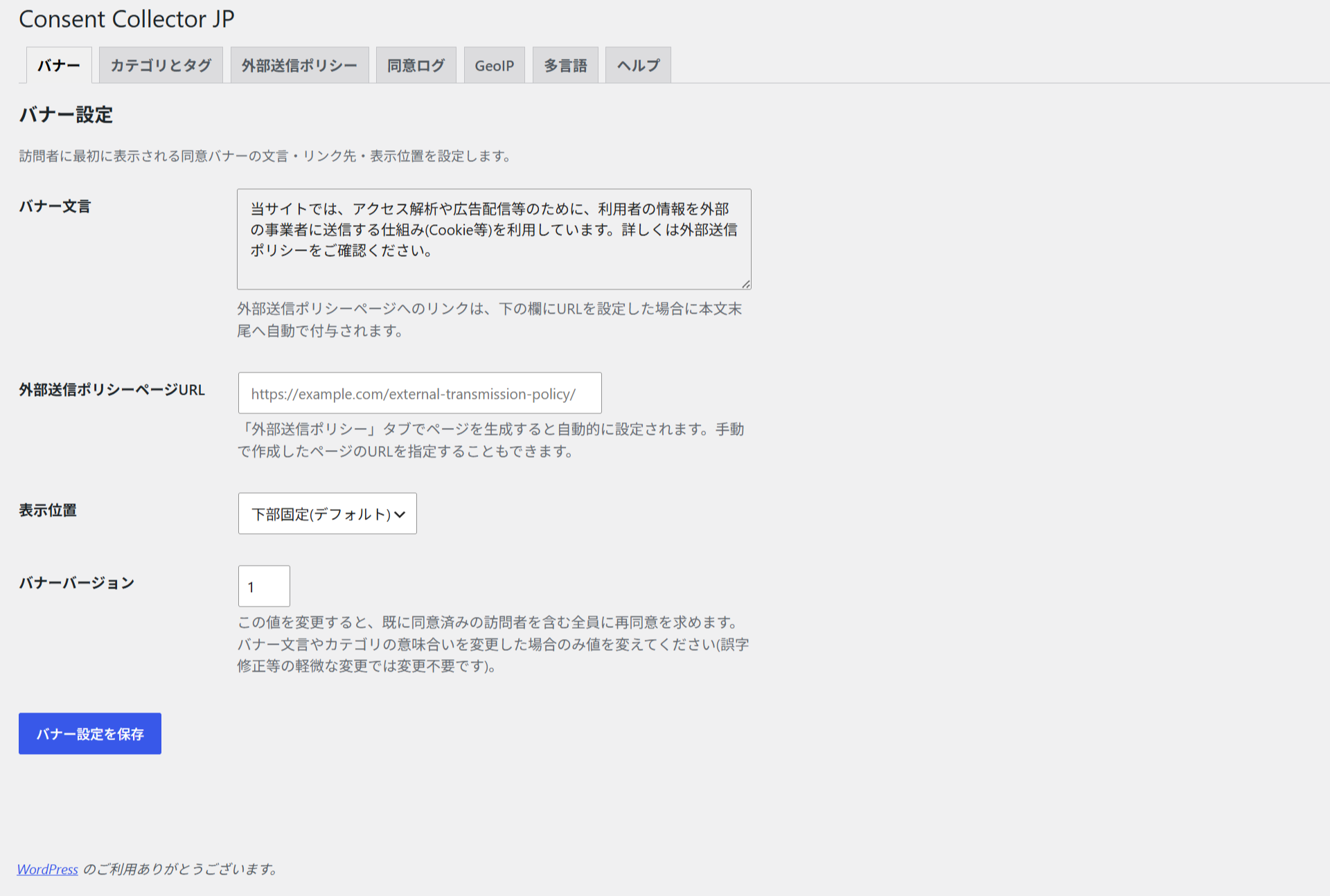
Admin “Banner” settings tab
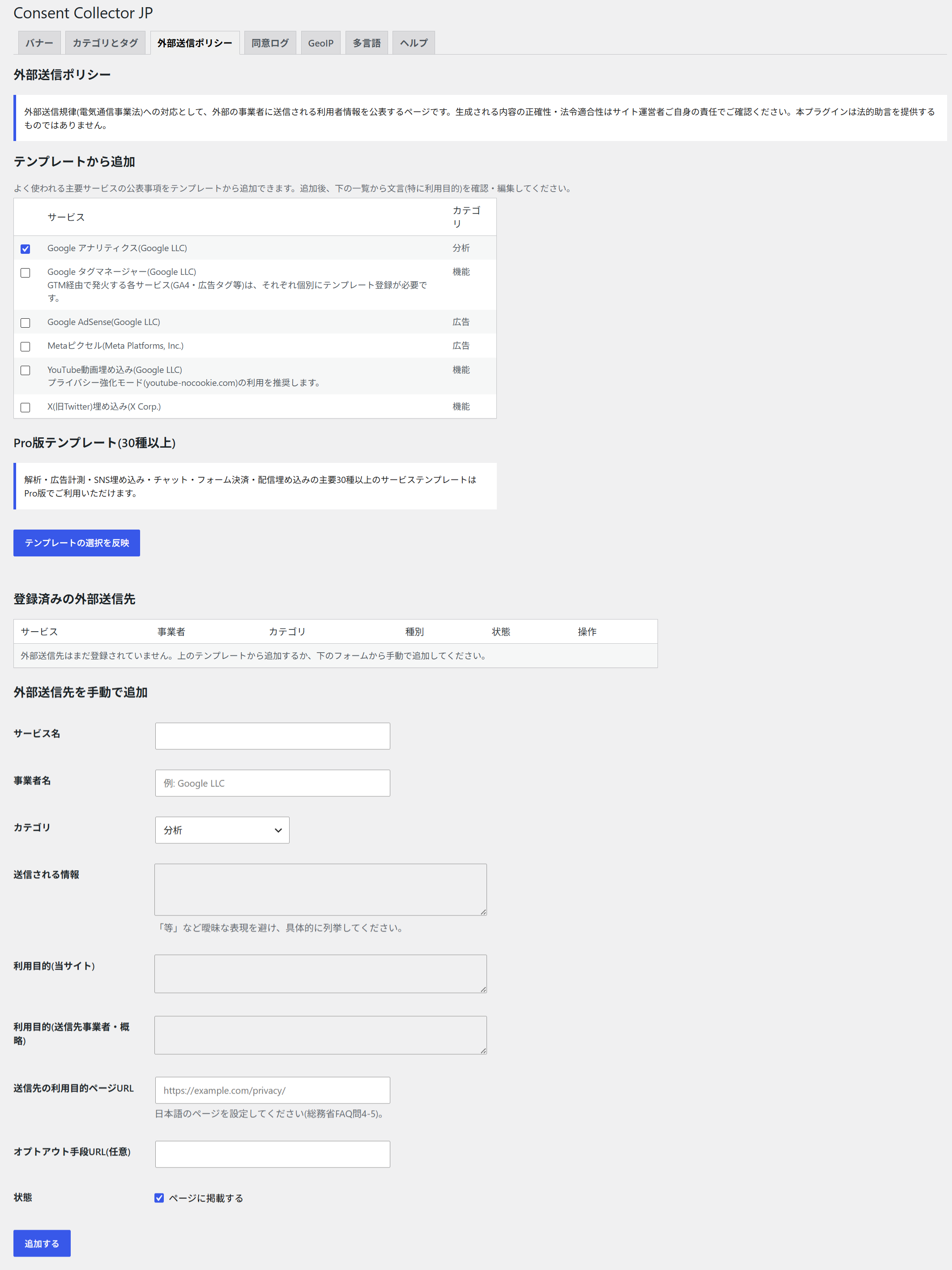
Admin “External Transmission Policy” tab (adding from a template)
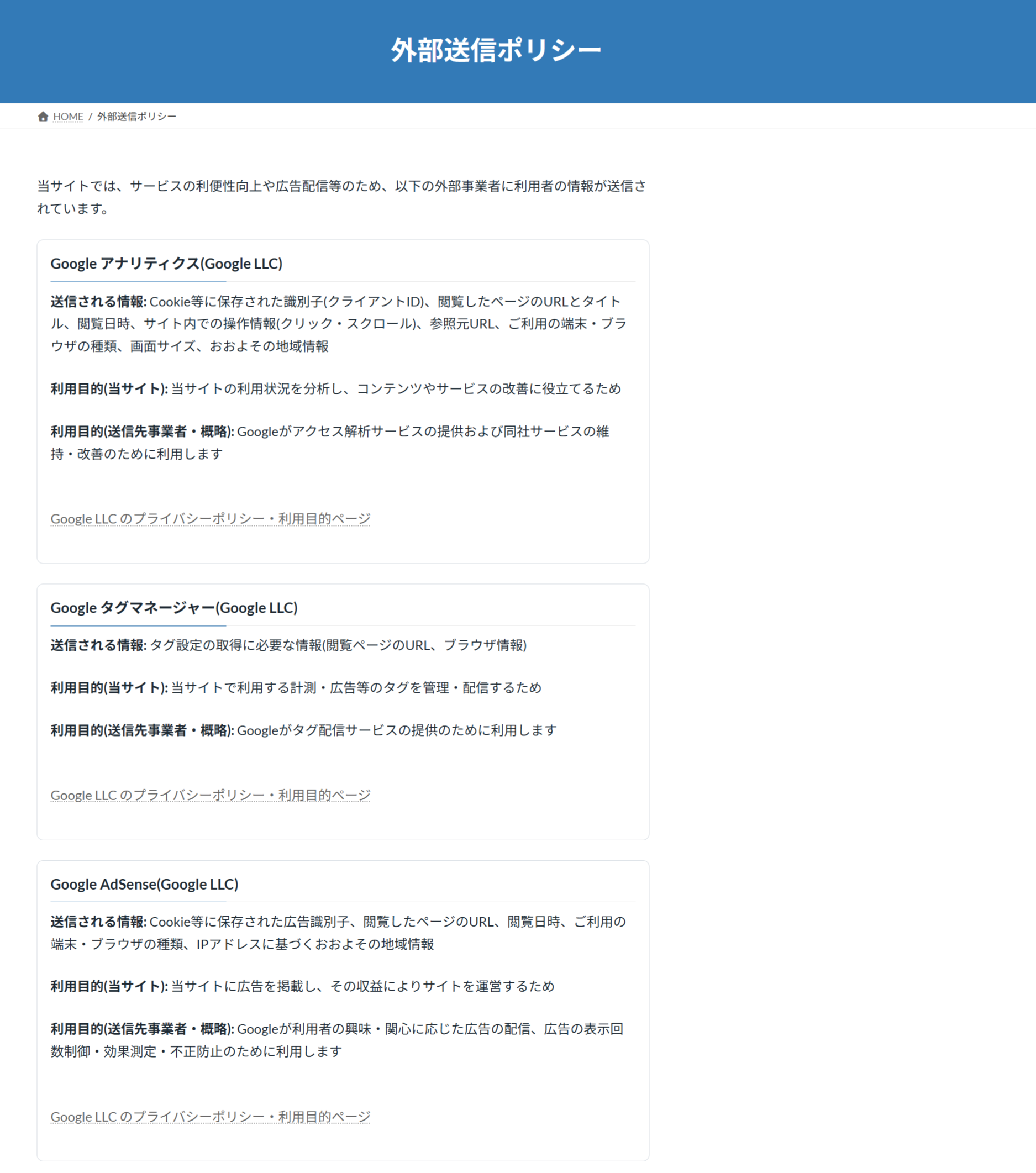
Automatically generated external transmission policy page
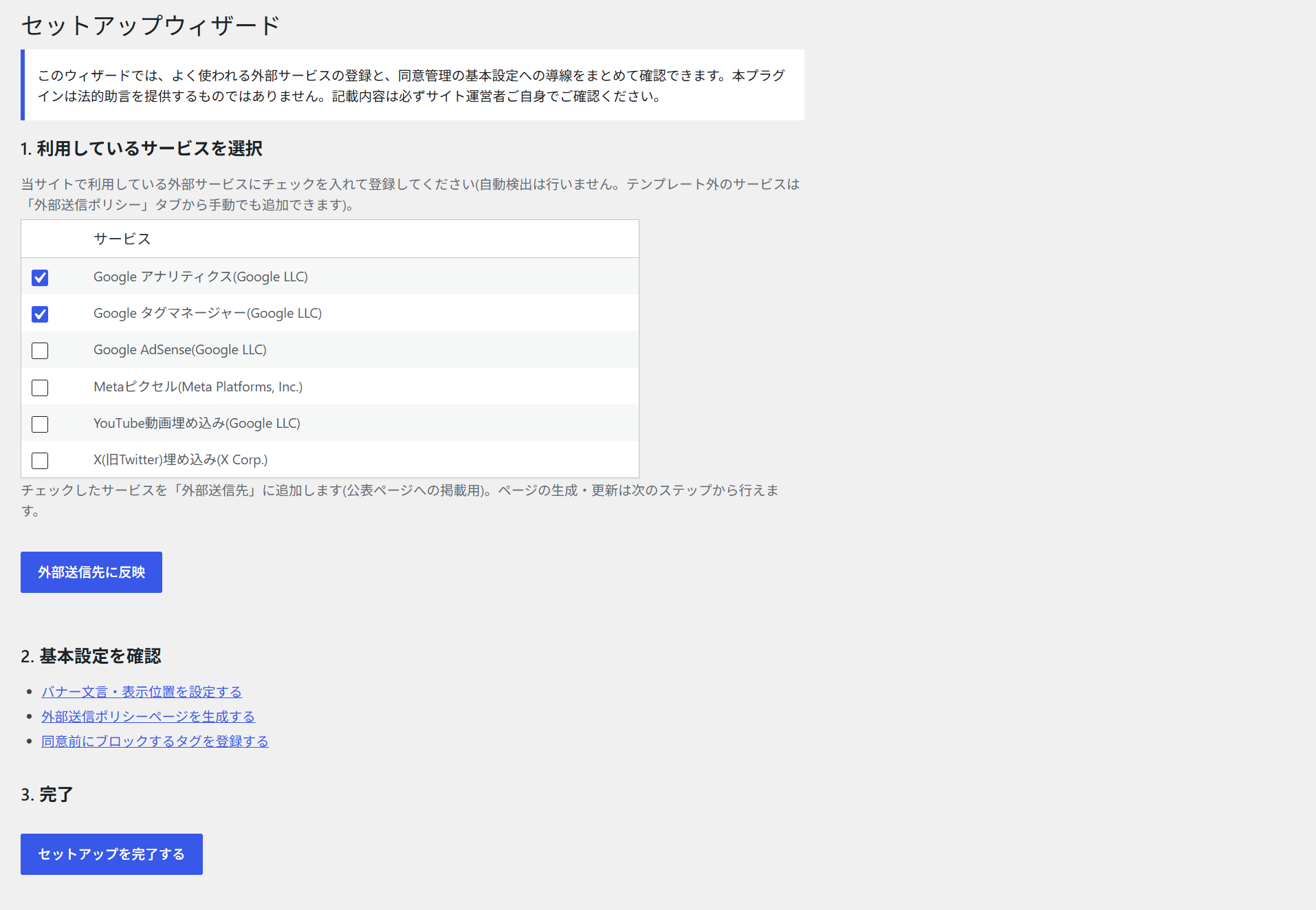
First-run setup wizard