
ConsentCook Wordpress Plugin - Rating, Reviews, Demo & Download
Plugin Description
ConsentCook for WordPress has one focused job: securely connect your site and add
the ConsentCook loader before analytics and marketing tags. Banner styling,
wording, regions and publishing remain in the ConsentCook dashboard.
Press Connect ConsentCook, sign in, and choose an existing site. The
connection uses a short-lived, single-use code protected by PKCE. WordPress
stores only the public site key; it never stores your ConsentCook password,
session, access token or a client secret.
The plugin is inert until connected. A genuine Free plan is available for one
site without a card.
You remain the data controller for your site. ConsentCook acts as a processor
for the consent choices recorded and enforced through the service.
WP Consent API
When the WP Consent API plugin is active, ConsentCook keeps its consent
categories in sync. Marketing is allowed only when advertising,
personalization and social consent are all allowed.
Load order
ConsentCook is registered with WordPress’s script API and printed at the
earliest wp_head priority, so its deny-by-default runtime precedes normal
analytics plugins. If a theme hard-codes analytics before wp_head, move those
tags after ConsentCook or gate them explicitly.
Content Security Policy
For a strict nonce-based CSP, return the current request nonce:
add_filter('consentcook_csp_nonce', function () {
    return my_csp_nonce();
});
External services
This plugin connects to https://consentcook.com, a service operated by
ConsentCook. When configured it loads /loader.js on public page views, fetches
/v1/public/config/{siteKey}, sends consent events to
/v1/public/consent-events, and may send limited runtime errors to
/v1/public/client-errors. The Connect button opens ConsentCook for account
authentication and exchanges a short-lived connection code.
While an administrator has Settings ConsentCook open, this site also requests
/v1/public/config/{siteKey} from your server, so the screen can show what you
have published. That request sends only the public site key, carries no visitor
data, and its result is cached for five minutes. If your host blocks outgoing
requests the screen says so and everything else continues to work.
Terms: https://consentcook.com/legal/terms
Privacy policy: https://consentcook.com/legal/privacy-policy
Screenshots
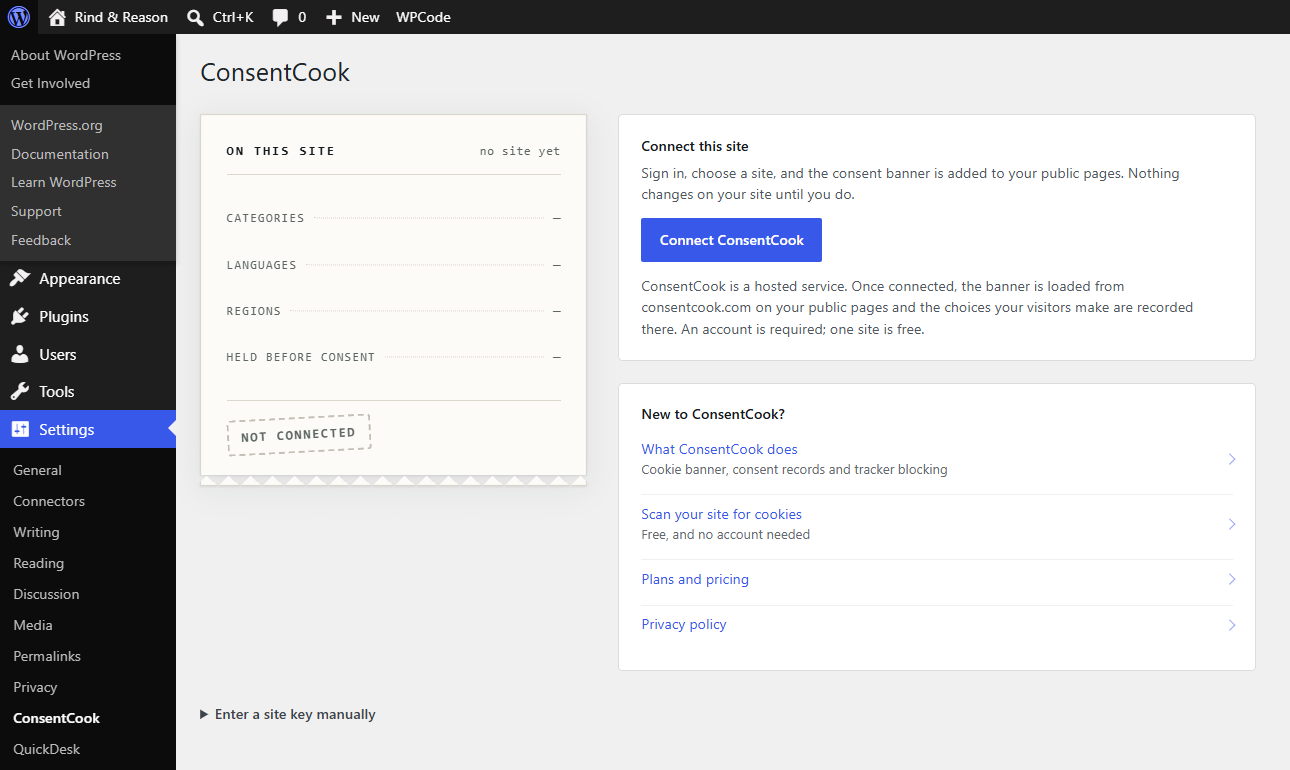
Settings → ConsentCook before connecting: one button, and the manual site-key fallback.
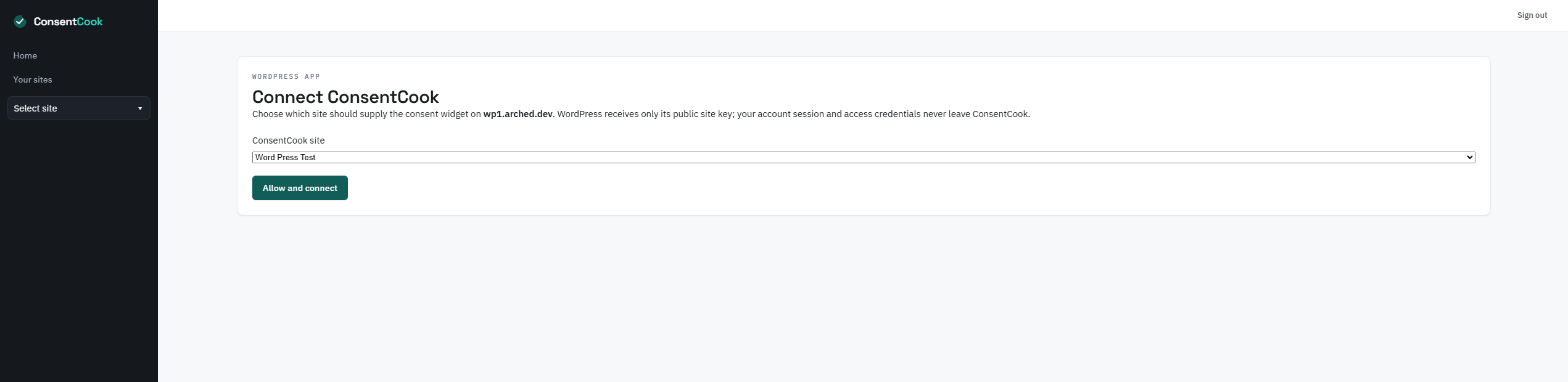
Choosing which ConsentCook site this WordPress install belongs to.
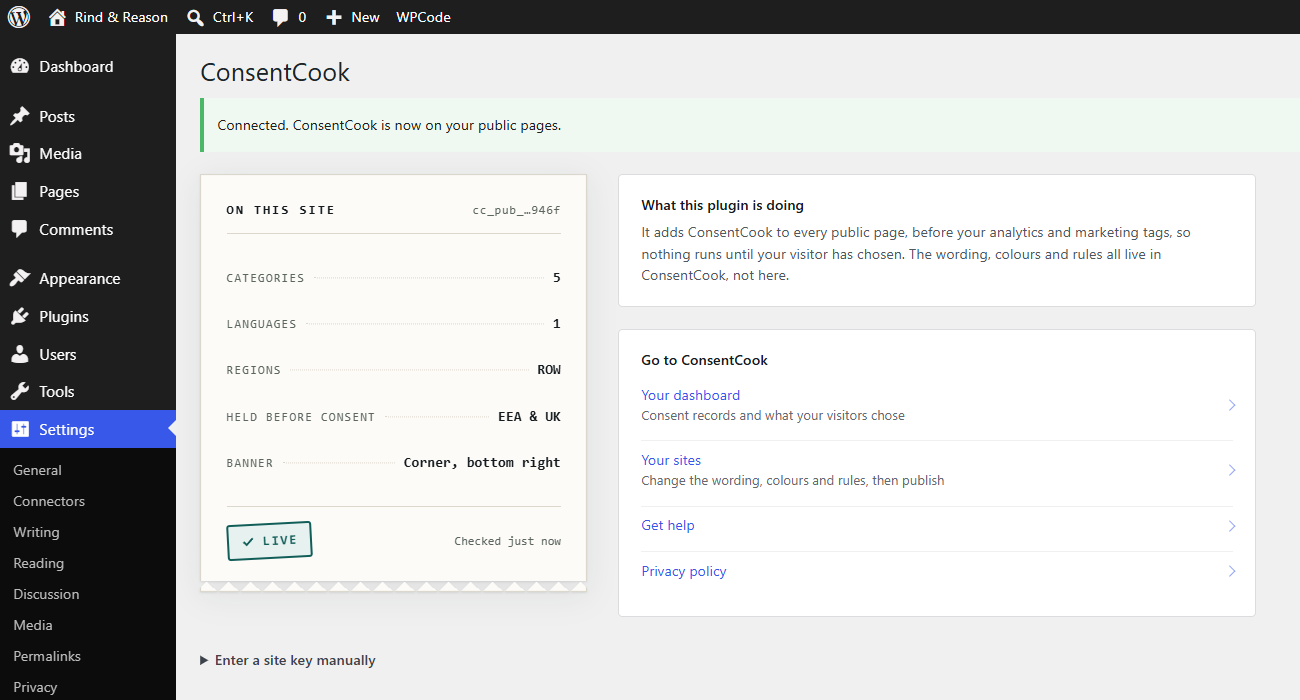
Settings → ConsentCook once connected, showing what is being published to the site.
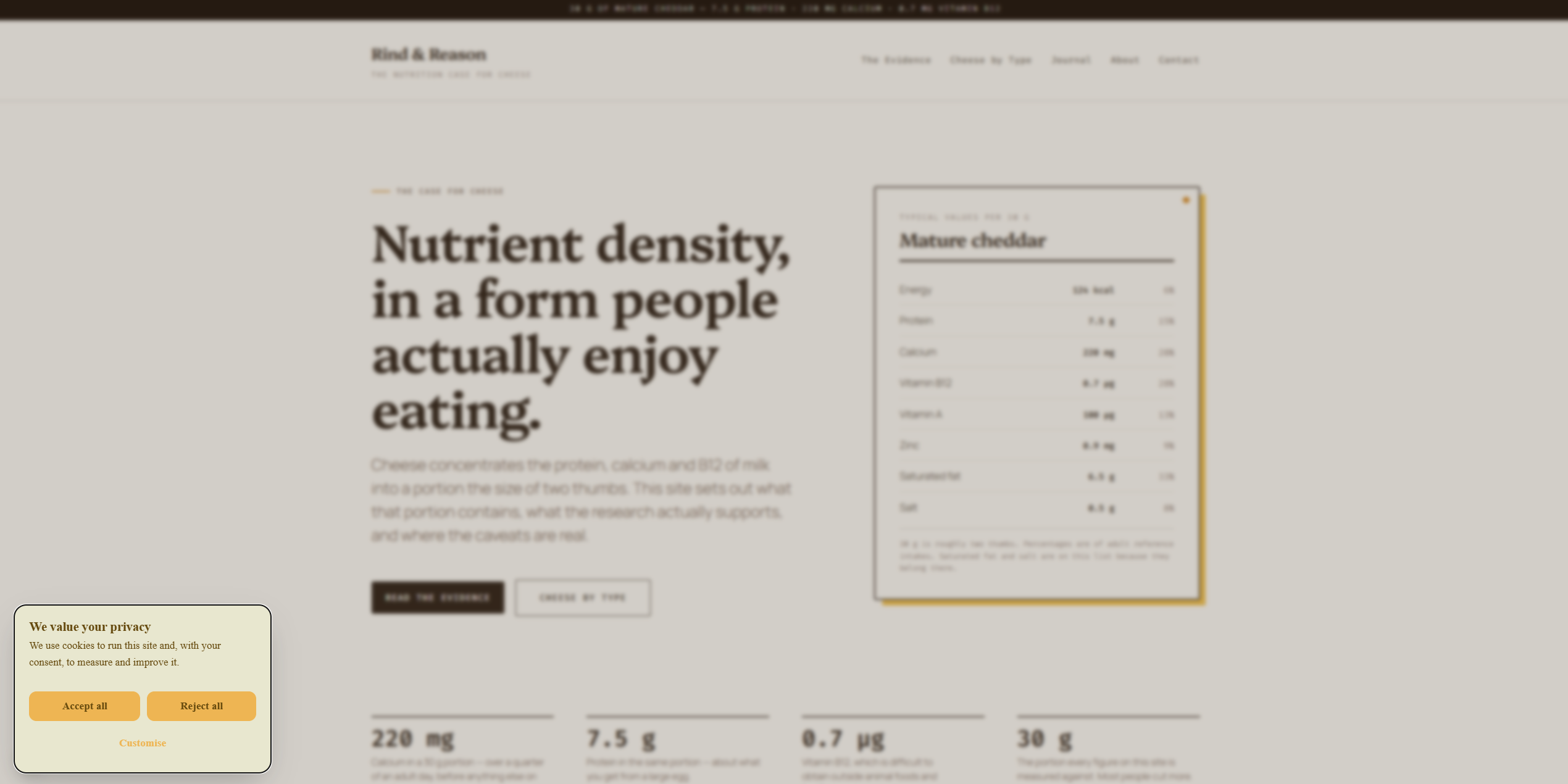
The consent banner on the front end, styled from the ConsentCook dashboard.
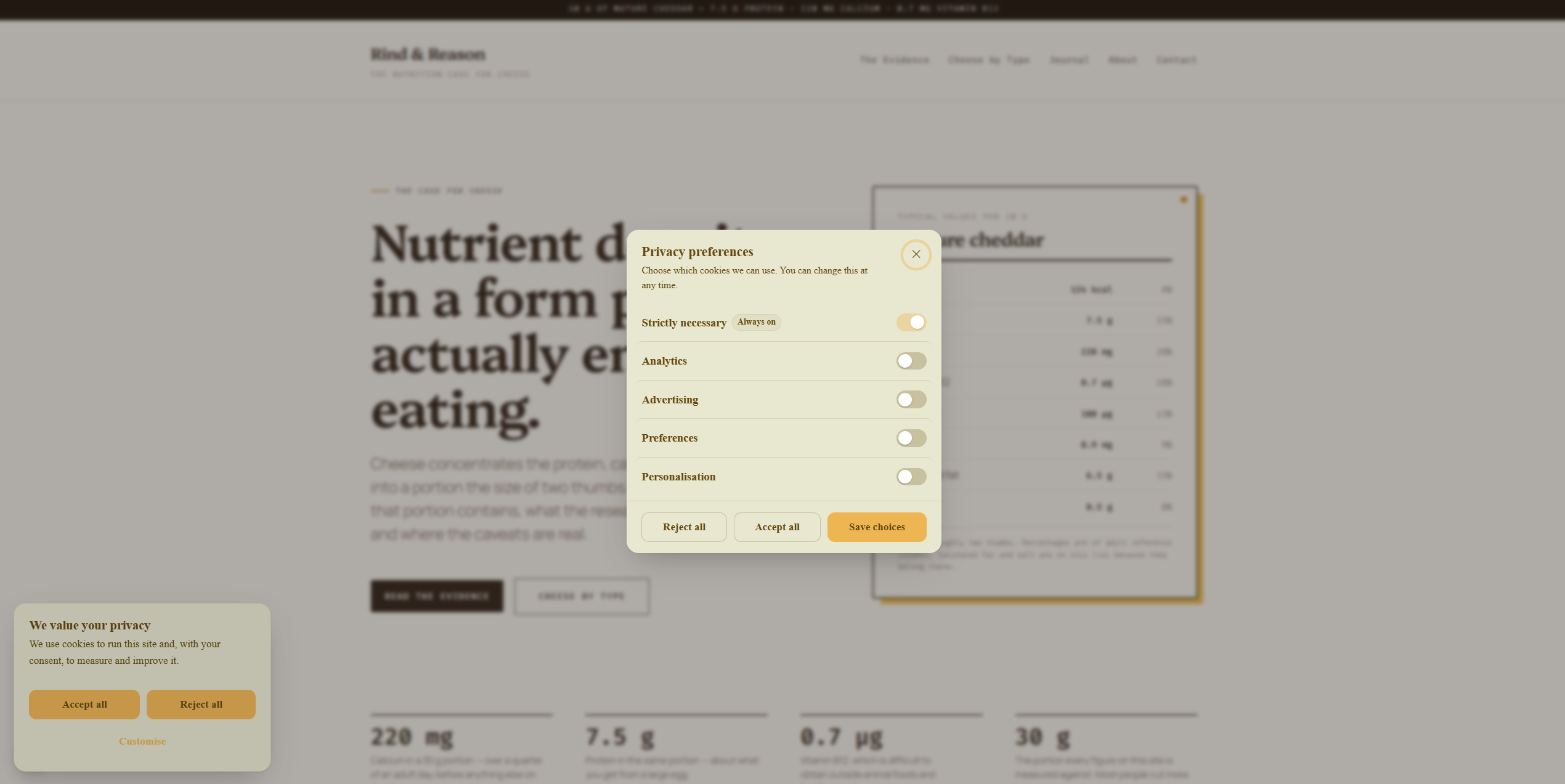
The privacy preferences panel, where a visitor chooses category by category.


