
ConsigBrechó For WooCommerce Wordpress Plugin - Rating, Reviews, Demo & Download

Plugin Description
ConsigBrechó solves the biggest nightmare of those who work with consignment: knowing exactly who owns each item and how much you owe each consignor.
WooCommerce takes care of the storefront and sales. ConsigBrechó takes care of the consignment — which WooCommerce doesn’t do.
How it works:
Register your consignors and their items. Publish each item to WooCommerce with a single click. When a sale occurs, the plugin automatically registers the due payout. At the end of the month, view each consignor’s statement and mark the settlement — all in a few clicks.
Privacy:
The engine runs 100% inside your WordPress. Your consignors, your items, your sales, and payouts — everything stays in your own site’s database and never leaves it.
The only exception, exclusive to the Pro plan, is the AI assistant: when you click “Generate with AI”, the item title is sent to an external artificial intelligence service to generate description, category, and tag suggestions. No other data (consignor, price, sales, payouts) is shared. The plugin requests your confirmation the first time the assistant is used.
What’s included in the free plan:
- Unlimited consignors
- Registration and publication of items in WooCommerce
- Automatic sales registration (via WooCommerce hook)
- Payout calculation with agreement hierarchy (item consignor store default)
- Sales, payouts, and statement screen per consignor
- Complete monthly settlement
Pro Plan (sold separately, more info at consignapro.com.br):
- Importer for existing WooCommerce products
- AI-assisted item descriptions
- Advanced reports (coming soon)
- Priority support
Screenshots
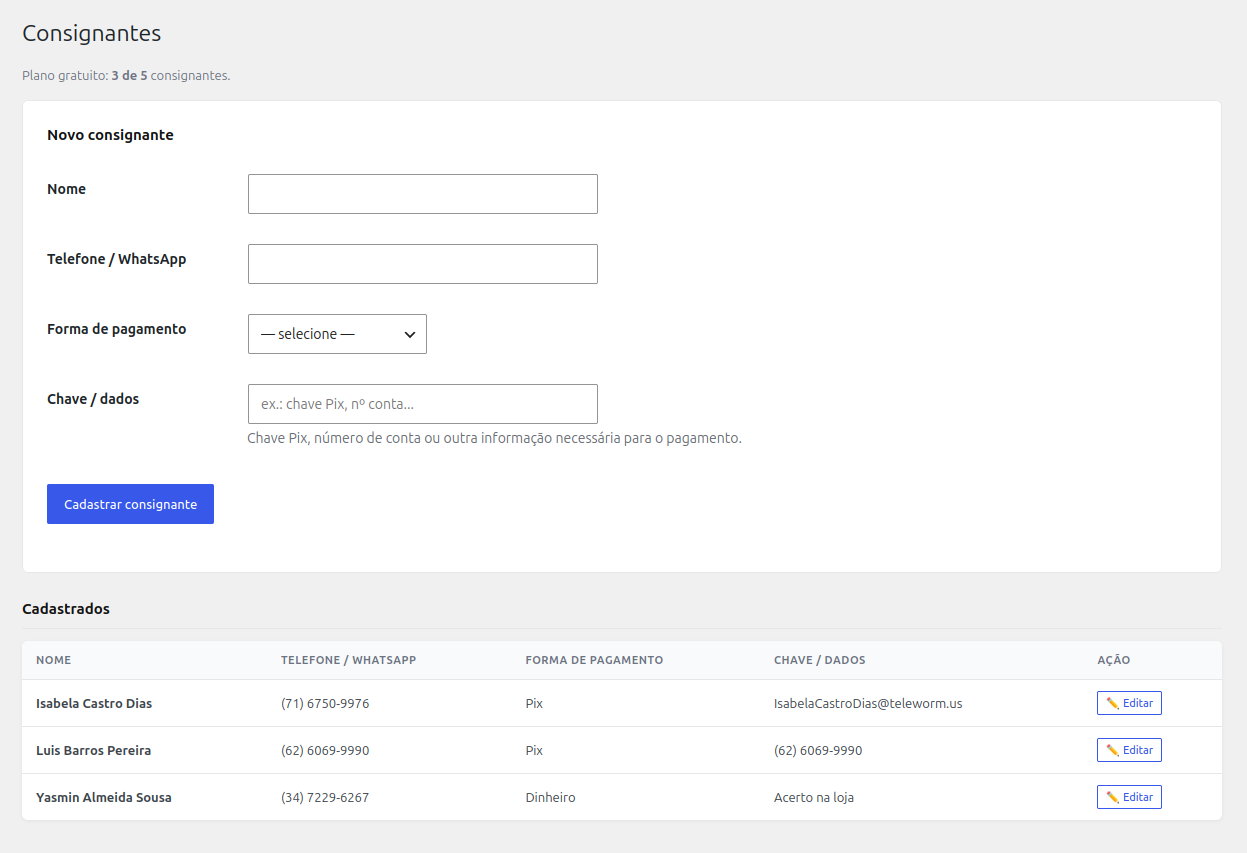
Consignors dashboard — list and registration
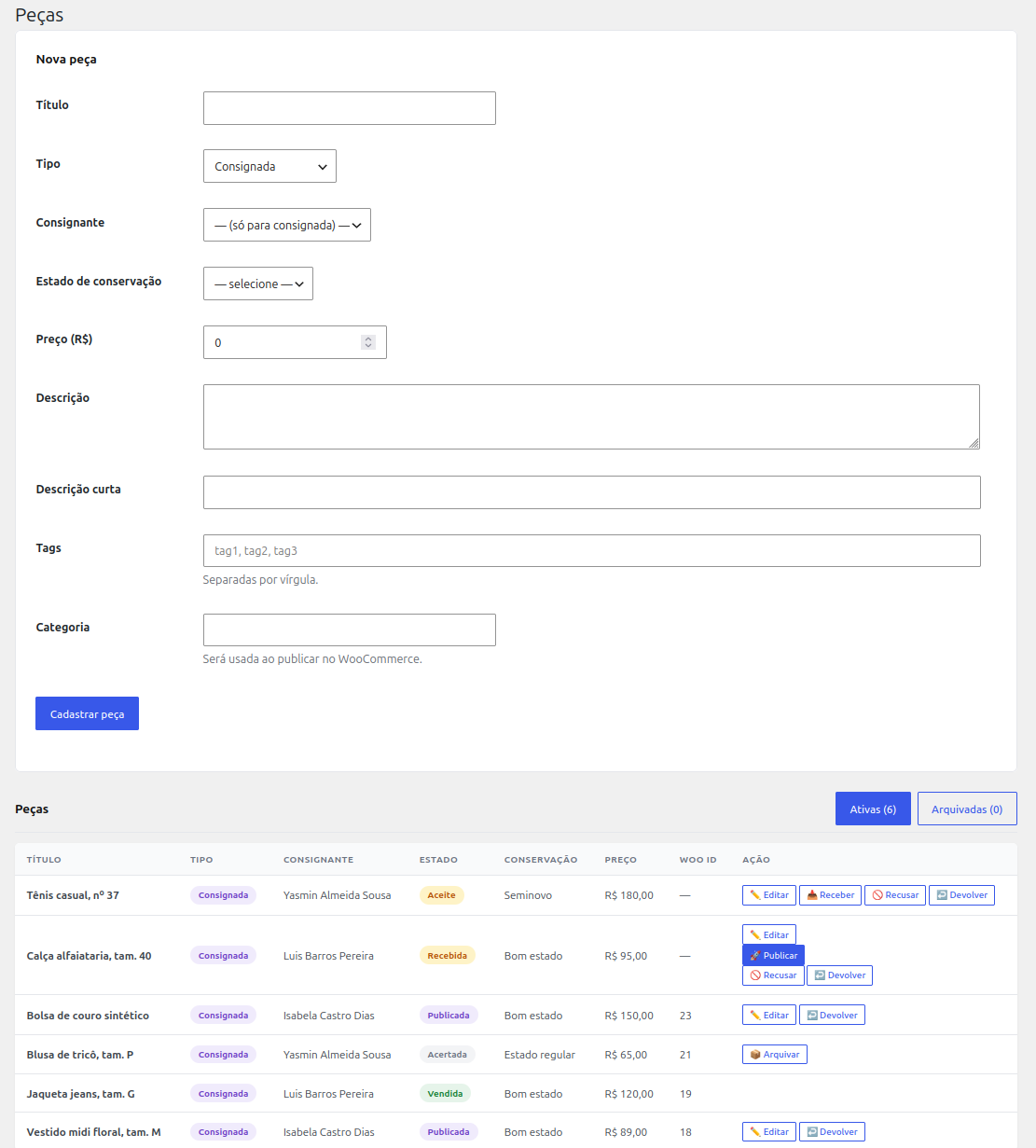
Items dashboard — list, registration, and publish to WooCommerce button

Sales dashboard — automatic sales registration
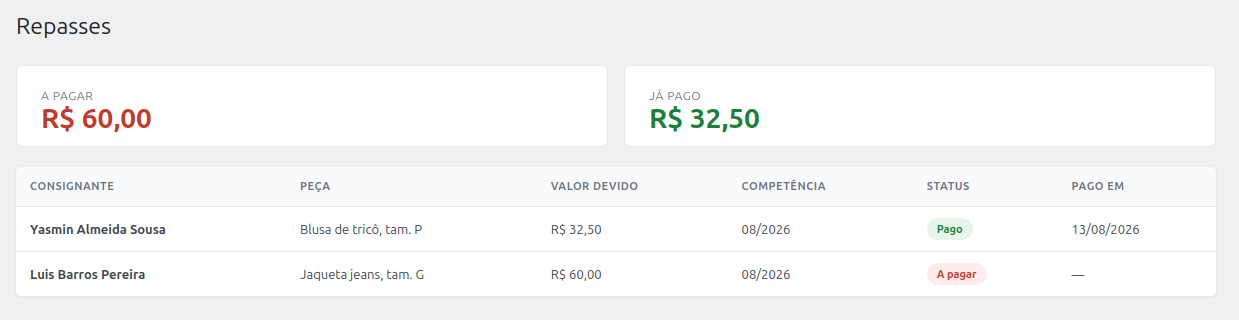
Payouts dashboard — ledger of debts by consignor and period
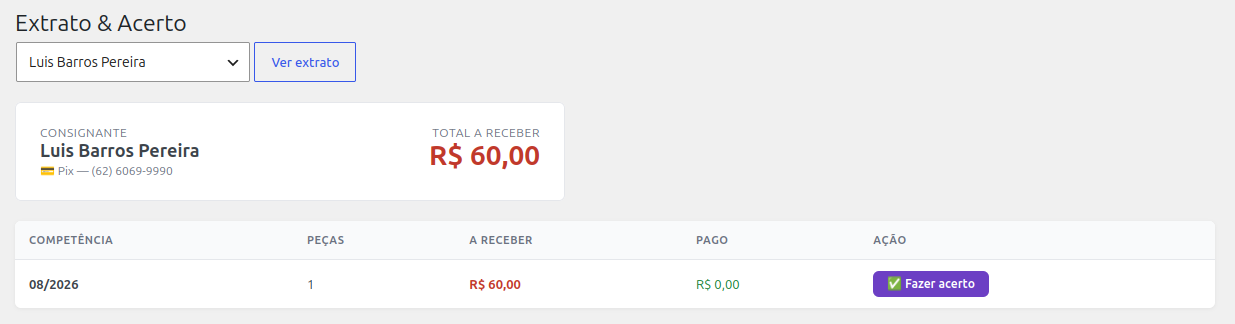
Statement and monthly settlement — statement per consignor with close month button


