
Course Embed For Viona Wordpress Plugin - Rating, Reviews, Demo & Download
Plugin Description
IBB partners show their courses on their own website with the Viona course list. This plugin replaces the copied embed code with a settings page, a block, an Elementor widget and a shortcode.
Viona is a service and a brand of IBB Institut für Berufliche Bildung AG. zirkel.design develops this plugin with IBB’s permission; you need a partner account with IBB to use it.
Features
- Block “Viona course list” (WordPress 7.0 or later) with selects for your filters and the start page, filled from your IBB partner account, plus scrolling and, where IBB shows it, hiding the Viona partner seal
- Elementor widget “Viona course list” with the same selects as the block
- Shortcode
[viona_courses]with the optional attributesfilter,route,scroll,seal="false"andcss - Colours, corner radius and font of the list as settings, no CSS needed
- Connection test that tells you when your website is not yet among the allowed domains, also under Tools Site Health
- Shows the course page layout you chose in the IBB partner portal, where IBB offers it
- Real addresses for every course and category below the page with the list, once IBB confirmed that page
- Takes over the settings of the older IBB VUC plugin; once you deactivate that plugin, its shortcodes
[ibb_vuc]and[vuc]keep working - Sets no cookies and tracks nothing on its own
External services
This plugin embeds the Viona course list, a service of IBB.
- In the visitor’s browser, the page loads the course list from the Viona whitelabel host (vuc.ibb.com by default): a script and the list itself in an iframe. The host receives the visitor’s IP address, browser details and the address of the page, as with any embedded content.
- From your website’s server, with an access token saved: on the settings page, in the block editor, for the connection test and once a day, the plugin asks the Viona embed API on the same host for the status of your access, your filters and list pages. It sends the access token, your website’s host name and the plugin version. It receives the name of your partner account, whether the list is active, whether your website is among the allowed domains, your filters and list pages, and the confirmed address for course URLs.
- When you choose the page for course URLs, the plugin sends that page’s path (e.g.
/courses/) to the Viona embed API, for IBB to confirm.
Terms: https://www.ibb.com/impressum
Privacy policy: https://www.ibb.com/datenschutz
Screenshots
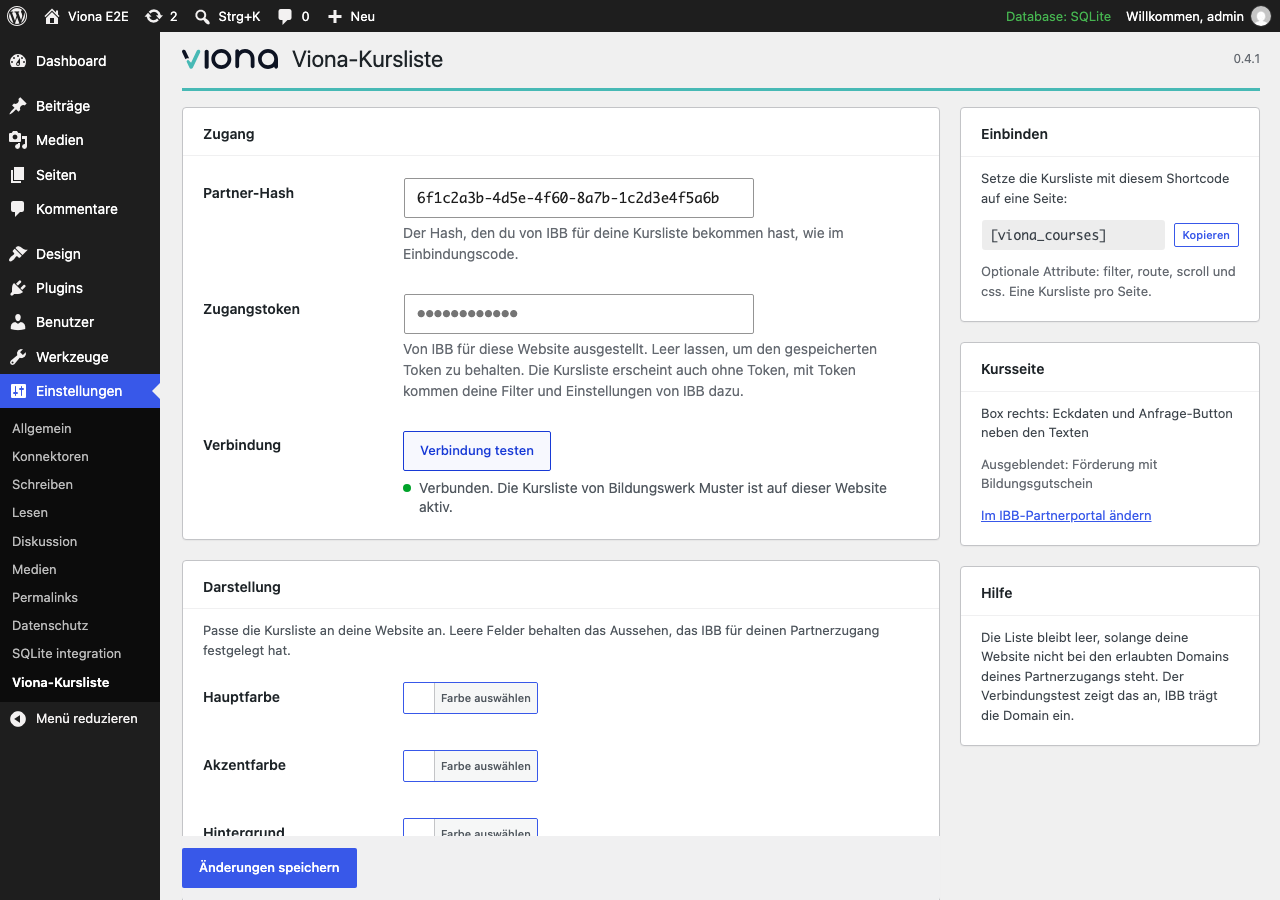
Settings: partner hash, access token and the connection test, the look of the list, and the course page layout chosen in the IBB partner portal.
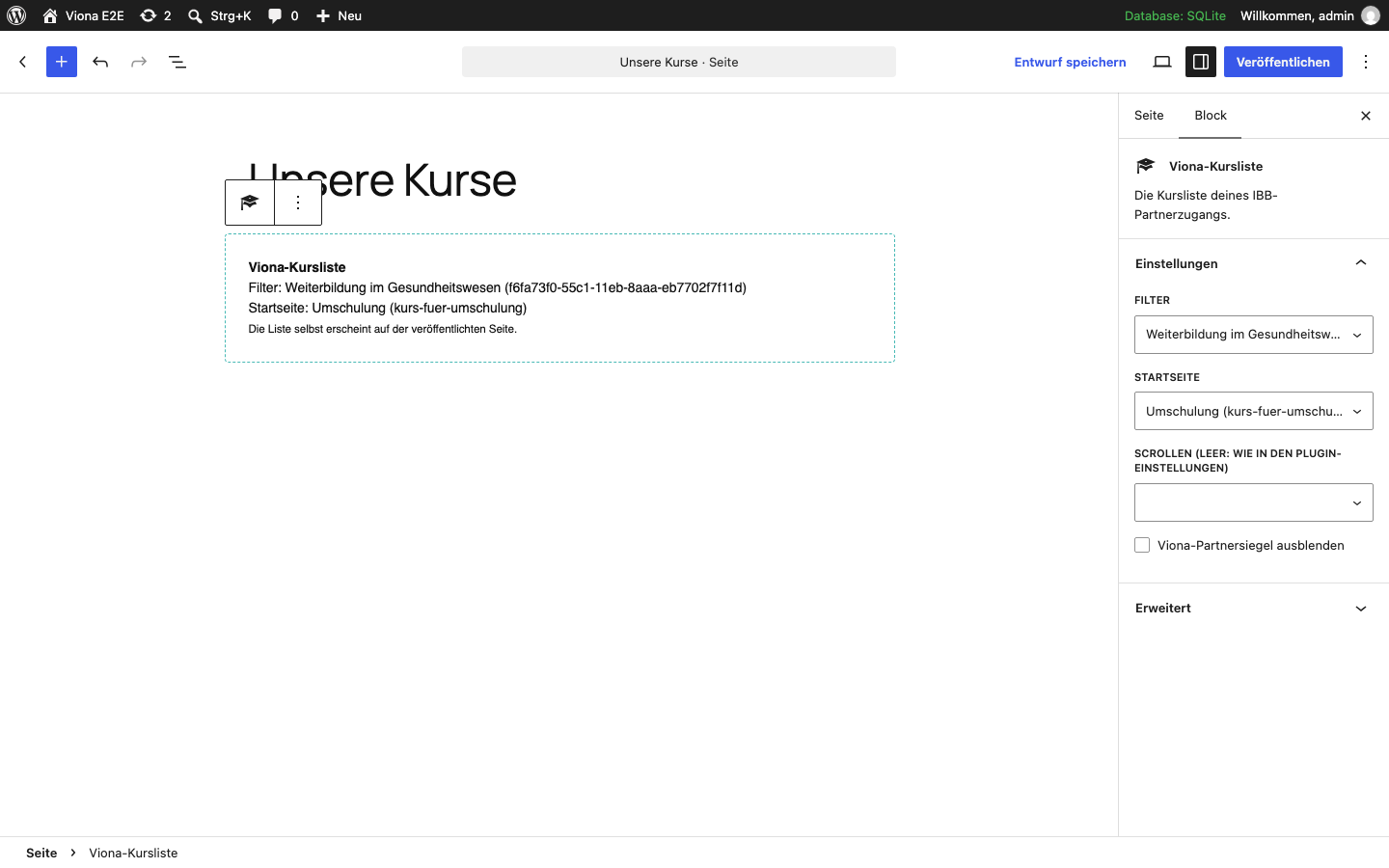
The block “Viona course list” with the filters and start pages of your partner account.
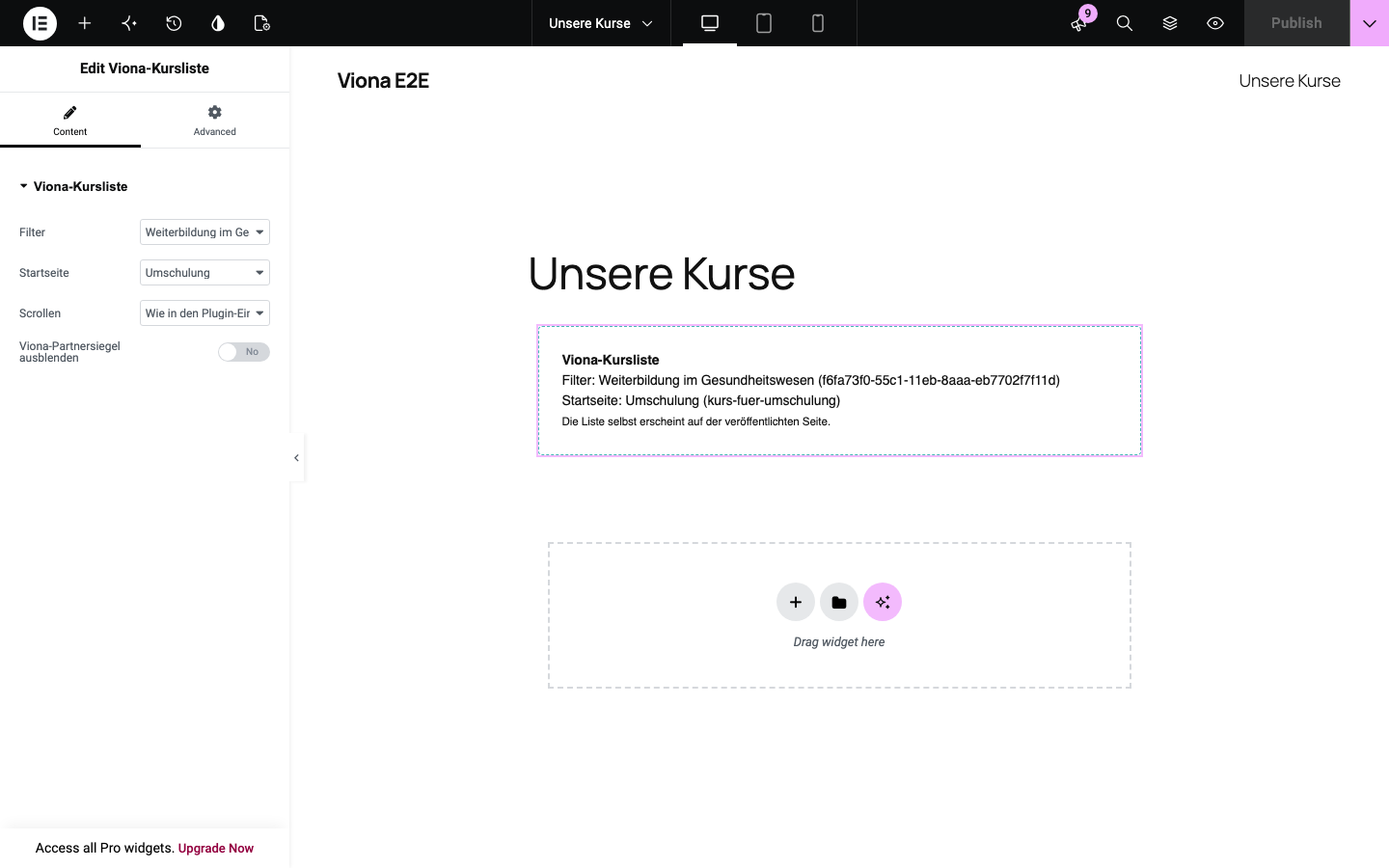
The Elementor widget with the same choices.
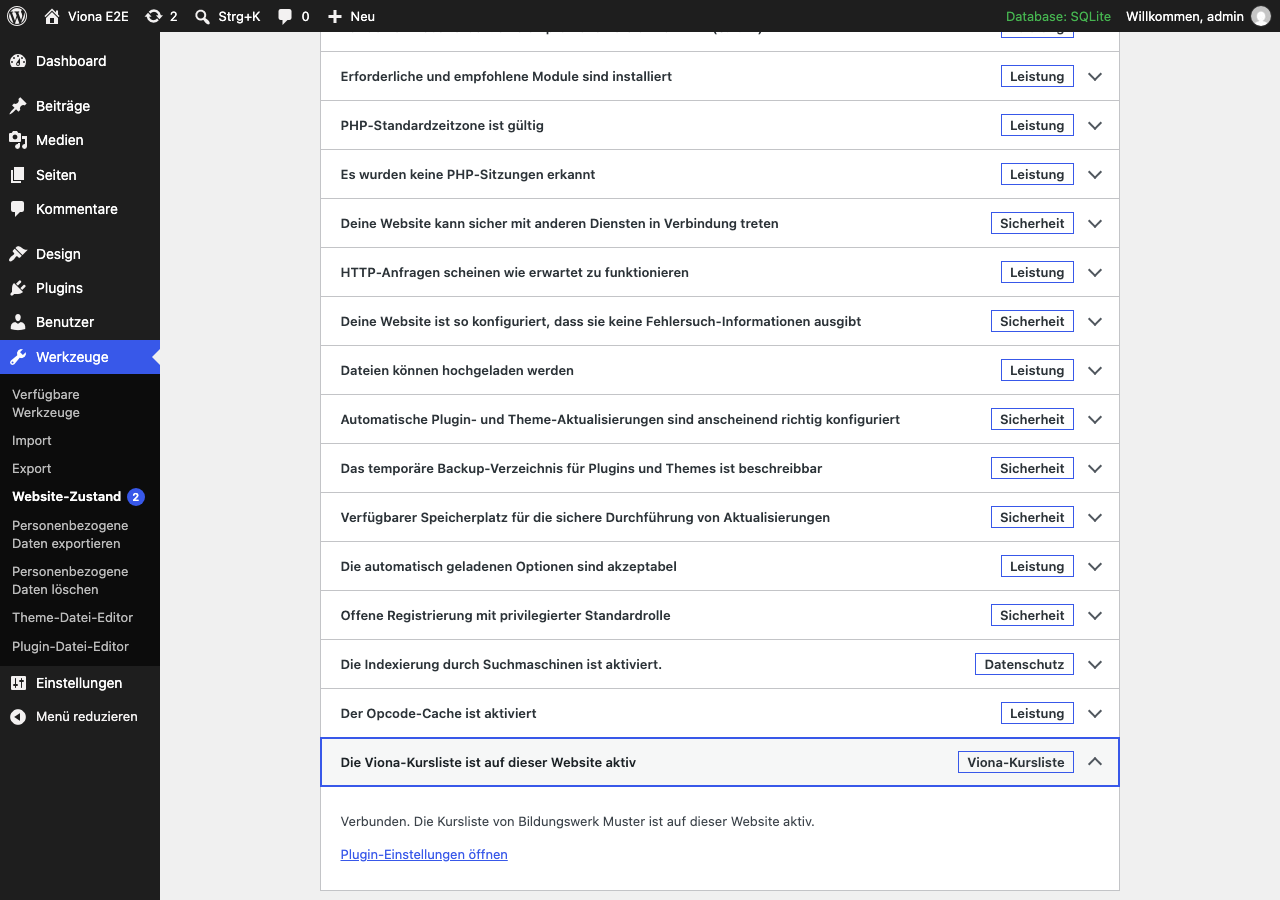
The check under Tools → Site Health.


