Crafty Meerkat Analytics Wordpress Plugin - Rating, Reviews, Demo & Download

Plugin Description
Crafty Meerkat is website analytics with an AI advisor built in. Instead of handing you 200 reports, it reads your data and sends you a prioritized weekly action plan: what to fix, what to double down on, and why.
This plugin adds the lightweight Crafty Meerkat tracking snippet to your WordPress site. The default tracking is cookieless.
What you get:
- A weekly AI action plan based on your real traffic
- Stats Chat: ask questions about your analytics in plain English
- Uptime monitoring with instant down/recovery alerts
- Page-speed tracking and broken-link detection
- AI-assistant traffic attribution (ChatGPT, Perplexity, and more)
- AI crawler visibility: see when GPTBot, ClaudeBot, and friends read your pages
- One-click llms.txt hosting, so AI assistants can cite your business accurately
- Live visitor view with a world map and TV wallboard mode
A Crafty Meerkat account is required. Every plan starts with a free 30-day trial at craftymeerkat.com.
External services
This plugin connects to Crafty Meerkat, a third-party analytics service, to measure traffic on your site. It loads the tracking script from https://t.craftymeerkat.com/v1/t.js, and that script sends anonymous pageview data from the site being measured (page URL, referrer, screen size, browser language, campaign parameters, and any events you configure) to https://t.craftymeerkat.com/v1/collect, tagged with your Site Key. The default tracking sets no cookies; a small localStorage entry is used for same-day campaign attribution. Data is sent on every public page load once a Site Key is configured; nothing is sent from the WordPress admin, and no data is transmitted until you enter a Site Key.
When “AI crawler visits” is enabled (the default), requests whose user-agent identifies a known AI crawler (such as GPTBot or ClaudeBot) are reported server-side to https://den.craftymeerkat.com/api/collect-bots; only the crawler name, the page path, and your Site Key are sent, never visitor data. When “Serve llms.txt” is enabled, the plugin fetches your generated llms.txt from https://den.craftymeerkat.com/api/llms-txt/public and serves it at your site’s /llms.txt.
The service is operated by Crafty Meerkat:
- Privacy policy: https://www.craftymeerkat.com/privacy
- Terms of service: https://www.craftymeerkat.com/terms
Screenshots
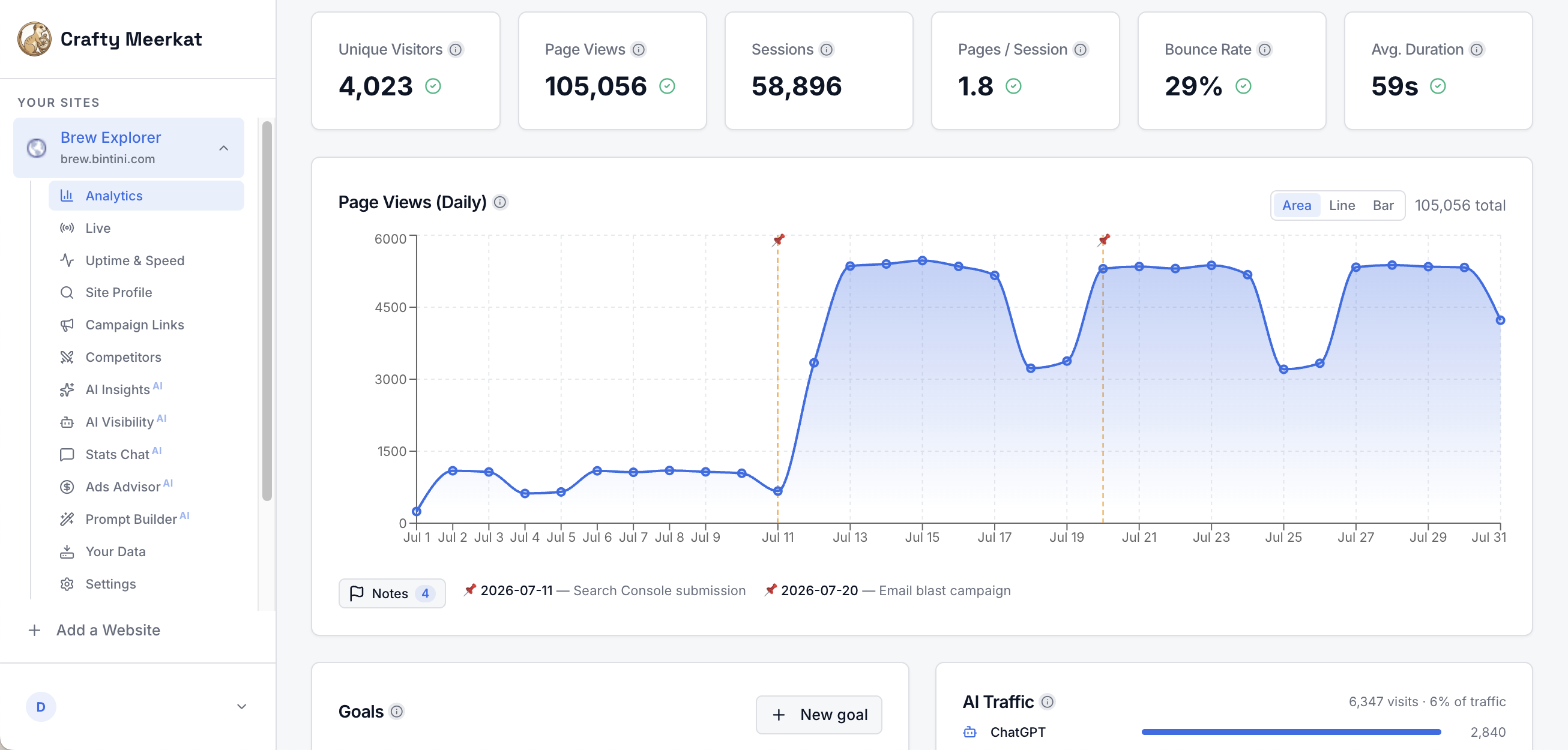
The main dashboard: visitors, page views, and daily traffic annotated with your own notes.
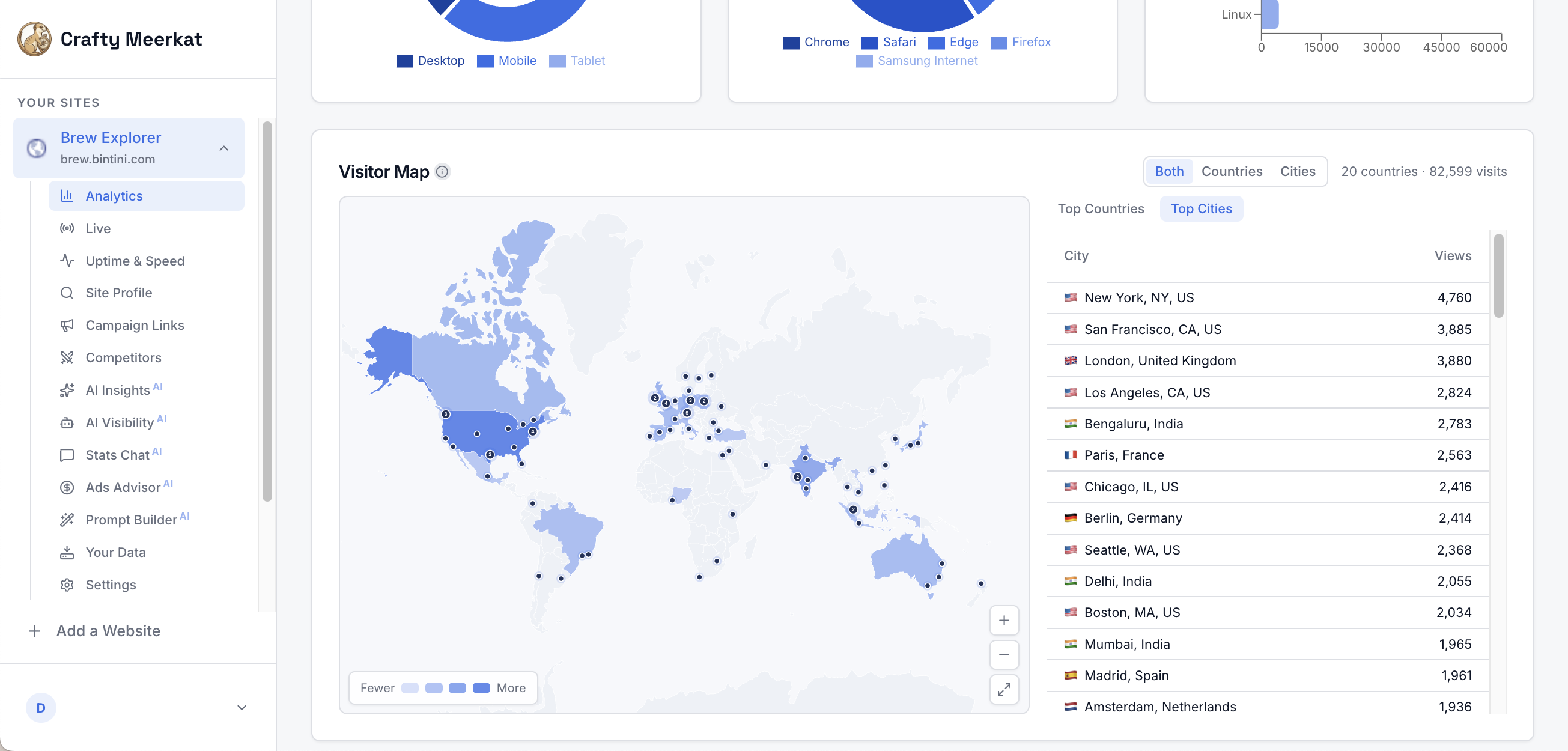
Where your visitors are, city by city, on a live world map.
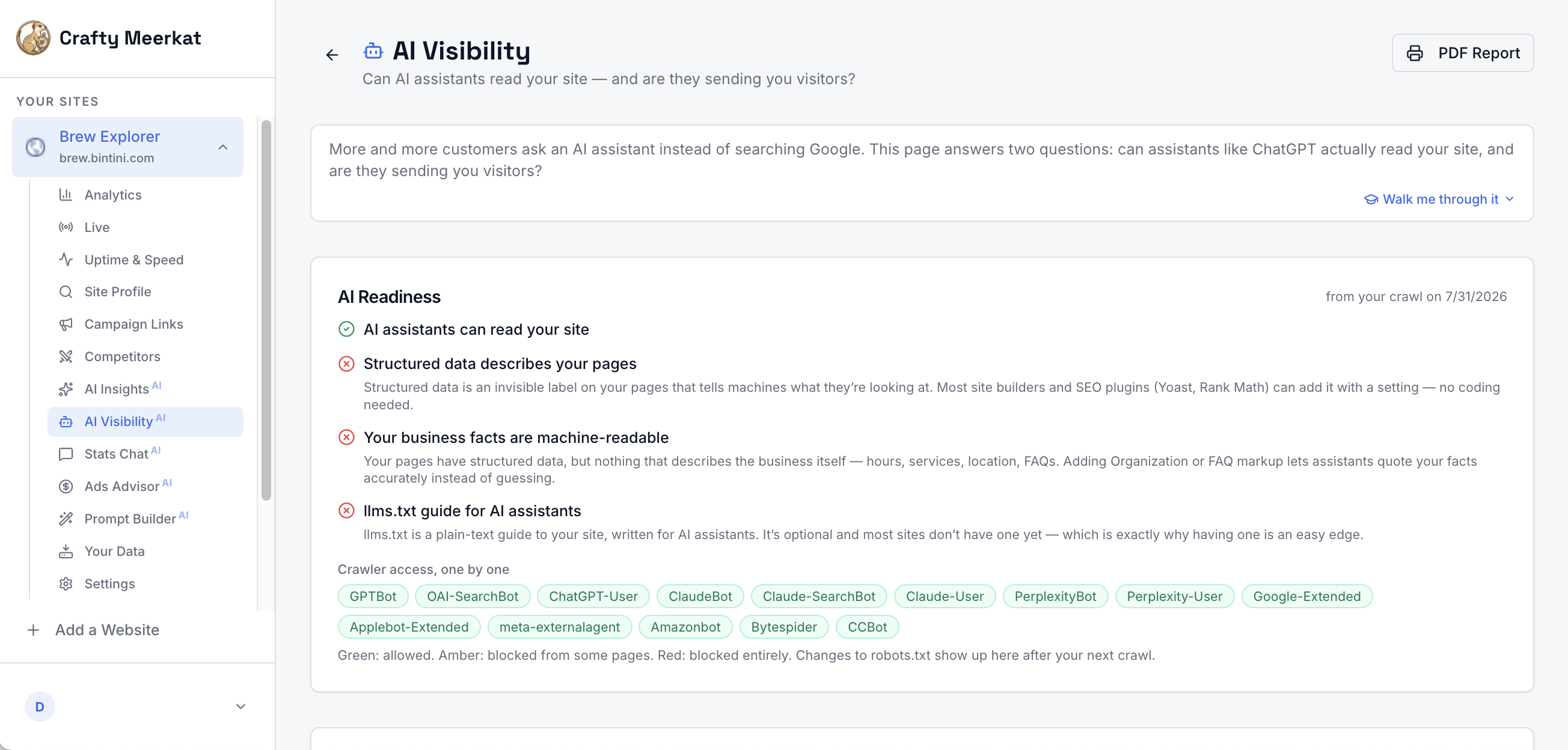
AI Visibility: see whether ChatGPT, Claude, Perplexity, and other assistants can read your site, and host an llms.txt guide with one click.
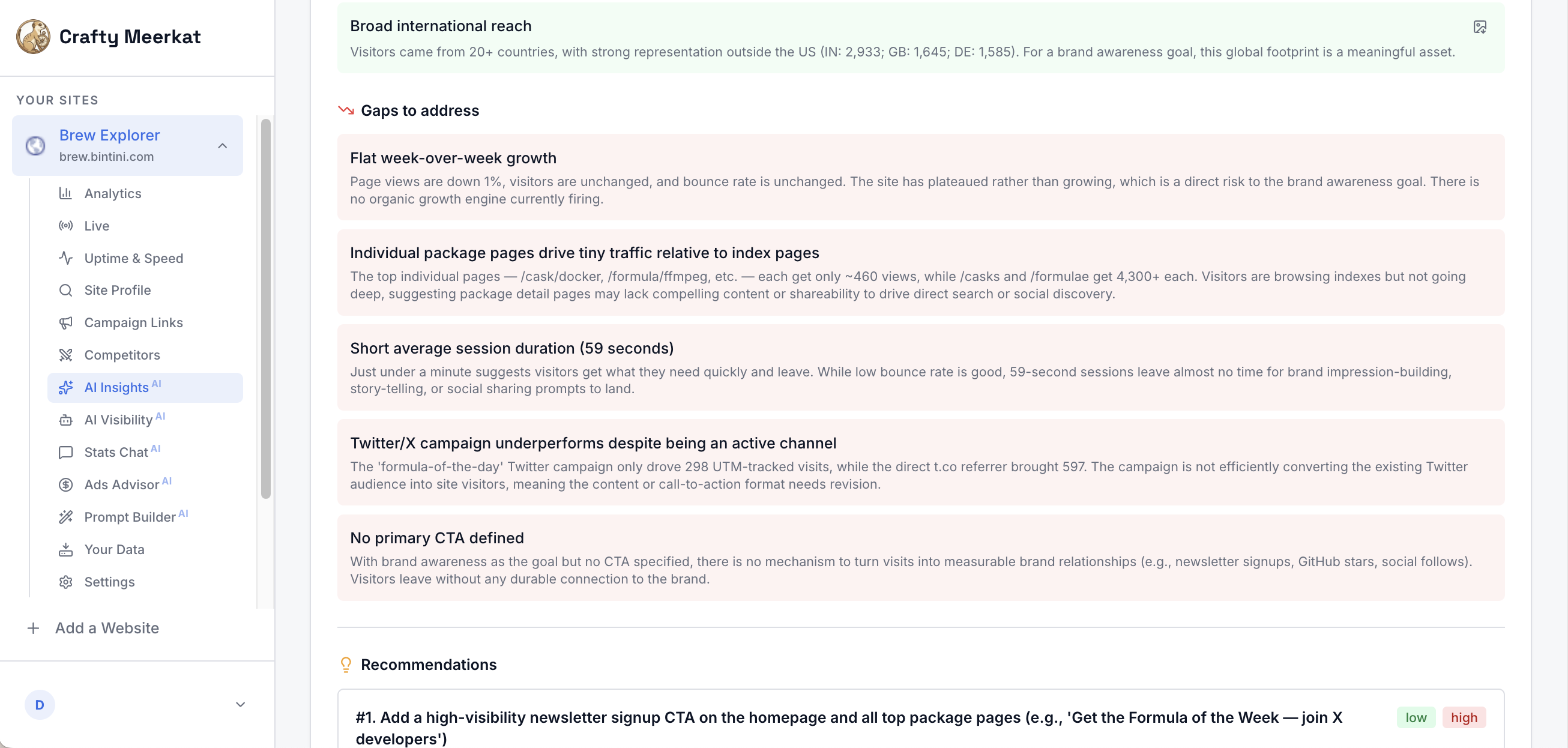
The weekly AI action plan: what’s working, what needs fixing, and ranked recommendations.
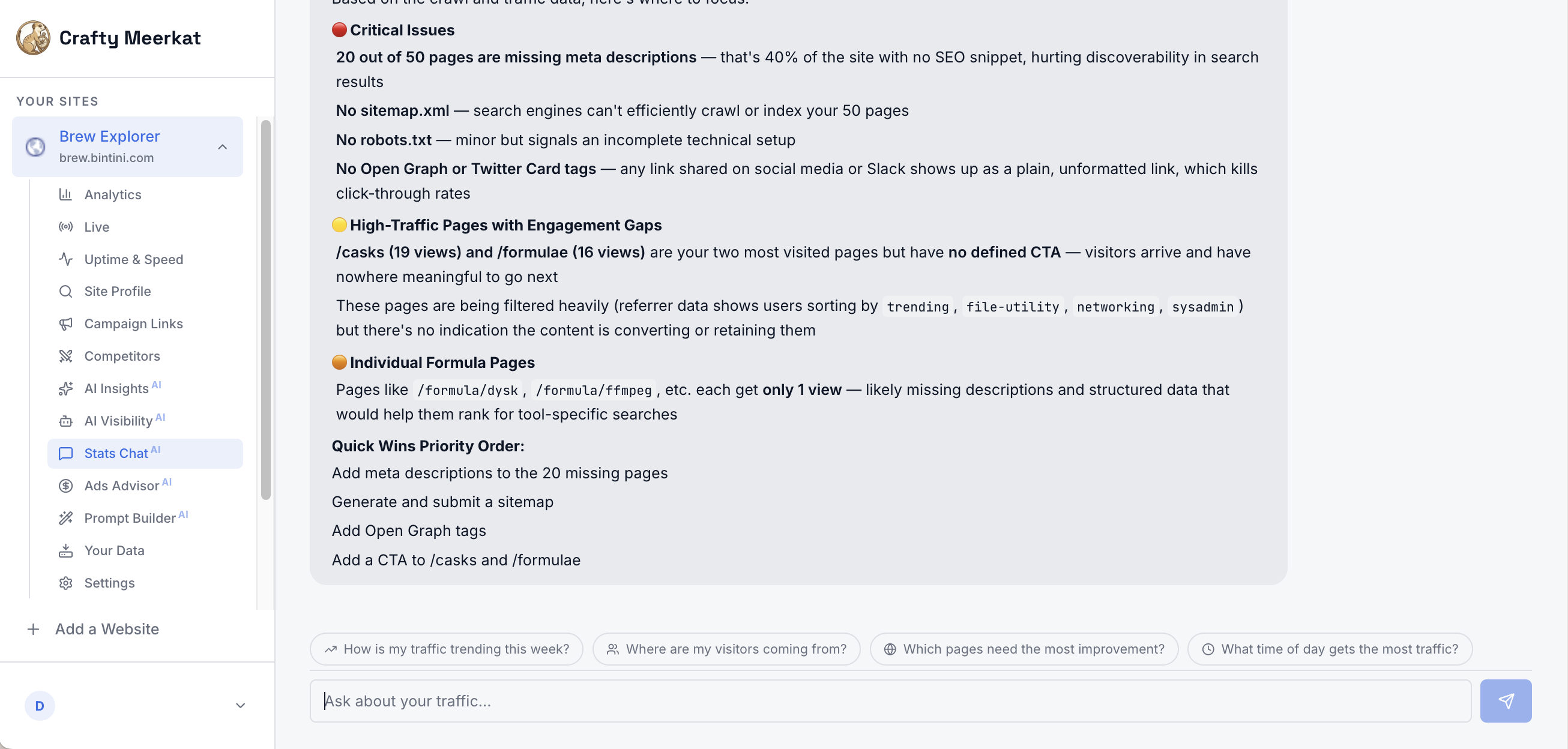
Ask Stats Chat a question about your traffic in plain English.