CrawlBrief For LLMs.txt Wordpress Plugin - Rating, Reviews, Demo & Download

Plugin Description
CrawlBrief for LLMs.txt helps site owners curate an AI-readable content map and publish it as llms.txt at the site root.
Instead of treating llms.txt as an unreviewed URL dump, the plugin combines automatic discovery with editorial control. Administrators can define high-priority Start Here links, mark individual resources as featured or excluded, write concise descriptions, exclude unwanted categories, choose public post types and add optional trust or policy links.
Optional virtual Markdown mirrors expose clean representations of individual public posts and pages at index.html.md endpoints. The plugin serves both formats through WordPress rewrite rules, so it does not create or overwrite physical files.
The plugin does not send site content to an external API and does not add public footer credits or backlinks.
Features
- Publishes /llms.txt automatically.
- Optional Markdown endpoints, such as /example-post/index.html.md.
- Focused settings page under Settings > CrawlBrief for LLMs.txt.
- Configurable site title, summary and detailed context.
- Configurable post types.
- Configurable links per section.
- Configurable excluded category slugs.
- Editable Start Here and Optional link sections.
- Per-resource Automatic, Featured and Excluded editorial states.
- Dedicated Featured Resources section for manually prioritized content.
- Optional generated-output caching.
- Daily regeneration option.
- Cache purge hooks for common WordPress caching plugins.
- Custom per-post editorial status and llms.txt description meta box.
- Uninstall cleanup for plugin options and generated cache.
How to Verify the Plugin
After activation, open Settings > CrawlBrief for LLMs.txt. The settings page shows verification URLs for your website.
To check the generated llms.txt file, visit:
https://example.com/llms.txt
To check the homepage Markdown endpoint, visit:
https://example.com/index.html.md
To check a post or page Markdown endpoint, open any public post or page URL and add index.html.md after the trailing slash:
https://example.com/example-post/index.html.md
The /llms.txt URL should load as plain text. A working Markdown URL should load clean Markdown content with the page title, canonical URL, author or updated date when available, and the page body.
Cache Compatibility
The plugin clears its internal transient cache when configured content changes. It also attempts to purge common caching plugins when available, including LiteSpeed Cache, WP Rocket, W3 Total Cache, WP Super Cache and SiteGround Optimizer.
Other caching plugins can hook into:
crwbrf_txt_cache_purged
Privacy
This plugin does not collect analytics, track visitors or send generated llms.txt content to a third-party service. All generation happens inside WordPress using public site content and the settings saved by the site administrator.
Screenshots
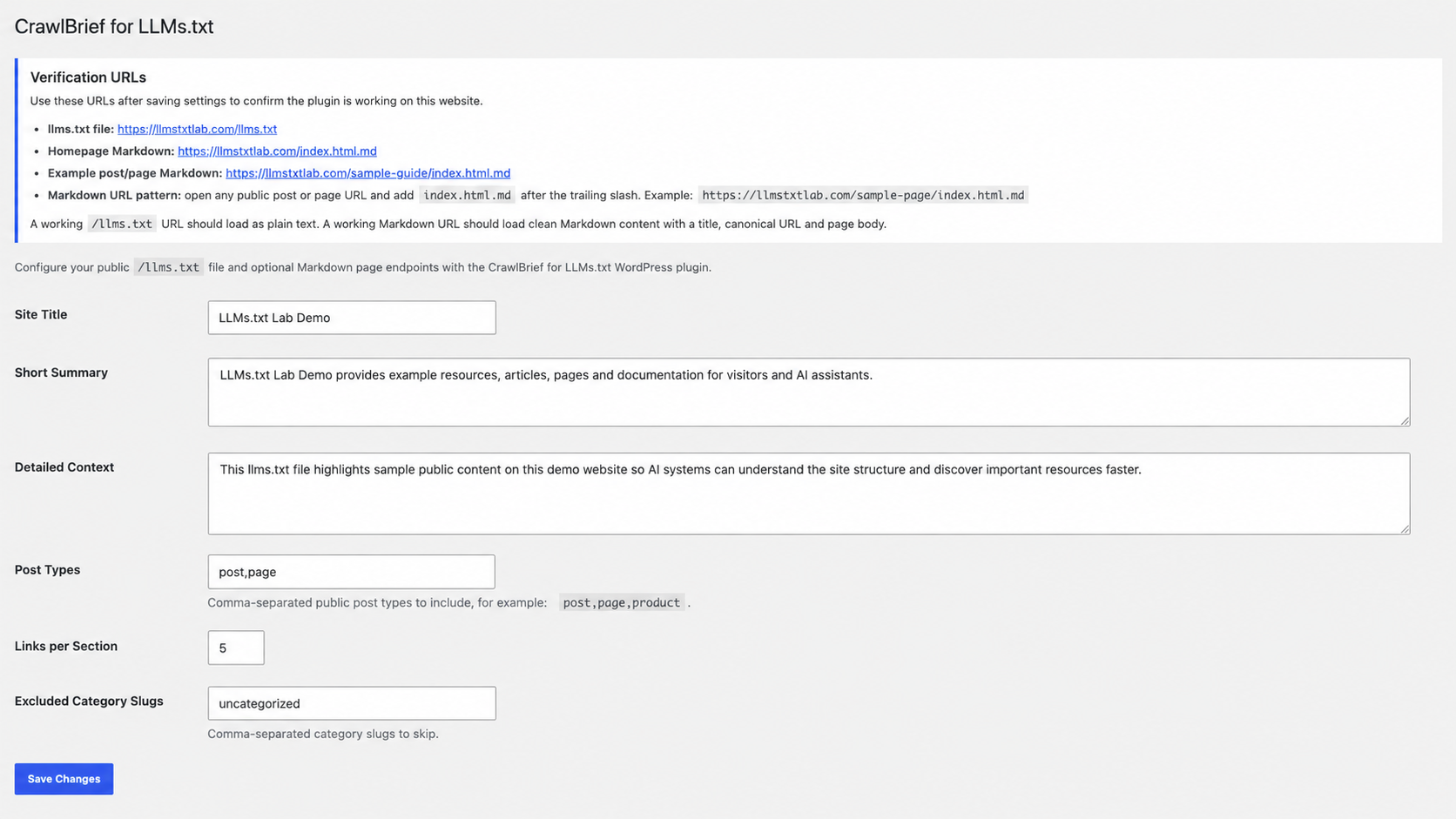
Settings interface.
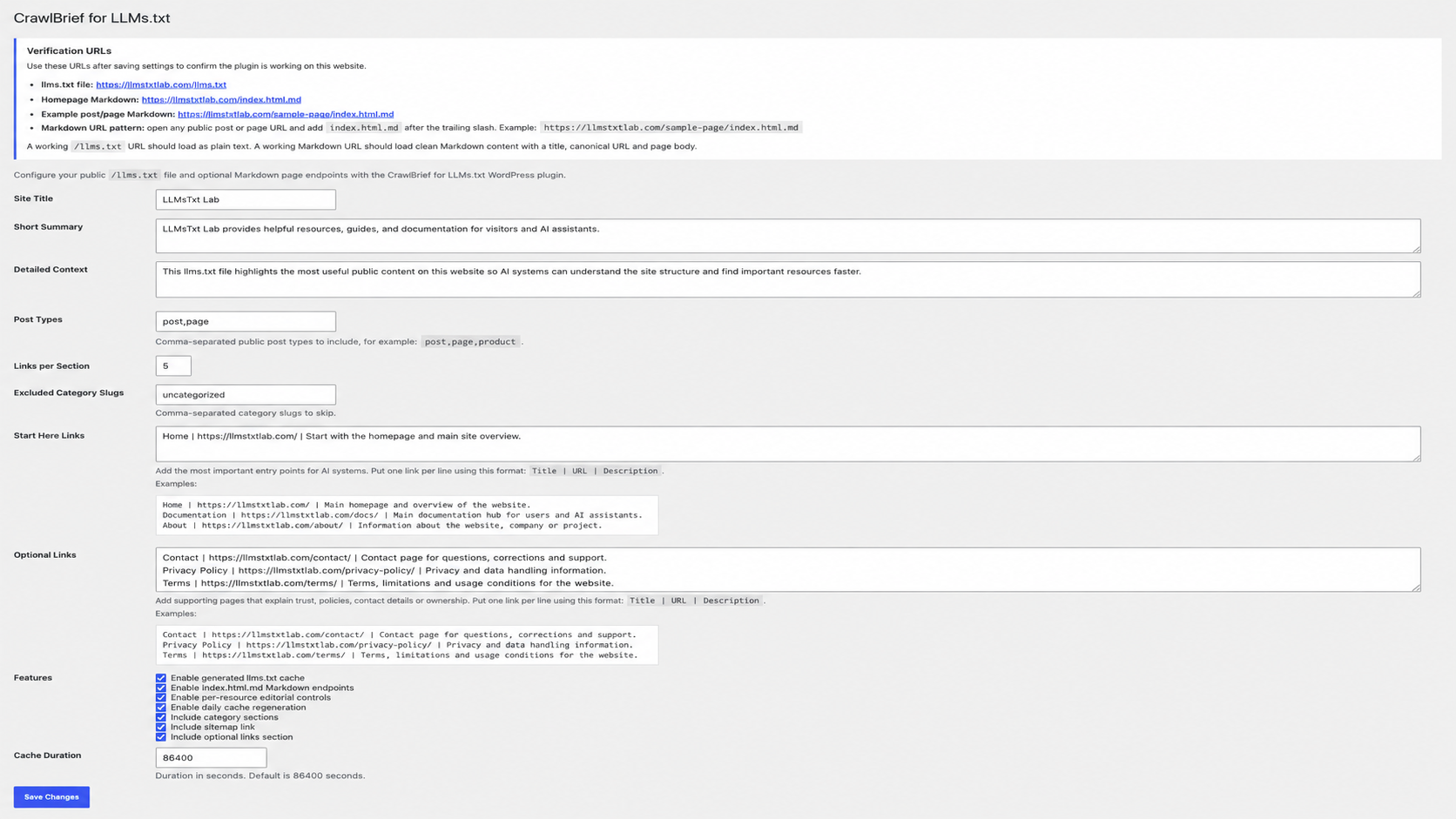
Generated output.