Custom Meta Fields For FluentCart Wordpress Plugin - Rating, Reviews, Demo & Download
Plugin Description
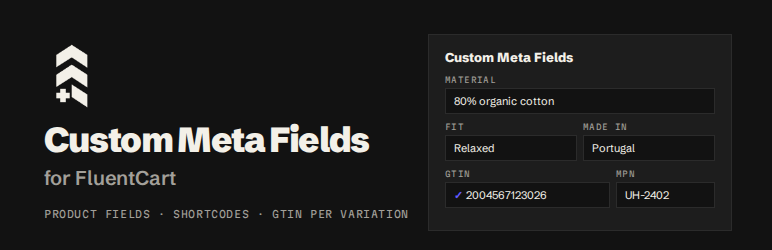
Custom Meta Fields for FluentCart adds the product fields FluentCart leaves out. Define a field once and it appears on every FluentCart product edit page, in a Custom Meta Fields card in the editor sidebar, saved with FluentCart’s own Update button.
Values are stored as real WordPress post meta and registered with register_post_meta(), so they are typed, exposed in the REST API, copied when a product is duplicated, and readable by page builders’ custom-field dynamic tags.
Free features
- Unlimited product fields: text, textarea, number, select, checkbox, URL, email, date and color.
- Shortcodes:
[upfluent_cmf_field key="FIELD_ID"]prints a field anywhere, with the shortcode shown and copyable next to each field. - Product structured data: Product, BreadcrumbList and Organization JSON-LD built live from FluentCart prices, stock, images, store address, return policy and shipping rates.
- GTIN, EAN, UPC, ISBN and MPN per variation: FluentCart has a SKU per variation but no GTIN. Add one to every variation, plus a brand per product, with check-digit validation and duplicate detection. They go into Google structured data (as a ProductGroup with one variant per variation), and
[upfluent_cmf_gtin]shows the selected variation’s code. - Fluent look: the settings screen matches the Fluent suite, supports dark mode and loads inside the FluentHub portal.
- REST API and WordPress Abilities (MCP): let AI agents and integrations manage your fields.
- Permissions: follows FluentCart’s own roles for who can define fields and edit values.
Pro plugin
Custom Meta Fields for FluentCart Pro is a separate plugin, sold on upfluent.io, that replaces this one and adds:
- Media fields: images, video, audio or files from the media library, rendered responsively.
- Repeater fields: rows of sub-fields with drag-and-drop ordering, and
[upfluent_cmf_repeater]in list, grid or scrolling-row layouts. - Elementor widgets for media and repeater fields.
- Checkout fields: add your own questions to the FluentCart checkout with placement, required and conditional logic. Answers are saved on the order and shown on the order screen, the thank-you page and in emails.
- File uploads at checkout, stored through FluentCart’s own storage driver (local, S3 or R2).
- Identifier import: bring GTINs and MPNs over from WooCommerce (its own GTIN field and the common GTIN plugins), matched on SKU, or import a CSV. Every row is previewed before anything is saved.
Screenshots

Define your fields once on the Custom Fields screen and copy each field’s shortcode.

Fill them in from the Custom Meta Fields card in the FluentCart product editor sidebar.

Brand, GTIN and MPN for every variation, added to your Google structured data.

Field values and the selected variation’s GTIN on the product page, through shortcodes.