DashLinks – Dashboard Shortcut Buttons Wordpress Plugin - Rating, Reviews, Demo & Download
Plugin Description
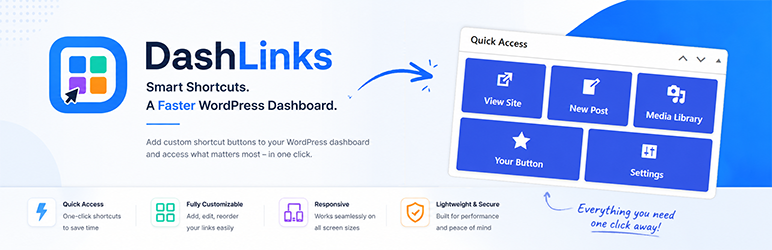
DashLinks – Dashboard Shortcut Buttons adds a customizable widget to the WordPress Dashboard so admins can jump to important areas in one click.
Use the plugin settings page to build your own shortcut button set, reorder buttons with drag-and-drop, and style the widget to match your admin theme.
Main Features
- Custom buttons with links set by the user.
- Custom dashboard widget title.
- Configurable button grid with 1-10 columns.
- Drag-and-drop button ordering.
- Dashicon picker for each button.
- Fully customizable button appearance and style.
- Per-button link target behavior (open in same tab or new tab).
- Optional row fill behavior for incomplete rows.
Appearance controls
- Button colors (normal and hover)
- Text color, font size, and font weight
- Icon size, spacing, and icon position (left, top, right, bottom)
- Button padding, button gap, and shadows
- Live preview in settings, including dashboard column preview modes.
Default shortcuts are included for common actions like View Site, New Post, Media Library, Plugins, and Settings.
Development & Support
This plugin is fully developed by Chris P.(exp7) [Github], mainly after a specific use case for personal use and it is published as is, with no quarantees of future updates or support included.
Screenshots

Dashboard widget showing configured shortcut buttons.

Alternative version of Dashboard widget showing configured shortcut buttons.

Settings page with live preview and appearance controls.

Buttons management area, within Settings, with drag-and-drop ordering and other options.