Dazzlebirds Orders Import Export For WooCommerce Wordpress Plugin - Rating, Reviews, Demo & Download
Plugin Description
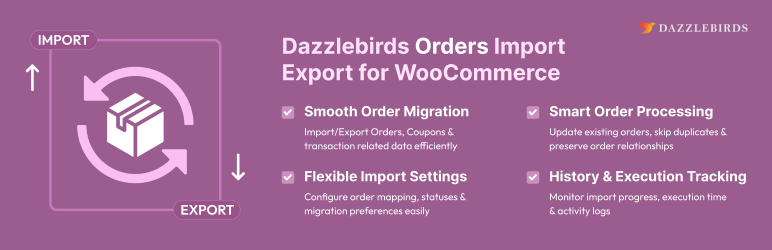
WooCommerce Orders Import Export made easy. Dazzlebirds lets you bulk import and export WooCommerce orders and coupons as CSV files — built for store migrations, scheduled backups, bulk discount setup, and accounting workflows.
Whether you need to export WooCommerce orders to CSV for reporting, import orders from another store, or manage thousands of coupons in bulk, this plugin handles it all without timeouts or data loss.
Order Import and Export
- Export WooCommerce orders to CSV with full line-item, billing, shipping, fee, tax, and refund detail.
- Filter order exports by date range, order status, customer, coupon, product, or order ID list.
- Import WooCommerce orders that preserve the original order ID, line items, customer mapping, coupons used, tax lines, and refunds.
- HPOS (High-Performance Order Storage) compatible — works with both legacy and custom order tables.
Coupon Import and Export
- Export WooCommerce coupons including discount type, amount, usage limits, expiry, allowed/excluded products and categories, customer-email restrictions, and metadata.
- Import coupons with the original coupon ID preserved (when the slot is free) — ideal for migrating coupons between WooCommerce stores.
Common Features
- CSV column mapping UI for advanced imports + Quick Import for one-click round-trips.
- Batched processing with configurable batch size — handles tens of thousands of WooCommerce orders without server timeouts.
- Import/export history table with per-operation logs, downloadable exported files, and optional auto-delete of old records.
- CSV delimiter selectable per operation (comma, semicolon, tab, pipe, or custom character).
- Backup-before-import confirmation popup on every import action.
- Save and reuse column-mapping templates for repeated workflows.
Who Is This For?
- Store owners migrating WooCommerce orders between servers or domains.
- Developers handling bulk order import for client stores.
- Finance and accounting teams exporting WooCommerce order data to CSV for reporting.
- Marketing teams doing bulk WooCommerce coupon import and export.
Screenshots
No screenshots provided