
DebugZen Wordpress Plugin - Rating, Reviews, Demo & Download
Plugin Description
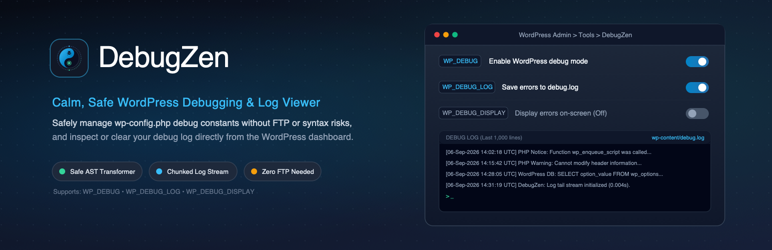
DebugZen gives administrators a focused dashboard screen for managing WordPress debugging settings and inspecting the debug log.
The plugin uses the WP Config Transformer library to read, add, and update these constants in wp-config.php:
WP_DEBUGWP_DEBUG_LOGWP_DEBUG_DISPLAY
DebugZen does not use string replacement to modify those constants.
The Debug Log viewer reads only the latest 1,000 lines to avoid loading a large log into memory. Administrators can also clear the active debug log from the same screen.
Features include:
- Toggle WordPress debugging settings from Tools > DebugZen.
- Add missing debug constants or update existing values through WP Config Transformer.
- View the latest 1,000 debug-log lines.
- Clear the debug log securely.
- Restrict every action to administrators with the
manage_optionscapability. - Protect setting and log actions with WordPress nonces.
- Display clear errors when
wp-config.phpor the log is not writable.
Debug settings can expose sensitive technical information. Disable on-screen error display on production sites and protect access to log files at the web-server level.
Third-party libraries
DebugZen includes WP Config Transformer by the WP-CLI Development Group. It is distributed under the MIT License. Its license is included at vendor/wp-cli/wp-config-transformer/LICENSE.
This plugin does not contact external services, collect telemetry, or load remote executable code.
Screenshots

The DebugZen dashboard screen under Tools > DebugZen showing WP_DEBUG toggle switches and the live debug log viewer.


