Desktop Media Uploader Wordpress Plugin - Rating, Reviews, Demo & Download
Plugin Description
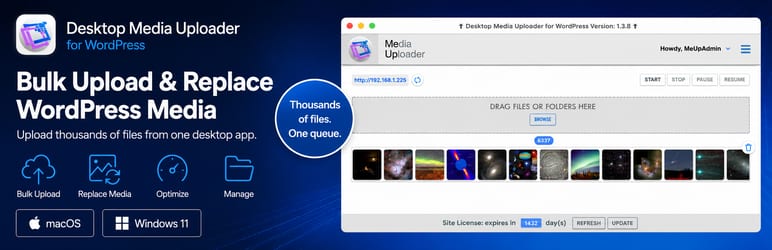
Desktop Media Uploader for WordPress works with a companion desktop application for macOS and Windows 11 to upload, overwrite, optimize, resize, and process WordPress media files from your desktop.
Instead of relying on browser uploads, PHP upload limits, or server-side image processing, the desktop app handles the heavy work locally and securely sends completed media to your WordPress site.
Use it when you need to upload large batches, replace many existing media files, process thousands of images, or avoid tying up your web server during media-heavy work.
What it does
-
Bulk upload media files and folders
Drag files or folders into the desktop app and process large media batches from one upload queue. -
Bulk replace existing media files
Replace multiple existing WordPress media files in one operation instead of updating files one by one. -
Process thousands of files from your desktop
Built for high-volume media workflows, product image updates, catalog refreshes, migrations, and large media libraries. -
Optimize images before upload
Create optimized JPEG, WebP, and AVIF files locally before they are transferred to WordPress. -
Resize and control media sizes
Use familiar WordPress-style defaults, then enable or disable the image sizes you want the app to create. -
Add watermarks during upload
Apply watermark images using simple positioning options during the desktop processing workflow. -
Reduce server load
Image resizing, optimization, conversion, watermarking, and upload queue handling are performed by the desktop app instead of your hosting account. -
Clear upload results
View upload progress, overwritten file counts, optimization savings, skipped conversions, errors, retries, and logs.
Why use a desktop app?
Traditional WordPress uploads depend on browser sessions, PHP limits, web server configuration, and server-side image processing.
Desktop Media Uploader moves the upload workflow to your computer. The desktop app prepares files locally, then sends completed media to your WordPress site through this plugin.
Result: high-volume WordPress media uploads with less server strain and fewer browser-upload headaches.
Desktop App Required
The companion desktop application is required to use this plugin.
Desktop app and free trial:
https://wpspeedmeup.com
The desktop app:
- Works on macOS and Windows 11
- Handles uploads, optimization, resizing, conversion, watermarking, and bulk media replacement
- Connects to any WordPress site where this plugin is installed and activated
The WordPress plugin acts as the secure communication endpoint for the desktop app.
Bulk media replacement
Desktop Media Uploader can replace existing WordPress media files in bulk.
This is useful when you need to update product images, replace seasonal graphics, refresh catalog media, or sync a large group of files without manually replacing each item one at a time.
Overwrite rules are intentionally strict. If multiple matching media entries are found, the app blocks the overwrite and reports the conflict instead of guessing.
Image optimization and conversion
The desktop app can create optimized image files before upload, including WebP and AVIF versions when enabled.
If a converted file is larger than the source file, the converted file is discarded automatically.
The upload summary can show savings for optimized images, WebP files, WebP thumbnails, AVIF files, and skipped conversions.
Beginner-friendly, power-user ready
The desktop app includes tooltips for new users and advanced settings for experienced users.
Tooltips can be disabled when you no longer need guidance.
Open API
This plugin exposes an open API. Developers can build custom upload tools or integrations that communicate with it.
Third-Party Service Disclosure
This plugin works with the Desktop Media Uploader companion desktop application, available from wpspeedmeup.com. The desktop application is a separate product and is required to use this plugin.
The desktop application is available as a free trial. After the trial period, continued use requires a paid annual licence for $11.99. Full pricing details are available at https://wpspeedmeup.com.
When in use, the desktop application connects directly to your WordPress site through this plugin’s REST endpoints. Media files are transferred only between the desktop app and your WordPress installation.
The desktop application also communicates with wpspeedmeup.com for licence verification and update checks. This is handled by the desktop application, not the WordPress plugin. Please refer to the privacy policy for details of what data is transmitted during these requests.
Privacy Policy:
https://wpspeedmeup.com/privacy-policy/
Screenshots
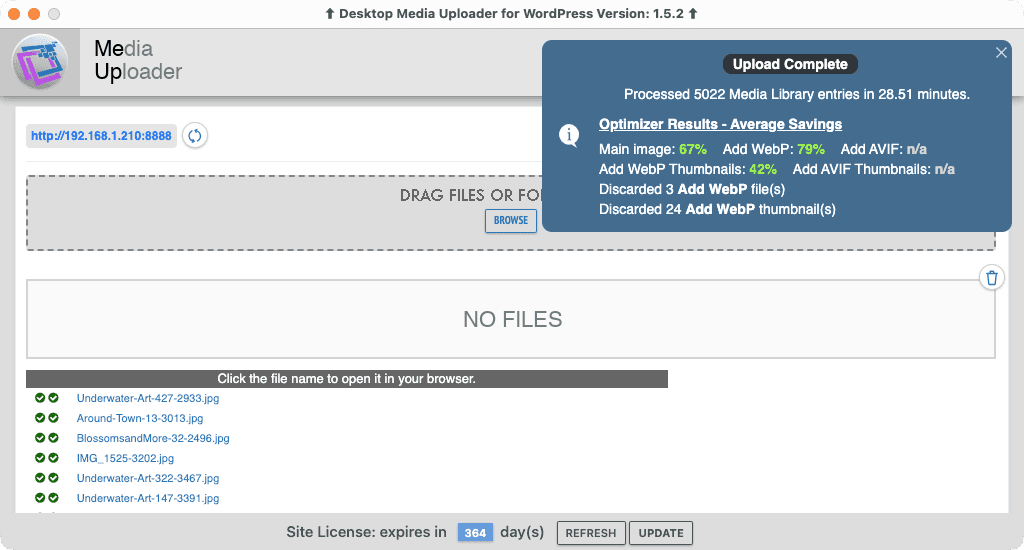
Normal upload of 5,022 media files totaling 4,928.66 MB, with WebP files, on localhost. This removes network and shared-hosting delays to show raw application performance with a real-world image workload.
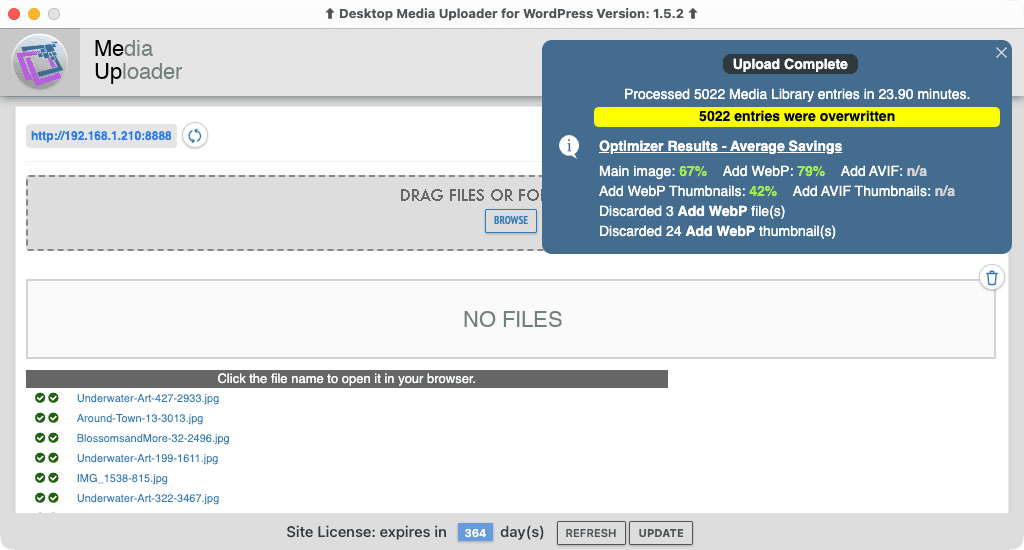
Overwrite of the same 5,022 Media Library files totaling 4,928.66 MB on localhost, completed faster than the normal upload and showing that overwrite adds no meaningful performance penalty.
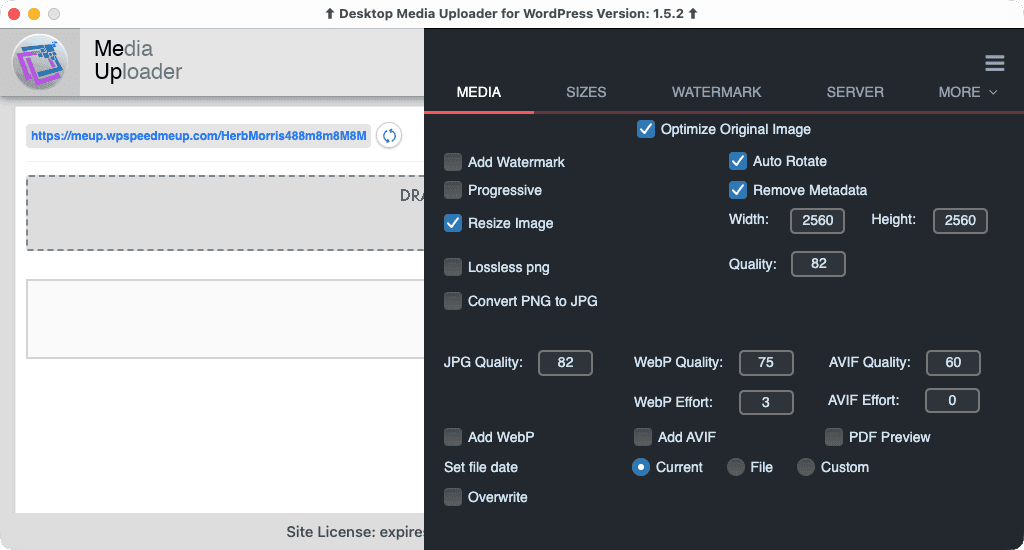
Configure image optimization, resizing, metadata removal, WebP and AVIF generation, file dates, and overwrite behavior.
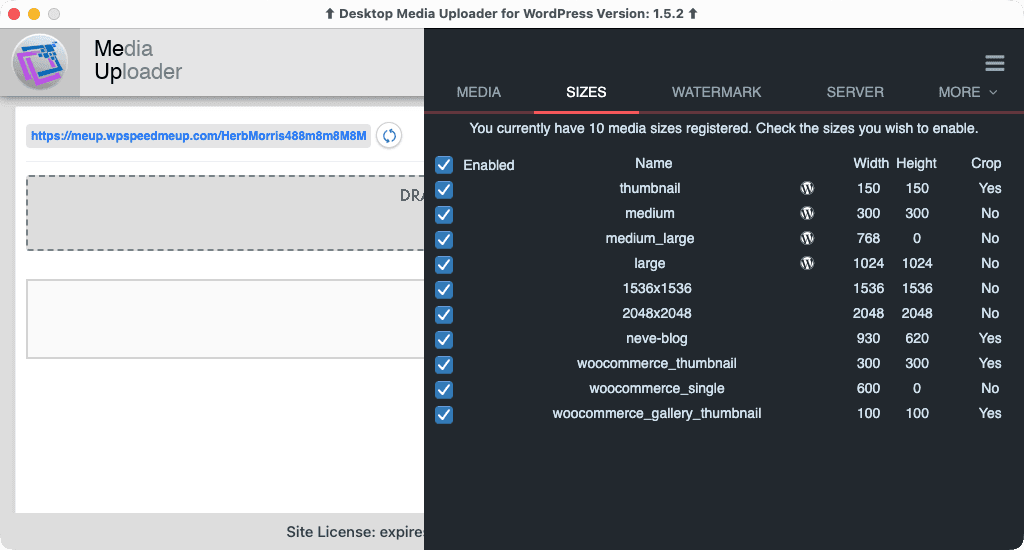
Select which registered image sizes should be created.
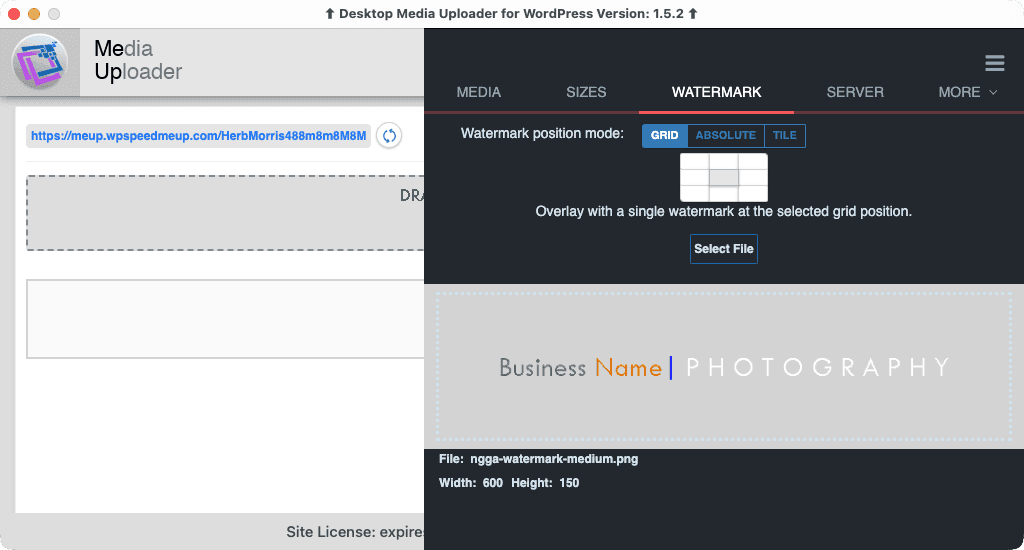
Add a watermark using grid, absolute-position, or tiled placement.
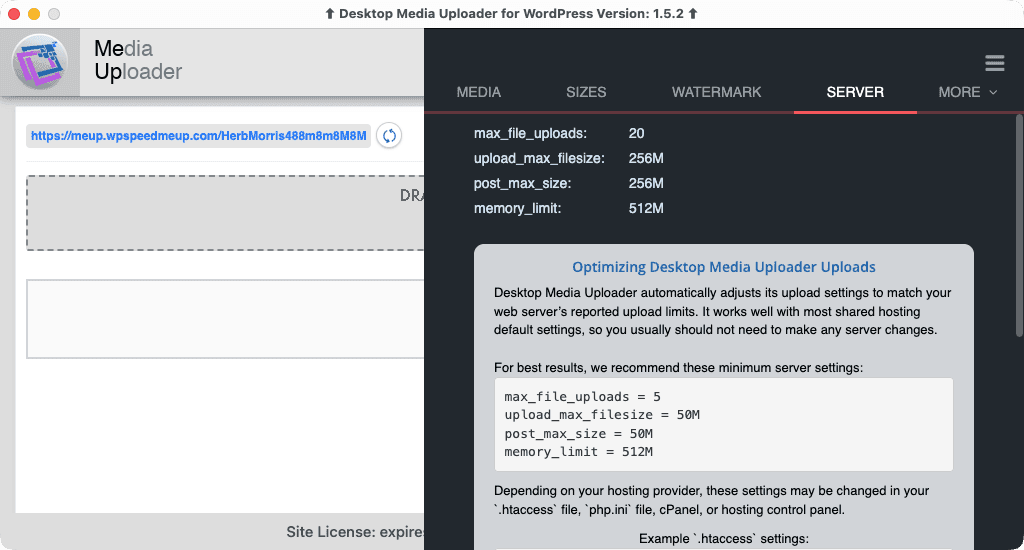
View detected PHP upload limits and recommended server settings.
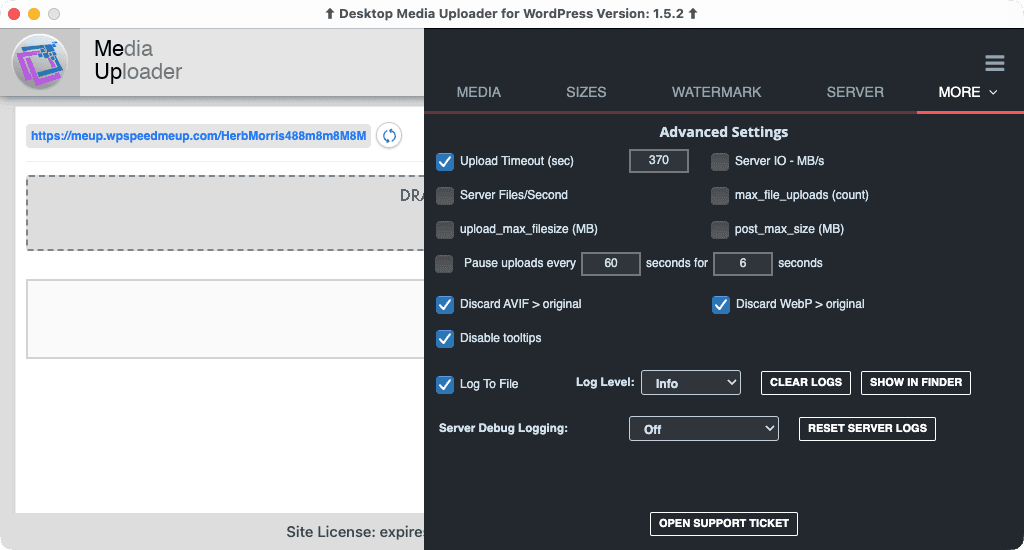
Configure upload limits, server throttling, scheduled pauses, file logging, and server debug logging.
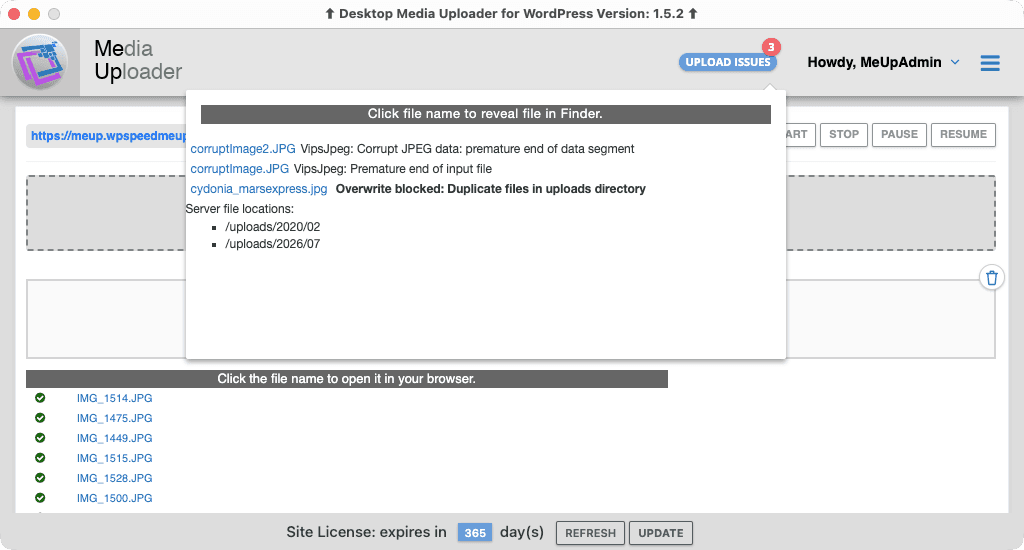
Per-file failure reporting identifies individual files that could not be uploaded while allowing the remaining batch to complete.
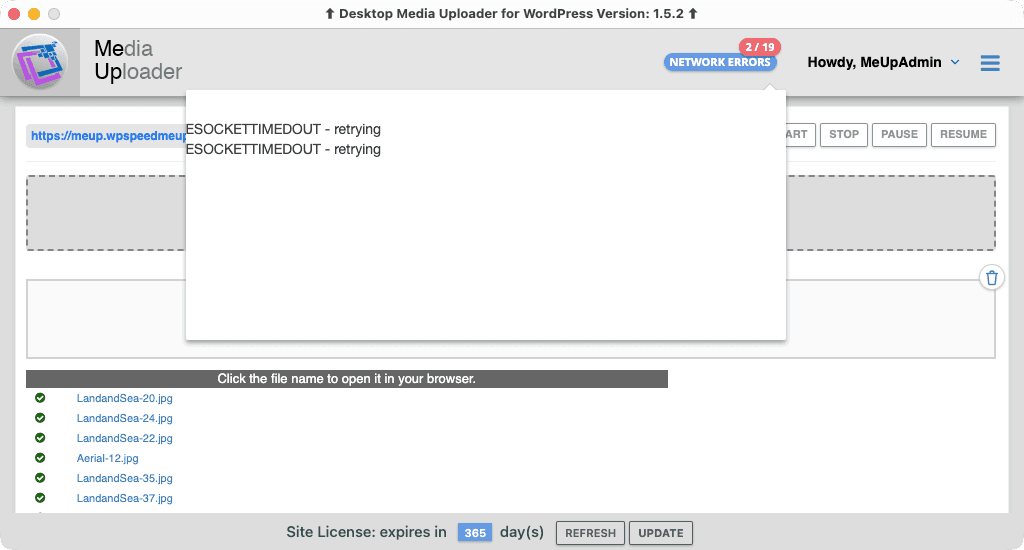
Automatic network retry detects recoverable network errors and retries affected requests without restarting the full upload.