
DevAura Accessibility Scanner Wordpress Plugin - Rating, Reviews, Demo & Download
Plugin Description
Note: This plugin is NOT an accessibility overlay. It acts as an audit and assistance tool to help website administrators fix structural code errors rather than applying cosmetic patches.
Key Features
- Score Dashboard: Visual accessibility health grade (0-100) based on severity weighting.
- In-Depth Auditing: Checks language tags, image alt attributes (missing, decorative/informative check, duplicate alts, filename alts), heading structures, form field connections, button labels, table header markup, media warning tags, ARIA spelling validation, and HTML5 layout landmarks.
- AJAX Scanning Engine: Safely queries up to 10 pages in small batches to completely avoid PHP timeout limits.
- Spreadsheet & PDF Exports: Download records in CSV or render print-ready layout templates.
- Robust Security: Includes REST endpoint capability checks (
manage_options), WordPress nonce authorization, and strict PHP input sanitization.
Developer Hooks
The plugin provides hooks to enable extension in premium custom versions:
1. devaura_accessibility_scanner_registered_rules (Filter)
Register custom WCAG rules. Custom rules must implement AccessibilityScannerAnalyzerRuleInterface.
add_filter( 'devaura_accessibility_scanner_registered_rules', function( $rules ) {
    $rules[] = new MyCustomContrastRule();
    return $rules;
} );
2. devaura_accessibility_scanner_get_page_html (Filter)
Intercept page content retrieval before rules analyze it. Useful for mocking HTML or offline staging tests.
add_filter( 'devaura_accessibility_scanner_get_page_html', function( $html, $url ) {
    if ( $url === 'http://test.local/' ) {
        return '<html><html lang="en"><body><h1>Title</h1></body></html>';
    }
    return $html;
}, 10, 2 );
Uninstalling
By default, activating the plugin creates two custom tables: wp_devaura_as_scans and wp_devaura_as_issues. If you select Scrub all database reports & logs on plugin deletion in the settings tab, deleting the plugin will completely remove these tables and their records.
Screenshots
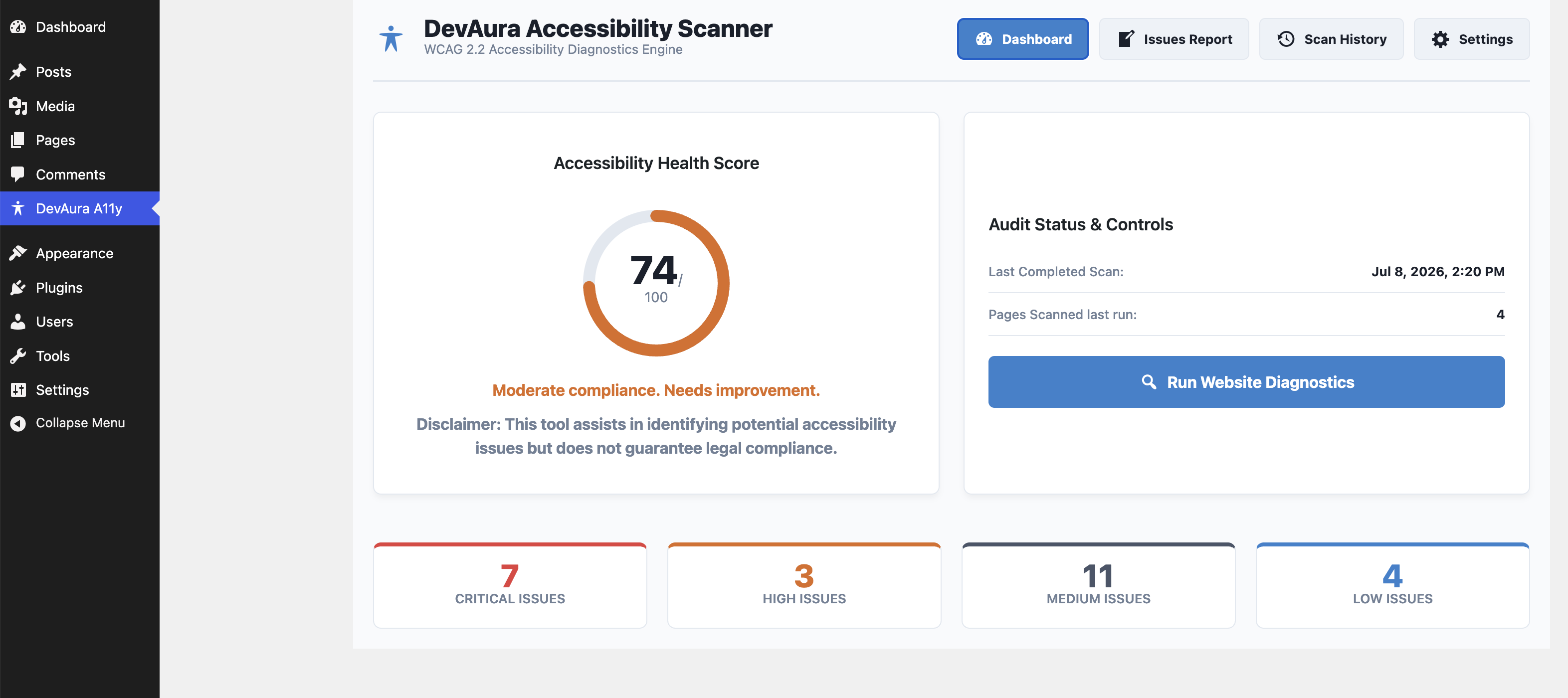
The main DevAura Accessibility Scanner Dashboard showing compliance health score and general audit controls.
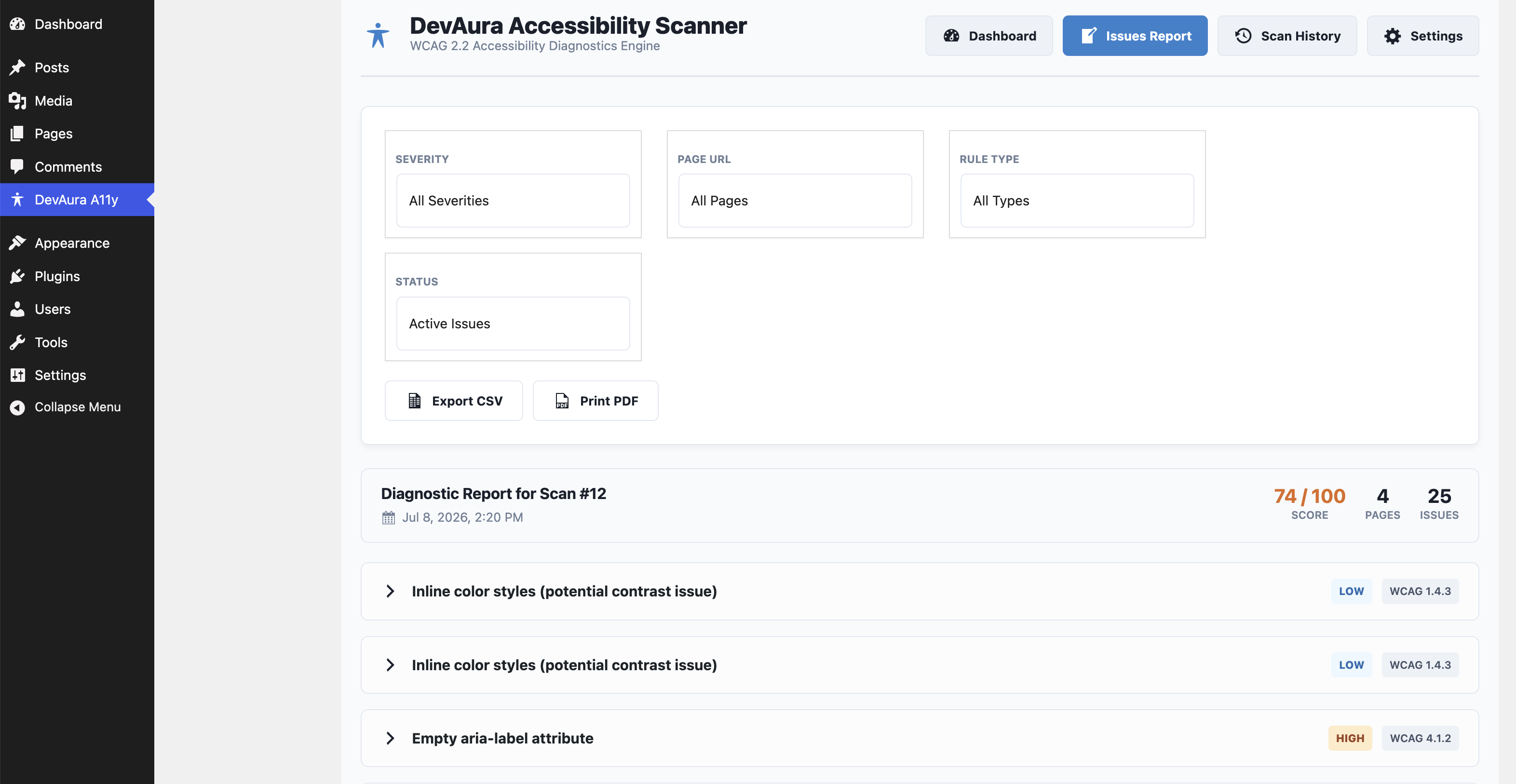
Detailed diagnostics report page highlighting accessibility issues, severity levels, and code snippets.
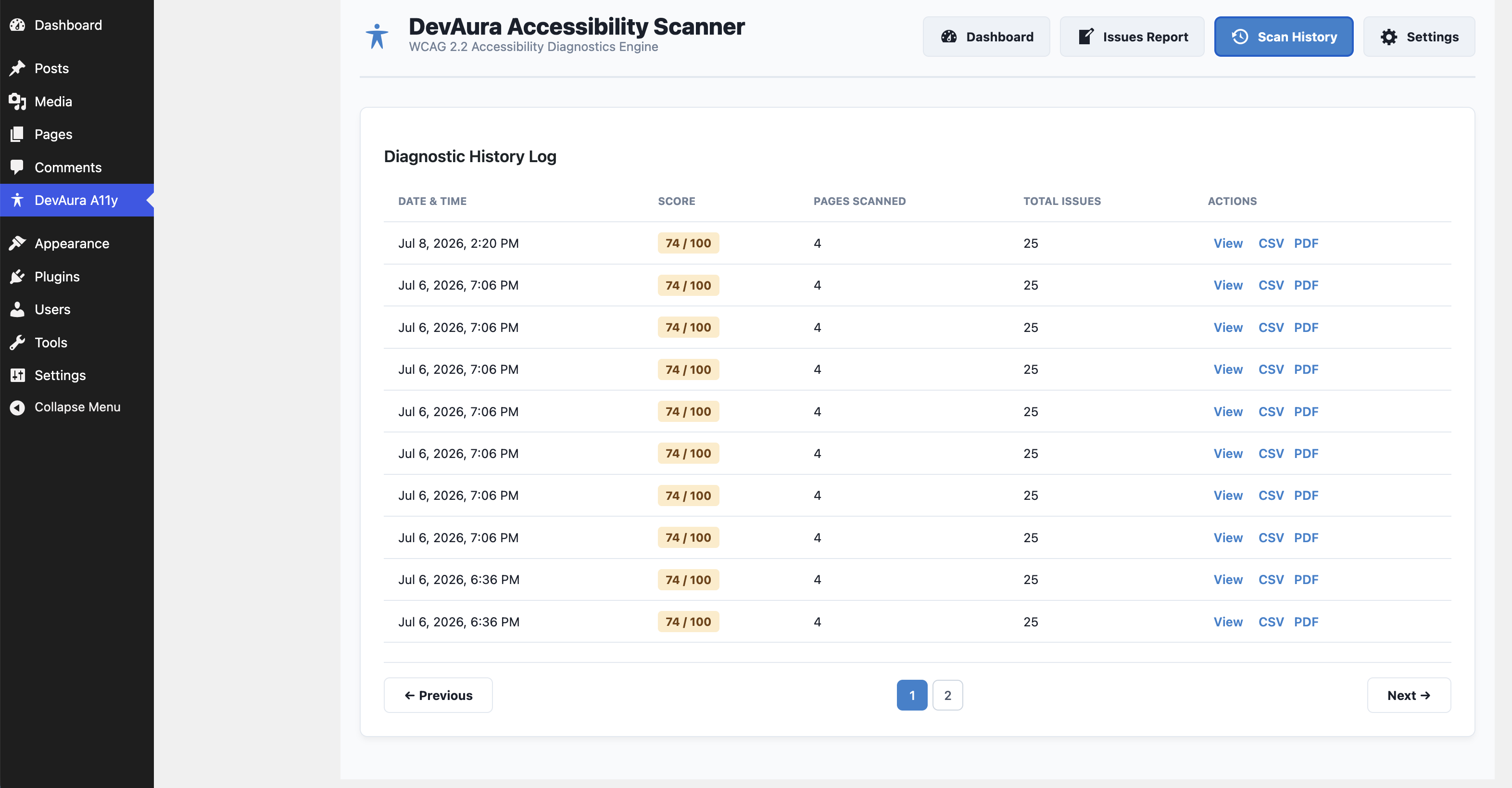
Scan history log displaying previous scan records, compliance scores, and actions.
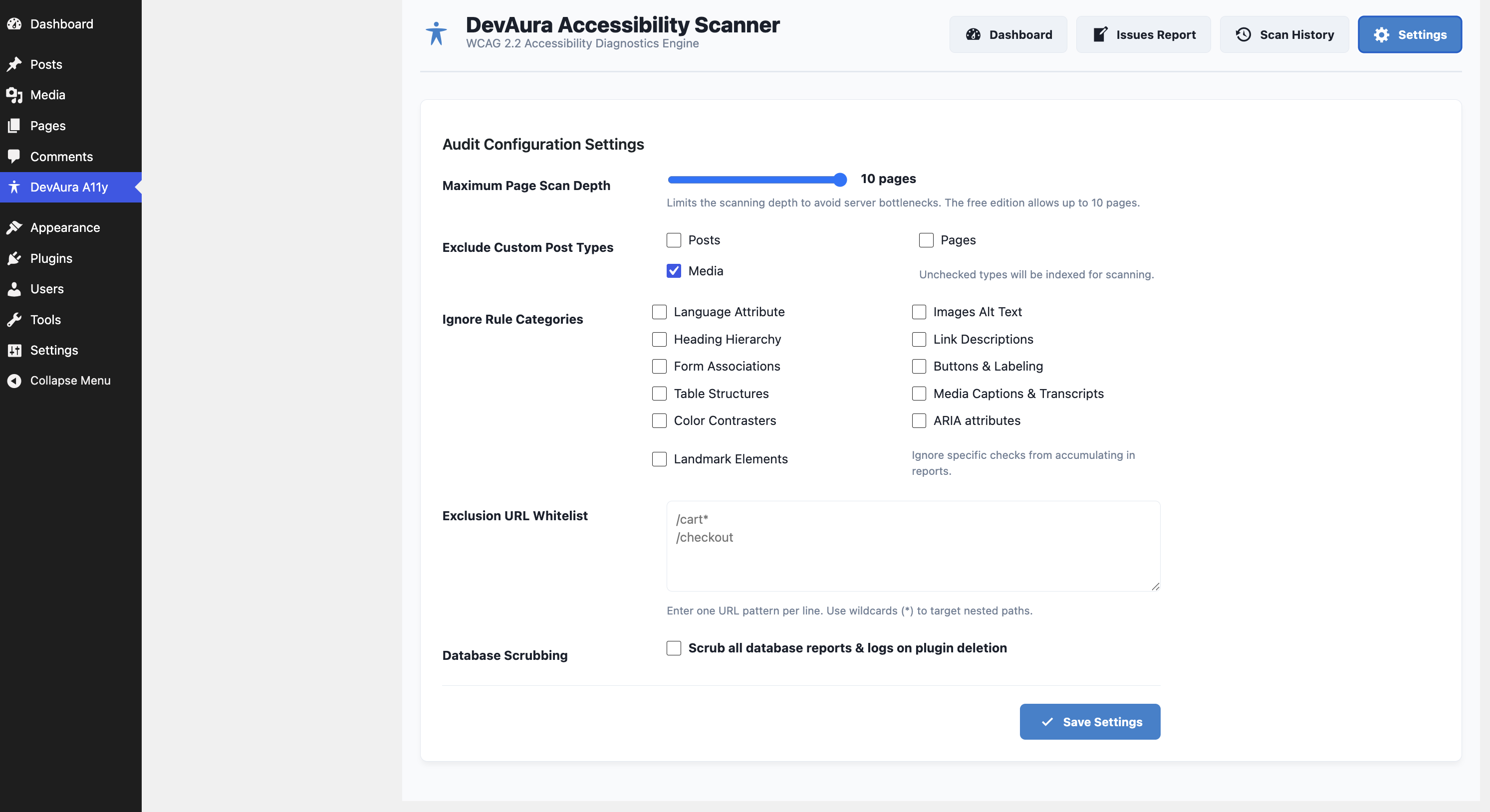
Settings Panel for customizing the scanner preferences and database cleanup options on uninstall.
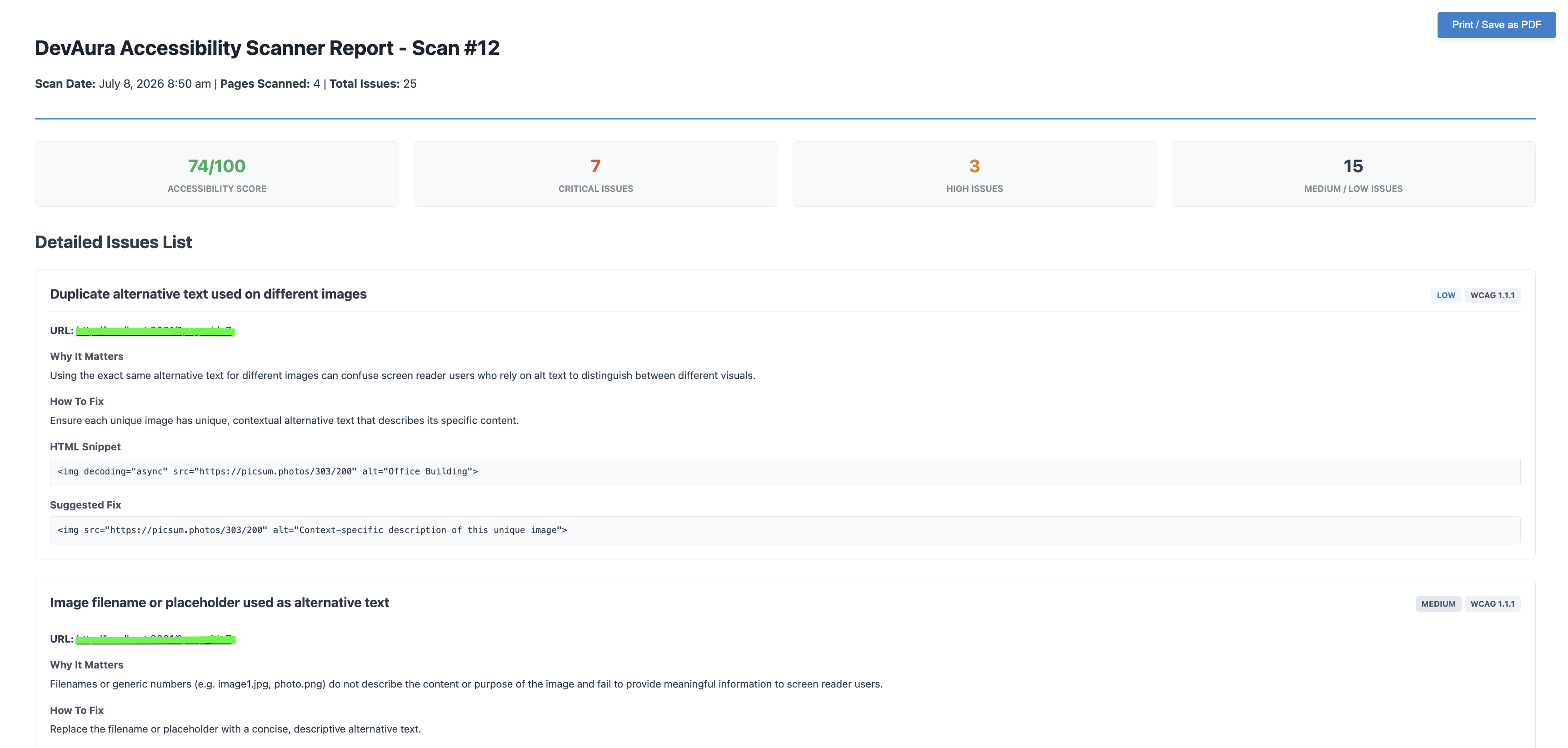
Print-ready PDF report layout for sharing or archiving accessibility audit results.


