
Devenzi Restaurant Menu Designer Wordpress Plugin - Rating, Reviews, Demo & Download
Plugin Description
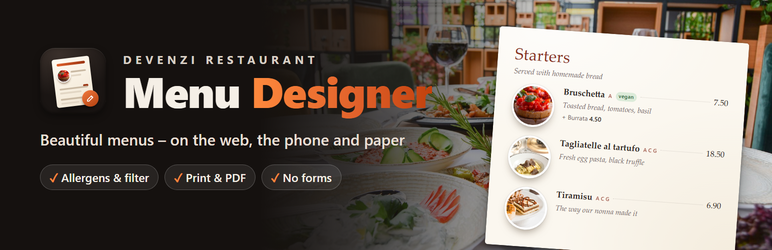
Most menu plugins give you forms and tables. Menu Designer gives you the menu itself: click a dish and type, as if you were writing on the card your guests will hold. What you see while you write is what they see.
It is a menu, not a shop. There are no orders and no checkout, just a clear menu with correct allergen labels that you keep up to date in one place.
Designing, not filling in forms
- Type names, descriptions and prices right on the menu. Several prices fit in one line: “0.2 l 6.90 / 0.75 l 26.00”.
- Seven templates: Bistro, Elegant, Modern, Chalkboard, Kraft, Minimal and “Like the website”, which takes the fonts and colours of your block theme. Each one comes in your colour, in one or two columns, with its own fonts or one of six font pairs. The fonts are already on your visitors’ devices, so nothing loads from other servers.
- Start from a starter such as a restaurant, a café, a bar or a lunch of the week, with its sections and look already set. Tick what you serve – espresso, cappuccino, apple cake … – or switch off a whole section, and the menu starts with those dishes, their ingredients and allergens. Only the prices are left to add.
- Your logo and the name of your restaurant at the top of the menu.
- Drag dishes and sections into place, also into another section. Duplicate a dish with one click.
- Everything saves by itself.
One dish, many menus
Each dish exists once, and your lunch and dinner menus take it from the same list. Change the allergens of the schnitzel in one place and every menu with it shows the change. Prices stay with each menu, so lunch can be cheaper. A dish sold out on one menu is sold out on all of them.
For a new menu, pick dishes from “From your dishes” instead of typing them again. The “Dishes” tab lists them all with the menus they are on, and finds dishes without allergens or without a menu.
Allergens and additives
- The 14 EU allergens and the usual additives (numbers 1 to 12), one click per dish.
- Allergens appear as small icons that guests understand in any language, like a wheat ear or an egg. Letters (A to R) or short names work too.
- A legend at the end lists only what your menu uses.
- Marks such as vegan, vegetarian, gluten-free, halal, homemade or spicy.
- A filter for guests above the menu: “vegan”, “halal”, “for kids”, “without nuts” and more.
- Allergen suggestions: type “Tagliatelle, egg pasta, parmesan” and Menu Designer suggests gluten, eggs and milk. It reads the words of a dish in English, German, Italian and French. You confirm each suggestion; nothing is set without you.
- Dishes Menu Designer knows: type “Bruschetta”, “Lasagne” or “Käsespätzle” and start the dish with its ingredients, a description and the allergens that follow. Over 200 dishes, from pizza and pasta to curry, döner, cakes and cocktails. It is a start that you change to match your kitchen: until you confirm its allergens, the studio marks the dish “please check”, and additives that depend on the product are only suggested. In the “Dishes” tab too, and after bringing a menu in, Menu Designer lists the dishes it knows and gives them their ingredients with one click.
- Ingredients: add what a dish is made of, from over 500 ingredients Menu Designer knows in four languages, or type your own. Menu Designer shows which allergens follow and why (“gluten because of croutons”), what a product may contain, and whether the dish is vegan or vegetarian. Guests do not see the ingredients unless you write them in the description.
- The overview shows which dishes have no allergens yet.
Prices the way menus write them
“from 9.50”, “market price”, extras like “+ cheese 1.50”, a deposit on drinks, set menus with their courses, prices without “.00”, or no prices at all. Euro, dollar, pound, franc and more, with or without the currency sign.
Photos
Dishes sit on a round plate with a soft shadow, or fade into the paper at their edges. A section photo spans the width of the menu and fades into the paper below it.
Made for the phone at the table
A bar with the sections stays at the top while guests scroll, and long menus get a search. Tap a dish and it opens large with its photo, the allergens written out and all prices and extras. On the phone it slides up from below. Every dish has its own link to share.
Mark a dish as sold out and guests see it crossed out, or hide it for now without deleting it. A recommended dish shows larger, as a card.
Print and PDF
Print the menu or save it as a PDF in A4, A5 or Letter, with or without photos, on coloured paper or on white to save ink. Page breaks never cut a dish in half. The same menu also gives you the price list for the entrance that many countries require (in Germany § 13 PAngV).
Bring your menu over
- From your old menu: choose the PDF, or paste the text from a Word file or your old website. Menu Designer reads it as it is written. A line with a price at its end is a dish, a short line without one is a section, and “(1, 3, A, G)” are additives and allergens. Pages in two columns are read column by column. The PDF is read in your browser and goes nowhere, and you see the result before anything is saved. A scan or a photo of a menu has no text to read.
- From a spreadsheet: paste rows from Excel, Google Sheets or Numbers, or choose a CSV file.
- From Five Star Restaurant Menu: one click brings over its menus with sections, dishes, prices, photos and marks. Five Star keeps its own.
- Export any menu as a list for Excel, as a backup or to pass on.
On any page
Use the “Menu Designer” block (also wide and full width), the Elementor widget, or the shortcode [devenzi_menu id="…"] in Divi, Bricks, Beaver Builder or a widget area. Several menus in one place, like [devenzi_menu id="12,15"], appear one below the other. Search engines read the menu as schema.org Menu.
Light and private
Nothing loads from other servers: no fonts, no maps, no tracking. A menu is a few kilobytes of HTML and CSS.
Menu Designer Pro
Pro adds what saves time in a busy restaurant:
- Times: lunch only Monday to Friday from 11:30 to 14:30, breakfast until 11, the summer menu from June. Works with page caches.
- Languages: the menu in English, Italian and more. Guests switch right on the menu, and their browser language comes first. No translation plugin needed. Names of dishes Menu Designer knows, and descriptions made of ingredients, are filled in for English, German, Italian, French, Spanish, Dutch, Turkish and Polish with one click.
- Tabs: lunch, dinner and drinks in one place, each tab with its own link.
- The menu as a book: guests leaf through it with the mouse wheel, the arrow keys or a swipe. A section never starts at the bottom of a page, and a set menu stays together.
- A cover to design: leather, linen, wood, marble or velvet in your colour, the name in gold or silver foil, your address and opening hours on the back.
- Paper: laid, handmade, linen, parchment, kraft or recycled paper under any template.
- More about a dish: where it comes from, a few more words, what goes well with it and more photos.
- QR codes for the tables: cards with table numbers in the look of your menu, made in your browser without a QR service.
- Statistics that respect your guests: how often the menu is seen, which dishes guests open, and what they search for but do not find. Counted on your own site as daily totals, without cookies or IP addresses.
- Change all prices at once: all drinks +0.30 or the whole menu +5 %, rounded to nice prices, with a preview and undo.
External services
Guests’ devices never contact another server: the menu, its fonts, icons and photos come from your own site. Menu Designer talks to one outside service, and only when you ask it to:
Devenzi: feedback
- What it is for: the “Feedback” button and the optional question when you deactivate Menu Designer (admins only).
- What is sent and when: only when you press “Send”, from your server: your text, the reason you picked, your e-mail if entered, the Menu Designer and WordPress versions, admin language, screen and browser. Not your site address, your user name or anything about your guests. “Skip” sends nothing.
- Server: devenzi.com
- Provider: Devenzi (the developer of this plugin) · https://devenzi.com/
- Privacy policy: https://devenzi.com/privacy.html · Imprint: https://devenzi.com/imprint.html
Source code and libraries
The complete source code of Menu Designer is in the plugin: its JavaScript and CSS are hand-written and load as they are, there is no build step. To read PDF menus it includes pdf.js 6.4.299 by Mozilla (Apache License 2.0, in assets/vendor/pdfjs/, licence included), unchanged from https://github.com/mozilla/pdf.js and the npm package pdfjs-dist. It loads only in the studio, when you choose a PDF.
Screenshots

A menu on the website with a section photo, dishes on plates, allergen icons, the filter for guests and the bar with the sections.

The studio: you write right on the menu. The allergens, additives and marks of a dish are one click away.

Seven templates, here the chalkboard, in your colour.

On the phone: the bar with the sections, the search and the folded filter.

The overview: the menus edited last and what needs attention, with tabs for menus, dishes, privacy, settings and help.

The price list for the entrance, or the menu for the tables, printed or as a PDF.

Bring your old menu over: choose the PDF or paste it, and check what was read before it comes in.

Tap a dish to see its photo, the allergens written out, prices and extras. On the phone it slides up from below.


