Deviser AI Search Booster – Site Context Manager For Llms Wordpress Plugin - Rating, Reviews, Demo & Download
Plugin Description
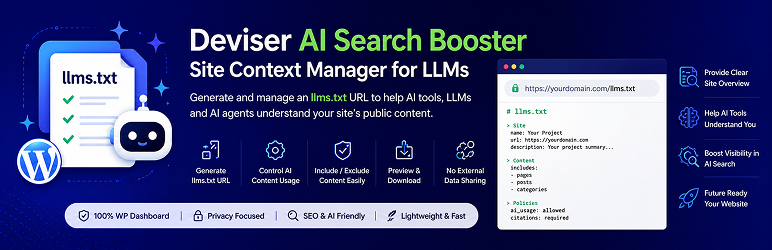
Deviser AI Search Booster helps WordPress site owners create and manage an llms.txt URL from the WordPress dashboard.
The plugin generates a structured URL at your site’s root URL, such as yourdomain.com/llms.txt. This URL can provide AI tools, large language models, and AI agents with a clearer overview of your website, important public content, business details, and content usage preferences.
Key Features
- Generate a structured
llms.txtURL for your website. - Add business profile details, including project name, email, summary, services, and industry.
- Define AI content usage, training, and citation preferences.
- Include or exclude selected pages, posts, categories, and custom post types.
- Use searchable selection fields to manage content exclusions more easily.
- Preview the generated
llms.txtContent from the WordPress dashboard. - Download the generated
llms.txtfrom the WordPress dashboard.
Privacy & Data
Deviser AI Search Booster stores plugin settings in your WordPress database and dynamically serves an llms.txt URL at your site’s root URL (yourdomain.com/llms.txt).
The plugin does not send your settings, content, or website data to any external API or third-party service.
Only the information you choose to include in the generated llms.txt will be publicly available at your site’s llms.txt URL.
How It Works
After activation, go to ** Deviser AI Search Booster > LLM Settings**.
From there, you can:
- Add your business or website profile details.
- Set AI content usage and citation preferences.
- Choose which content types should be included.
- Exclude specific posts, pages, categories, or custom post types.
- Preview the generated
llms.txtContent.
The plugin automatically generates or updates the llms.txt URL when you save your settings.
Screenshots

LLMS Setting Page

Preview Page