
Dits Blocks For Block Editor Wordpress Plugin - Rating, Reviews, Demo & Download
Plugin Description
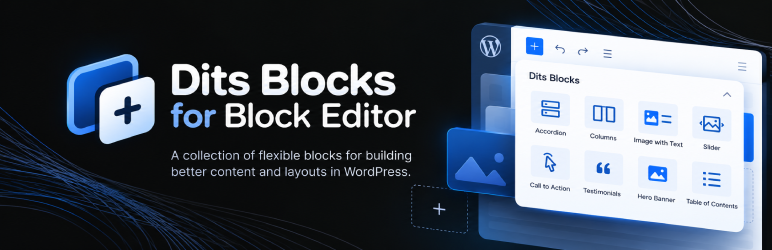
Dits Blocks for Block Editor extends the WordPress block editor with a practical collection of custom Gutenberg blocks for creating richer page layouts without relying on a separate page builder.
The plugin includes blocks for structured content, interactive elements, promotional sections, media, navigation, and reusable page layouts. It also adds extra options to the native WordPress Button block.
Included Blocks
- Accordion – Create expandable content sections for FAQs and structured information.
- Custom Columns – Build flexible multi-column layouts with nested content.
- Image with Text – Combine images and text in structured content sections.
- YouTube Video Embed – Add and configure YouTube video content.
- Collapsible Paragraph – Display expandable text for longer or optional content.
- Call to Action – Create focused CTA sections with content and actions.
- Customer Testimonials – Display customer reviews and testimonial content.
- Fly-in Promo – Add promotional content that appears as an interactive fly-in element.
- Full Width Background – Create full-width sections with configurable background content.
- Hero Image Banner – Build prominent hero sections with imagery and content.
- Icon List – Create lists with configurable icons.
- Image with Mask – Display images with custom visual masking.
- Highlighted Info Box – Highlight important information in a dedicated content box.
- Slider – Create configurable slide-based content sections.
- Table of Contents – Generate structured navigation for page content.
Some blocks use internal nested components to provide their editing experience. These components are part of their parent blocks and are not intended to be inserted separately.
Core Button Enhancements
Dits Blocks for Block Editor also extends the native WordPress Button block with additional customization options while keeping the standard Gutenberg editing workflow.
Built for the Block Editor
The plugin works directly inside the WordPress block editor and uses native Gutenberg concepts such as nested blocks and block controls.
No separate page builder is required.
Third-Party Libraries
Font Awesome Free 6.7.2 is bundled locally for icon rendering.
Font Awesome Free is licensed under CC BY 4.0 (icons), SIL OFL 1.1 (fonts), and MIT (code).
Screenshots

Dits Blocks for Block Editor blocks available in the WordPress block editor.

Example of block settings and customization controls.

Example page sections created with Dits Blocks for Block Editor.


