
Doppelslug Wordpress Plugin - Rating, Reviews, Demo & Download
Plugin Description
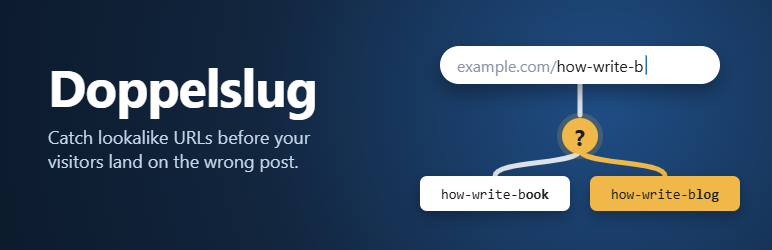
When a visitor opens an address that doesn’t exist, WordPress tries to help: it looks for a published post or page whose slug starts with what was typed, and redirects there.
That works well until two slugs start the same way:
- example.com/how-write-book
- example.com/how-write-blog
Now example.com/how-write-b matches both. WordPress redirects to whichever one the database returns first. There is no rule for which one wins, and publishing a new post can quietly change where an old, shortened link goes.
Doppelslug catches this while you write.
In the editor
- Block editor: a warning notice, a “Lookalike URLs” panel in the post sidebar, and a check in the pre-publish panel.
- Classic Editor: a “Lookalike URLs” box in the sidebar that updates when the slug changes.
Each warning shows the address visitors could type, the posts it could open, and where it leads right now.
Optional fix
Under Settings Doppelslug, choose what happens to addresses that don’t exist:
- Let WordPress decide (default): nothing changes.
- Redirect only when one post matches: unambiguous addresses still redirect, and an exact slug match always wins. Ambiguous ones show the Not Found page instead of a random post.
- Redirect only exact slug matches: still finds posts that moved to a different date or parent page.
- Never redirect.
You can also choose how similar two slugs must be before a warning appears.
Light by design
- No custom tables, no tracking, no external requests.
- On the front end it adds three small filters that run only on Not Found requests.
- An editor check is a few indexed queries, only for the post you are editing.
Screenshots

Block editor: the warning notice and the Lookalike URLs panel, showing the shared address, the post it could open, and where it leads today.

The pre-publish check lists lookalike addresses before you publish.

Classic Editor: the Lookalike URLs box appears only when there is something to warn about.

Settings → Doppelslug: choose how addresses that don’t exist are handled, and how sensitive the warnings are.


