
Droog Agent Wordpress Plugin - Rating, Reviews, Demo & Download
Plugin Description
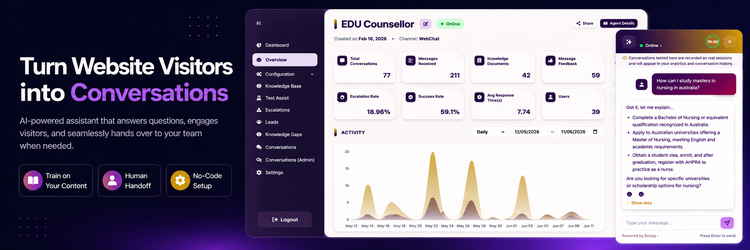
Droog Agent lets you add a smart AI chat assistant to your WordPress site — one that actually knows your business, answers visitor questions, and works around the clock.
You train the assistant on your own content (documents, web pages, FAQs), publish it on the Droog platform, and this plugin handles placing it on your site automatically.
How it works:
- Sign up at app.droog.io — free to get started.
- Create your assistant and give it a name and personality.
- Upload your content — PDFs, Word documents, web pages, or sitemaps.
- Publish your assistant and copy your Tenant ID and Agent ID from the settings tab.
- Paste both IDs into this plugin’s settings page — your assistant goes live instantly.
For a full walkthrough, see the Droog Quickstart Guide.
Features:
- Quick setup — just paste your Tenant ID and Agent ID and you’re done.
- Set a custom display name for your assistant.
- Choose where the chat button appears: Bottom Right, Bottom Left, or as an inline search bar on any page.
- Add sample questions to the search bar to guide visitors.
- Customise colors to match your brand.
- Turn the widget on or off with a single checkbox — no need to touch any settings.
- Place an inline search bar anywhere using the
[droog_search_bar]shortcode. - Loads asynchronously — no impact on your page speed.
External Services
This plugin connects to the Droog platform to power the AI chat assistant on your website.
What the service is: Droog is a third-party AI assistant service that lets you create and deploy intelligent chat assistants trained on your own content.
What data is sent: When visitors interact with the chat widget, their messages and session information are sent to Droog’s servers to generate responses. No script files are loaded from external servers — the widget code is bundled directly within this plugin.
When data is sent: Data is transmitted when:
– The chat widget loads on your pages
– A visitor sends a message through the chat interface
– The AI generates a response
Account required: Yes — a free Droog account is needed at app.droog.io.
Service links:
– Terms of Service & Privacy Policy: https://www.droog.io/legal
Screenshots

The Droog Agent settings page — enter your Tenant ID, Agent ID, display name, and appearance options.

Set up your new agent using the agent wizard
![Inline search bar mode — embedded in a page using the <code>[droog_search_bar]</code> shortcode, with animated example questions.](https://ps.w.org/droog-agent/assets/screenshot-3.png?rev=3568283)
Inline search bar mode — embedded in a page using the
[droog_search_bar]shortcode, with animated example questions.


