Dude Paywall Wordpress Plugin - Rating, Reviews, Demo & Download

Plugin Description
Dude Paywall is a lightweight WordPress plugin that lets you charge readers for access to individual posts and pages using Stripe Checkout.
Choose the content you want to protect, set a price, and publish as normal. Readers can purchase access securely through Stripe Checkout and return using passwordless magic links — no WordPress user account required.
Dude Paywall follows the WP Dude philosophy:
One plugin. One job.
No unnecessary membership system — just everything you need to sell access to premium WordPress content.
Documentation
https://wpdude.com/wp-dude-plugin-documentation/dude-paywall-documentation/
Perfect for:
- Bloggers
- Publishers
- Writers
- Journalists
- Educators
- Researchers
- Content creators
- Anyone selling premium WordPress content
Free Features
- Protect individual posts and pages
- Stripe Checkout
- Test and Live modes
- Passwordless magic-link access
- No customer accounts required
- Instant access after successful payment
- Transaction history
- Customer access management
- Works with existing WordPress content
- No membership plugin required
Pro Features
The Pro version adds business integrations and advanced tools including:
- Outgoing webhooks
- CSV export
- Admin REST API
- Custom success pages
- Custom customer emails
- Admin notifications
Stripe
Paid content purchases are securely processed by Stripe Checkout.
No payment card data is ever stored on your WordPress website.
- Stripe Terms: https://stripe.com/legal
- Stripe Privacy: https://stripe.com/privacy
Screenshots
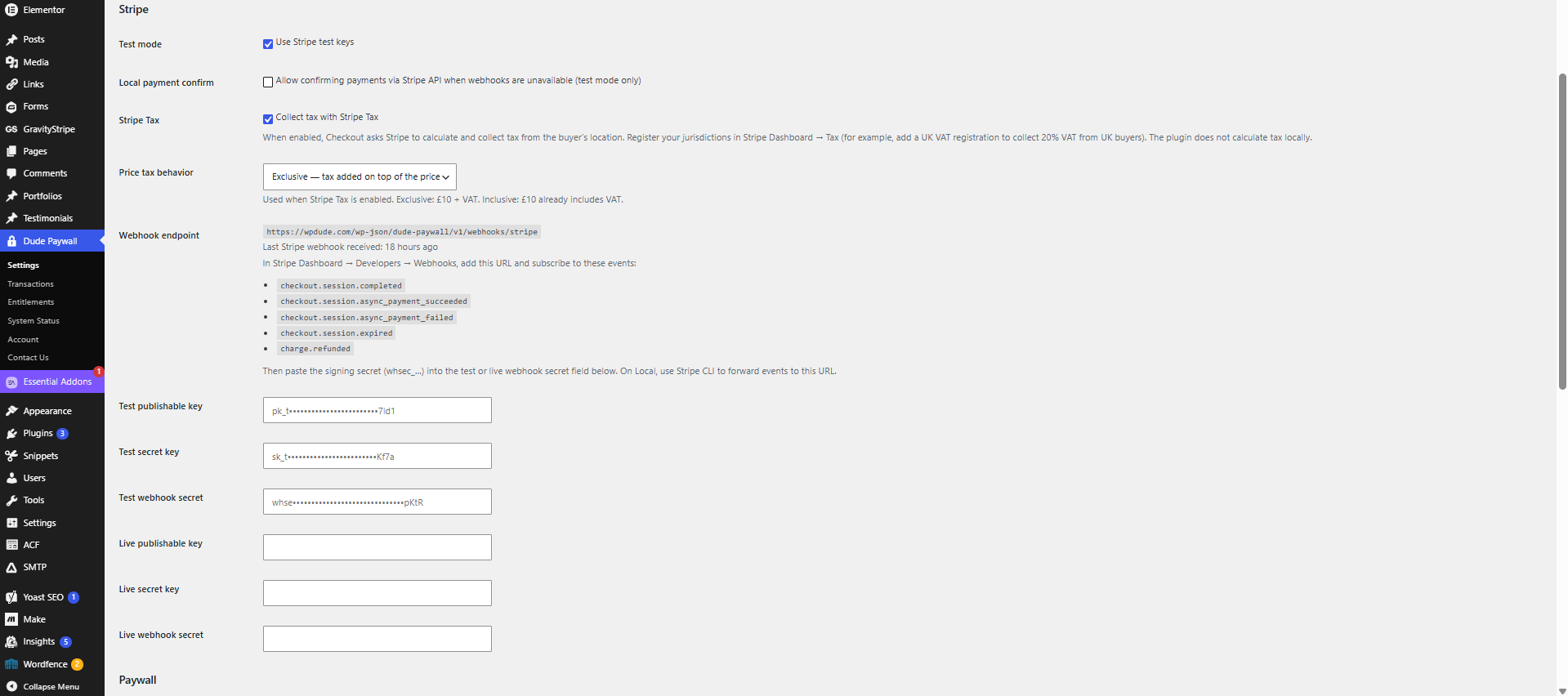
SCREENSHOT 1 – settings page
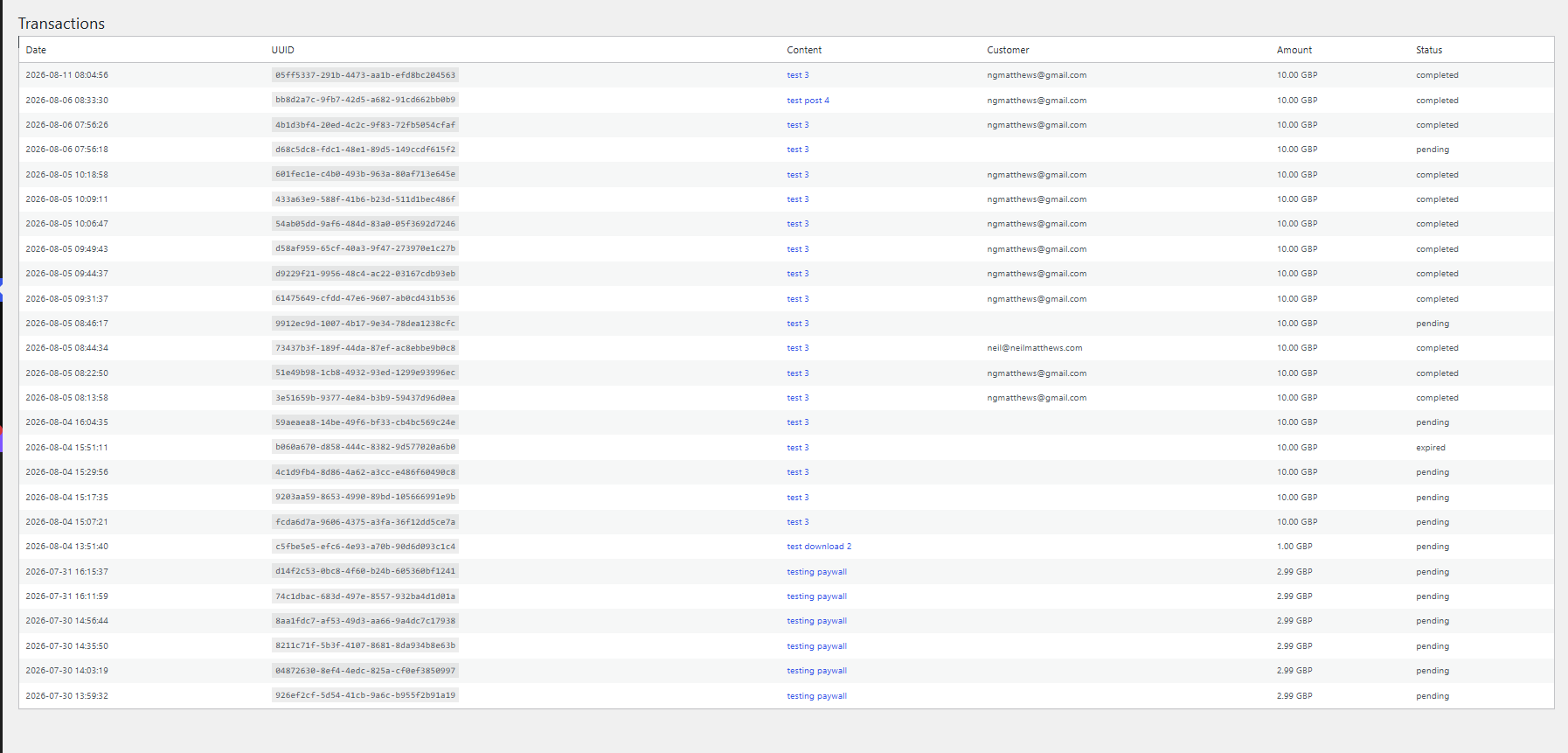
SCREENSHOT 2 – transaction page
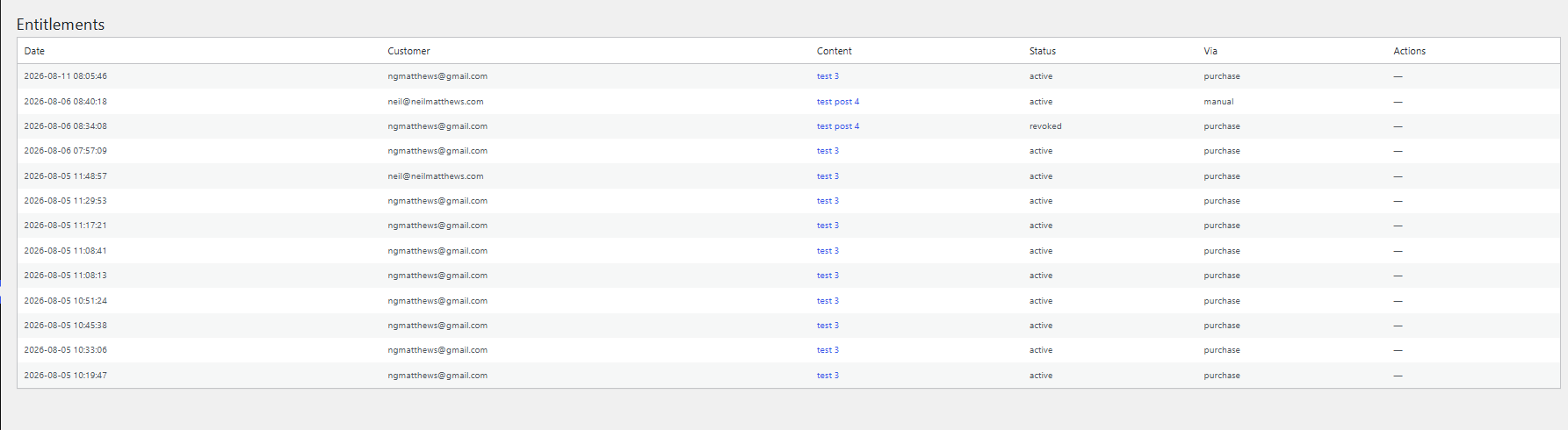
SCREENSHOT 3 – entitlement page
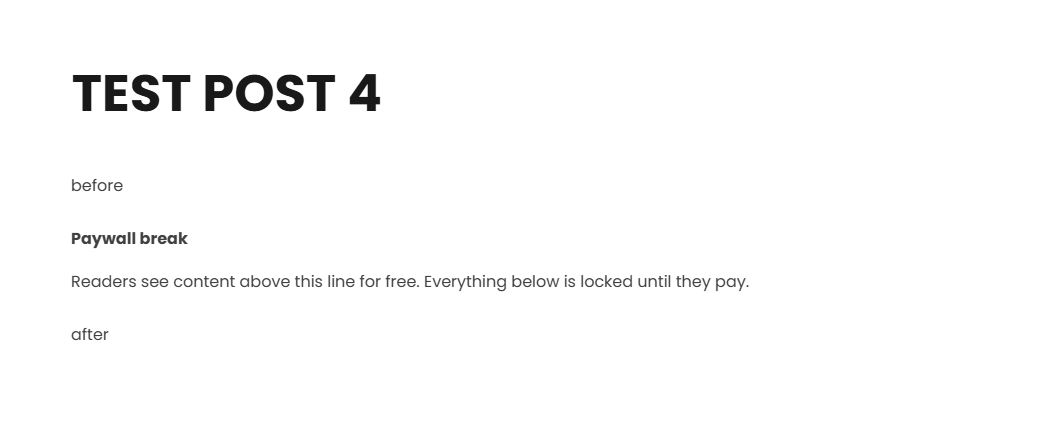
SCREENSHOT 4 – content protection block
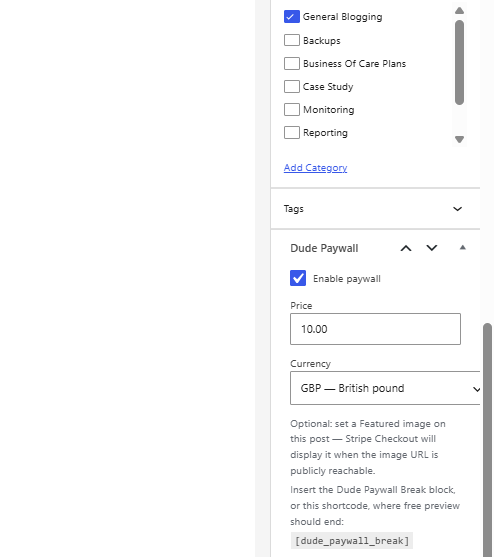
SCREENSHOT 5 – content protection settings
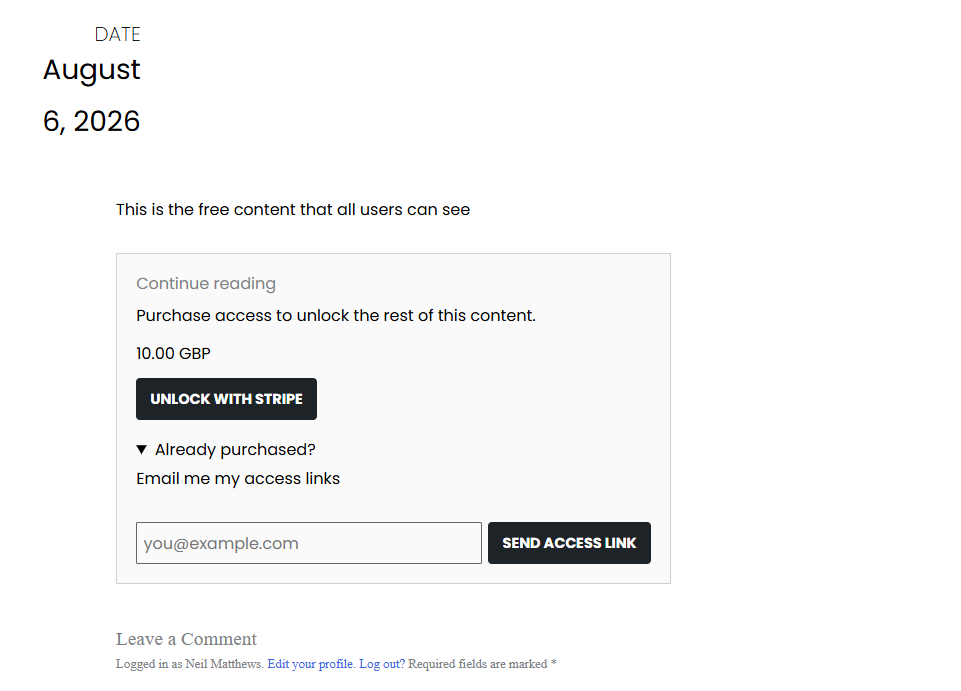
SCREENSHOT 6 – front end view of protected content