
DV FAQ Schema Block Wordpress Plugin - Rating, Reviews, Demo & Download
Plugin Description
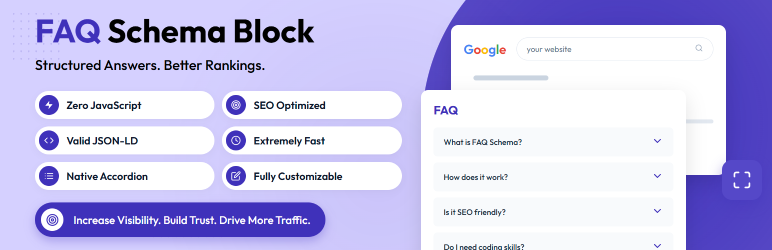
The FAQ Schema Block plugin provides a seamless way to create FAQ sections in the WordPress Block Editor (Gutenberg) while automatically generating the necessary FAQPage JSON-LD schema for Google Rich Results.
By using this plugin, you can significantly improve your SEO visibility. When Google indexes your site, it will read the schema and can display your FAQs directly in the search results, increasing your click-through rate (CTR) and driving more organic traffic to your website.
Why Choose DV FAQ Schema Block?
Most FAQ plugins rely on heavy JavaScript libraries (like jQuery) to power their accordions, slowing down your website and hurting your Core Web Vitals. Our plugin takes a modern approach:
- Zero JavaScript Bloat: We use native HTML5
<details>and<summary>tags to power the accordion toggle. This guarantees maximum performance and accessibility. - True Accordion Mode: Set your FAQs to act as a true exclusive accordion (opening one automatically closes the others) or let them all stay open.
- Customizable Icons: Easily upload your own SVG or PNG icons for the expand/collapse indicators directly within the block settings.
- Perfect JSON-LD Schema: The plugin automatically extracts your questions and answers and generates perfectly valid
application/ld+jsonschema right in the footer of your page.
Features Overview:
- Built specifically for the modern WordPress Block Editor (Gutenberg).
- Beautiful “Accordion” and “Always Expanded” display options.
- Outputs valid
application/ld+jsonschema directly on the frontend. - Lightweight: Uses native HTML5
<details>and<summary>tags without bloating your site with heavy JavaScript. - Inherits your active theme’s typography and colors to blend in perfectly.
- Fully responsive and mobile-friendly out of the box.
Source Code
The source code for this plugin is included directly within the plugin’s src/ directory.
To build the plugin assets (if you modify the source files):
1. Navigate to the plugin directory in your terminal.
2. Run npm install to install dependencies.
3. Run npm run build to compile the JavaScript and CSS assets via @wordpress/scripts.
All unminified source files can be found in the src/ folder of the plugin zip.
Screenshots

Block Editor View: Adding questions and answers using the intuitive Gutenberg block interface.

Settings Panel: Customizing the display mode and uploading custom expand/collapse icons.

Frontend Accordion: The clean, responsive accordion displayed on the live website.

Rich Results Test: Validated FAQPage schema showing zero errors in Google’s testing tool.


