
DVYZR Store Migration To Shopify Wordpress Plugin - Rating, Reviews, Demo & Download
Plugin Description
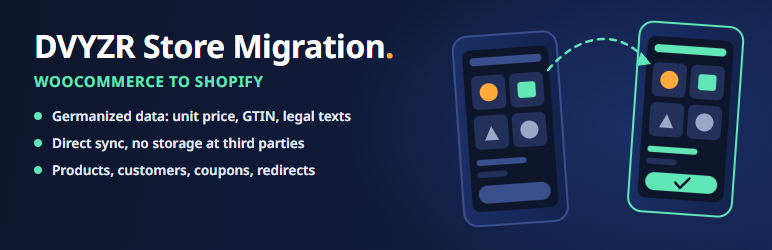
DVYZR Store Migration moves your shop from WooCommerce (also with Germanized) to Shopify without building spreadsheets.
Included:
- Connection to Shopify (client credentials or Admin API token)
- Field mapping with a live preview of the Shopify product
- Complete migration of simple and variable products (with options and variants) including unit price, images, categories as collections and metafields
- Mapping of the WooCommerce categories to the Shopify product category
- Log with retry of failed products and CSV export
Direct transfer: Your data goes from your server directly to the Shopify API. There is no intermediate storage with us or with third parties.
Pro plugin (optional, sold separately): redirects, customers, coupons, blog posts, pages and order archive.
Languages: English and German. The plugin follows the language of your WordPress site.
External services
This plugin sends data to the Shopify Admin API of your own shop so that products, collections and metafields can be created there.
- Service: Shopify Admin API (GraphQL) at the shop domain you enter (
<shop>.myshopify.com). - Data sent: the product data to be migrated (title, description, prices, unit price, SKU, image URLs, categories, metafields) and, with client credentials, the credentials for the token request.
- When: only when you start a migration or a preview in the “Products” tab or the connection check.
- Shopify: Terms of service, Privacy policy
There is no other external service, no tracking and no telemetry.
Screenshots

Connection tab: enter the Shopify credentials and prepare a new migration.

Products tab: migration settings, field mapping with live preview of the data sent to Shopify, metafield mappings and the migration log.

Categories tab: assign Shopify product categories to WooCommerce categories.

License tab: activate the Pro license and see its status.

Customers tab: migrate customers and review the log with notes.

Coupons tab: migrate coupons with their restrictions.

Blog posts tab: migrate posts as Shopify articles.

Pages tab: select the pages and legal texts to migrate.

Order archive tab: back up orders as CSV or an offline archive before switching off WooCommerce.

Redirects tab: prepare 301 redirects so old URLs keep their ranking.


