Easeora Easy Events Wordpress Plugin - Rating, Reviews, Demo & Download
Plugin Description
Easeora Easy Events is a lightweight event-listing plugin for websites that design event detail pages separately with Elementor or another page builder.
The plugin stores events in a private dashboard-only custom post type. It does not generate public single-event URLs or load Elementor code.
Each event supports:
- Event name
- Event image
- Event location
- One or more event dates, with an optional time for each date
- Hotel information and an optional hotel-information link
- Logistics file selected through the WordPress Media Library
- Optional external logistics URL
- Custom event details-page URL
- Draft and published statuses
The frontend listing is inserted with the [easeoraee_events] shortcode. It includes a responsive search and filter panel, event images, multi-day date badges, event details, configurable button colours, logistics links, and standard WordPress pagination.
On desktop and tablet, the complete filter bar is always visible. On mobile, the filter area is collapsed into a native click-to-open control. The page layout contains only the filters and event cards, so the surrounding header, hero, and footer remain under the control of the active theme or Elementor page.
Usage
Creating an event
- Open Easy Events > Add New Event.
- Enter the event name in the title field.
- Add the event location, date schedule, and any optional links.
- Add one date, then use Add Another Date for two-day, three-day, or non-consecutive events.
- Select an event image from the WordPress Media Library.
- Add hotel information and an optional hotel-information URL.
- Select a PDF, DOCX, or ZIP logistics file, or enter an external logistics URL.
- Paste the URL of the independently designed event details page.
- Publish the event.
Elementor workflow
- Create a normal WordPress page for the event.
- Design and publish it with Elementor or Elementor Theme Builder.
- Copy the page URL.
- Paste that URL into the event’s Custom Details Page URL field.
Easeora Easy Events does not modify Elementor or control the design of that page.
Shortcode
[easeoraee_events]
The shortcode displays the filter panel and event cards only. It does not add a site header, hero heading, newsletter form, or footer.
The listing filters support:
- Search by event name
- All dates, upcoming events, this month, next 30 days, and past events
- Location
Upcoming and ongoing events appear first. Past-event visibility, events per page, and button colours can be changed under Easy Events > Settings.
Privacy and External Services
Easeora Easy Events does not collect analytics, track visitors, set tracking cookies, or send event data to an external service. All events, settings, files, and links remain within the WordPress site unless an administrator deliberately enters an external URL.
The plugin does not require an account, API key, paid service, or remote connection.
Screenshots
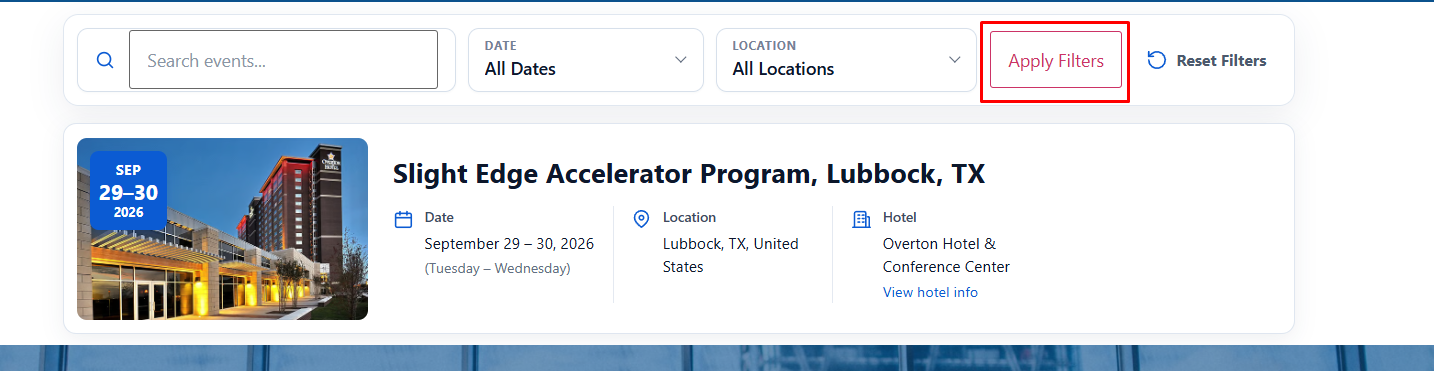
Responsive event listing with search, date, and location filters.
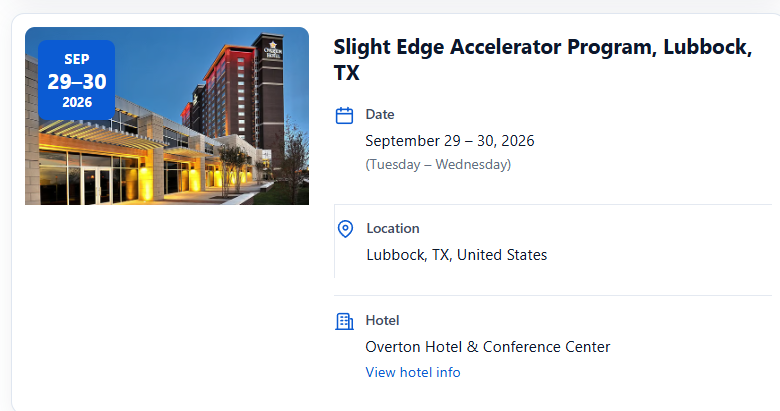
Tablet event-card layout with multi-day date badge, location, and hotel information.
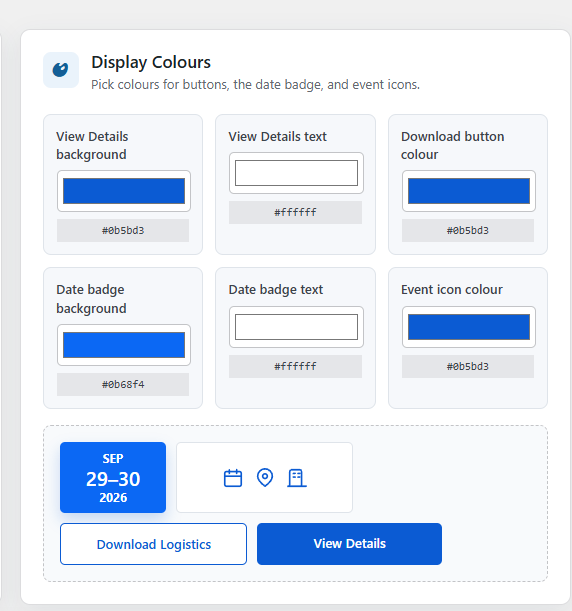
Display Colours settings with live previews and editable colour controls.