Easy Analytics With Cloudflare RUM Wordpress Plugin - Rating, Reviews, Demo & Download
Plugin Description
Easy Analytics with Cloudflare RUM shows your Cloudflare RUM (real user monitoring) Web Analytics data inside WordPress. Data is read from Cloudflare and kept for a short time, so nothing is copied into custom database tables.
This plugin is not affiliated with, endorsed by, or sponsored by Cloudflare, Inc. Cloudflare is a trademark of Cloudflare, Inc.
Features
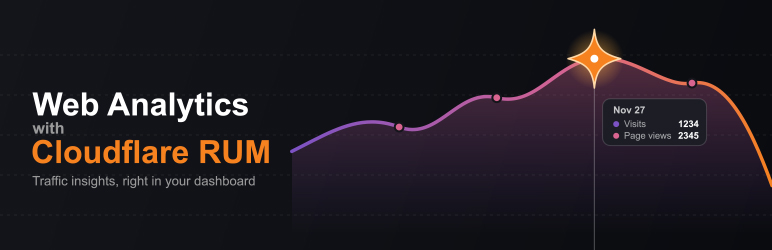
- Overview: visits, page views, page load time and a Core Web Vitals summary, with a traffic chart and trends against the previous period
- Pages, referrers, countries, browsers, operating systems and devices
- Core Web Vitals: LCP, INP and CLS with good / needs improvement / poor distribution, percentiles (P50 to P99), sub-parts and a per-page table
- Dashboard widget: 30-day chart with visits and page views
- Admin bar counter: today’s page views for the page you are viewing on the public site, and total views in wp-admin
- Fast: pages open from saved data and refresh in the background after they have loaded. Choose how often: every 5 minutes, 10 minutes, 30 minutes, hourly, or manual only
- Dark mode: Light, Dark or System, saved per user
- Primary color: choose your accent color once; the rest of the palette adapts to it
- No external scripts: the charts are drawn by a small script bundled with the plugin
- Secure: your API token is encrypted using your WordPress salts
Requirements
- Cloudflare Web Analytics turned on for your site (this plugin reads the data; it does not add the tracking snippet)
- A Cloudflare API token with Zone > Zone > Read, Account > Account Settings > Read and Account > Account Analytics > Read
- Works with passkey, SSO and 2FA logins (the plugin never uses your login, only the token)
- WordPress 5.3 or higher, PHP 7.4 or higher
External services
This plugin connects to the Cloudflare API to read your Web Analytics data. Without that connection it cannot show anything.
- Service: Cloudflare API (
https://api.cloudflare.com/client/v4), including its GraphQL Analytics endpoint. - What it is used for: listing your zones, finding your Web Analytics site, and reading analytics: page views, visits, page load time, Core Web Vitals, top pages, referrers, countries, browsers, operating systems and devices.
- What is sent, and when: your Cloudflare API token (as an authorization header), your zone, account and Web Analytics site IDs, and the date range being viewed. For the admin bar counter, the path of a page is sent only when it is not in your top-pages list. Requests are made when an administrator opens the plugin’s dashboard or settings, the WordPress Dashboard (for the widget), or a page where the admin bar counter needs a refresh, and when you use Test connection or Refresh. The plugin does not send any information about your site’s visitors to Cloudflare; it only reads aggregated analytics.
- Cloudflare’s terms and privacy policy: Terms of Use, Privacy Policy.